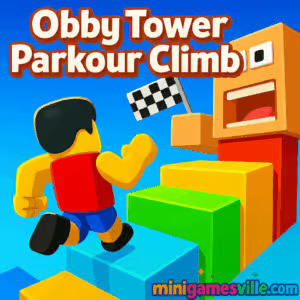
Click Play to jump into Obby Tower Parkour Climb on minigamesville.com and start climbing right now. Obby Tower Parkour Climb is a fast, 3D parkour platformer you can enjoy as an online, unblocked browser game with no download. Sprint, strafe, and leap across colorful obstacle courses, then race the clock or a friend in split‑screen. If you love obby challenges, this one delivers tight physics, clean visuals, and quick restarts that keep you in the flow. Ready to reach the summit and flex your movement skills? Hit Play above and conquer the tower on minigamesville.com.
About Obby Tower Parkour Climb
Obby Tower Parkour Climb drops you into vertical courses stacked with gaps, ramps, moving tiles, and sneaky bait platforms. The goal is simple: reach the top, as fast and as clean as you can. Expect responsive character control, clear reads on each jump, generous checkpoints, and a satisfying learning curve that rewards muscle memory. Whether you play solo or go head‑to‑head, this online browser game is built for quick sessions and repeat runs.
History of Obby Tower Parkour Climb
The game borrows the best bits from the community’s favorite obby and tower parkour trends, reimagining them for instant‑play in the browser. Three difficulty tiers and a challenge timer give it legs, while cosmetic unlocks add a reason to keep climbing and grinding better times.
Style & Vibe
Expect bright, saturated courses with clean geometry, high contrast edges, and readable depth. Each layer of the tower feels distinct, so your brain builds a route map as you climb. The overall vibe is upbeat and competitive, perfect for speedrunners and casual players alike.

Gameplay in Obby Tower Parkour Climb
Your run starts at the base of a vertical course. Navigate platforms with snappy movement, manage momentum on sprints, and time jumps with just enough hang to clear wider gaps. Miss a landing and you respawn at the last checkpoint, so you can iterate on tricky segments without losing the whole run. Coins and rewards feed into cosmetics, while the time attack loop nudges you to shave seconds with tighter lines and better camera control.
Game Modes
- Normal: Climb at your own pace, practice sections, and learn safe routes.
- Challenge: A timed run where every slip costs seconds. Chase new personal bests.
- 2‑Player Split‑Screen: Race a friend locally on the same device and prove whose parkour lines are cleaner.
- Difficulty Maps: Easy, Medium, and Hard layouts offer a clear progression path for newcomers and veterans.
How to Play
- Pick a mode: Normal for learning, Challenge for speed, or 2‑Player to compete.
- Choose a difficulty. Start on Easy to build confidence, then move up.
- Use sprint into jump for longer clears and diagonal edges for shorter paths.
- Adjust the camera before commits. Line up your approach, then go.
- Memorize checkpoints and risky shortcuts. Re‑route on the fly if you miss.
- Finish the climb, collect your rewards, and queue up another run.
Controls
- Move: WASD or Arrow Keys
- Jump: Space
- Sprint: Left Shift
- Camera: Mouse, scroll to zoom
- 2‑Player extras: Player 1 uses WASD, Space, Left Shift. Player 2 uses Arrow Keys, L to jump, K to sprint.
Device Compatibility & Browser Support
Runs in‑browser on desktop and mobile. For the smoothest experience, use the latest Chrome, Edge, Firefox, or Safari. Close heavy tabs, set graphics scaling to 100 percent, and enable hardware acceleration.
Mobile vs. Desktop Gameplay
Desktop offers precise camera control and easier sprint‑jump timing with keyboard and mouse. Mobile works well for casual climbs, though smaller screens may require a bit more camera patience on tight platforms.
Can I Play Offline?
In your browser on minigamesville.com, Obby Tower Parkour Climb needs an internet connection to load and run. Keep Wi‑Fi or data on for the best experience.
Can I Play Unblocked?
Because it is a lightweight online browser game, Obby Tower Parkour Climb often works on school or work networks that allow standard HTTPS sites. If you run into a block, try a different modern browser, update to the latest version, or switch networks.
- Browser: Play instantly here on minigamesville.com.
- iOS: Get Obby Tower Parkour Climb on the App Store
Download on App Store.
- Android: An official Google Play version for this exact title is not currently available.
If you want a similar feel on mobile, try Parkour Race by Madbox:
Google Play and
App Store.
Tips & Tricks
Beginner Tips
- On Easy, walk every edge first to learn jump distances before you sprint.
- Keep the camera slightly above shoulder height for better depth on gaps.
- Tap rather than hold Space on short hops to avoid overshooting.
- Use checkpoints to drill one segment until it feels automatic.
Advanced Strategies
- Chain sprint into diagonal landings to preserve momentum through corners.
- Look for fence, pipe, or tile seams that enable cheeky cut corners.
- Bunny timing: release sprint a split second before jump to stabilize arc on thin beams.
- Route plan for Challenge mode. Two safe lines and one risky PB line keeps runs alive.
Features
- 🌆 Three handcrafted tower layouts across Easy, Medium, and Hard
- ⏱️ Normal and time‑based Challenge modes for different play styles
- 👫 Local 2‑player split‑screen races on one device
- 🎯 Tight, readable platforming with instant checkpoint respawns
- 🎮 Keyboard and mouse friendly controls with smooth camera
- 💎 Cosmetic unlocks to personalize your climber
- 🚀 Shortcut‑rich routes for speed tech and PB hunting
- 📶 Runs as an online browser game with zero downloads
Unlockables & Secrets
Earn coins from clears to unlock skins and accessories. Watch for sneaky diagonals, fake floor tiles, and alternate beams that bypass slow zigzags. Practice these shortcuts in Normal first, then deploy in Challenge for time saves.
Cheats & Mods
There are no official cheats. Browser extensions or mod menus can break your save or harm performance. For legit speed gains, master sprint‑jump timing and camera positioning.
Walkthrough Summary
Start on Easy to memorize checkpoint spacing. Learn where you can sprint safely, then add diagonal cuts. Move up to Medium and Hard once you can complete Easy without a fall. In Challenge mode, split each course into three mental sections, reset quickly after a major mistake, and chase clean consistency over risky hero jumps.
Scoring, Records & Progression
Your best clears come from minimizing camera corrections and landing centered. Track your times, aim for no‑fall runs, and reroute any section that costs more than a second. Cosmetics add long‑term goals as you stack wins and coins.
Why Play Obby Tower Parkour Climb
If you want reliable physics, instant restarts, and a pure focus on movement, Obby Tower Parkour Climb is a blast. It is quick to learn, hard to master, and perfect for short play bursts or deep PB sessions.
Pros & Cons of Obby Tower Parkour Climb
- Pros: snappy controls, clear platform reads, generous checkpoints, satisfying time attack loop, local 2‑player races.
- Cons: precision beams can feel punishing on mobile cameras, limited map count means heavy repetition when grinding PBs.
- Keep your browser up to date and enable hardware acceleration.
- Close background tabs or overlays that capture the mouse.
- On laptops, plug in power and switch to a high‑performance mode.
- If frames dip, set your display scale to 100 percent and play in a standard window, not full 4K.
Similar games to Obby Tower Parkour Climb
FAQ
Is Obby Tower Parkour Climb free to play?
Yes, you can play it free as an online browser game on minigamesville.com.
Does Obby Tower Parkour Climb support two players?
Yes, there is a local 2‑player split‑screen mode so you can race a friend on one device.
What are the difficulty levels?
You can choose Easy, Medium, or Hard, each tuned for a different skill level.
What is Challenge mode?
Challenge mode adds a timer, so the goal is to complete the climb with the best time possible.
Will it work on school Wi‑Fi?
It often does, since it runs in the browser as an unblocked game on standard HTTPS, but access depends on local network rules.
Is there a mobile app?
An iOS app is available on the App Store, and you can use the links above to install it on your device.
Conclusion
Obby Tower Parkour Climb nails the feel of clean, skill‑based movement. The checkpoints keep frustration low, while the challenge timer keeps adrenaline high. Whether you are practicing safe lines or sending risky shortcuts, every new PB feels earned.
Ready to climb again? Press Play above to start Obby Tower Parkour Climb on minigamesville.com, chase a faster time, and share the screen to race a friend. Your next clean run is one jump away.

 Loading...
 English
 Shqip
Shqip
 বাংলা
বাংলা
 Български
 简体中文
简体中文
 Hrvatski
 Čeština
 Dansk
Dansk
 Nederlands
 Suomi
Suomi
 Ελληνικά
 हिन्दी
 Magyar
 Bahasa Indonesia
 日本語
日本語
 한국어
한국어
 Lietuvių
 Bahasa Melayu
 Norsk
Norsk
 Polski
 Português do Brasil
 Română
 Slovenčina
 Slovenščina
 Svenska
 ไทย
ไทย
 Türkçe
 Українська
 اردو
اردو
 Tiếng Việt
 isiZulu
 Español
 Français
 Deutsch
 العربية
 Italiano
 فارسی
فارسی
 Русский