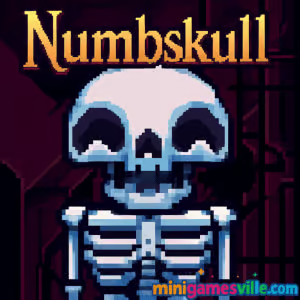
Play Numbskull right now on Minigamesville.com and start rolling that cheeky skull to victory. Numbskull is a clever online browser game that blends physics, rotation puzzles, and spooky charm into bite-size levels you can finish on coffee breaks. If you love logic challenges with simple controls and deep solutions, this unblocked HTML5 puzzler is for you. Hop in, rotate platforms, dodge hazards, and reunite the skull with its skeleton. Click Play above to try Numbskull free on Minigamesville and see how many levels you can beat today.
About Numbskull
Numbskull is a physics puzzle game where every move is a twist, literally. You select pieces of the stage and rotate them to roll a skull through traps, conveyors, and pipes until it clicks back onto its body. It looks lighthearted, yet the puzzle design ramps up fast with cause-and-effect moments that reward planning. Because it runs in the browser, there is nothing to install and your progress is easy to pick up anytime.
History of Numbskull
Born during the golden age of web arcades, Numbskull became a fan favorite for its Halloween vibe, click-and-rotate mechanic, and increasingly devious level layouts. The game was later rebuilt in HTML5 so it plays smoothly across modern browsers on desktop and mobile, keeping the original charm while improving performance and accessibility.
Style & Vibe
The art mixes retro pixel punch with friendly spooky energy: grinning pumpkins, castle bricks, and a skull that is more lovable than scary. The palette and sound effects keep the mood playful while the logic stays sharp.

Gameplay in Numbskull
Each level is a compact machine. You draw a box to select blocks, then rotate that selection to redirect your skull. Rotate a conveyor to change travel direction, line up pipes to warp across the map, flip gravity cues, or rotate the entire screen with special tiles. Hazards like electric tiles and pumpkins punish sloppy turns, so sequencing matters. The thrill comes from small chain reactions: one smart rotation sets up another, which safely carries the skull home.
Game Modes
- Level Select: a structured progression of handcrafted puzzles.
- Speedrun Self-Challenge: replay levels to beat your best time.
- Move-Count Challenge: try to solve with the fewest rotations.
How to Play
- Scan the level, spotting the goal body, hazards, and helpful blocks.
- Drag to draw a selection box around rotatable pieces.
- Tap the on-screen rotate buttons to spin the selection 90 degrees.
- Let physics do the rest as your skull rolls, rides conveyors, or drops through pipes.
- Iterate: undo a rotation by spinning the other way, then optimize your sequence.
Controls
- Desktop: Left-click and drag to select, then click the rotate UI buttons. Mouse wheel or keys can scroll the page if needed.
- Mobile: Tap and drag to select, tap rotate buttons. Pinch to zoom if your browser supports it.
- Pause/Retry: Use the on-screen menu to restart a level instantly.
Device Compatibility & Browser Support
Numbskull is an HTML5 browser game optimized for Chrome, Edge, Firefox, and Safari on Windows, macOS, Linux, Android, and iOS/iPadOS. Keep your browser updated and enable hardware acceleration for the smoothest play.
Mobile vs. Desktop Gameplay
- Mobile: Perfect for quick sessions, tap rotations feel snappy. Use landscape orientation for the widest view.
- Desktop: Bigger canvas for reading the puzzle at a glance. Precise mouse selections help with fine rotations.
Can I Play Offline?
Numbskull runs in your browser and needs an internet connection to load. After the page loads, some browsers may cache assets, but reliable offline play is not supported.
Can I Play Unblocked?
Yes, Numbskull is playable online on Minigamesville. School or workplace filters vary by network, so if a page is blocked try switching to a different browser profile or a personal connection where allowed.
- Browser: Play Numbskull directly on Minigamesville.com in your web browser.
- Official mobile apps: Numbskull does not have official iOS or Android releases.
- Want a similar mobile puzzle on the go? Try Thief Puzzle:
Tips & Tricks
Beginner Tips
- Rotate with intent: visualize where the skull will roll after each turn.
- Use edges: create safe ledges that catch the skull before the next move.
- Conveyors first: set their direction before committing to a drop.
- Pipe prep: complete a continuous pipe path before sending the skull through.
- Reset fast: a quick restart is faster than untangling a messy setup.
Advanced Strategies
- Two-step traps: set a temporary stopper, then rotate it away mid-roll.
- Counter-rotation: sometimes spinning a section the “wrong” way sets up a better final path.
- Camera planning: think in 90-degree chunks to predict inverted physics moments.
- Hazard herding: rotate to funnel pumpkins or moving parts out of your line.
- Optimize routes: replay to cut a rotation or two and improve your personal best.
Features
- 🧩 Smart rotation puzzles with satisfying physics.
- 🎃 Playful spooky theme that stays friendly and fun.
- 🕹️ One-click controls that anyone can learn in seconds.
- ⚙️ Conveyors, pipes, and special tiles that remix every level.
- 📱 Desktop and mobile friendly, no download required.
- 🔁 Instant restart for quick iteration and mastery.
- ⏱️ Optional speedrun and low-move self challenges.
- 🎯 Tight level design that rewards careful planning.
Unlockables & Secrets
The joy of Numbskull lies in discovery. Expect levels with hidden interactions, rotations that flip the world, and layouts where a single extra turn opens a shortcut. Replaying with fewer moves can reveal alternative solutions.
Cheats & Mods
There are no official cheats for Numbskull. Third-party mods or injected scripts can harm performance or break the game. For accessibility, use your browser’s zoom and reduce motion settings if needed.
Walkthrough Summary
Early on, master selection size and rotation order. In midgame, combine conveyors and pipes to chain movement. Late game adds tricky hazard timing and global flips. Think two moves ahead, always ask what your next resting tile will be, and refine from there.
Scoring, Records & Progression
Progress is measured by level completion. Many players track personal bests by time or move count. Create your own benchmarks, then revisit earlier stages to shave a rotation and push your skill ceiling higher.
Why Play Numbskull
Numbskull delivers pure puzzle satisfaction in compact levels you can finish fast or optimize for hours. It is the kind of browser game that feels casual yet offers plenty of depth, unblocked and ready whenever the puzzle itch hits.
Pros & Cons of Numbskull
- Pros: Simple controls, inventive mechanics, quick restarts, works on any modern device.
- Cons: Later levels can be tough without hints, and a few puzzles demand precise rotations that may feel fiddly on small screens.
- Use the latest Chrome, Edge, Firefox, or Safari for best performance.
- Enable hardware acceleration in browser settings.
- Close heavy tabs and background streams while playing.
- On mobile, switch to landscape, disable battery saver, and keep at least 15 percent free storage for smooth caching.
Similar games to Numbskull
- Thief Puzzle — Stretchy logic hijinks where timing and pathing turn simple grabs into brain teasers.
- Puzzle Blocks Classic — Fit falling shapes to clear lines and exercise spatial reasoning between Numbskull runs.
- Color Water Sort 3D — Relaxing pour-and-sort logic that rewards planning several moves ahead.
- Suika Sort — Merge and manage space as fruits combine, a satisfying twist on physics puzzling.
- Wordslide — Slide letters to form words, a tidy brain-teaser for fans of compact, clever challenges.
- Color Circles — Rotate rings to line up colors, great for quick pattern-matching bursts.
- Geometry Dash Lite — Precision and rhythm platforming that scratches the fast-retry itch.
FAQ
What is Numbskull?
Numbskull is a browser-based physics puzzle game where you rotate sections of the map to roll a skull safely back to its body.
Is Numbskull free to play?
Yes, you can play Numbskull online for free on Minigamesville in your web browser.
Does Numbskull work on mobile?
Yes, it runs in mobile browsers. For the best view, rotate your phone to landscape and use pinch-to-zoom if needed.
Can I play Numbskull unblocked at school?
It is an unblocked HTML5 game on our site, but access depends on local network rules. If blocked, try a different browser profile or a permitted network.
Are there official Numbskull apps on iOS or Android?
No, Numbskull is available as a browser game. For a comparable mobile puzzle, try Thief Puzzle on the App Store and Google Play.
How do I reset a tricky level?
Use the on-screen menu to restart instantly. Quick retries are part of the strategy loop.
Any paywalls or energy systems?
No, just hop in and play. The challenge is beating the puzzles, not timers or lives.
Conclusion
Numbskull takes a simple idea and turns it into a parade of “aha” moments. Rotate, roll, and outsmart each stage as you learn how pieces interact and physics carry the skull home. It is quick to learn, delightfully tricky to master, and perfect for short sessions or marathon puzzle nights.
Ready to test your wits? Hit Play above and dive into Numbskull on Minigamesville. Share it with a friend and see who solves the most levels with the fewest rotations.

 Loading...
 English
 Shqip
Shqip
 বাংলা
বাংলা
 Български
 简体中文
简体中文
 Hrvatski
 Čeština
 Dansk
Dansk
 Nederlands
 Suomi
Suomi
 Ελληνικά
 हिन्दी
 Magyar
 Bahasa Indonesia
 日本語
日本語
 한국어
한국어
 Lietuvių
 Bahasa Melayu
 Norsk
Norsk
 Polski
 Português do Brasil
 Română
 Slovenčina
 Slovenščina
 Svenska
 ไทย
ไทย
 Türkçe
 Українська
 اردو
اردو
 Tiếng Việt
 isiZulu
 Español
 Français
 Deutsch
 العربية
 Italiano
 فارسی
فارسی
 Русский