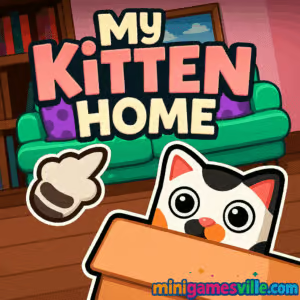
Play My Kitten Home on MiniGamesVille
Ready to relax and build the cutest cat haven ever? Click play above and enjoy My Kitten Home right here on minigamesville.com. This cozy online browser game lets you design rooms, pamper a tiny feline, and turn a simple starter house into a purrfect paradise. If you love pet simulation, casual decorating, and stress-free creativity, My Kitten Home is your new go-to. Dive in now, experiment with layouts, and see how many adorable touches you can add. Play My Kitten Home unblocked in most school or work networks and start decorating today.
About the Game
My Kitten Home is a gentle cat-care and home-decor simulation that blends simple placement mechanics with freeform creativity. You guide a sweet kitten into a new space, choose furniture sets, rearrange pieces to your liking, and expand the house as your vision grows. Because it runs in your browser, there is no download or signup required. Set your own pace, sip your coffee, and build a soothing sanctuary one cushion and cat tree at a time.
History of My Kitten Home
My Kitten Home emerged from the growing wave of HTML5 pet and decorating experiences from indie creators. Built for instant play, it focuses on accessible mouse and touch controls so anyone can jump in and start designing within seconds. Its light footprint, chill soundtrack, and steadily expanding furniture choices helped it gain traction across web portals before landing on minigamesville.com for frictionless play.
Style & Vibe
Think soft palettes, clean lines, and a calm loop that rewards imagination. The kitten’s animations and room glow create a feel-good atmosphere suited for short breaks or longer design sessions.

Gameplay in My Kitten Home
The flow is simple and satisfying. Choose a room, browse items, place and rotate them, then refine your layout until everything feels just right. As you progress, you unlock fresh sets and can add extra floors to grow the house. The physics are forgiving, so experimenting is risk free. The biggest “challenge” is your own taste: balancing cozy, playful, and practical while leaving enough space for your kitten to roam. Short interactions keep the pace brisk, making My Kitten Home ideal when you want to unwind without timers or pressure.
Game Modes
- Creative Sandbox: The core experience. Decorate, rearrange, and expand at your pace.
- Light Objectives: Occasionally you’ll see gentle prompts that nudge you to try new items or refresh a room theme.
How to Play
- Press Play and let the game load in your browser.
- Select a room and open the furniture catalog.
- Click or tap an item to place it, then drag to reposition.
- Rotate or swap items until the layout fits your vision.
- Add décor, confirm changes, and move to the next area.
- Keep designing, then unlock more rooms and extra floors.
Controls
- Desktop: Left click to select, drag to move, mouse wheel or on-screen buttons to rotate.
- Mobile: Tap to select, hold and drag to move, on-screen rotate controls for orientation.
Device Compatibility & Browser Support
My Kitten Home is an HTML5 browser game that plays smoothly on modern Chrome, Safari, Firefox, and Edge. It adapts to phones, tablets, laptops, and desktops. For best performance, keep only a few tabs open and ensure hardware acceleration is enabled in your browser settings.
Mobile vs. Desktop Gameplay
On mobile, tap targets are larger and layouts feel snug, perfect for quick sessions. On desktop, the added screen space makes room planning and theme mixing even easier, especially when you want to micro-adjust item placement.
Can I Play Offline?
My Kitten Home is designed for online play in your browser. An active internet connection is recommended so assets load correctly and new content appears as intended.
Can I Play Unblocked?
Many players can access My Kitten Home unblocked because it runs over HTTPS and uses standard web tech. Access still depends on your school or workplace filtering rules. If you encounter a block, try a different modern browser or network where gaming sites are allowed.
- Browser: Play on minigamesville.com, no download needed.
- Official mobile apps: No official App Store or Google Play version of My Kitten Home exists at this time.
- Similar mobile alternative:
Tips & Tricks
Beginner Tips
- Start simple. Place anchor pieces first like bed, sofa, or scratching post, then fill gaps with décor.
- Use symmetry sparingly. Offset one large item with two smaller accents to keep rooms lively.
- Leave pathways. Your kitten needs clear routes between bed, bowl, and toys.
- Pick a palette. Choose two main colors and one accent so your theme looks cohesive.
- Save changes often. Commit designs before moving to another room to avoid rework.
Advanced Strategies
- Stack themes floor by floor. Cozy on Level 1, modern on Level 2, playful on Level 3.
- Use vertical space. Shelves, wall art, and tall plants make small rooms feel larger.
- Create zones. Divide living areas into nap, play, and snack corners for a natural flow.
- Rotate décor seasonally. Swap textiles and wall accents to keep the vibe fresh.
- Iterate layouts. Build, live with it a minute, then nudge placement until it clicks.
Features
- 🐾 Relaxing pet simulation with a charming kitten companion
- 🛋️ Drag-and-drop decorating across multiple rooms
- 🏡 Expandable house with extra floors as you progress
- 🎨 Curated furniture packs and color-friendly décor
- 📱 Smooth play on mobile and desktop browsers
- 🔁 Instant resets for guilt-free experimentation
- 🔊 Soft, chill audio that pairs well with creative play
- ⚡ Fast loading and lightweight performance
Unlockables & Secrets
As you continue decorating, you’ll open up new rooms, furniture categories, and the option to add additional floors. Try mixing items from different sets for unique combinations, then revisit earlier rooms to apply your upgraded style.
Cheats & Mods
There are no official cheats for My Kitten Home. Third-party mods or code injections can break saves or reduce performance. The best way to “optimize” is to master layout fundamentals and keep your browser updated.
Walkthrough Summary
- Build a comfy starter room with bed, bowl, toy.
- Add seating and shelving to shape pathways.
- Layer décor, plants, and rugs to define zones.
- Unlock the next room and repeat the process with a distinct theme.
- Add extra floors when available to showcase completely different styles.
Scoring, Records & Progression
Progress is about growth and expression. You aim to unlock more space and décor variety, then refine your design language from room to room. Treat each floor like a portfolio piece and challenge yourself to keep a steady visual rhythm throughout the home.
Why Play My Kitten Home
It is calming, creative, and quick to learn. My Kitten Home is perfect when you want a low-stress break that still feels rewarding. The kitten’s reactions and the gentle pace make it an easy daily ritual.
Pros & Cons of My Kitten Home
- Pros: Instant play in browser, adorable pet feedback loop, flexible layouts, smooth on most devices.
- Cons: Minimal challenge by design, progression focuses on décor rather than competitive goals.
- Refresh the page if assets stall while loading.
- Enable hardware acceleration in your browser settings.
- Close extra tabs and background streams during long design sessions.
- Use an up-to-date Chrome, Safari, Edge, or Firefox for the best frame times.
Similar games to My Kitten Home
- Funny Kitty Care — hands-on cat care mini tasks with cute animations.
- Cozy Garden Design — chill landscaping and décor for a relaxing outdoor retreat.
- Dual Cat — reflex-based kitty platformer that tests timing and coordination.
- Nekopirate: Quest for Gold — adventure with swashbuckling cats on a treasure hunt.
- Funny Puppy Care — similar nurturing loop, this time with a playful pup.
- Village Builder — expand a settlement with smart placement and resource flow.
- Cleanscape — tidy-up puzzles that scratch the same organization itch as decorating.
FAQ
Does My Kitten Home save my progress?
Your progress typically stores in your browser. Clearing cookies or switching devices may reset it, so try to play on the same browser and device.
Is My Kitten Home free to play?
Yes, you can play free in your browser on minigamesville.com without downloads.
Can kids play My Kitten Home?
Yes, the controls are simple and the content is family friendly. Supervision is always a good idea for younger players.
Why is the game lagging on my phone?
Close other apps and tabs, lower screen brightness to reduce thermal throttling, and ensure your browser is updated.
Does My Kitten Home have time limits?
No, it emphasizes calm, open-ended decorating, so you can design at your own pace.
Is there an official mobile app?
No official mobile app exists for My Kitten Home. If you want a similar mobile experience, try Cat Home Design on iOS or Android.
Conclusion
My Kitten Home delivers a mellow, creative loop that fits any schedule. Build a cozy starter room, expand into a multi-floor haven, and soak in the tiny purrs while you fine tune every corner. It is the perfect pick when you want a feel-good break without timers or pressure.
Press play above to start My Kitten Home on minigamesville.com, try a theme you have never used before, and share the cuteness with a friend. Your dream cat house is a few clicks away.

 Loading...
 English
 Shqip
Shqip
 বাংলা
বাংলা
 Български
 简体中文
简体中文
 Hrvatski
 Čeština
 Dansk
Dansk
 Nederlands
 Suomi
Suomi
 Ελληνικά
 हिन्दी
 Magyar
 Bahasa Indonesia
 日本語
日本語
 한국어
한국어
 Lietuvių
 Bahasa Melayu
 Norsk
Norsk
 Polski
 Português do Brasil
 Română
 Slovenčina
 Slovenščina
 Svenska
 ไทย
ไทย
 Türkçe
 Українська
 اردو
اردو
 Tiếng Việt
 isiZulu
 Español
 Français
 Deutsch
 العربية
 Italiano
 فارسی
فارسی
 Русский