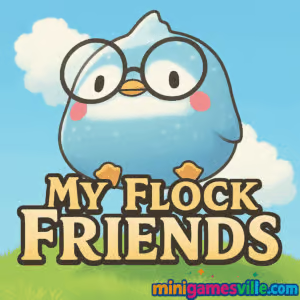
Press Play to jump into My Flock Friends on MiniGamesVille and start building the cutest little town in your browser right now. My Flock Friends is a cozy time-management and simulation browser game that blends snappy mini games with light city-builder vibes. Serve adorable animal customers, decorate shops, and keep the trains rolling with fast, satisfying rounds. Play online, unblocked on most networks, and see how big you can grow Pearl Town. Ready to relax and rack up coins and diamonds? Hit Play above and enjoy My Flock Friends on minigamesville.com.
About My Flock Friends
My Flock Friends drops you into Pearl Town, where you hire helpful critters, open themed food stands, and complete quick mini games to fulfill orders. Every perfect serve boosts your earnings and town reputation, unlocking new decorations, employees, and stands. The loop is simple, polished, and addictive, which makes this an ideal pick for bite-sized browser sessions at home, school, or work. If you like cute management sims, casual time-attack challenges, and easy click or tap controls, My Flock Friends delivers.
History of My Flock Friends
Created by a small indie team, My Flock Friends first charmed mobile players, then landed as an HTML5 browser game for instant play with no downloads. The web version retains the cozy art style, quick mini games, and satisfying progression that made it a favorite on phones, while taking advantage of bigger screens and mouse input for crisp accuracy.
Style & Vibe
Cozy, colorful, and wholesome. Expect painterly skies, soft lighting, and cheerful shop animations. Each stand has its own flavor, from fishing stalls to pizza kiosks, all wrapped in upbeat music and friendly sound cues.

Gameplay in My Flock Friends
The flow is fast and satisfying. Spend tickets to bring a new train of customers into town. Watch for order bubbles above their heads, click quickly to grab the request, then dive into a themed mini game. Nail the mini game to earn coins, scoop up your rewards, and reinvest into decorations or new stands. Decorations increase your earnings and can unlock more mini games. Hire employees to keep lines moving and expand your flock of helpers. The challenge ramps gently, with tighter timers and multitasking as your town grows.
Game Modes
- Endless Queue: Keep the trains coming, serve as many customers as possible, and chase high earnings.
- Timed Orders: Beat short timers inside each mini game to maintain streaks and bonuses.
- Achievement Hunts: Unlock goals for perfect chains, decoration milestones, and stand upgrades.
- Collection & Expansion: Open fresh stands, hire new employees, and decorate to unlock more mini games.
How to Play
- Use a ticket to bring a train of customers into Pearl Town.
- Click or tap a customer’s speech bubble as soon as it appears to accept the order.
- Complete the mini game quickly and accurately to earn coins.
- Collect coins and diamonds after each wave, then invest in decorations and upgrades.
- Hire employees to speed up service and unlock new stands to grow your city.
Controls
- Desktop: Mouse to click order bubbles, drag or click during mini games, scroll or click UI buttons to upgrade.
- Mobile: Tap to accept orders, swipe or tap during mini games, tap UI buttons to decorate and hire.
Device Compatibility & Browser Support
Plays instantly in modern browsers. Best on the latest Chrome, Edge, Firefox, or Safari. No installs, no plugins. Stable on Windows, macOS, Chromebooks, iOS, and Android devices.
Mobile vs. Desktop Gameplay
On desktop, precision clicking makes time-attack mini games extra snappy. On mobile or tablet, tap input feels natural and comfy for quick sessions, and the UI scales well on small screens.
Can I Play Offline?
No. My Flock Friends is an online browser game that loads assets and saves progress during play, so an active internet connection is needed.
Can I Play Unblocked?
In many schools and workplaces, MiniGamesVille’s HTML5 titles are accessible because they run in the browser with no downloads. If My Flock Friends is blocked on your network, try a different modern browser, refresh on HTTPS, or check with your network admin.
-
Browser:
Play on MiniGamesVille
-
Android (Google Play): No official version available. A similar game you might enjoy is
Flocks, a cute animal puzzle game.
-
iOS (App Store): No official version available.
Tips & Tricks
Beginner Tips
- Always click order bubbles the moment they appear to prevent customers from leaving.
- Buy low-cost decorations early, they improve earnings and can unlock more mini games.
- Save some diamonds for your next employee, staffing up keeps queues short.
- Spend tickets steadily. Idle too long and you slow your coin flow.
Advanced Strategies
- Route planning: alternate stands so you never wait on the same animation twice.
- Combo windows: in mini games, prioritize perfect timing to maintain streak bonuses.
- Upgrade pacing: push stands to key thresholds rather than spreading upgrades thin.
- Decoration ROI: focus on items with the best income boost per coin spent.
Features
- 🐦 Cute animal customers with personality-packed animations
- 🎯 Snappy time-attack mini games across multiple shop themes
- 💰 Coins, diamonds, and tickets fueling a satisfying progression loop
- 🏗️ City decorating and expansion that unlocks new content
- 🧠 Easy to learn, rewarding to master
- 🖱️ Click or tap controls that feel great on any device
- ⏱️ Quick sessions perfect for study breaks and commute time
- 🌐 Plays online in your browser, no installs needed
Unlockables & Secrets
Decorations and stand upgrades unlock additional mini games and income perks. Keep an eye on achievement badges, some grant one-time rewards when you hit perfect serve streaks or decoration milestones.
Cheats & Mods
There are no built-in cheats or supported mods for the browser version of My Flock Friends. Third-party tools can break your save or hurt performance, so stick to legit upgrades and skillful play.
Walkthrough Summary
First 10 minutes: hire your first employee, buy one or two decorations, then run a train of customers and focus on perfecting the mini game timing. Reinforce your best-earning stand, hire a second helper, then repeat the loop while adding decorations to reach new unlocks.
Scoring, Records & Progression
Your growth hinges on coins from orders and diamonds gained through upgrades and decor. Maintain service streaks, speed up order acceptance, and you will see bigger payouts per wave. Chasing personal best earnings per train is a fun, repeatable goal.
Why Play My Flock Friends
It is cozy, quick, and endlessly replayable. My Flock Friends lets you chill while still feeling productive, thanks to a smart upgrade loop and charming art. Whether you have five minutes or fifty, there is always a train to greet and a town to grow.
Pros & Cons of My Flock Friends
- Pros: relaxing pace, adorable art, short mini games, steady upgrades, smooth browser performance.
- Cons: timers can get tight later, coin management requires discipline, completionists may grind for certain unlocks.
- Use an up-to-date browser and enable hardware acceleration for smoother animations.
- Close extra tabs, pause background downloads, and disable heavy extensions while you play.
- If inputs feel delayed, lower your screen’s resolution scaling or switch to a wired mouse.
- On mobile, set your device to Do Not Disturb to avoid interruptions during timed orders.
Similar games to My Flock Friends
- Merge Zoo — combine animals to expand your habitat and grow a thriving zoo.
- Rooster Booster — a light farming clicker with cheeky poultry power-ups.
- Bee Sort by Sam — organize buzzing bees by color for relaxing puzzle vibes.
- Funny Puppy Care — pet-care mini games with scrubs, trims, and tail-wagging smiles.
- Funny Kitty Care — pamper kittens through cute clinic-style challenges.
- Village Builder — plan roads and homes to shape a cozy settlement.
- Babel Tower — stack, upgrade, and automate in a laid-back building idle.
FAQ
Is My Flock Friends free to play in the browser?
Yes, you can play My Flock Friends free online in your browser with no download required.
Does My Flock Friends work on Chromebooks?
Yes, it runs well on modern Chromebooks using the latest Chrome browser.
Is progress saved between sessions?
Your progress is stored in your browser. Keep the same device and browser to maintain your city.
Can I mute sounds or music?
Yes, use the in-game audio toggles or your system volume if you prefer silent play.
How many times is My Flock Friends updated?
Content updates roll out periodically. Check back often to catch new mini games and quality-of-life tweaks.
Is there a way to remove ads?
The browser version aims to keep interruptions minimal. If you want a mobile experience, the iOS version is available via the App Store.
Conclusion
Looking for a chill, cute, and rewarding browser game to play online? My Flock Friends is your next cozy obsession. Quick orders, charming mini games, and steady upgrades make every session feel meaningful, whether you are squeezing in a short break or settling in for a longer build-and-serve marathon.
All aboard to Pearl Town. Click Play to jump into My Flock Friends on MiniGamesVille, grow your shops, and keep those happy customers returning by train. Have fun, and may your coins and diamonds flow.

 Loading...
 English
 Shqip
Shqip
 বাংলা
বাংলা
 Български
 简体中文
简体中文
 Hrvatski
 Čeština
 Dansk
Dansk
 Nederlands
 Suomi
Suomi
 Ελληνικά
 हिन्दी
 Magyar
 Bahasa Indonesia
 日本語
日本語
 한국어
한국어
 Lietuvių
 Bahasa Melayu
 Norsk
Norsk
 Polski
 Português do Brasil
 Română
 Slovenčina
 Slovenščina
 Svenska
 ไทย
ไทย
 Türkçe
 Українська
 اردو
اردو
 Tiếng Việt
 isiZulu
 Español
 Français
 Deutsch
 العربية
 Italiano
 فارسی
فارسی
 Русский