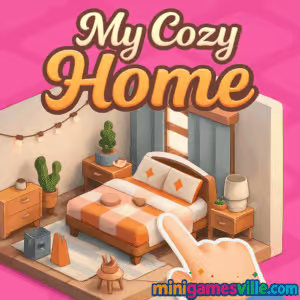
Play My Cozy Home right now on minigamesville.com and start decorating your dream space. My Cozy Home is a relaxing, design-forward browser game that lets you style rooms, arrange furniture, and create warm vibes in minutes. If you love cozy-core aesthetics and simple, satisfying gameplay, this online home-decor experience hits the spot. Dive in for quick sessions between classes or a longer chill build at night, and enjoy a smooth, unblocked way to unwind. Tap to place, drag to rearrange, and watch your personalized sanctuary come to life. Ready to get comfy? Launch My Cozy Home on minigamesville.com and start designing.
About My Cozy Home
My Cozy Home blends accessible interior design with light objectives. You earn coins for completing tidy-up tasks, placing themed decor, and hitting style goals. The loop is soothing: pick a room, choose a mood, then curate plants, textiles, and lighting until it feels just right. Unlike heavy sims, this online browser game focuses on ease and flow, so you can relax while you create.
History of My Cozy Home
My Cozy Home follows the rising wave of cozy design games that took off in the early 2020s. The emphasis is on comfort, creativity, and a low-stress pace. It builds on familiar mechanics, like star ratings and unlockable sets, while keeping everything super approachable for quick play in your browser.
Style & Vibe
Expect soft color palettes, gentle background audio, and a satisfying pop when items snap into place. Whether you lean cottagecore, Scandinavian minimal, or plant-packed boho, My Cozy Home gives you enough choices to shape a signature look.

Gameplay in My Cozy Home
Gameplay is all about arranging furniture, layering textures, and matching micro-goals. Rooms arrive with small challenges, like placing a rug that ties the seating area together or adding warm task lighting for a reading nook. You earn coins and stars for clean layouts, theme consistency, and smart use of color. Physics are light but responsive, so drag-and-drop feels snappy. Difficulty scales gently, introducing larger rooms, more item categories, and optional constraints such as budget caps or color bans.
Game Modes
- Creative Mode: Freestyle decorating with broader budgets and fewer limits, perfect for testing styles.
- Challenge Mode: Short, goal-driven tasks like “Cozy Autumn Bedroom” or “Green Thumb Studio.”
- Daily Tasks: Bite-size prompts that refresh regularly for bonus coins and streak rewards.
- Timed Sessions: Optional countdown rounds that push quick decision-making without heavy pressure.
How to Play
- Pick a room and review the theme goals.
- Open the catalog and filter by style, color, or category.
- Drag items into the space, then rotate, nudge, or layer decor.
- Balance function and vibe, then hit Finish to submit.
- Collect coins and stars, unlock sets, and move to the next space.
Controls
- Desktop: Left click to select, drag to place, scroll to zoom. Rotate with on-screen arrows or keys if enabled.
- Mobile: Tap to select, drag to position, pinch to zoom. Rotate with on-screen controls.
Device Compatibility & Browser Support
My Cozy Home runs in modern browsers like Chrome, Edge, Firefox, and Safari. For best results, keep your browser updated, enable hardware acceleration, and close heavy background tabs. This online browser game is lightweight, so it plays nicely on school laptops and everyday phones.
Mobile vs. Desktop Gameplay
On desktop you get precise placement and faster catalog browsing. On mobile, touch controls feel natural for quick tweaks and couch-friendly decorating. Both play great, so choose what fits your moment.
Can I Play Offline?
No, My Cozy Home requires an internet connection to load assets and save progress. Keep Wi-Fi or data on during play.
Can I Play Unblocked?
Yes, in most cases. Because it is a browser game on minigamesville.com, My Cozy Home typically works at home, on campus, or at work if gaming sites are allowed. If a network filter blocks it, try a different browser or device, or switch to a permitted network.
- Browser: Play My Cozy Home exclusively on minigamesville.com.
- Mobile: There are no official App Store or Google Play versions of My Cozy Home at this time.
- Want something similar on mobile? Try Design Home:
Tips & Tricks
Beginner Tips
- Start with a focal point, like a sofa or bed, then anchor with a rug.
- Use a 60-30-10 color balance, primary, secondary, and accent.
- Layer lighting: overhead, floor lamp, and task light for instant warmth.
- Mirror symmetry for clean looks, offset it for lived-in charm.
- Save coins by reusing versatile, neutral pieces across rooms.
Advanced Strategies
- Mix materials, wood, linen, rattan, and matte metal for depth.
- Echo colors across the room, pillows, art, and planters.
- Create zones with rugs and screen dividers to guide the eye.
- Use odd-number groupings, sets of three plants or frames read best.
- Chase streak bonuses by completing daily tasks in a row.
Features
- 🌿 Relaxing, cozy-core decorating with gentle goals
- 🛋️ Drag-and-drop furniture placement that feels smooth
- 🎨 Smart filters for color, theme, and style
- 💡 Layered lighting and ambience controls
- 🧩 Short challenges plus freeform creative mode
- 🏆 Star ratings, coins, and unlockable sets
- 📱 Plays great on desktop and mobile browsers
- ⚡ Quick loads and snappy interactions
Unlockables & Secrets
Complete themed sets to unlock matching textiles and accent decor. Keep an eye on daily tasks for limited-time colors that pair beautifully with wood tones and greenery. Max out streaks to speed up catalog growth.
Cheats & Mods
There are no official cheats for My Cozy Home. Mods or tampered clients can break saves or affect performance. For the best experience, play the standard online version on minigamesville.com.
Walkthrough Summary
Begin with smaller rooms to build funds, then tackle multi-area spaces. Prioritize essentials first, seating, lighting, and a rug. Add art and plants last to tie the palette together. Submit, collect rewards, and invest in versatile staples for the next design.
Scoring, Records & Progression
Clean layouts, cohesive palettes, and good lighting earn higher stars. Stars unlock new catalogs, while coins purchase furniture. Maintain daily streaks to level up faster, and aim for consistent 4 to 5 star finishes by balancing function and style.
Why Play My Cozy Home
When you want calm creativity, My Cozy Home delivers. It is an easygoing browser game that lets you design, relax, and see instant results without downloads or paywalls getting in your way.
Pros & Cons of My Cozy Home
- Pros: Relaxing flow, fast to learn, satisfying results, runs in-browser, unblocked-friendly.
- Cons: Online only, light challenge curve, no official mobile app.
- Keep your browser updated for smoother drag-and-drop.
- Enable hardware acceleration in settings.
- Close extra tabs and disable heavy extensions while playing.
- On mobile, switch to Wi-Fi for faster asset loads.
Similar games to My Cozy Home
- Cozy Garden Design, decorate outdoor nooks with plants, paths, and soft lights.
- Village Builder, place homes and structures to grow a peaceful settlement.
- Babel Tower, incremental building with simple management loops.
- Cleanscape, tidy up rooms and restore order with satisfying actions.
- Castle Blocks, freeform stacking and construction with charming visuals.
- Merge Zoo, cozy merge mechanics with gentle progression and collection.
FAQ
What is My Cozy Home?
My Cozy Home is a casual online decorating game where you style rooms, complete light challenges, and unlock new decor in your browser.
Is My Cozy Home free to play?
Yes, you can play free on minigamesville.com with no download required.
Can I play My Cozy Home on my phone?
Yes, open the game page in a mobile browser for touch-friendly play.
Does My Cozy Home work at school or work?
Often yes, because it is a browser game, although access depends on local network rules.
How do I get more coins in My Cozy Home?
Complete challenges, maintain daily streaks, and reuse versatile pieces to stretch your budget.
Are there any official mobile apps for My Cozy Home?
No, there are no official apps. If you want something similar on mobile, try Design Home on iOS and Android.
Conclusion
My Cozy Home is your quick escape into warmth and creativity. Whether you have five minutes or fifty, this browser game lets you build inviting spaces and recharge while you design.
Ready to style your perfect nook? Play My Cozy Home on minigamesville.com, experiment with color and texture, and let your calm, comfy vision shine. Your next cozy corner is one click away.

 Loading...
 English
 Shqip
Shqip
 বাংলা
বাংলা
 Български
 简体中文
简体中文
 Hrvatski
 Čeština
 Dansk
Dansk
 Nederlands
 Suomi
Suomi
 Ελληνικά
 हिन्दी
 Magyar
 Bahasa Indonesia
 日本語
日本語
 한국어
한국어
 Lietuvių
 Bahasa Melayu
 Norsk
Norsk
 Polski
 Português do Brasil
 Română
 Slovenčina
 Slovenščina
 Svenska
 ไทย
ไทย
 Türkçe
 Українська
 اردو
اردو
 Tiếng Việt
 isiZulu
 Español
 Français
 Deutsch
 العربية
 Italiano
 فارسی
فارسی
 Русский