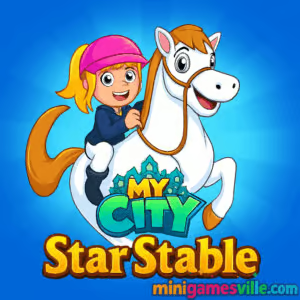
Ready to ride? Click Play to jump into My City Star Stable on minigamesville.com and start grooming, training, and showing your dream horses in a cozy stable setting. My City Star Stable is a kid-friendly horse care and stable simulator you can play online in your browser, no downloads or sign-ups required. This charming browser game mixes role play, mini challenges, and creative dress-up so you can build daily routines, decorate stalls, and trot into bite-size competitions. If you’re looking for an unblocked horse game that runs smoothly on school or work breaks, this one delivers quick fun with simple controls. Hit play, saddle up, and see how far your stable can go.
About My City Star Stable
My City Star Stable lets you manage a delightful barn, care for horses, and role play as the stable star. Think of it as a relaxed sandbox where you feed, brush, and train, then head out for short rides and friendly events. Sessions are snackable, the atmosphere is cozy, and there is always a new routine to perfect. Whether you love nurturing pets, designing spaces, or collecting cute outfits, this online horse game makes it easy to unwind and create your own stories.
History of My City Star Stable
Part of the broader My City universe, this title captures the spirit of dollhouse-style play updated for the browser era. It takes the approachable role-play formula fans love, then focuses it on horses, stables, and bite-size equestrian challenges. The result is a welcoming on-ramp for new players and a relaxing side activity for returning fans.
Style & Vibe
Expect bright, clean visuals with chunky, child-safe shapes and a gentle soundtrack. The UI is big and friendly, the animations are cute, and everything feels built for quick play sessions. It is the kind of vibe that makes daily routines feel rewarding rather than stressful.

Gameplay in My City Star Stable
Gameplay revolves around caring for horses, sprucing up your stable, and hopping into small challenges. You will brush coats, top up feed, muck stalls, and kit out tack before heading to training paddocks. Short riding tests, barrel turns, and show-jump style sequences encourage smooth timing rather than hardcore precision. Earn coins from chores and mini challenges to unlock cosmetics, stable decor, and fresh outfits. The flow is relaxed: care, train, try a challenge, customize, repeat.
Game Modes
- Free Play: Tinker with routines, decorate stalls, and role play at your own pace.
- Training Drills: Practice turning, rhythm, and timing in short courses.
- Time Trials: Race the clock on bite-size tracks to chase personal bests.
- Daily Tasks: Quick-care objectives that keep coins and rewards flowing.
How to Play
- Start in the barn and check your horse’s needs, then brush, feed, and gear up.
- Head to training to warm up, practicing smooth lines and gentle turns.
- Enter a mini challenge to earn coins, then visit the shop for tack and decor.
- Rearrange your stable, swap outfits, and repeat the routine to keep progressing.
Controls
- Desktop: WASD or Arrow Keys to move, Space to jump, Mouse to interact and navigate menus.
- Mobile: On-screen joystick to ride, tap to interact, swipe to look around.
Device Compatibility & Browser Support
My City Star Stable runs in modern browsers on desktop and mobile. For best results, use the latest Chrome, Edge, Safari, or Firefox. Enable hardware acceleration, keep background tabs light, and make sure your device has a steady connection for smooth gameplay.
Mobile vs. Desktop Gameplay
- Mobile: Perfect for quick-care routines and short challenges with simple touch controls.
- Desktop: Slightly finer control for races and time trials using keyboard input.
Can I Play Offline?
No, the browser version requires an internet connection. Keep a stable connection for quick loads and responsive input.
Can I Play Unblocked?
Yes, My City Star Stable is an HTML5 browser game, so it often works in environments where downloads are restricted. If your network blocks gaming sites, try a different network or ask your administrator to allow minigamesville.com.
- Browser: Play free on minigamesville.com.
- iOS: Official mobile version available as My City: Star Stable Club on the App Store: Download on iOS.
- Android: A closely related stable title is available on Google Play as My City: Star Horse Stable: Get it on Android.
If you prefer staying in the browser, the minigamesville.com version is the quickest way to play without installing anything.
Tips & Tricks
Beginner Tips
- Do care tasks first. A well-groomed, well-fed horse handles tighter turns.
- Walk the course with your eyes. Trace your line before you start to avoid last-second corrections.
- Short taps beat hard presses. Gentle adjustments help you keep speed through corners.
- Invest early in a reliable saddle and bridle look you enjoy using. Comfort boosts confidence.
Advanced Strategies
- Memorize gate distances. If you count strides, you can hit jumps at the perfect rhythm.
- Feather the joystick or keys on S-curves. Small inputs keep momentum without skidding wide.
- Chain daily tasks. Knock out care, a training loop, and a time trial to maximize coins per session.
- Use cosmetic swaps as checkpoints. After an upgrade, re-run a course to hunt for a new personal best.
Features
- 🐴 Cozy horse care loop with brushing, feeding, and tack prep
- 🎯 Bite-size time trials and training drills for quick wins
- 🎨 Stable decor and outfit customization to express your style
- 🧭 Intuitive touch and keyboard controls for all ages
- 🌈 Friendly, colorful art that keeps the mood light
- 💰 Easy coin economy with daily tasks and mini challenges
- 🧩 Kid-safe design and clear, readable UI
- ⚡ Fast-loading HTML5 for smooth, instant play
Unlockables & Secrets
Earn coins to unlock new tack sets, horse coats, and stable decorations. Keep an eye on training milestones that quietly open extra colorways. Mix and match items to create themed looks for show day.
Cheats & Mods
There are no official cheats or mods for the browser version. Play fair, keep your progress organic, and enjoy the steady stream of rewards from daily routines and challenges.
Walkthrough Summary
Start each session in the barn, handle grooming and feed, then run a short training loop. Enter a time trial for coins, buy a decor piece or accessory, and re-route a course for a faster line. Repeat daily to build a tidy, colorful stable that feels truly yours.
Scoring, Records & Progression
Coins come from chores and clean runs. Cleaner turns and fewer resets mean better times. Treat each upgrade as a small milestone and revisit tracks to set new records. Your progress is visual and practical: nicer stalls, smoother rides, and faster finishes.
Why Play My City Star Stable
It is friendly, quick, and satisfying. My City Star Stable hits that sweet spot between pet care and light riding challenges, making it perfect for short breaks or peaceful wind-down sessions. It is also a great choice for younger players who enjoy gentle, creative role play.
Pros & Cons of My City Star Stable
- Pros: Easy controls, adorable art, quick sessions, rewarding customization.
- Cons: Casual difficulty, shorter courses, and a focus on routine over deep simulation.
- Keep your browser current and close heavy background tabs for better frame pacing.
- On mobile, reduce screen brightness and disable battery savers during play for snappier input.
- Clear cache if you notice slow loads and make sure hardware acceleration is enabled in settings.
Similar games to My City Star Stable
- Tiger Simulator 3D — roam a wild world, raise a family, and complete animal quests.
- Duck Life — train your duck in running, swimming, and flying to win races.
- Bear Chase — playful animal action with quick reflex challenges.
- 3 Pandas in Japan — guide three cute pandas through clever puzzle scenes.
- Blocky Snakes — simple, colorful creature collecting and survival.
FAQ
Is My City Star Stable free to play online?
Yes, you can play the browser game free on minigamesville.com with no download.
Does My City Star Stable work on school Wi-Fi?
It often does. If your network filters games, ask to allow minigamesville.com or try a different connection.
What devices are supported?
Most modern desktops, laptops, tablets, and phones with updated Chrome, Safari, Edge, or Firefox.
Are there mobile apps for the stable experience?
Yes, you can find related mobile versions on the App Store and Google Play using the links above.
How do I improve my race times?
Plan your line before you start, use gentle steering, and keep a steady pace through turns.
Can kids play safely?
The experience is designed to be family-friendly with simple controls and chill objectives.
Conclusion
If you love cute horses, cozy stables, and easygoing challenges, My City Star Stable is a perfect browser game for quick, creative play. Care for your horses, polish your lines, and decorate a barn that feels like home.
Your next ride is one click away. Press Play on My City Star Stable right here on minigamesville.com, trot into training, and start stacking new personal bests today.

 (12 votes, average: 4.42 out of 5)
 Loading...
 English
 Shqip
Shqip
 বাংলা
বাংলা
 Български
 简体中文
简体中文
 Hrvatski
 Čeština
 Dansk
Dansk
 Nederlands
 Suomi
Suomi
 Ελληνικά
 हिन्दी
 Magyar
 Bahasa Indonesia
 日本語
日本語
 한국어
한국어
 Lietuvių
 Bahasa Melayu
 Norsk
Norsk
 Polski
 Português do Brasil
 Română
 Slovenčina
 Slovenščina
 Svenska
 ไทย
ไทย
 Türkçe
 Українська
 اردو
اردو
 Tiếng Việt
 isiZulu
 Español
 Français
 Deutsch
 العربية
 Italiano
 فارسی
فارسی
 Русский