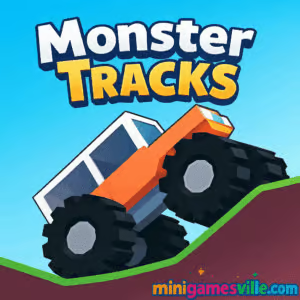
Ready to drive? Click Play above and jump straight into Monster Tracks on MinigamesVille. Monster Tracks delivers a physics-based, monster-truck driving challenge you can enjoy right in your browser, no installs needed. This online racing and skill browser game blends snappy controls with clever level design, perfect for quick sessions or all-night score-chasing. Keep your truck balanced, master the ramps, and upgrade your ride as you go. Hit Start and see how far you can get on MinigamesVille, then come back here for tips, tricks, and a complete guide.
About Monster Tracks
Monster Tracks is a bite-size, high-replay racing game that rewards finesse over flat-out speed. You pilot a chunky monster truck across skinny bridges, rolling logs, windmills, and splashy gaps, using just the right throttle to avoid flipping. Coins you earn unlock upgrades for power, grip, and weight, helping you push deeper into tougher tracks. Because it runs in the browser, you can play Monster Tracks anywhere, including school-friendly or work breaks when you want a quick unblocked hit of driving fun.
History of Monster Tracks
Built in the modern instant-game style popularized by creator platforms, Monster Tracks pairs minimalist 3D visuals with crisp physics and short, challenging levels. As its community grew, it spread to top browser portals and mobile hubs, where quick restarts and escalating obstacles turned it into a favorite for fans of precision driving and hill-climb style challenges.
Style & Vibe
The look is clean and colorful, with simple shapes that keep the focus on momentum and balance. Audio cues are punchy, and the camera sits close enough to feel each bump without hiding the path ahead. It is the type of browser game that feels instantly familiar, then quietly pulls you into just-one-more-try loops.

Gameplay in Monster Tracks
Your goal is simple: reach the finish line without flipping. The challenge comes from how delicately you apply power. Most obstacles launch you forward, so keeping a slight backward tilt often saves the landing. The terrain shifts from plank bridges to ramps and rolling hazards, with water or gaps that demand perfect timing. Earn coins, upgrade your truck’s stats, and watch how even small improvements change your handling. This is where Monster Tracks shines, giving you that micro-progression itch every run.
Game Modes
- Level Progression: Tackle handcrafted stages that introduce new hazards and rhythm.
- Time Goals: Beat par times for bragging rights and speed-run practice.
- Endurance Sessions: Push as far as you can in one sitting, optimizing upgrades for consistency.
How to Play
- Scan the track quickly before you move, then roll off the start with gentle throttle.
- Keep a tiny backward lean while climbing or after ramps to avoid nose-dives.
- Feather the gas on bridges and logs, then commit when the landing clears.
- Collect coins whenever it is safe, then invest in power, grip, and weight.
- Repeat levels to master tricky sections and shave seconds off your best times.
Controls
- Desktop: Up or Right to drive forward, Down or Left to lean back or slow down.
- Mobile: On-screen arrows or taps, right to accelerate, left to balance and brake.
Device Compatibility & Browser Support
Monster Tracks runs smoothly on modern browsers like Chrome, Edge, Firefox, and Safari, across Windows, macOS, iOS, and Android. For the best performance, close extra tabs, enable hardware acceleration, and use a stable connection.
Mobile vs. Desktop Gameplay
Desktop offers finer throttle control with keys, which helps on tight landings. Mobile taps feel snappy for casual play and quick retries. Both versions keep progress per session, so pick the screen that suits your style.
Can I Play Offline?
The browser version requires an internet connection. If you want portable play on the go, install the Fancade mobile app and search for driving games with similar physics. Many community games inside the app can be enjoyed after initial download.
Can I Play Unblocked?
Many school and office networks allow lightweight HTML5 games. Monster Tracks on MinigamesVille often works without extra steps, though access always depends on local policies. If it is blocked, try a home or cellular network.
- Browser: Play on MinigamesVille, no download needed.
- iOS: Fancade on the App Store, open the app and explore its driving category. Get Fancade
- Android: Fancade on Google Play, then browse community driving challenges. Get Fancade
There is no separate, official Monster Tracks app listing. Use the browser version here on MinigamesVille or play similar physics-driving games within the Fancade app.
Tips & Tricks
Beginner Tips
- Lean back slightly on takeoff, then flatten right before landing.
- Feather the throttle on see-saw bridges so you do not whip into a flip.
- Upgrade grip first to reduce wheelspin on slopes, then add power.
- Restart fast when a run goes sideways, short sessions compound into big gains.
Advanced Strategies
- Memorize two or three obstacle clusters ahead, not just the next jump.
- Tap-throttle over bumps to keep the nose light without losing momentum.
- Use weight upgrades to stabilize aerials on windy or ramp-heavy tracks.
- Time saves stack: carry speed through safe sections, slow only where flips happen.
Features
- Physics-first monster-truck handling that rewards finesse
- Upgradable power, grip, and weight for deeper runs
- Short, handcrafted levels with fresh obstacles
- Instant restarts for rapid skill-building
- Seamless browser play on desktop and mobile
- Time goals and personal best chasing
- Accessible controls with high skill ceiling
- Clean low-poly style that keeps action readable
Unlockables & Secrets
Coins unlock stat upgrades and additional vehicle tweaks. The sweet spot is usually grip into power, then weight for stability on ramp-heavy paths. Try different orders to match your playstyle and the tracks you are grinding.
Cheats & Mods
No official cheats or mods are supported. For fair play and best performance, use the default game and optimize your technique and upgrade path.
Walkthrough Summary
Start with gentle throttle, lean back off ramps, land flat, and pause on unstable bridges to settle the truck. Commit to climbs with steady power, then ease off at the crest. Repeat tricky segments to lock in timing. The cadence feels natural after a few retries, and Monster Tracks becomes a flow-state racer.
Scoring, Records & Progression
Beating stages, hitting time goals, and collecting coins improve your standings and bankroll upgrades. Track your personal bests, then revisit earlier levels with better stats to shave seconds and set a new baseline for deeper runs.
Why Play Monster Tracks
If you enjoy physics racers that make every input count, this one is pure joy. The quick runs, instant restarts, and meaningful upgrades deliver that one-more-try loop that keeps you smiling between near-misses and perfect landings. Monster Tracks nails the balance between pick-up-and-play and mastery.
Pros & Cons of Monster Tracks
- Pros: Responsive physics, short levels, smart upgrades, great performance in a browser.
- Cons: Precision can feel punishing, late-game sections demand repetition, and there is no dedicated offline browser mode.
- Use a modern browser and keep only a few tabs open.
- Enable hardware acceleration in browser settings.
- On laptops, plug in for maximum CPU performance.
- On mobile, disable battery saver and rotate to landscape for better control.
Similar games to Monster Tracks
- Eggy Car — physics driving with delicate throttle control and gravity-defying hills.
- Wheelie Bike — balance-focused cycling where a tiny tilt separates records from wipeouts.
- Moto X3M Bike Race Game — stunt-heavy motorbike courses packed with traps and airtime.
- Moto Maniac 2 — precision trials biking through tricky platforms and nighttime hazards.
- Parking Fury — tight vehicle control puzzles that sharpen steering discipline.
- Superbike Hero — classic top-down racing with pack drafting and clean lines.
- Free Rider Jumps — momentum-based jumps on sketchbook-style tracks for creative speed runs.
FAQ
What is Monster Tracks?
Monster Tracks is a physics-based online driving game where you balance a monster truck across tricky obstacles, earn coins, and upgrade your stats.
Is Monster Tracks free to play?
Yes, you can play free in your browser on MinigamesVille.
Does Monster Tracks work on mobile?
Yes, it runs in mobile browsers. For more driving games with similar physics, you can also try them inside the Fancade app.
Are there official mobile store links?
There is no separate Monster Tracks app listing. You can discover similar physics driving games inside Fancade on App Store and Google Play.
Can I play Monster Tracks unblocked at school?
It often works on standard networks, but access depends on local rules. If blocked, try a home or personal connection.
What upgrades should I buy first?
Start with grip for safer climbs, then power for clearance on steep ramps, and add weight for stability on big jumps.
How do I stop flipping the truck?
Lean back off ramps, land flat, and use light throttle over unstable surfaces. Small inputs keep your center of mass in check.
Conclusion
Monster Tracks proves that great browser games do not need giant downloads. Smart physics, crisp feedback, and fast retries make every session satisfying, whether you are chasing a personal best or learning a new section.
Your turn behind the wheel. Scroll up, hit Play, and put Monster Tracks through its paces on MinigamesVille. Nail the timing, beat your best run, and share it with friends who love fast, skillful online racing.

 Loading...
 English
 Shqip
Shqip
 বাংলা
বাংলা
 Български
 简体中文
简体中文
 Hrvatski
 Čeština
 Dansk
Dansk
 Nederlands
 Suomi
Suomi
 Ελληνικά
 हिन्दी
 Magyar
 Bahasa Indonesia
 日本語
日本語
 한국어
한국어
 Lietuvių
 Bahasa Melayu
 Norsk
Norsk
 Polski
 Português do Brasil
 Română
 Slovenčina
 Slovenščina
 Svenska
 ไทย
ไทย
 Türkçe
 Українська
 اردو
اردو
 Tiếng Việt
 isiZulu
 Español
 Français
 Deutsch
 العربية
 Italiano
 فارسی
فارسی
 Русский