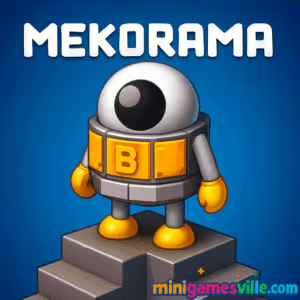
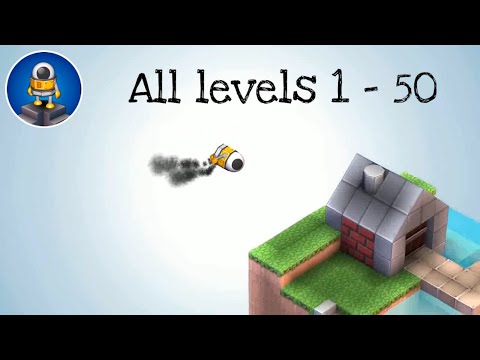
Play Mekorama right now on Minigamesville.com and guide a lovable little robot through bite-sized 3D dioramas built for clever minds and quick fingers. Mekorama is a relaxing yet brainy puzzle browser game that feels right at home online, perfect for a coffee-break challenge or a late-night unwind. Rotate the scene, spot hidden paths, and tap your way to the goal as physics and moving parts keep you guessing. Ready to tinker with tiny machines and big ideas? Click play above to start Mekorama on Minigamesville, enjoy it unblocked in your browser, and see why this indie gem has charmed puzzle fans for years.
About Mekorama
Mekorama is a diorama-style puzzle game where you rotate cute, mechanical scenes and lead a robot to safety. Each level blends spatial reasoning, gentle physics, and satisfying object interactions. On Minigamesville, you can jump in instantly, no downloads required, and experience the hallmark chill vibe that makes Mekorama a standout among online puzzle games.
History of Mekorama
Created by solo developer Martin Magni, Mekorama debuted on mobile and grew a devoted following for its pay-what-you-want spirit, tactile level editor, and collectible level cards. Over time, community creations exploded, while the core formula stayed delightfully accessible: short levels, smart mechanics, and a friendly robot you cannot help but root for.
Style & Vibe
Expect a calm atmosphere, soft colors, and tiny clockwork worlds that invite exploration. The soundtrack and sound effects add to the cozy feel, while subtle animations make the little robot feel alive.

Gameplay in Mekorama
Mekorama challenges you to rotate the camera, inspect every angle, and interact with sliders, lifts, and gears to carve a safe route to the finish. Levels introduce new twists at a friendly pace, from moving platforms to timing-based toggles. Success comes from reading the scene, experimenting with mechanisms, and planning a path that keeps your robot out of trouble. The result is a relaxed, tactile puzzle flow that works beautifully as a browser game online.
Game Modes
- Core Levels: A curated set of handcrafted dioramas that teach mechanics and reward curiosity.
- Featured/Community Levels: Loads of clever designs inspired by the original set, great for extra challenge.
- Level Builder: On mobile, create your own dioramas and share them as collectible cards.
How to Play
- Rotate the camera to view the diorama from all sides and spot paths or moving parts.
- Tap or click where you want the robot to go. Plan safe landings before committing.
- Interact with sliders, levers, and platforms to open routes or align bridges.
- Use zoom to check tunnels and ledges, then execute your route in short, safe steps.
- Reach the goal, collect optional stars, and move on to the next puzzle.
Controls
- Desktop: Click to move, click-drag to rotate camera, scroll to zoom, click-drag on levers or sliders to operate them.
- Mobile: Tap to move, two-finger pinch to zoom, swipe to rotate, drag on interactable parts to activate.
Device Compatibility & Browser Support
Mekorama runs in modern desktop and mobile browsers with WebGL enabled. For the smoothest play, use the latest version of Chrome, Edge, Firefox, or Safari. Close heavy tabs, keep hardware acceleration on, and set your page zoom to 100 percent for the cleanest visuals.
Mobile vs. Desktop Gameplay
Desktop gives you fine camera control with a mouse and larger screen space for spotting hidden routes. Mobile offers direct, comfortable taps and is perfect for quick, couch-friendly play. Both feel natural and responsive.
Can I Play Offline?
In-browser play on Minigamesville requires an internet connection. The Android and iOS apps can be enjoyed offline after installation, though community level browsing and updates require online access.
Can I Play Unblocked?
Yes, Mekorama on Minigamesville is delivered in the browser and is designed to work on most networks. If your network restricts game sites, try a different browser, refresh, or switch to mobile data.
Tips & Tricks
Beginner Tips
- Rotate first, move second. A full sweep often reveals hidden stairs or switches.
- Zoom in on tunnels and underhangs to confirm where platforms connect.
- Use short path taps to avoid missteps, especially near edges or moving parts.
- If stuck, backtrack and reset the mechanism to its default position.
- Stars are optional. Clear the level first, then return for 100 percent.
Advanced Strategies
- Buffer your taps. Queue a short move, then rotate during the animation to set up the next action.
- Learn slider timing. Many lifts and bridges sync to discrete notches, so stop exactly on the safe one.
- Scout for multi-use parts. A lever that opens a gate may also align a hidden walkway.
- Plan two routes: a safety path and a star-collection detour to avoid risky improvisation.
- Use camera parallax to gauge depth when ledges overlap.
Features
- 🧩 Charming diorama puzzles with satisfying, tactile mechanics
- 🤖 An endearing robot hero and cozy soundscape
- 🧭 Full 360-degree camera control for true spatial puzzling
- ⭐ Optional collectibles that add replay goals
- 🎨 Level builder on mobile for endless creativity
- 🕹️ Smooth mouse and touch controls in browser
- ⚙️ Light physics that keep each move interesting
- 🌐 Quick, no-download play right on Minigamesville
Unlockables & Secrets
Keep an eye out for stars tucked behind pillars and inside tunnels. Some mechanisms subtly change the environment, revealing side paths or shortcuts. Completing levels efficiently can open cleaner routes on replay.
Cheats & Mods
Mekorama has no official cheats. The fun comes from observation and experimentation. On mobile, the level editor and community creations are the best way to add variety without mods. In the browser version on Minigamesville, enjoy the curated set as intended for stable performance.
Walkthrough Summary
Approach each diorama in layers: rotate, identify interactables, test their ranges, and commit to a route only after you confirm every bridge or lift connects. If a path seems impossible, re-check verticality, as stairs may hide behind taller blocks.
Scoring, Records & Progression
Progression is level based, with optional star collection for completionists. Track your personal bests by minimizing moves and retries, or challenge friends to clear tricky dioramas without falling.
Why Play Mekorama
If you love spatial puzzles, gentle physics, and relaxing problem solving, Mekorama is a perfect fit. It plays beautifully online, delivers satisfying a-ha moments, and welcomes all skill levels.
Pros & Cons of Mekorama
- Pros: Relaxed pacing, clever mechanisms, intuitive controls, instant browser access.
- Cons: Camera angles can obscure tunnels, and some timing sections may require a few retries.
- Mobile builds receive periodic polish updates and bug fixes. For the best mobile experience, install the latest version from your store.
- In browser, enable hardware acceleration, keep one game tab open, and set graphics scaling to the default for crisp visuals.
- If you notice stutter, lower other background CPU or GPU tasks like video streams.
Similar games to Mekorama
- Robot Awake — Laser-routing brainteasers where you position bots to light every panel.
- Green — A minimalist color puzzler with inventive logic on every level.
- Mini Train — Physics-based track fixes to guide a tiny train to the station.
- Tap It Away — Satisfying 3D block-clearing that scratches the diorama puzzle itch.
- Sudoblocks — Sudoku meets block-drop strategy for endlessly chill logic sessions.
- The Sort Agency — Neat-freak sorting puzzles that test your pattern recognition.
- Arrower — Directional tile puzzles where every nudge sends pieces on long journeys.
FAQ
Is Mekorama free to play online on Minigamesville?
Yes, you can play Mekorama in your browser on Minigamesville with no download required.
Does Mekorama work on school or work networks?
In most cases yes. If it appears blocked, try a different browser or use a personal connection.
Is Mekorama good for short sessions?
Absolutely. Levels are compact, so Mekorama fits quick breaks or a longer sit-down session.
Are there difficulty options?
The game ramps up gradually. Optional stars and community-style challenges add extra bite if you want it.
Can I build my own levels?
Yes on mobile versions, which include a level editor and collectible level cards for sharing.
What genre is Mekorama?
Mekorama is a 3D isometric puzzle game with light physics and point-and-click navigation.
Conclusion
Mekorama proves that small dioramas can deliver big brain-tickling fun. Its relaxing pace, tactile interactions, and smart level design make it a perfect browser game when you want to unwind and still feel clever.
Ready to guide that adorable robot home? Hit play above to enjoy Mekorama online on Minigamesville.com. If you fall in love with it, grab the mobile versions here: Google Play and App Store. Have fun exploring every tiny world and finding every star.

 Loading...
 English
 Shqip
Shqip
 বাংলা
বাংলা
 Български
 简体中文
简体中文
 Hrvatski
 Čeština
 Dansk
Dansk
 Nederlands
 Suomi
Suomi
 Ελληνικά
 हिन्दी
 Magyar
 Bahasa Indonesia
 日本語
日本語
 한국어
한국어
 Lietuvių
 Bahasa Melayu
 Norsk
Norsk
 Polski
 Português do Brasil
 Română
 Slovenčina
 Slovenščina
 Svenska
 ไทย
ไทย
 Türkçe
 Українська
 اردو
اردو
 Tiếng Việt
 isiZulu
 Español
 Français
 Deutsch
 العربية
 Italiano
 فارسی
فارسی
 Русский