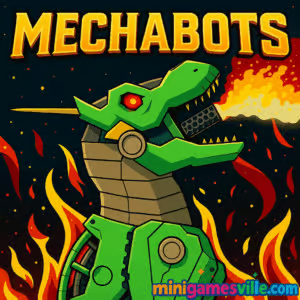
Play Mechabots Online on MiniGamesVille
Click Play to launch Mechabots right here on minigamesville.com and start assembling your ultimate dino-mech. Mechabots is a free online browser game that blends chill puzzle assembly with satisfying mech simulation. Snap parts into place, test moving joints, and admire your finished robot. If you love robot games, mech builders, or casual engineering challenges, this unblocked experience runs straight in your browser with no download. Ready to build, tinker, and show off your creation? Press Start and play Mechabots now.
About Mechabots
Mechabots is a bite-size mech assembly game built for quick sessions, clean visuals, and tactile feedback. Each level presents a boxed kit inspired by model-building and classic dino mechs. Your goal is simple yet relaxing: identify the right piece, rotate it, line up connectors, and lock it in. The result is a sleek mechanical creature that looks and feels complete. It is perfect for players who want a low-stress robot builder with just enough challenge to stay engaging.
History of Mechabots
While many mech titles focus on combat, this one celebrates the build. Mechabots follows the web trend of assembly-style puzzle games that transitioned from older tech to modern HTML5, keeping the intuitive drag-and-fit feel that works great across devices.
Style & Vibe
Bright colors, clean outlines, and crisp sound cues make every snap feel rewarding. The UI stays out of the way, so your focus stays on the parts and how they come together into a polished mech.

Gameplay in Mechabots
Each build begins with a tray of components: plates, servos, limbs, and decorative shells. Scan the silhouettes, grab a part, then rotate until connectors align. Pieces magnetize when correctly positioned, which feels great and prevents guesswork. Expect gentle difficulty ramps like mirrored parts, layered shells over frames, and multi-step subassemblies. The physics are subtle, supporting smooth dragging without fighting your cursor or touch. Short sessions make it an ideal quick-play browser game between tasks.
Game Modes
- Build session: the core experience, assemble a complete mech from start to finish.
- Self-timed runs: replay a build and try to beat your best time.
- No-mistake challenge: complete a build without misplacing pieces.
How to Play
- Press Play and wait for the kit to load.
- Review the silhouette or outline to see which piece goes first.
- Drag a piece from the tray, rotate until the connectors match, then release to snap.
- Layer shells over the internal frame, then attach limbs and head components.
- Finish the remaining details, admire the animation, and replay for a cleaner build or faster time.
Controls
- Mouse or trackpad: click, drag, and release to place parts; mouse wheel or on-screen buttons to rotate.
- Touch: tap to pick up, drag to move, two-finger twist or on-screen rotate buttons to turn the part.
- Menu: on-screen icons for pause, sound, and replay.
Device Compatibility & Browser Support
Mechabots runs in modern browsers on Windows, macOS, iOS, Android, and Chromebooks. For the smoothest play, use the latest version of Chrome, Edge, Firefox, or Safari with hardware acceleration on. Close heavy tabs, and allow site audio if you want the snap and click feedback.
Mobile vs. Desktop Gameplay
Desktop offers pixel-precise placement with a mouse, great for chasing faster times. Mobile makes rotating and dragging feel natural with touch. If parts feel small on a phone, rotate to landscape for more workspace.
Can I Play Offline?
No. This is a browser-based online game, so an internet connection is required to load assets and save your session locally in the browser.
Can I Play Unblocked?
Most home and personal networks allow access without issue. School or work networks may restrict gaming. If the page does not load, try a different browser or your home connection. Since Mechabots runs inside the page, no install is needed and there is nothing to download.
Tips & Tricks
Beginner Tips
- Start with the internal frame, then place large shells, then small detail parts.
- Rotate near connection points to trigger snap assistance and reduce misplacements.
- Use landscape on mobile for a wider work area.
- If two parts look similar, compare connector counts and angles before placing.
Advanced Strategies
- Group parts by symmetry, place one side fully, then mirror the sequence.
- Pre-rotate in the tray so final alignment takes fewer adjustments.
- Chase clean runs: limit misplacements to keep your flow and time consistent.
- Replay a build immediately to capitalize on fresh pattern memory for a better time.
Features
- 🧩 Relaxing assembly puzzles with clean snapping feedback
- 🤖 Dino-mech designs that look great when fully built
- 🖱️ Smooth mouse and touch controls across devices
- ⚙️ Satisfying rotation and alignment mechanics
- ⏱️ Perfect for short sessions or speedrun attempts
- 🎧 Clicks and snaps that reward precision
- 📱 Runs in-browser, no download required
- 🔁 Replay-friendly for mastery and personal records
Unlockables & Secrets
The focus is on completing builds rather than long-term progression. Treat each kit as a self-contained puzzle, then replay to improve time and accuracy. Try grouping parts off to the side, or pre-rotating them before placement to save seconds on repeat runs.
Cheats & Mods
There are no official cheats or mods. Third-party modifications can break the game or violate terms. For a smoother experience, use a modern browser, keep background tabs light, and avoid aggressive content blockers on game pages.
Walkthrough Summary
- Place the central frame first to anchor alignment.
- Attach hip and shoulder joints, then connect limbs.
- Add torso and head shells, locking each layer before the next.
- Finish with small plates and decorative covers.
- Replay for a faster, mistake-free build.
Scoring, Records & Progression
There is no formal leaderboard. Progress is personal: faster assembly, fewer misplacements, and smoother rotations. Track your own best times or challenge friends to beat a clean run.
Why Play Mechabots
If you enjoy hands-on building without combat pressure, Mechabots delivers a satisfying loop: identify, rotate, snap, reveal. It is a perfect palate cleanser between intense games, and a great fit for anyone who loves model kits, engineering toys, or mech aesthetics.
Pros & Cons of Mechabots
- Pros: intuitive controls, relaxing flow, great bite-size browser sessions, runs on almost any device.
- Cons: no long-form progression, limited mode variety for players seeking deep meta.
- Keep your browser up to date for best input and canvas performance.
- Enable hardware acceleration in settings for smoother dragging.
- Close heavy video or streaming tabs while playing to reduce stutter.
- On phones, disable battery saver during play for steadier frame pacing.
Similar games to Mechabots
- Robot Awake — clever logic puzzles with robots and switches.
- Base Defense — defend your outpost with upgrades and precise aim.
- Base Defense 2 — expanded waves, new enemies, and stronger gear.
- Stick Defenders — merge units and hold the line against steady waves.
- Plane Wars — quick-fire aerial battles with upgrade paths.
- Neon War — minimalist arcade shooting with glowing projectiles.
- Archer Castle — aim, shoot, and protect your keep from attackers.
FAQ
Is Mechabots free to play?
Yes, you can play free in your browser on minigamesville.com with no download.
Does Mechabots work on a school Chromebook?
If your network allows gaming sites, it runs in-browser without installs, which helps it stay accessible on managed devices.
Is there combat or only building?
The core experience is assembly, so you focus on building rather than battles.
Can I save my progress?
The game is designed for short sessions. Use the same browser and device to keep quick session data.
What browsers are recommended?
Current versions of Chrome, Edge, Firefox, or Safari provide the best performance.
Does Mechabots support controllers?
No, it is optimized for mouse and touch inputs.
Is Mechabots unblocked?
It is playable online on most home networks. If a school or office blocks it, try at home or on a personal network.
Conclusion
For a relaxing, satisfying build, Mechabots nails the feel of snapping parts together in a clean browser game package. Every click and rotation brings your mechanical creature to life, which makes quick sessions feel rewarding.
Ready to build your next dino-mech? Scroll up, hit Play, and enjoy Mechabots on minigamesville.com. Share your fastest clean build with friends, then come back for another smooth run.

 Loading...
 English
 Shqip
Shqip
 বাংলা
বাংলা
 Български
 简体中文
简体中文
 Hrvatski
 Čeština
 Dansk
Dansk
 Nederlands
 Suomi
Suomi
 Ελληνικά
 हिन्दी
 Magyar
 Bahasa Indonesia
 日本語
日本語
 한국어
한국어
 Lietuvių
 Bahasa Melayu
 Norsk
Norsk
 Polski
 Português do Brasil
 Română
 Slovenčina
 Slovenščina
 Svenska
 ไทย
ไทย
 Türkçe
 Українська
 اردو
اردو
 Tiếng Việt
 isiZulu
 Español
 Français
 Deutsch
 العربية
 Italiano
 فارسی
فارسی
 Русский