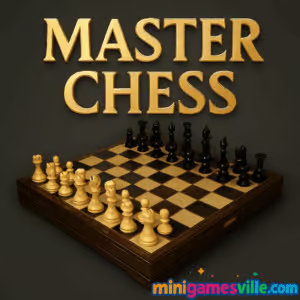
Play Master Chess now on Minigamesville. Ready to flex your board game brain? Click play above and dive into Master Chess on minigamesville.com. This crisp, online chess browser game delivers classic strategy with smooth touch and click controls. Whether you are here for a quick puzzle-like spar against AI or a thoughtful duel with a friend, Master Chess makes every move count. Play free, no download, unblocked on most networks, and perfect for both casual learning and competitive practice. Hit Start, claim the center, and go for checkmate.
About Master Chess
Master Chess is a clean, modern take on the timeless strategy board game. Built for the browser, it loads fast and plays great on desktop and mobile. From opening principles to endgame precision, the game teaches good habits by highlighting legal moves and rewarding smart plans. It is ideal for learners, returning players, and daily tacticians who want reliable online chess without extra clutter.
History of Master Chess
Master Chess grew out of the wave of lightweight HTML5 board games that made chess accessible in any modern browser. Over the years it has reached millions of casual players across the web, evolving with better visuals, stronger AI settings, and quality of life touches that make learning and improvement feel natural.
Style & Vibe
The UI keeps the focus on the board: readable pieces, clear move highlights, and calm colors that help you think. No distractions, just strategy.

Gameplay in Master Chess
The flow is familiar: develop knights and bishops, castle for safety, create threats, and convert advantages. The AI offers multiple difficulty options so you can practice tactics and time management. Prefer a live opponent next to you? Use the local 2-player mode, pass the device or share the keyboard, and play a true tabletop match in your browser.
Game Modes
- Vs Computer: pick a difficulty and train openings, tactics, and endgames.
- 2-Player Local: battle a friend on the same device or keyboard.
- Quick Play: jump into a fast match to sharpen your thinking between tasks.
How to Play
- Press Play, choose Vs Computer or 2-Player.
- Select difficulty or color, then start from the standard chess position.
- Click or tap a piece to see legal moves, then choose a square.
- Protect your king, coordinate your pieces, and aim for checkmate.
- If you get stuck, reset and try a new line or a different difficulty.
Controls
- Desktop: Left click to select a piece, left click again to move. Right click to deselect.
- Mobile or tablet: Tap to select, tap a destination square to move.
- Undo and pause options may be available depending on mode and difficulty.
Device Compatibility & Browser Support
Master Chess is an HTML5 browser game optimized for modern versions of Chrome, Firefox, Safari, and Edge on Windows, macOS, iOS, and Android. If you see stutter on older devices, close extra tabs, disable heavy extensions, or switch to a performance profile.
Mobile vs. Desktop Gameplay
On desktop you get precision clicking and easy 2-player sharing. On mobile, tap controls feel natural and the board scales cleanly, perfect for quick tactics between classes or meetings.
Can I Play Offline?
In the browser, Master Chess requires an active internet connection to load. Once loaded, some devices can continue a running match if the tab stays open, but full functionality needs a connection.
Can I Play Unblocked?
Master Chess is designed as an unblocked, in-browser game that usually works on school and office networks. Access depends on local firewall rules, so if your network restricts gaming sites, try playing on a personal connection.
If you prefer dedicated mobile apps, the official Android and iOS versions offer handy touch play and quick access on the go.
Tips & Tricks
Beginner Tips
- Control the center with pawns and minor pieces.
- Knight before bishop in most open positions, then castle early.
- Before every move, ask: what is my opponent’s threat?
- Develop all your pieces, then look for simple tactics like forks and pins.
- Trade pieces, not blunders. If you win material, simplify.
Advanced Strategies
- Build plans around pawn structures: minority attack, pawn breaks, and outposts.
- Convert advantages with technique: improve worst piece, restrict counterplay.
- Use tempo moves to gain initiative, then open lines toward the king.
- Study common endgames, king and pawn or rook endings, to finish cleanly.
- Practice time management, spend more time in critical positions.
Features
- ♟️ Classic chess with modern visuals and move highlights
- 🧠 Multiple AI difficulties for steady improvement
- 👥 Local 2-player for couch or desk battles
- ⚡ Fast loading, lightweight browser performance
- 📱 Smooth touch controls on phones and tablets
- 🔁 Legal move guidance and clean undo options where available
- 🎯 Great for tactics, openings, and endgame practice
- 🔔 Free to play online with no download
Unlockables & Secrets
Master Chess keeps things pure. There are no character unlocks or cosmetic skins here, the reward is your growing rating strength and cleaner technique. Track personal milestones like first checkmate in under 20 moves or a perfect ladder mate.
Cheats & Mods
There are no built-in cheats or sanctioned mods. For fair play, keep outside assistance off and use the AI difficulties as your practice partner. Want extra challenge? Start from handicapped positions or play with a self-imposed time target.
Walkthrough Summary
Open with e4 or d4, develop knights to f3 and c3, bishops to active diagonals, then castle. Seek tactics in the middlegame, remove the defender, fork, skewer, or pin. In endgames, activate your king, push passed pawns, and coordinate rook or bishop to force promotion. Simple plans win games.
Scoring, Records & Progression
Matches are win, draw, or loss. There is no elaborate campaign, which keeps focus on pure skill. Track your personal progress by win streaks against higher AI levels and by reducing blunders over time. In 2-player mode, keep a friendly ledger to fuel rematches.
Why Play Master Chess
If you want a fast, reliable chess experience in your browser, Master Chess delivers. It teaches solid fundamentals, scales with your skill, and lets you jump into a local duel at any time. No sign-up, no clutter, just sharp strategy.
Pros & Cons of Master Chess
- Pros: instant play in the browser, clean UI, multiple difficulties, strong fundamentals for learning.
- Cons: minimalist feature set, no long-form progression, online multiplayer may require the mobile apps.
- Keep your browser up to date for best input latency and touch responsiveness.
- Close unused tabs and turn off heavy extensions during play.
- On laptops, switch to a high-performance power mode to reduce frame drops.
- If inputs feel sticky on mobile, refresh the tab to clear memory and reload assets.
Similar games to Master Chess
- Checkers Multiplayer, classic board strategy, quick matches with clean moves.
- Robot Awake, clever laser logic puzzles that reward planning like a chess endgame.
- Green, minimalist brainteasers focused on lateral thinking and pattern insight.
- Sudoblocks, sudoku-inspired block placement that challenges spatial strategy.
- Wordsmith, a polished word puzzle that trains calculation in a different way.
- Village Builder, chill city-building strategy with satisfying planning choices.
- Mini Train, physics puzzles that make you think three moves ahead.
- Tri Peaks, a fast card-strategy solitaire for quick mental resets.
FAQ
What is Master Chess?
Master Chess is a free online chess browser game you can play on minigamesville.com, offering Vs Computer and 2-player local modes with clean visuals and smooth controls.
Is Master Chess free to play?
Yes, you can play Master Chess free in your browser, and the official mobile apps are free to install with optional purchases.
Can I play Master Chess unblocked at school or work?
Often yes, since it runs in the browser, but availability depends on your network’s site policies.
Does Master Chess work on phones and tablets?
Absolutely, the game scales to touch screens and runs well in mobile browsers on modern iOS and Android devices.
Is there online multiplayer?
The browser version focuses on Vs Computer and local 2-player. For online multiplayer, try the official Android or iOS apps listed above.
Are there difficulty levels?
Yes, choose an AI level that matches your current skill and move up as you improve.
Can I save progress?
Your improvement shows in better play and faster checkmates. Some settings may persist in your browser cache, so keep the same device for consistency.
Is Master Chess safe for kids?
Yes, it is a family-friendly board game that teaches planning and problem solving.
Conclusion
Master Chess keeps the heart of the game front and center. It is fast to load, easy to learn, and deep enough to keep you coming back for sharper tactics and clean endgames. Whether you are warming up before a club night or taking a mental break, it fits perfectly.
Ready to play Master Chess online right now? Tap the board above and start your first match on minigamesville.com. Claim the center, castle early, and go for checkmate.


 Loading...
 English
 Shqip
Shqip
 বাংলা
বাংলা
 Български
 简体中文
简体中文
 Hrvatski
 Čeština
 Dansk
Dansk
 Nederlands
 Suomi
Suomi
 Ελληνικά
 हिन्दी
 Magyar
 Bahasa Indonesia
 日本語
日本語
 한국어
한국어
 Lietuvių
 Bahasa Melayu
 Norsk
Norsk
 Polski
 Português do Brasil
 Română
 Slovenčina
 Slovenščina
 Svenska
 ไทย
ไทย
 Türkçe
 Українська
 اردو
اردو
 Tiếng Việt
 isiZulu
 Español
 Français
 Deutsch
 العربية
 Italiano
 فارسی
فارسی
 Русский