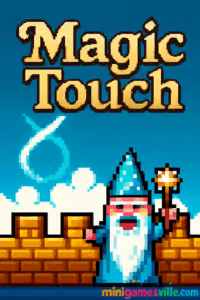
Press play to jump into Magic Touch on Minigamesville right now. Magic Touch is a fast, finger-drawing arcade defense browser game where you sketch symbols to pop enemy balloons and stop knights from landing. It is quick to learn, hard to master, and perfect for short online sessions. If you want a snappy, unblocked challenge you can play in your browser, hit the big Play button above and start casting shapes in Magic Touch on minigamesville.com.
About Magic Touch
Magic Touch blends rapid reflexes with satisfying gesture drawing. Enemies float down under colorful balloons marked with shapes. Trace the matching symbol to burst those balloons, drop the invader, and keep your castle safe. The pace ramps up, patterns grow trickier, and your sketch accuracy becomes the difference between a clutch save and a panicked misdraw. Whether you call it an arcade defense, drawing action, or casual browser game, Magic Touch delivers pure, score-chasing fun.
History of Magic Touch
Magic Touch began as a classic browser title from the pixel-art wizards at Nitrome, then grew into an expanded mobile version titled Magic Touch: Wizard for Hire. The mobile release added spells, cosmetic unlocks, and quality-of-life options while keeping the core balloon-popping loop intact.
Style & Vibe
Expect charming pixel visuals, lively animations, and a whimsical medieval theme. The clean color coding keeps symbols readable at speed, while crunchy sound effects sell every pop and crash.

Gameplay in Magic Touch
Each run begins calm, then accelerates into a storm of symbols. Draw a symbol and every balloon with that mark bursts at once. Chain multiple takedowns to keep the playfield clear. Miss a critical pop and a knight lands, ending your run. The simple input hides a skill ceiling that rewards clean lines, smart prioritization, and nerves of steel.
Game Modes
- Endless defense: the classic high-score chase you can play online on Minigamesville.
- Challenge-style variants on mobile: expect tougher patterns and optional modifiers that spike the pace.
How to Play
- Watch the shapes on incoming balloons.
- Draw the exact symbol in one smooth motion.
- Pop multiple matching balloons to clear space fast.
- Focus on the lowest enemies first to prevent landings.
- Keep your strokes compact and accurate as speed increases.
Controls
- Desktop: mouse or trackpad, hold and draw the symbol.
- Mobile browser: tap and drag with your finger to trace shapes.
- Mobile app: draw directly on the touchscreen for the most natural feel.
Device Compatibility & Browser Support
Magic Touch runs in modern browsers on desktop and mobile. For the smoothest play, use the latest version of Chrome, Edge, Firefox, or Safari. Close extra tabs, disable heavy extensions while playing, and switch to full-screen for better accuracy.
Mobile vs. Desktop Gameplay
- Desktop: precise pointer control, great for sharp angles and quick flicks.
- Mobile: ultra-natural drawing with your finger or stylus, ideal for fast symbol chains.
Can I Play Offline?
The browser version requires an internet connection. The mobile app version can be enjoyed offline for core gameplay, though features that rely on network access, like ads or cloud sync, need a connection.
Can I Play Unblocked?
Magic Touch on Minigamesville is designed to be playable on standard school and work networks. Some networks still block game sites at the administrator level. If you run into restrictions, try a different network or play on your mobile device’s data connection.
No installs are needed for the browser game, so you can start playing Magic Touch instantly. Prefer touch controls and extras like spells and cosmetics? Grab the official mobile app.
Tips & Tricks
Beginner Tips
- Draw small. Compact strokes register faster and leave room for quick corrections.
- Clear from the bottom up so close-to-landing enemies do not slip through.
- Group pops by symbol. Scan for duplicates and remove whole clusters in one trace.
- Practice the trickiest glyphs slowly, then speed up once your muscle memory sticks.
Advanced Strategies
- Path planning: while drawing one symbol, pre-scan the next two targets to minimize downtime.
- Shape shortcuts: smooth curves beat jagged lines, so round off corners to help recognition.
- Risk management: sometimes it is faster to save one doomed lane and ignore distant threats.
- Combo control: timing pops so multiple knights drop together keeps the screen cleaner for longer.
Features
- 🎯 Instant-draw arcade action with tight gesture recognition
- 🛡️ Castle defense vibe with rising pressure and clutch saves
- 📈 Endless score-chasing that rewards clean, repeatable technique
- 🖌️ Symbol variety that challenges memory and muscle memory
- 🎨 Charming pixel art and punchy audio feedback
- 📱 Plays great with mouse, touch, or stylus
- ⚙️ Lightweight browser performance with fast restarts
- 🏆 Perfect for short sessions or marathon high-score runs
Unlockables & Secrets
In the browser version, the focus is on pure skill and score. The mobile app introduces cosmetic backgrounds and spell unlocks that change your approach mid-run, adding variety without losing the core rhythm.
Cheats & Mods
There are no official cheats for Magic Touch. Mods and cheat extensions can break input recognition, so play clean for reliable performance and accurate symbol reads.
Walkthrough Summary
Start slow, nail the symbol set, and prioritize the lowest threats. As intensity rises, chain your pops, keep your lines compact, and rotate attention between screen lanes. One missed balloon can end the run, so always save the closest danger first.
Scoring, Records & Progression
Every knight dropped adds to your score. Smart timing that clears multiple enemies together maintains control and boosts consistency. Track personal bests, aim for clean early-game pacing, and avoid panic strokes that confuse the recognizer.
Why Play Magic Touch
Few online games convert a simple input into so much tension and payoff. Magic Touch is instantly readable, endlessly replayable, and satisfying whether you are warming up between tasks or chasing a new record.
Pros & Cons of Magic Touch
- Pros: elegant one-input gameplay, quick restarts, great on both desktop and mobile, addictive score chase.
- Cons: high-speed sequences can punish messy lines, late-game pressure may feel unforgiving to new players.
- Keep your browser updated and hardware acceleration on for smoother frame pacing.
- Close background tabs playing video or music to reduce input latency.
- On mobile, disable battery saver during play to prevent touch sampling drops.
Similar games to Magic Touch
- Dunk Brush, draw quick lines to guide the ball into the hoop, a great warm-up for symbol accuracy.
- Trampoline Stickman, timing-based flips and landings that train your reflex rhythm.
- Knife Jump, crisp tap timing and trajectory control for arcade-style precision.
- Wheelie Bike, balance and finesse, perfect for practicing steady control under pressure.
- Down The Hill, fast choices and hazard scanning that mirror late-game decision making.
- Color Circles, quick reaction puzzle loops to sharpen hand-eye coordination.
FAQ
Is Magic Touch free to play?
Yes, you can play the browser version free on Minigamesville, and the mobile app is free to download with optional purchases.
Does Magic Touch work on school or work devices?
It runs in the browser with no install, but access depends on your network’s content rules.
What is the best browser for Magic Touch?
Chrome or Edge usually provide the lowest input latency, though Firefox and Safari also work well.
Can I use a stylus?
Yes, a capacitive stylus on tablets or touch laptops can improve shape accuracy.
Why didn’t my symbol register?
Try a smoother, continuous line and avoid over-drawing. Rounded corners help recognition.
Is there an end to the game?
Magic Touch is an endless high-score chase, so your goal is to last as long as possible.
Are there power-ups?
The browser version focuses on skill. The mobile app adds spells and cosmetic unlocks.
How do I improve fast?
Master the full symbol set at low speed, then increase pace while keeping strokes small and clean.
Conclusion
Magic Touch takes a simple idea, draw what you see, and turns it into a pulse-quickening arcade defense challenge. Clean visuals, instant feedback, and tight gesture recognition keep every second engaging.
Ready to cast? Hit Play above and enjoy Magic Touch right here on Minigamesville. If you want touch-first extras, grab the official mobile app on your device and keep those symbols flying.

 Loading...
 English
 Shqip
Shqip
 বাংলা
বাংলা
 Български
 简体中文
简体中文
 Hrvatski
 Čeština
 Dansk
Dansk
 Nederlands
 Suomi
Suomi
 Ελληνικά
 हिन्दी
 Magyar
 Bahasa Indonesia
 日本語
日本語
 한국어
한국어
 Lietuvių
 Bahasa Melayu
 Norsk
Norsk
 Polski
 Português do Brasil
 Română
 Slovenčina
 Slovenščina
 Svenska
 ไทย
ไทย
 Türkçe
 Українська
 اردو
اردو
 Tiếng Việt
 isiZulu
 Español
 Français
 Deutsch
 العربية
 Italiano
 فارسی
فارسی
 Русский