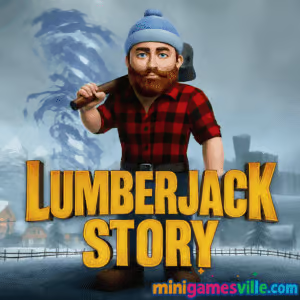
Ready to swing that axe? Click Play to start Lumberjack Story on minigamesville.com now. Lumberjack Story is a 3D action adventure browser game you can play online right in your tab. Brave frozen forests, battle icy foes, and warm up a village one heroic quest at a time. If you love story-driven web games that feel fast, responsive, and unblocked at school or work networks, this wintery romp delivers bite-size sessions and long-form progression alike. Smash through enemies, collect upgrades, and discover secrets as you chop your way to the truth. Tap the big Play button above and jump into Lumberjack Story today.
About Lumberjack Story
Lumberjack Story blends light RPG elements, action combat, and exploration into a compact browser adventure. You play a determined lumberjack on a mission to unfreeze a village and stop the menace behind a sudden ice age. Tight controls, readable combat, and a clean UI make it perfect for quick sessions. As an online game, it boots fast, autosaves progress, and runs directly in your browser with no downloads.
History of Lumberjack Story
The original web release landed in the mid-2010s during the boom of Unity-powered WebGL adventures. Over time, quality-of-life improvements, performance tweaks, and controller-friendly bindings helped the experience feel slick on modern browsers. While it remains a compact indie adventure, the game’s snowbound theme and pick-up-and-play flow have kept it a favorite for fans of narrative-tinged action.
Style & Vibe
Frosted pines, crackling ice, and cozy village lanterns set a warm-cold contrast that fits the tale. Expect chunky models, readable animations, and punchy hit effects. The soundtrack leans mellow, letting axe impacts and enemy grunts carry the moment-to-moment feedback.

Gameplay in Lumberjack Story
In Lumberjack Story you roam a frozen map, clearing paths, fighting enemies, and unlocking new areas. Movement and camera feel immediate, and combat rewards timing your swings, dodging, and using pickups. You will gather resources, open chests, free townsfolk, and face tougher foes as you head deeper into the ice. Physics are grounded: jumps have weight, knockbacks feel fair, and hitboxes are generous without being sloppy. Deaths teach you enemy rhythms, and checkpointing keeps frustration low.
Game Modes
- Main Story: Follow quests to thaw the village, beat mini-bosses, and restore warmth.
- Challenge Rooms: Optional combat arenas with tighter layouts and tougher waves.
- Exploration Runs: Backtrack to hidden paths for chests, gear, and collectibles.
- Speed Session: Replay segments to chase faster completion times and clean routes.
How to Play
- Press Play above to load the game in your browser.
- Follow the on-screen prompt to begin the first quest.
- Move, look, and strike to clear enemies blocking frozen routes.
- Open chests, collect items, and talk to NPCs to unlock the next zone.
- Repeat clears or explore side paths to stock up on upgrades before bosses.
Controls
- WASD: Move
- Mouse: Look and attack
- Shift: Run or quick step
- Space: Jump
- E: Interact or pick up
- Tab: Toggle aim lock
- Esc: Pause or settings
Device Compatibility & Browser Support
This online browser game runs on modern versions of Chrome, Edge, Firefox, and Safari. For the smoothest frame rate, enable hardware acceleration in your browser settings, keep only essential tabs open, and update your GPU drivers on desktop if available.
Mobile vs. Desktop Gameplay
Desktop offers the most precise combat with mouse look and keyboard movement. On mobile, performance is solid for exploration, though small-screen camera control may feel tighter during crowded fights. If possible, play Lumberjack Story on a laptop or desktop for the best action feel.
Can I Play Offline?
Lumberjack Story is built for online play in your browser. An active connection is required to load and save reliably.
Can I Play Unblocked?
The game runs in-browser with no downloads, which helps it remain playable on many networks. If your school or workplace restricts gaming, availability may vary by local policy.
Official mobile stores: No official Google Play or App Store listing for Lumberjack Story at this time.
Similar mobile alternative: Timberman
Tips & Tricks
Beginner Tips
- Circle-strafe slow enemies, then step in for quick hits as they recover.
- Break environmental crates for surprise heals and buffs before tougher rooms.
- Clear side paths early to grab upgrades that make bosses easier.
- Use elevation to your advantage, luring enemies up slopes to separate them.
- Watch enemy windups and swing only when you see a recovery window.
Advanced Strategies
- Animation cancel by ending a swing near the hit frame, then dodge to reset.
- Pull packs, kite them through choke points, and land wide arc hits to multi-tag foes.
- Route planning: prioritize keys and chests that unlock shortcuts for later runs.
- Keep a mental map of heal pickups so you can retreat during boss phases.
- Practice jump timing to bypass minor hazards and shave seconds off routes.
Features
- 🪓 Punchy melee combat with satisfying hit feedback
- ❄️ Snowy overworld with hidden paths and cozy village hubs
- 🧭 Quest-driven progression that never feels grindy
- 📦 Loot chests, keys, and gear upgrades to boost survivability
- 🎯 Optional challenge rooms for high-skill combat practice
- 💾 Autosave in browser for easy pick-up-and-play sessions
- 🎮 Keyboard and mouse controls tuned for fast response
- ⚙️ Web-first performance that runs on modest hardware
Unlockables & Secrets
Keep an eye out for tucked-away chests near cliffs and behind cracked ice. Some gates open only after helping certain villagers. Collectibles often stack to unlock small stat bumps, new cosmetics, or access to late-game shortcuts.
Cheats & Mods
There are no official cheats or mods for this browser game. Third-party hacks risk crashes or data loss. For the best experience, play the standard build on minigamesville.com.
Walkthrough Summary
Progress through the village outskirts first, clearing basic mobs while collecting early gear. Unlock the central square, then branch to side areas for keys and upgrades. Before each boss, sweep optional paths for heals and a spare chest. After a major fight, return to town to open new routes and repeat until the final thaw.
Scoring, Records & Progression
Lumberjack Story tracks progress by quest completion and area unlocks. Many players chase personal bests in room clears, deathless runs, and total completion time. Treat each revisit like a speed session, tightening routes and skipping nonessential fights once geared.
Why Play Lumberjack Story
It is snappy, readable, and instantly accessible in your browser. If you want a compact story with satisfying combat and zero install friction, Lumberjack Story is the perfect coffee-break adventure.
Pros & Cons of Lumberjack Story
- Pros: fast loading, crisp controls, approachable challenge curve, replayable routes.
- Cons: linear story beats, small skill set compared to full RPGs, best experienced on desktop.
- Use the latest Chrome or Edge for the most stable WebGL performance.
- Enable hardware acceleration in browser settings.
- Close heavy tabs or background streams while playing.
- On laptops, plug in for boosted CPU and GPU clocks.
- If you see stutter, toggle shadows or effects in the in-game settings menu to regain frames.
Similar games to Lumberjack Story
FAQ
Is Lumberjack Story free to play?
Yes, you can play the full browser game for free on minigamesville.com.
Does Lumberjack Story save my progress?
Your progress saves locally in the browser, so you can pick up where you left off on the same device and browser.
What genre is Lumberjack Story?
It is a 3D action adventure with light RPG and exploration elements made for quick online sessions.
Can I play with a controller?
Lumberjack Story is optimized for keyboard and mouse. Some controllers may work via browser mappings, but keyboard controls are recommended.
Is Lumberjack Story unblocked?
The game runs in-browser with no downloads. Availability on school or work networks depends on local rules.
Why is my frame rate low?
Update your browser, enable hardware acceleration, close extra tabs, and try a smaller window or lower visual settings in-game.
Conclusion
Lumberjack Story is a compact, punchy browser adventure that respects your time. It loads fast, swings hard, and rewards smart routing as you thaw a frozen town and clobber anything that gets in the way. If you want clean combat and a cozy quest loop, this is the online action you can jump into any time.
Ready to chop through the cold and save the village? Hit Play above to start Lumberjack Story on minigamesville.com, then come back for more tips as you uncover every secret path and chest.

 Loading...
 English
 Shqip
Shqip
 বাংলা
বাংলা
 Български
 简体中文
简体中文
 Hrvatski
 Čeština
 Dansk
Dansk
 Nederlands
 Suomi
Suomi
 Ελληνικά
 हिन्दी
 Magyar
 Bahasa Indonesia
 日本語
日本語
 한국어
한국어
 Lietuvių
 Bahasa Melayu
 Norsk
Norsk
 Polski
 Português do Brasil
 Română
 Slovenčina
 Slovenščina
 Svenska
 ไทย
ไทย
 Türkçe
 Українська
 اردو
اردو
 Tiếng Việt
 isiZulu
 Español
 Français
 Deutsch
 العربية
 Italiano
 فارسی
فارسی
 Русский