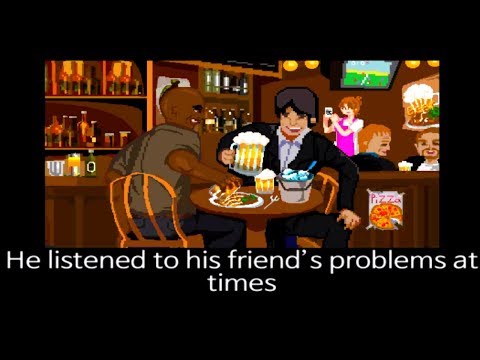
Introduction to Life: The Game
Life: The Game is a fast, funny life-simulator browser game that squeezes every milestone into bite-size mini challenges. From birth to awkward adolescence, first jobs, and beyond, each stage tests your reflexes and decisions in seconds. Play online right here, jump into the story, and see how your choices shape the outcome. If you want a quick laugh and a surprising challenge, tap the Play button above to start Life: The Game unblocked in your browser and speedrun your way to a happy ending.
About Life: The Game
At its core, Life: The Game is a comedic life simulation made for instant play on desktop or mobile browsers. Every level is a self-contained mini game with clear objectives, simple controls, and witty one-liners when you fail. Sessions are short, replayable, and perfect for coffee breaks or study hall downtime.
History of Life: The Game
Life: The Game began as a viral web title built around quick-fire micro levels that parody real-life milestones. Its success led to themed spin-offs and countless fan challenges, keeping the meme-friendly format fresh for casual players who love speed, humor, and surprise endings.
Style & Vibe in Life: The Game
The art style is clean and colorful, with cartoonish characters and exaggerated animations. The tone lands between satire and slapstick, with punchy sound effects and tongue-in-cheek messages for every mistake. You will fail often, then laugh, then instantly retry. That loop is the secret sauce that keeps this online browser game so sticky.
Gameplay in Life: The Game
Each life stage appears as a rapid mini game with a single objective: click, drag, or press a key at the right time. Miss the cue and you get a snarky result screen, then a quick restart. The challenge ramps up from easy taps to tight timing, memory checks, balancing acts, and multi-step sequences. The physics lean arcade-light, while goals are crystal clear so you can keep momentum.
Game Modes
- Story Run: Play through life in chronological order, from birth to endgame. One mistake sends you back to the current stage for a fast retry.
- Replay Stage: After you finish a run, jump back into any level to practice and chase a cleaner time.
- Themed Variant: Some portals feature special editions, like health or safety themed runs, which remix mechanics and jokes while keeping the same pick-up-and-play format.
- Self-Timed Speedrun: Try to complete the entire life in as few fails and as little time as possible, then beat your personal best.
How to Play
- Press Play to start the first life stage.
- Read the short prompt or watch the visual cue.
- Use a quick click, drag, or key press to meet the objective before the timer ends.
- If you fail, hit retry and adjust your timing or approach.
- Keep advancing through stages to unlock the humorous finale of Life: The Game.
Controls for Life: The Game
- Mouse Left Click: select, pick up, confirm, pop, match, aim, and interact.
- Click and Drag: move items, draw lines, steer simple objects.
- Keyboard: occasional Arrow Keys or WASD for movement-based mini games.
- Spacebar or Enter: quick action prompts in certain stages.
- Tap and Swipe on Mobile: one-finger input mirrors mouse actions.
Device Compatibility & Browser Support for Life: The Game
Life: The Game runs in modern HTML5 browsers with no download required. It plays smoothly on Chromebook, Windows, macOS, iOS, and Android. For best performance, use the latest version of Chrome, Edge, Firefox, or Safari with sound enabled.
Mobile vs. Desktop Gameplay
- Mobile: Tap-and-swipe controls, perfect for quick sessions. Keep volume on for audio cues.
- Desktop: Mouse precision and keyboard access help with tighter timing and speedrunning.
Can I Play Offline?
No. Life: The Game is an online browser game and requires an active internet connection to load and run.
Can I Play Unblocked?
Many schools or workplaces restrict gaming sites. If you need an unblocked version, look for Life: The Game on approved educational or gaming portals that your network allows. Always follow your local rules and avoid tools that bypass restrictions.
Tips & Tricks for Life: The Game
Beginner Tips
- Read the prompt for each stage, then act right away to beat the short timer.
- Watch the first fail to learn the pattern, then retry with better timing.
- Keep your cursor near the center so you can reach any target quickly.
- On mobile, lower your screen sensitivity if swipes overshoot small items.
- Turn on sound. Audio stingers hint at incoming actions and countdowns.
- Do not rush text-based levels. A fast misclick costs more time than a quick scan.
Advanced Strategies
- Memorize the order of tricky multi-step levels and pre-position your cursor.
- Use small wrist movements for precision clicks to avoid overcorrecting.
- If a stage uses arrows or WASD, keep your other hand ready on Space for instant confirms.
- Count beats in your head for timing-based tasks to land perfect inputs.
- Restart early if your run is sloppy. Short sessions make PB hunting efficient.
- Practice problem stages in isolation, then attempt a clean no-fail Story Run.
Features of Life: The Game
- 🎯 Rapid-fire mini games that cover every life milestone with humor.
- ⏱️ Snappy rounds built for quick online sessions and speedruns.
- 🖱️ One-click controls with occasional keyboard prompts for variety.
- 📱 Cross-platform play on desktop, Chromebook, and mobile browsers.
- 🔁 Instant retries that turn failure into fast learning.
- 😂 Comedic outcomes and witty messages for every mistake.
- 🔊 Sound cues that help with timing and reaction-based levels.
- 🎮 No installs, no sign-ups, just press Play and go.
Rules of Life: The Game
- Complete each stage objective before the timer expires.
- Avoid hazards and incorrect items that trigger instant fails.
- Follow on-screen instructions, which may change between stages.
- Progress is stage by stage. Failing restarts the current level.
Unlockables & Secrets in Life: The Game
- Multiple endings: your performance and choices influence the final summary.
- Hidden gags: click around the scene for extra jokes or reactions.
- Variant runs: some portals feature themed editions that remix levels.
- Self-made challenges: no-hit runs, no-miss dating, or perfect timing goals.
Cheats & Mods for Life: The Game
There are no official cheat codes. Unofficial mods or hacked builds can break saves, add lag, or violate site rules. If you want an easier run, use in-game practice by replaying tough stages, lower browser zoom for finer clicks, and keep a clean extension list to reduce input delay.
Walkthrough Summary of Life: The Game
Expect a sequence of short milestones: quick reflex tasks at birth, simple memory or matching during school, timing-heavy scenes in work and relationships, and a humorous wrap-up that reflects your choices. Failures are part of the fun, so treat each retry as a clue to the correct rhythm or order. A full clean run often fits into a few minutes once you learn the patterns.
Scoring, Records & Progression in Life: The Game
While there is no global leaderboard across all portals, players often chase personal best times and no-fail clears. Track your own PB, aim for zero misses, and challenge friends to beat your completion time. Progression lives in mastery, not grind, which keeps sessions fresh and competitive.
Why Play Life: The Game
It is rare to find a life simulator that is equal parts clever, chaotic, and accessible. Life: The Game nails the formula with instant loading, crisp objectives, and laughs per minute that rival any casual title. If you want a high-energy browser game that rewards quick thinking, this is it.
Pros & Cons of Life: The Game
- Pros: Hilarious writing, quick retries, short sessions, great on Chromebook and mobile, perfect for speedruns.
- Cons: Short length if you master it, no formal global leaderboard, some stages can feel trial-and-error on the first attempt.
- Keep your browser up to date and close heavy tabs to reduce input lag.
- Disable ad blockers or privacy extensions if they interfere with loading.
- Enable hardware acceleration in browser settings for smoother animation.
- On mobile, free up storage and keep low-power mode off to avoid frame dips.
Similar Games to Life: The Game
- Life: The Game – Stay Safe: A themed spin on the original with timely mini games and the same quick-click humor, great for short online sessions.
- Dumb Ways to Die: A reactive mini game collection where timing and observation keep your characters alive in silly scenarios, ideal for casual browser play.
- Short Life: Test reflexes in a physics-based obstacle course with cartoon hazards and instant retries, perfect for speedrunning fans.
- Short Life 2: Bigger levels and sharper traps keep the ragdoll mayhem rolling for players who like precision mixed with slapstick.
- Happy Wheels: A legendary browser game with user-made obstacle courses, tight controls, and chaotic physics-driven humor.
- Trollface Quest: Click-to-solve puzzle scenes packed with trick answers and meme energy, a great fit for point-and-click fans.
- Grow Island: Sequence puzzling meets life-like progression as you place elements in the right order to evolve society.
- Grow Cube: Another sequencing puzzle where choosing the correct upgrade order unlocks delightful animations and endings.
- The Idiot Test: A rapid series of trick questions that reward attention to detail and punish knee-jerk clicks.
- Papa’s Freezeria: Time-management fun in a shop setting that challenges multitasking and accuracy across busy shifts.
- Adventure Capitalist: Idle clicker progression with playful upgrades and a satisfying loop for browser-based growth junkies.
- The Evolution of Trust: An interactive simulation about choices and cooperation that teaches game theory through play.
- Brain Test: Tricky Puzzles: Lateral-thinking mini puzzles that flip expectations and reward creative clicks on mobile or browser.
FAQ
What is Life: The Game?
It is a humorous life-simulator browser game made of short mini games that cover milestones from birth to the finale.
Is Life: The Game free to play online?
Yes, it runs in your browser at no cost and requires no download.
How long does a full run take?
Once you know the patterns, a complete run can finish in a few minutes, with extra time for retries.
Does Life: The Game save progress?
Sessions are short, so you typically do not need saves, but you can replay any stage after finishing a run on many portals.
Is there an unblocked version for school?
Some networks allow gaming portals that host unblocked versions, but you should follow your school or workplace guidelines.
What browsers work best?
Chrome, Edge, Firefox, and Safari on their latest versions offer the smoothest play and audio timing.
Will it run on a Chromebook?
Yes, it performs well on Chromebook since it is an HTML5 online game.
Can I play Life: The Game offline?
No, the game requires an internet connection to load and run.
Are there official sequels or variants?
Several themed variants exist on popular portals, offering fresh twists on the same quick-fire format.
Why does the game lag for me?
Lag usually comes from heavy extensions or old browsers, so update your browser, close extra tabs, and enable hardware acceleration.
Conclusion: Life: The Game
Life: The Game turns everyday milestones into a hilarious sprint of quick clicks, clutch timing, and playful failure. It is the kind of online experience you can finish on a break, then replay to shave seconds and chase a cleaner ending.
Ready to see how your choices stack up? Hit Play above, run the stages, and share your funniest fail with friends. If you crave a fast, witty, unblocked browser game that respects your time, Life: The Game belongs at the top of your queue.

 Loading...
 English
 Shqip
Shqip
 বাংলা
বাংলা
 Български
 简体中文
简体中文
 Hrvatski
 Čeština
 Dansk
Dansk
 Nederlands
 Suomi
Suomi
 Ελληνικά
 हिन्दी
 Magyar
 Bahasa Indonesia
 日本語
日本語
 한국어
한국어
 Lietuvių
 Bahasa Melayu
 Norsk
Norsk
 Polski
 Português do Brasil
 Română
 Slovenčina
 Slovenščina
 Svenska
 ไทย
ไทย
 Türkçe
 Українська
 اردو
اردو
 Tiếng Việt
 isiZulu
 Español
 Français
 Deutsch
 العربية
 Italiano
 فارسی
فارسی
 Русский