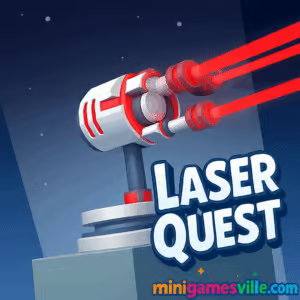
Ready to play right now? Click the big Play button above and dive into Laser Quest on minigamesville.com. This fast, clever browser game blends laser-reflection puzzles with crisp physics and clean, neon visuals. Play online in your browser, enjoy quick levels during a break, and have fun in an unblocked-friendly format that runs smoothly on school or work networks where allowed. If you like logic puzzles and satisfying “aha” moments, Laser Quest is your next obsession. Tap or click to start, then come back here for tips, modes, and pro strategies.
About Laser Quest
Laser Quest is a minimalist puzzle experience where you rotate mirrors, splitters, and portals to route a beam into targets. Each level fits in a single screen, which keeps the pace brisk while gradually introducing new mechanics. The difficulty ramps with smart design rather than guesswork, so success feels earned. Because it is a lightweight online browser game, Laser Quest loads fast, saves your progress locally, and invites just-one-more-level loops that are perfect for casual and competitive players alike.
History of Laser Quest
Laser-routing puzzles have charmed players since early flash and mobile eras. Laser Quest follows that tradition with a modern HTML5 build and responsive touch input. The game embraces clean shapes and readable pieces, so even tricky levels remain approachable. Whether you are new to the genre or a veteran of laser-and-mirror challenges, you will recognize the satisfying lineage here.
Style & Vibe
Expect a sleek sci-fi look: neon beams, cool glows, and tactile clicks as you rotate tiles into place. The interface stays distraction-free, letting the puzzle logic take center stage.

Gameplay in Laser Quest
Each level starts with one or more emitters. Your goal is to guide the laser into crystals or receivers by rotating pieces on the grid. Mirrors reflect at 90 degrees, splitters create multiple beams, filters change colors, and portals teleport light. Early on you will route a single beam around a corner. Later, you will synchronize several paths, color match beams to targets, and manage limited rotations. The physics are crisp and deterministic, so experimentation feels fair and repeatable.
Game Modes
- Classic Levels: Handcrafted puzzles that escalate in complexity, perfect for learning every mechanic.
- Time Attack: Solve as many boards as you can before the clock runs out. Great for speed fans.
- Daily Challenge: One fresh puzzle a day with a unique twist to keep your skills sharp.
- Endless Shuffle: A curated loop of levels for relaxed, continuous play.
How to Play
- Survey the board. Identify emitters, targets, and any color filters.
- Rotate mirrors to form a rough path from source to target.
- Add splitters or portals if a target sits behind obstacles.
- Fine tune angles to collect optional stars and avoid blockers.
- Confirm all targets are lit. Press next and celebrate the glow.
Controls
- Mouse: Left click to select a tile, then click again to rotate. Click and hold to preview angles where available.
- Touch: Tap to rotate pieces, pinch to zoom on smaller screens.
- Keyboard (optional): R to rotate selected tile, Z to undo, N for next level where supported.
Device Compatibility & Browser Support
Laser Quest runs in modern browsers on desktop, Chromebook, tablets, and phones. For the best performance, use current versions of Chrome, Edge, Safari, or Firefox. Hardware acceleration should be on, and having just a few tabs open helps on low powered devices.
Mobile vs. Desktop Gameplay
On mobile, tap rotation feels natural and zoom helps with tight grids. On desktop, mouse precision is excellent for speed runs and star-perfect routes. Progress can persist per device via local storage, so stick with one device if you are chasing 100 percent.
Can I Play Offline?
This is an online browser game, so an internet connection is recommended. Some browsers may cache recent levels, but full functionality requires being online.
Can I Play Unblocked?
Laser Quest is built for the web and often works on restricted networks. Access depends on your school or workplace filters, so check local rules. If blocked, try a personal connection or a different approved browser.
- Browser: Play on minigamesville.com in your desktop or mobile browser.
- Mobile: Official mobile versions by Infinity Games are available:
Tips & Tricks
Beginner Tips
- Work backward from the target. Ask which angle a beam must enter, then trace the path to the source.
- Rotate one tile at a time and test often. Small adjustments reveal the intended route.
- Collect stars last. First secure a clean path, then reroute for bonuses.
- Use obstacles as guides. If a wall blocks one path, it usually hints at the right angle nearby.
Advanced Strategies
- Color logic: If filters exist, map beam colors before you rotate anything.
- Splitter math: Count how many beams you need, then plan merges to reduce clutter.
- Portal pairs: Label them mentally A to B to avoid loops and wasted moves.
- Move economy: Aim to solve in the fewest rotations to maximize stars and speed records.
Features
- 🧠 Clean, logical puzzles that reward experimentation
- 🔦 Satisfying laser physics with color filters and splitters
- 🎨 Minimalist neon aesthetic that keeps the board readable
- 📱 Smooth play on mobile, desktop, and Chromebook
- ⭐ Optional stars and speed goals for extra mastery
- 🎯 Daily challenge style boards for quick brain boosts
- ♻️ Instant restarts and fast level loading
- 🔊 Subtle sound cues that confirm smart moves
Unlockables & Secrets
Expect cosmetic beams, backgrounds, and bonus levels that unlock when you finish chapters with all stars. Hidden tiles sometimes reveal alternative routes, which can shave seconds off a time attack run.
Cheats & Mods
There are no official cheats or mods for the browser version, and altering the game is not recommended. Use the tips above to master difficult boards without compromising your progress or security.
Walkthrough Summary
Begin by aligning a primary route to each target. Insert splitters only when a direct path is impossible. Color match beams through filters, then optimize angles to collect stars. If you feel stuck, reset a section and rebuild the path in three steps: source to mirror, mirror to portal, portal to target.
Scoring, Records & Progression
Completion unlocks the next level. Stars are awarded for efficiency, clean routing, and optional objectives. Your best time and least rotations are stored locally, so seasoned players can grind for personal records or show friends their speed on the same device.
Why Play Laser Quest
Laser Quest captures the joy of pure logic. It is snappy, readable, and respectful of your time. Whether you relax with a daily puzzle or sprint through time attack, the feedback loop stays satisfying from the first reflection to the final crystal.
Pros & Cons of Laser Quest
- Pros: Smart puzzle design, instant retries, accessible on nearly any device, smooth touch and mouse controls.
- Cons: Later levels can feel demanding if you rush, and 100 percent star runs require careful planning.
- Keep your browser current for the best frame pacing and audio.
- Enable hardware acceleration in settings if disabled.
- If inputs feel laggy, close heavy tabs and pause background downloads.
- On mobile, use portrait zoom for tight grids or rotate to landscape if the UI supports it.
Similar games to Laser Quest
- Robot Awake — Program directional tiles to guide robots with laser logic.
- Green — A clever one-color puzzle where each level hides a unique solution.
- Mini Train — Place pieces to build routes and deliver cargo safely.
- Arrower — Rotate arrows to move a block to the goal using pure logic.
- Sudoblocks — Merge sudoku thinking with block placement for a zen challenge.
- The Sort Agency — Sort, route, and optimize in an addictive logic assembly line.
FAQ
Is Laser Quest free to play on minigamesville.com?
Yes, you can play the browser version free in your modern web browser.
Does Laser Quest save my progress?
Progress typically saves to your device via local storage, so keep using the same browser to continue.
Will Laser Quest work on a school Chromebook?
In most cases yes, as long as the network allows gaming sites and the Chromebook runs an up to date browser.
Are there levels with color mixing?
Yes, later puzzles introduce filters and targets that require matching beam colors.
What if a level seems impossible?
Reset the section, trace backward from the target, and rotate only the tiles that affect that path before adding splitters.
Is there a mobile version?
Yes, you can play Laser Quest on Android and iOS through the official store links listed above.
Conclusion
Whether you are sneaking in a quick break or chasing a perfect star run, Laser Quest delivers crisp, readable puzzles with that just-one-more-level pull. It is a polished online experience that respects your time and rewards clever thinking.
Hit Play to launch Laser Quest on minigamesville.com, then bookmark this page for strategies as you progress. Line up the mirrors, split the beam, and light every crystal. Your next glow-up awaits.

 Loading...
 English
 Shqip
Shqip
 বাংলা
বাংলা
 Български
 简体中文
简体中文
 Hrvatski
 Čeština
 Dansk
Dansk
 Nederlands
 Suomi
Suomi
 Ελληνικά
 हिन्दी
 Magyar
 Bahasa Indonesia
 日本語
日本語
 한국어
한국어
 Lietuvių
 Bahasa Melayu
 Norsk
Norsk
 Polski
 Português do Brasil
 Română
 Slovenčina
 Slovenščina
 Svenska
 ไทย
ไทย
 Türkçe
 Українська
 اردو
اردو
 Tiếng Việt
 isiZulu
 Español
 Français
 Deutsch
 العربية
 Italiano
 فارسی
فارسی
 Русский