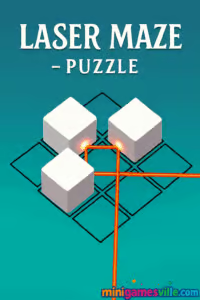
Jump in and play Laser Maze – Puzzle right now on minigamesville.com, free in your browser. Laser Maze – Puzzle is a slick online logic puzzler where you guide beams with mirrors and blocks to light every target. If you love clean visuals, satisfying eureka moments, and quick-play levels that ramp up in depth, hit Play above and start solving. This unblocked browser game loads fast, runs on most devices, and is perfect for a quick brain workout between tabs.
About Laser Maze – Puzzle
Laser Maze – Puzzle blends minimalist design with brain-teasing mechanics. Each level is a compact grid of sources, reflectors, splitters, and blockers. Your goal: orient pieces so the laser path hits every target without wasting moves. It feels approachable at first, then layers in clever twists that reward planning and experimentation. Whether you are a puzzle veteran or a casual player, this browser game nails the balance between chill and challenge.
History of Laser Maze – Puzzle
Laser-and-mirror puzzles have been a staple of brain teasers for decades, from physical tabletop kits to early web flash games. The modern HTML5 version you can play here carries that legacy forward, packaging refined level design and touch-friendly controls into a snappy, device-agnostic format. Laser Maze – Puzzle keeps the core idea simple, then gradually introduces new piece types to keep the aha moments coming.
Style & Vibe
Expect a neon lab aesthetic with crisp beams, subtle glow, and clean UI. The presentation stays uncluttered so your focus remains on solving paths and optimizing moves.

Gameplay in Laser Maze – Puzzle
Every level gives you a source, targets, and a toolkit of pieces. Rotate or reposition the parts to bend the beam around corners, split it to reach multiple receivers, and block stray paths that would drain power. Difficulty climbs through tighter layouts, directional constraints, and multi-target routing. The feel sits somewhere between a logic grid and a spatial path-builder, with satisfying feedback when everything lines up.
Game Modes
- Level progression: a curated sequence that introduces new mechanics at a steady pace.
- Star mastery: replay levels to collect optional stars or complete in fewer moves for personal bests.
- Self-timed runs: race yourself by setting a personal timer and speed-solving favorite stages.
How to Play
- Scan the grid. Identify the laser source and all targets.
- Place or rotate mirrors to redirect the beam toward receivers.
- Use splitters, pass-through tiles, and blockers to manage multi-path routes.
- Press play or activate the laser. Tweak any misaligned pieces and retry.
- Chase stars or fewer-move clears for extra challenge.
Controls
- Desktop: click to select, rotate, or drag pieces. Right click or on-screen rotate buttons when available.
- Mobile: tap to rotate, tap-and-hold to drag. Pinch to zoom if your browser supports it.
- Reset/Undo: use the UI buttons to step back or restart quickly.
Device Compatibility & Browser Support
Laser Maze – Puzzle is an HTML5 online game that runs in modern browsers on Windows, macOS, Linux, Android, and iOS. Best results: the latest Chrome, Edge, Firefox, or Safari with hardware acceleration enabled. No download required.
Mobile vs. Desktop Gameplay
On mobile, tap-to-rotate and drag placement feel natural for quick sessions. On desktop, mouse precision makes advanced routing and star hunts a breeze. Progress carries in-session, so you can hop devices and keep solving.
Can I Play Offline?
The web version needs an internet connection to load and save reliably. If you want an offline-friendly mobile experience, see the alternative in Platforms below.
Can I Play Unblocked?
Laser Maze – Puzzle is a browser game that typically works on school and work networks. If your network restricts gaming sites, access may vary by policy. For the best chance, keep your browser updated and use a standard connection without VPNs.
- Play in your browser at minigamesville.com, no install, free to play.
- This exact browser version does not have official App Store or Google Play pages.
- Want a high quality mobile laser puzzle with offline support? Try Laser Overload by Infinity Games:
Tips & Tricks
Beginner Tips
- Work backward from the targets. Ask which final mirror angle would deliver the beam, then trace upstream.
- Solve one branch at a time. Splitters create parallel paths, so lock one route before the next.
- Use blockers to stop leaks. Prevent stray reflections that siphon power from the main line.
- Rotate mirrors sparingly. Fewer moves often reveals a cleaner path.
- Replay early levels to practice star routes and movement economy.
Advanced Strategies
- Pre-visualize angles in 90 degree increments to eliminate impossible lines instantly.
- When multiple targets exist, prioritize the one with the least placement freedom first.
- Build a hub. Route the source to a junction mirror, then branch out to each receiver with minimal overlap.
- Use temporary scaffolding. Place a mirror as a blocker to see a path, then replace it with the final piece.
- For star runs, favor straight segments and reduce bounces to preserve intensity.
Features
- Smart, compact puzzles that reward logic and spatial planning
- Clean neon look with readable beams and targets
- Optional stars and move challenges for mastery
- Click, drag, and tap friendly on any device
- Gradual introduction of new piece types and interactions
- Quick restarts and fast iteration for satisfying solves
- Play online in your browser, no account required
- Lightweight and responsive even on modest hardware
Unlockables & Secrets
You will uncover alternate star routes and multi-target chains that shave moves off your solution. Some layouts hide elegant lines that bypass crowded areas. Replays help reveal those hidden angles.
Cheats & Mods
There are no official cheats. Use built-in hints if available, or step away and return with fresh eyes. Third-party mods are not recommended for browser play and can cause instability.
Walkthrough Summary
Start by placing a mirror to catch the source and send it toward the main corridor. Add a splitter only when a straight line cannot reach multiple receivers. If a path crosses itself, raise a blocker to isolate branches. When the grid gets crowded, clear everything back to the last confirmed reflection and rebuild from that checkpoint.
Scoring, Records & Progression
Laser Maze – Puzzle typically tracks completion and optional stars. Aim for minimal moves or fewer rotations to set personal bests. Replaying earlier levels with stricter goals is a great way to sharpen pattern recognition.
Why Play Laser Maze – Puzzle
It delivers quick access, zero-friction sessions, and plenty of satisfying light-bulb solves. As an online unblocked puzzle game, it is perfect for sharpening focus without a long time commitment.
Pros & Cons of Laser Maze – Puzzle
- Pros: elegant logic design, instant browser play, smooth controls, strong readability.
- Cons: requires internet connection to load, later levels can feel heady without hints.
- Keep Chrome, Edge, Safari, or Firefox current for faster WebGL and canvas performance.
- Enable hardware acceleration in browser settings for smoother beams and transitions.
- Close heavy tabs, then reload the game to free memory on older devices.
- On mobile, switch to fullscreen and portrait or landscape as the level layout prefers.
Similar games to Laser Maze – Puzzle
- Robot Awake — program directional tiles to guide light beams and activate all robots.
- Green — minimalist color puzzles where each level hides a fresh, clever rule.
- Mini Train — place parts to build safe routes for a tiny locomotive.
- Sudoblocks — blend Sudoku logic with block placement and satisfying clears.
- Tap It Away — rotate the cube and tap blocks away in the right order to free the core.
- Arrower — set arrow directions to move tiles into their sockets in as few steps as possible.
- Correct Lie — brain-teasing riddles that twist common sense and reward lateral thinking.
FAQ
Is Laser Maze – Puzzle free to play?
Yes, you can play free in your browser on minigamesville.com with no download.
Does Laser Maze – Puzzle save my progress?
Your progress saves in the current browser session. Using the same device and browser helps keep your place.
What devices work best?
Any modern desktop or mobile browser works. For the smoothest experience, use up-to-date Chrome, Edge, Firefox, or Safari.
Is there an offline version?
The web build requires an internet connection to load. For offline mobile play, try the Laser Overload links in the Platforms section.
Is Laser Maze – Puzzle unblocked at school?
Many networks allow it, but access depends on local rules. If the site is restricted, check with your network admin.
Can I rotate pieces both ways?
Rotation follows the on-screen controls. If there is only a clockwise button, cycle until you reach the angle you need.
How do hints work?
When available, hints highlight a correct piece or angle. Use them to learn patterns and return for star-perfect clears.
Conclusion
Laser Maze – Puzzle shines as a fast, satisfying brain game that respects your time. It is easy to learn, hard to put down, and perfectly suited for quick sessions that still feel rewarding.
Ready to light the targets and claim those stars? Click Play above to dive into Laser Maze – Puzzle on minigamesville.com and start bending beams like a pro.

 Loading...
 English
 Shqip
Shqip
 বাংলা
বাংলা
 Български
 简体中文
简体中文
 Hrvatski
 Čeština
 Dansk
Dansk
 Nederlands
 Suomi
Suomi
 Ελληνικά
 हिन्दी
 Magyar
 Bahasa Indonesia
 日本語
日本語
 한국어
한국어
 Lietuvių
 Bahasa Melayu
 Norsk
Norsk
 Polski
 Português do Brasil
 Română
 Slovenčina
 Slovenščina
 Svenska
 ไทย
ไทย
 Türkçe
 Українська
 اردو
اردو
 Tiếng Việt
 isiZulu
 Español
 Français
 Deutsch
 العربية
 Italiano
 فارسی
فارسی
 Русский