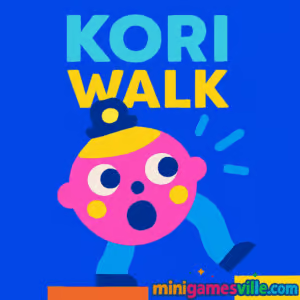
Play kORi WALk now on minigamesville.com. kORi WALk is a quirky physics platformer puzzle you can enjoy as an online browser game, unblocked on most networks that allow gaming sites. Stretch those wobbly legs, time your flings, and hop over hazards to reach the next checkpoint. If you like skill-based arcade challenges with clean visuals and tight mouse or touch controls, hit Play and start walking. Get into kORi WALk on minigamesville.com today.
About kORi WALk
kORi WALk blends ragdoll physics with slingshot precision. Each step is a mini puzzle, where you pull back to launch a leg, land safely, and keep your balance across platforms, gaps, and traps. Short sessions feel snappy, perfect for quick browser bursts or mastering long streaks. The tone is lighthearted, the learning curve is fair, and the payoff is real as your timing improves. If you crave a compact, skill-forward online experience, kORi WALk belongs in your rotation.
History of kORi WALk
kORi WALk started life as a minimalist mobile arcade experiment from indie creator Korigame, then found a second home as a lightweight HTML5 browser game. The core identity never changed: goofy charm, simple inputs, tight physics, and a just-one-more-try loop that keeps you chasing cleaner runs and longer streaks.
Style & Vibe
The game leans into playful minimalism: clean shapes, bright colors, and a lovable main character who stays cheerful even after a splash. Sound cues are pleasing and readable, which helps with timing and rhythm during tougher sequences.

Gameplay in kORi WALk
Every level is a lane of platforms and hazards set over water. You move by dragging and releasing, which flings a leg forward like a slingshot. The trick is to alternate legs, manage momentum, and plant your foot on safe ground. Miss the landing and you fall in, but flags along the way serve as checkpoints. As you progress, the game layers wider gaps, moving obstacles, and timing challenges that reward patience and clean angles. Collectibles add replay value, and the rhythm of drag, aim, release makes kORi WALk a satisfying browser game loop.
Game Modes
- Level-by-level progression with checkpoints and escalating challenges.
- Endless-style streak chasing on select builds, great for personal records.
- Time attack feel for speed-minded players who hunt for optimal lines.
How to Play
- Click or tap and drag backward from your character to set power and direction.
- Release to fling a leg forward, then quickly line up the next step.
- Use flags as mid-run safety. If you fall, you restart from the last flag.
- Collect items on safe routes, but prioritize solid landings first.
- Refine angles and timing to clear wider gaps and trickier setups.
Controls
- Desktop: Mouse click, drag, and release to step. Esc for pause or menu if available.
- Mobile: Touch, drag, and release. Use on-screen pause where shown.
- Quality-of-life: Some builds support quick restart or mute toggles in the UI.
Device Compatibility & Browser Support
kORi WALk runs in modern browsers on desktop and mobile. For best performance, use the latest Chrome, Edge, Firefox, or Safari with hardware acceleration enabled. The game loads fast, saves small preferences in your browser, and plays smoothly on mid-range hardware.
Mobile vs. Desktop Gameplay
- Desktop: Pixel-precise mouse control, great for speed and accuracy.
- Mobile: Easy pick-up with touch drag, perfect for quick sessions on the go.
Can I Play Offline?
The browser version requires an internet connection. The iOS app can be played offline after download, which is handy for travel or low-signal areas.
Can I Play Unblocked?
kORi WALk on minigamesville.com uses a secure, no-download browser build that usually works on personal and many public networks. Access can still depend on local administrators or school filtering rules.
- Browser: Play free on minigamesville.com.
- iOS: Download on the App Store
- Android: No official Google Play release at this time. Android players can enjoy the browser version on minigamesville.com.
Tips & Tricks
Beginner Tips
- Start with short, controlled flings to learn landing distances.
- Always check which leg will move next and aim your line accordingly.
- Plant heels flat on platforms before attempting wider gaps.
- Use flags as practice splits, repeat sections until they feel automatic.
- Zoom your browser in or out for a view that feels comfortable.
Advanced Strategies
- Feather your drag to micro-adjust power for pixel-perfect edges.
- Chain quick alternating steps to maintain momentum across small pads.
- Bait moving obstacles, then step during their return windows.
- Plot carrot routes that do not compromise a safe landing sequence.
- Record your runs to analyze angles and refine repeatable setups.
Features
- 🦵 One-button slingshot steps that feel great when mastered
- 🟩 Clear checkpoints that reduce frustration and boost learning
- 🌊 Hazard-filled lanes with witty level design
- 🥕 Optional collectibles that encourage route planning
- 🎯 Tight physics that reward consistent angles and timing
- 🎧 Relaxing audio cues that reinforce rhythm
- ⚡ Lightweight, fast-loading browser game for quick sessions
- 📱 Desktop and mobile friendly with intuitive input
Unlockables & Secrets
Watch for safer side platforms and alternate lines that let you snag collectibles without risking a run. Some layouts reward patience over big power, so dialing back your fling can reveal an easier path.
Cheats & Mods
There are no official cheats or mod hooks in the browser build. The best advantages come from good technique, clean angles, and smart checkpoint practice.
Walkthrough Summary
Break levels into splits between flags, learn the safe landing zones, and build power muscle memory for common gap sizes. When hazards move, count their rhythm, then step during the calm window. If a carrot line feels risky, clear the level first and loop back for a cleaner collectible run.
Scoring, Records & Progression
Chase longer streaks, smoother times, and cleaner routes. Many players track personal bests by fewest mistakes between flags or by collecting all items in a single sweep. Treat each level as a puzzle to optimize, then aim for consistent, repeatable execution.
Why Play kORi WALk
kORi WALk is pure skill in a charming wrapper. It is simple to learn, satisfying to master, and perfect as an online unblocked browser game when you want quick-win sessions that still challenge your brain and reflexes.
Pros & Cons of kORi WALk
- Pros: Crisp physics, friendly learning curve, short sessions, smooth browser performance.
- Cons: Minimalist presentation may feel sparse to players seeking story or deep progression.
- Keep your browser up to date and enable hardware acceleration.
- Close heavy tabs and extensions that might interfere with input timing.
- If input feels laggy, try an incognito window or a different browser.
- On mobile, switch to landscape and disable low-power mode during play.
Similar games to kORi WALk
- Parkour Block 6 — first person precision jumps with tight platform timing.
- Parkour Block 7 — more stages and tougher jumps for platform pros.
- Short Life — physics platformer where timing avoids hilarious ragdoll traps.
- Short Ride — bike-based follow up with creative hazards and tight control.
- Wheelie Bike — balance-focused physics challenge with one-button finesse.
- Eggy Car — gentle hill-climb physics where smooth throttle saves your cargo.
- Geometry Dash Lite — rhythm runner that sharpens timing and level awareness.
FAQ
Is kORi WALk free to play?
Yes, the browser version on minigamesville.com is free to play with no download required.
Does kORi WALk have an iOS app?
Yes, you can download the official iOS version from the App Store using the link above.
Is there an Android version?
There is no official Google Play release at this time. Android users can play the browser version on minigamesville.com.
Will kORi WALk run on school Wi Fi?
It often does, since it is a lightweight browser game, but access depends on local network policies.
Can I use a controller?
kORi WALk is designed around mouse or touch drag controls. Some gamepads can emulate a pointer, but native controller support is uncommon.
How do I save progress?
Progress and preferences are typically saved in your browser. Clearing cache or switching devices can reset local data.
Any way to reduce lag?
Update your browser, close heavy tabs, disable demanding extensions, and switch to a performance profile or a different browser if needed.
Conclusion
kORi WALk turns stepping into a skill sport, blending puzzle planning with physics precision. It is quick to learn, charming to watch, and surprisingly deep as your timing improves. Whether you have five minutes or a focused hour, this browser game delivers satisfying, low-friction fun.
Ready to walk the line? Click Play on minigamesville.com, fling that first leg, and see how far you can go in kORi WALk. Share your best streaks and invite friends to chase your checkpoints.

 Loading...
 English
 Shqip
Shqip
 বাংলা
বাংলা
 Български
 简体中文
简体中文
 Hrvatski
 Čeština
 Dansk
Dansk
 Nederlands
 Suomi
Suomi
 Ελληνικά
 हिन्दी
 Magyar
 Bahasa Indonesia
 日本語
日本語
 한국어
한국어
 Lietuvių
 Bahasa Melayu
 Norsk
Norsk
 Polski
 Português do Brasil
 Română
 Slovenčina
 Slovenščina
 Svenska
 ไทย
ไทย
 Türkçe
 Українська
 اردو
اردو
 Tiếng Việt
 isiZulu
 Español
 Français
 Deutsch
 العربية
 Italiano
 فارسی
فارسی
 Русский