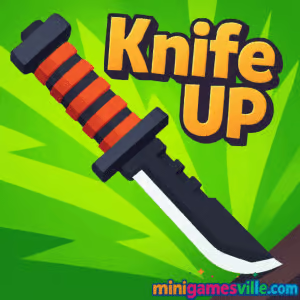
About Knife Up
Knife Up is a snackable arcade game built for the browser. Your goal: launch a knife from platform to platform, time each throw, and keep ascending while grabbing extra points. Clean visuals, crisp sound effects, and a tight tap‑to‑throw rhythm keep the loop satisfying. Rounds last seconds, not minutes, which makes it perfect for study breaks or commute downtime. Because it loads directly in your browser, there is no download or sign‑in friction. If you love precision, minimalist design, and reflex challenges, this one fits the bill.
History of Knife Up
Knife throwing arcade titles took off in the late 2010s as part of the hyper‑casual wave on mobile and web. Knife Up follows that heritage with streamlined mechanics: simple inputs, escalating difficulty, and score‑chasing replay. The game focuses on feel over fluff, so you can hop in, improve your rhythm, and instantly see progress in your score streaks.
Style & Vibe
The look is clean and readable, with colorful boards, juicy hit sparks, and satisfying sound cues when you nail a perfect stick. The vibe is chill but competitive, inviting one more run to beat your best.

Gameplay in Knife Up
The playfield scrolls upward as you throw. Tap or click to launch your knife toward the next board. Land in the sweet spot for bonus points, slice apples along the way, and avoid hazards like spikes or previously stuck blades. Miss a platform or collide with a blocked lane and the run ends. The physics are snappy, which rewards patience and rhythm instead of button mashing.
- One‑tap throws with consistent, predictable arcs
- Bonus targets for extra score and risk‑reward decisions
- Gradual speed ramp that tests timing as you climb
- Score saved between sessions so you can return and improve
Game Modes
Primary mode is an endless climb focused on high scores and accuracy. Some builds also surface mini challenges, like precision zones or collectible streak goals, to encourage cleaner throws.
How to Play
- Wait for the next board to line up in your comfort zone.
- Tap or click once to throw. Aim for the center or green zone to score more.
- Chain clean sticks to keep momentum and scroll control.
- Slice apples when it is safe, not at the cost of a failed throw.
- Repeat, climb higher, and set a new record.
Controls
- Desktop: Left mouse click to throw
- Mobile: Single tap anywhere on the game canvas
Device Compatibility & Browser Support
Knife Up runs in modern browsers on desktop, Chromebook, iPhone, iPad, and Android. For the best performance, use the latest version of Chrome, Edge, Safari, or Firefox with hardware acceleration enabled. Close unused tabs if your device has limited memory.
Mobile vs. Desktop Gameplay
On desktop, clicking gives ultra precise timing on larger screens. On mobile, the single‑tap control feels natural and portable. Scores are achievable on both, but many players find early PBs easier with a mouse.
Can I Play Offline?
On Minigamesville you need an active internet connection to load and play. If you add the page to your home screen, some assets may cache, but a live connection is still recommended for consistent performance.
Can I Play Unblocked?
Knife Up is a lightweight browser game and often works on networks that allow HTML5 games. If a firewall blocks it, try a different browser or device, or play outside restricted networks. No VPN or login is required on Minigamesville.
Tips & Tricks
Beginner Tips
- Wait a beat. Throw on the down‑swing when the next board slows near center.
- Prioritize safe sticks over apples early on. Survive first, farm score later.
- Learn your rhythm. Count a consistent cadence between throws to avoid panic taps.
- Use peripheral vision to track both the knife and the edge of the screen scroll.
Advanced Strategies
- Chain perfects. Back‑to‑back center hits stabilize vertical positioning and boost points.
- Apple routing. Only go for apples when the board spacing gives you a buffer throw.
- Bail smart. If timing is off, skip a risky apple and reset your rhythm on the next board.
- Micro‑aim with timing, not aim lines. The only variable is when you tap, so master that window.
Features
- ⚔️ One‑tap knife throwing with tight physics
- 🍎 Bonus collectibles for risk‑reward scoring
- 🎯 Perfect‑hit zones that reward precision
- 📈 Endless climb with escalating speed
- 🔊 Crisp impact sounds and satisfying hit feedback
- 💻 Works on desktop, Chromebook, and mobile browsers
- 🏆 Local high score chasing and replay appeal
- 🧠 Low learning curve, high skill ceiling
Unlockables & Secrets
Different builds may include cosmetic knife skins and milestone rewards. Focus on clean streaks to trigger higher bonus thresholds and reveal new cosmetics faster.
Cheats & Mods
There are no official cheats for the browser version of Knife Up. Third‑party mods or injectors can break the game or harm your device. Play fair and keep your browser clean for the best experience.
Walkthrough Summary
Start slow, throw only when the next board is comfortably aligned, and bank a few safe sticks. Once the rhythm clicks, sprinkle in apple slices and perfect hits. If you miss timing for a split second, reset your cadence on the next platform rather than forcing a rushed throw.
Scoring, Records & Progression
Your score rises with each successful throw, with extra points for apples and perfect zones. Personal bests encourage short repeat sessions. Track your high score and try to beat it in daily sprints.
Why Play Knife Up
If you want a quick, skill‑based browser challenge that respects your time, Knife Up delivers. No download, no learning curve, just satisfying throws and a clean climb loop you can replay anytime.
Pros & Cons of Knife Up
- Pros: Instant load in browser, tight one‑tap control, rewarding precision, quick sessions.
- Cons: Endless scoring can feel repetitive to completionists, cosmetic variety may depend on build.
- Use the latest Chrome, Edge, Safari, or Firefox for smoother frame pacing.
- Enable hardware acceleration in browser settings.
- Close heavy tabs, extensions, or streaming apps during play.
- On mobile, switch off battery saver to prevent input lag.
Similar games to Knife Up
- Flip Knife — one‑tap blade flips with clean physics and score chasing.
- Knife Jump — hop your knife across platforms with precise timing.
- White Archer — aim, charge, and release for bullseyes in a minimal target challenge.
- Candy Jump — simple tap‑to‑rise arcade with rhythm‑based obstacles.
- Books Tower — stack with pixel‑perfect drops to keep the tower stable.
- Color Circles — time your taps to pass rotating gates and keep the streak alive.
FAQ
Is Knife Up free to play?
Yes, you can play free in your browser on Minigamesville with no download required.
Does Knife Up support full screen?
Most browsers allow you to enter full screen on the iframe. Use the expand icon or your browser’s full screen shortcut.
What devices run the game best?
Any recent desktop or mobile device with an updated browser will run it smoothly. Performance scales with CPU and GPU power.
Can I mute the game?
Yes, use the in‑game sound toggle if available or your device volume controls.
Are there levels or bosses?
The core experience is an endless climb with increasingly tight timing windows. Some versions include milestones and cosmetic unlocks as you improve.
Is Knife Up unblocked at school?
It often is, since it is an HTML5 browser game. If blocked by your network, try a different browser or play at home.
Conclusion
Knife Up takes the best parts of tap‑timing arcade design and strips away the friction. Clean visuals, crisp physics, and a quick restart loop make it perfect for minute‑long bursts or longer score grinds. Whether you are on a laptop or phone, the core feel stays sharp.
Ready to test your rhythm and chase a new high score? Press Play above to start Knife Up on Minigamesville.com, slice a few apples, and stick those perfect throws. One more run is waiting.

 Loading...
 English
 Shqip
Shqip
 বাংলা
বাংলা
 Български
 简体中文
简体中文
 Hrvatski
 Čeština
 Dansk
Dansk
 Nederlands
 Suomi
Suomi
 Ελληνικά
 हिन्दी
 Magyar
 Bahasa Indonesia
 日本語
日本語
 한국어
한국어
 Lietuvių
 Bahasa Melayu
 Norsk
Norsk
 Polski
 Português do Brasil
 Română
 Slovenčina
 Slovenščina
 Svenska
 ไทย
ไทย
 Türkçe
 Українська
 اردو
اردو
 Tiếng Việt
 isiZulu
 Español
 Français
 Deutsch
 العربية
 Italiano
 فارسی
فارسی
 Русский