
















 Loading...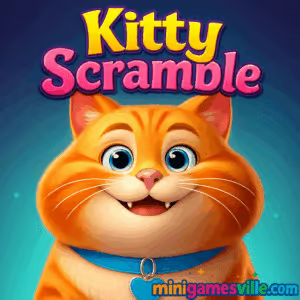


Play Kitty Scramble right now on MiniGamesVille.com to flex your vocabulary in a cozy, cat‑themed word puzzle. Kitty Scramble is a fast, friendly browser game where you swipe through jumbled letters to reveal hidden words by theme. It loads online in your browser, plays great unblocked where allowed, and delivers that sweet mix of chill vibes and clever challenges. If you love word search, word connect, and casual puzzle games, tap the Play button above and start your first round of Kitty Scramble on MiniGamesVille today.
About Kitty Scramble
Kitty Scramble is a category‑driven word puzzle where each level gives a hint, then scatters letters for you to swipe into valid words. The cat mascot cheers you on as you complete sets, earn coins for hints, and climb through themed chapters. It is quick to learn, satisfying to master, and perfect for short browser sessions or longer marathons.
History of Kitty Scramble
The game began as a mobile word puzzle from Clever Apps Pte. Ltd., then expanded to an HTML5 version so players could enjoy Kitty Scramble directly in a modern browser. The core loop stayed the same, but UI and performance were refined for touch and mouse play alike.
Style & Vibe
Expect bright colors, clean letter tiles, and a personable kitty that reacts to your progress. Audio is light and upbeat, and menus are simple enough for quick dives back into your latest level set.

Gameplay in Kitty Scramble
Each stage presents a topic like Foods, Travel, Nature, or Hobbies. Letters appear in a compact grid. You drag to connect letters in sequence, forming valid words that match the theme. Found words flip off the board, new letters slide in, and the kitty celebrates your streaks. Tough levels introduce trickier letter placements, longer words, and layouts that encourage lateral thinking. Use coins for hints, shuffle tiles when stuck, and chase multi‑word chains to clear boards faster.
Game Modes
- Classic levels: progress through themed chapters with rising difficulty.
- Daily challenge: time‑friendly board for a quick brain boost and extra coins.
- Events and limited sets: rotating collections with unique level art and bonus rewards.
- Relax mode: play at your own pace with no timer pressure.
How to Play
- Scan the theme hint at the top of the screen.
- Look for letter paths that could form on‑theme words.
- Drag across letters in order to submit a word.
- Watch letters clear and open new paths, then repeat.
- Tap Shuffle if the board feels stale, or use a Hint for the next letter.
- Finish the set to claim coins and unlock the next level.
Controls
- Desktop: Click and hold the left mouse button, then drag through letters. Release to submit.
- Mobile or tablet: Press and swipe through letters with your finger. Lift to submit.
- General: Use on‑screen buttons for Shuffle, Hint, and menu navigation.
Device Compatibility & Browser Support
Kitty Scramble runs in modern browsers like Chrome, Safari, Edge, and Firefox. It is optimized for both touch and mouse, so you can switch between phone, tablet, and laptop without friction. Enable sound for feedback, or mute if you prefer silent play at work or school where permitted.
Mobile vs. Desktop Gameplay
On mobile, swiping feels natural and couch‑friendly. On desktop, the larger screen makes letter scanning faster, which can help with longer words. Both options support quick sessions and long streaks.
Can I Play Offline?
In the browser, you need an active internet connection to load assets and save progress. On the mobile apps, some parts may work offline for short stretches, though events, syncing, and updates still require a connection.
Can I Play Unblocked?
Kitty Scramble is a lightweight browser game and often accessible on personal networks. School or workplace policies vary, so access depends on local rules. Always follow your network’s guidelines.
Platforms
- Play in your browser on MiniGamesVille.com.
- iOS: Download on the App Store.
- Android: Get it on Google Play.
Tips & Tricks
Beginner Tips
- Start with short words to open space, then hunt for the longer ones.
- Trace backward too. Many words pop when you read the board in reverse.
- Use Shuffle after 10 to 15 seconds of no progress to refresh your view.
- Spend hints only on the last 1 or 2 stubborn words.
- Scan for prefixes and suffixes like re, un, ing, er to extend options.
Advanced Strategies
- Anchor letters: find rare letters like Q, X, or K and build from them.
- Pattern slice: mentally split the board into 2×2 blocks to catch diagonals you miss on full scans.
- Theme mapping: list likely category words in your head first, then hunt only those paths.
- Chain clears: leave easy two‑letter words for last to rapidly finish the board after you solve the long ones.
- Economy play: aim to clear three levels without hints to bank coins for harder chapters.
Features
- 🐱 Charming cat companion with upbeat reactions
- 🧩 Category‑based word search that rewards smart scanning
- 🔤 Smooth swipe controls on both touch and mouse
- 🕒 Daily challenges for quick brain breaks
- 🎯 Helpful power‑ups like Shuffle and Hints
- 🌈 Clean visuals and readable letter tiles
- 📈 Hundreds of progressive levels to climb
- 📱 Browser, iOS, and Android options for flexible play
Unlockables & Secrets
Collect coins to unlock extra hints, grab event rewards during seasonal sets, and watch for special levels with unique layouts. Keep an eye on streak bonuses that quietly stack more currency for efficient runs.
Cheats & Mods
There are no legit cheats for the browser version of Kitty Scramble. Third‑party mods or tampered builds can harm your device or accounts. Play fair, protect your data, and use in‑game tools like Shuffle and Hints to overcome roadblocks.
Walkthrough Summary
Early chapters teach the swipe mechanic with short words and tight grids. Midgame adds trickier letter spacing and longer solutions. Late levels emphasize pattern recognition and category intuition. When stuck, reset your scan angle, shuffle once, then look for uncommon letters to guide a new path.
Scoring, Records & Progression
You progress by clearing themed sets. Efficient clears, minimal hint use, and streaks help you earn more coins per run. Treat Kitty Scramble like a marathon, not a sprint. Focus on steady completion and bank currency for the toughest boards.
Why Play Kitty Scramble
If you enjoy quick, satisfying word puzzles, this browser game is a perfect fit. It combines the ease of online play with a rewarding progression curve and a feel‑good theme. Kitty Scramble is great for coffee breaks, bus rides, and wind‑down nights.
Pros & Cons of Kitty Scramble
- Pros: Relaxing pace, beginner friendly, smooth swipe controls, plays online on almost any device.
- Cons: Later levels can feel challenging without hints, category themes may repeat for seasoned word fans.
Latest Updates & Browser Performance Tips
- Keep one game tab open at a time for best performance.
- Enable hardware acceleration in your browser settings.
- Clear cached files if you notice sluggish animations.
- On mobile, close background apps and keep your device charged for smoother play.
Similar games to Kitty Scramble
- Puzzle Blocks Classic — calming block‑fit puzzler that rewards planning.
- Bubble Shooter — timeless bubble popping with satisfying color clears.
- Bubble Pop Adventures — cheerful bubble rescue journeys with gentle difficulty.
- Ball Sort Soccer — organize balls by tube, a tidy logic challenge.
- Totemia: Cursed Marbles — marble‑matching routes that test aim and timing.
- Books Tower — stack books with precision for a relaxing arcade‑puzzle loop.
- Color Water Sort 3D — pour colors into the right tubes to clear every bottle.
FAQ
Is Kitty Scramble free to play?
Yes, you can play Kitty Scramble free in your browser and optionally on mobile with in‑game purchases for conveniences like hints.
Does Kitty Scramble have a timer?
Most levels are relaxed, so you can solve at your own pace. Events or daily challenges may encourage faster clears.
Can I sync progress between devices?
Use a consistent profile on mobile and keep your browser cookies intact. For the best cross‑device experience, stick to one platform at a time per play session.
Are there ads?
Browser sessions focus on the gameplay. On mobile, ad frequency can vary by region and settings.
Is Kitty Scramble kid friendly?
The theme is light and the word gameplay is educational. As with any online game, parents should review settings and supervise younger players.
What genre is Kitty Scramble?
It is a casual word search and word connect puzzle, playable as an online browser game or via mobile apps.
Can I play Kitty Scramble unblocked at school?
Access depends on your network rules. If games are restricted, wait to play on a home or personal network.
Conclusion
Ready to stretch your vocabulary with a purring sidekick? Kitty Scramble blends category clues, smooth swipes, and a friendly loop that feels great in short bursts or long streaks. It is approachable for newcomers, yet deep enough to keep word fans engaged.
Hit Play above to jump into Kitty Scramble on MiniGamesVille.com, collect coins, and clear your next board in this feel‑good online word puzzle. Have fun, and may every swipe reveal a new favorite word.
