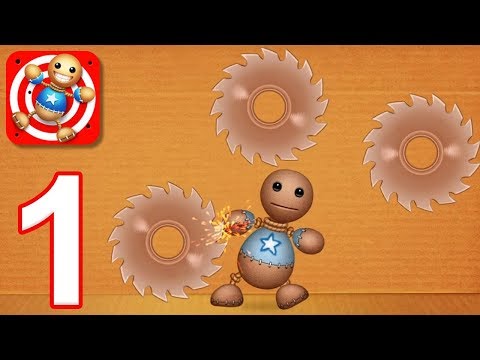
Play time-friendly review with expert tips for the browser version.
Introduction to Kick the Buddy
Kick the Buddy is a ragdoll physics sandbox that turns stress relief into quick-fire fun. In this online browser game, you poke, swipe, and experiment with zany tools to trigger over-the-top reactions. The pace is fast, the loop is simple, and the laughs come easy. Whether you want a one-minute break or a full-on toybox session, jump in and try the unblocked version when available to keep the action flowing. Ready to test creative combos and rack up coins in a lighthearted arcade setting? Hit play and start blasting boredom away.
About Kick the Buddy
This is a playful physics playground built around a bouncy ragdoll character and an expanding arsenal. It sits between sandbox and arcade, with a dash of idle progression. You earn currency for damage, unlock fresh toys, and chase bigger reactions, all inside a single-room stage that behaves like a digital stress ball.
History of Kick the Buddy
Kick the Buddy began as a mobile hit, then spread across platforms in several versions that embraced cartoony slapstick and collectible item catalogs. Browser builds keep that core loop alive with streamlined menus, quick loading, and portable progress systems tailored for short sessions.
Style & Vibe in Kick the Buddy
The art style leans into bold colors and chunky icons so every tap feels punchy. Audio cues pop with squeaks, thuds, and playful quips. The tone stays light, more toybox than combat, which makes it a natural pick for quick mood-boosting breaks.
Gameplay in Kick the Buddy
At its core, Kick the Buddy invites you to chain interactions that juggle, launch, and pinball a ragdoll around the room. The physics are springy, the feedback is instant, and the moment-to-moment goal is to keep momentum going while testing new items. You will loop between experimenting, earning coins, and buying upgrades that transform small nudges into spectacular chain reactions.
Game Modes
- Endless Sandbox: Open the toy chest, pick an item, and chase big reactions for steady currency gains.
- Challenges: Time-limited or objective-based tasks like reach a coin target or trigger a set number of hits.
- Combo Hunts: Stack interactions with minimal downtime to keep multipliers alive.
- Daily Events: Short seasonal or rotating tasks that spice up the routine with bonus rewards.
How to Play
- Start a session, then pick your first tool from the catalog.
- Tap or click the doll to start motion, then aim your item to keep it bouncing.
- Watch your coin bar, switch items when momentum slows, and chase combo chains.
- Spend currency on new tools or upgrades that add area effects, sticky surfaces, or timed bursts.
- Repeat runs to learn physics quirks and build a reliable loadout.
Controls for Kick the Buddy
- Mouse: Left click to select items, hold and drag to aim or place, release to activate.
- Touch: Tap to choose, tap-and-hold to drag, lift to fire or drop.
- Keyboard: Arrow keys or WASD can nudge menus in some builds, Esc opens settings or pause.
- Audio: Mute or volume sliders in the settings icon inside the room UI.
Device Compatibility & Browser Support for Kick the Buddy
Most HTML5 builds run smoothly in modern Chromium-based browsers and Safari. Kick the Buddy online performs best with hardware acceleration on, a recent browser version, and minimal background tabs.
Mobile vs. Desktop Gameplay
- Mobile: Quick taps and swipes feel natural, the smaller screen suits short sessions.
- Desktop: Precise dragging with a mouse makes combo placement easier, larger viewport improves item visibility.
Can I Play Offline?
Browser builds usually require an internet connection for assets, ads, and save sync. If a version preloads fully, you may get brief offline play, but expect features to be limited without connectivity.
Can I Play Unblocked?
Access depends on your network rules. If a school or office filter blocks game portals, try a different modern browser, use privacy mode, or play on a personal connection. Always follow local guidelines and IT policies.
Tips & Tricks for Kick the Buddy
Beginner Tips
- Start with low-cost items to learn hit timing and bounce angles.
- Keep the doll off the floor by alternating impacts high and low.
- Switch tools mid-combo to reset momentum when things slow down.
- Buy one reliable area-of-effect item early for consistent earnings.
- Use the walls: corner bounces add easy extra hits per second.
- Claim daily rewards to accelerate early unlocks.
- Lower visual effects in settings if frames drop during big combos.
- Practice short sessions to master drag distance and release points.
Advanced Strategies
- Build loadouts that chain: stun, lift, then splash damage to harvest coins quickly.
- Stack environmental traps that keep the doll centered for repeat hits.
- Time activations so items overlap during peak airtime.
- Use light taps between big hits to avoid stalling the combo meter.
- Rotate items on cooldown to keep damage per second steady.
- Prioritize upgrades that reduce downtime, such as faster reloads.
- Test room corners for consistent ricochet paths and safe zones.
- Save currency for milestone items that open fresh strategies.
Features of Kick the Buddy
- 🧸 Ragdoll physics that turn simple taps into hilarious chain reactions.
- 🧰 Expanding toy catalog with explosive, sticky, and splash effects.
- 🎯 Challenge targets that reward precision and timing.
- 💰 Progression with coins, upgrades, and milestone unlocks.
- ⚡ Quick sessions, perfect for short breaks or warm-up gaming.
- 🎵 Playful sound design with punchy hits and cheeky quips.
- 🧪 Sandbox experimentation that encourages creative combos.
- 📱 Smooth cross-device play on phones, tablets, and desktops.
Rules of Kick the Buddy
- Use in-game items as intended, avoid external tools that disrupt fair play.
- Respect age ratings and local guidelines when playing at school or work.
- Keep sound at a considerate level in shared spaces.
- Follow platform terms, ad policies, and content rules.
- Do not attempt to modify core files on shared computers.
Unlockables & Secrets in Kick the Buddy
- Item Tiers: Basic tools lead into area effects, elemental gear, and quirky traps.
- Synergy Finds: Some items combo better together, like lift plus splash for big chains.
- Cosmetic Swaps: Skins and room themes appear in some builds after milestones.
- Event Bonuses: Time-limited tasks can boost currency and fast-track upgrades.
- Hidden Angles: Corner juggling can produce near-infinite bounces with the right timing.
Cheats & Mods for Kick the Buddy
Third-party cheats or downloads carry security and privacy risks. Avoid installers, extensions, or scripts from unknown sources. If you want faster progress, use in-game methods like daily rewards, challenge payouts, and smart item upgrades. Keep your browser clean from suspicious add-ons to protect saves and performance.
Walkthrough Summary for Kick the Buddy
Open the catalog, pick a starter tool, then spark motion with quick taps. Layer in a second item to sustain airtime, switch to an area effect when the doll slows, and ride the combo until your meter fades. Spend earnings on reload speed or wider impact zones to make the next run smoother and more profitable.
Scoring, Records & Progression in Kick the Buddy
Progress centers on coins earned per session and milestones tied to items unlocked. Personal records usually reflect best combo streaks or peak damage in a single run. Your long-term growth comes from efficient loadouts that reduce downtime and make each hit trigger several more.
Why Play Kick the Buddy
It is a fast, colorful stress reliever that rewards curiosity. The loop is easy to learn, the physics are lively, and the toybox keeps experiments fresh. If you want a low-commitment browser game that delivers satisfying feedback in seconds, this one fits perfectly.
Pros & Cons of Kick the Buddy
- Pros: Instant feedback, playful physics, short-session friendly, steady unlock path.
- Cons: Repetitive if you skip unlocks, room scale is fixed, heavy effects can tax weaker devices.
- Keep Chrome, Edge, or Safari current to reduce input delay.
- Enable hardware acceleration in browser settings for smoother physics.
- Close extra tabs, especially video or chat apps that eat CPU cycles.
- Lower effects in the in-game settings if frame rate dips during big combos.
- Use a stable internet connection so assets and saves load without hiccups.
Similar Games to Kick the Buddy
- Happy Wheels: A physics-based obstacle course with ragdoll mayhem, perfect for browser players who like skill meets slapstick.
- Ragdoll Achievement: Place traps and gadgets in a test room to farm combos, a great pick for sandbox builders.
- Mutilate-a-Doll 2: Deep toybox simulator with thousands of items for physics tinkerers in an online setting.
- Stickman Dismounting: Push a mannequin down ramps to chase high-impact scores in a minimalist arcade wrapper.
- Short Life: Side-scrolling physics platformer with tricky hazards and timing-based challenges.
- Whack Your Boss: A darkly comic clicker that serves quick catharsis moments in a simple browser scene.
- Burrito Bison: Launch, bounce, and chain hits across a candy world to rack up distance and upgrades.
- Stick War: Lead stick troops in a strategy browser game with resource management and tactical battles.
- Trollface Quest: Point-and-click puzzle gags with unexpected physics outcomes and meme humor.
- Stickman Hook: Momentum-focused grapple swings that reward timing, flow, and smooth arcs.
- Angry Birds: Aim, arc, and collapse structures with satisfying physics that feel great on touch or mouse.
- Smash Hit: On-rails glass-breaking action with rhythmic throws and crisp physics responses.
- Idle Breakout: Merge brick-breaker nostalgia with idle upgrades for growing damage over time.
- Bowman: Classic archery duels where wind and arc control turn simple shots into skill tests.
- Kick the Buddy Forever: A follow-up with fresh items and visual flourishes for players who want more variety.
FAQ
Is this game free to play in the browser?
Yes, the HTML5 build is free to launch, with optional ads or rewards that can speed up progression.
Does progress save between sessions?
Most portals use local storage in your browser, so keeping the same device and not clearing data helps preserve unlocks.
Which browsers work best?
Recent versions of Chrome, Edge, Safari, and Firefox handle the physics well, with hardware acceleration turned on for smooth performance.
Can I play at school or work?
Access varies by network policy. Follow local rules, then try a modern browser or a personal connection if games are blocked.
Is there multiplayer?
No, this is a single-player sandbox focused on experiments and combos.
How do I mute sounds quickly?
Use the in-game settings icon to adjust audio sliders, or tap your device’s volume controls.
Why is the game running slowly?
Close extra tabs, lower effects in settings, and update your browser to improve frame rate.
Are there cheats?
Third-party cheats can be unsafe. Use in-game rewards, events, and smart upgrades for a safer progression path.
Is it kid friendly?
The tone is cartoony, yet the theme involves slapstick on a ragdoll. Check age ratings and supervise younger players.
Can I play offline?
Most web builds need an internet connection for assets and saving, so plan to be online.
Conclusion for Kick the Buddy
If your day needs a quick reset, this physics sandbox delivers snackable sessions with plenty of toybox charm. The loop rewards curiosity, the upgrades keep goals in sight, and the feedback pops with every hit.
Fire it up, try a few wild combos, and see how far you can push the room with smart item chains. Your next best run is a click away, so jump in and let the ragdoll hijinks begin.

 Loading...
 English
 Shqip
Shqip
 বাংলা
বাংলা
 Български
 简体中文
简体中文
 Hrvatski
 Čeština
 Dansk
Dansk
 Nederlands
 Suomi
Suomi
 Ελληνικά
 हिन्दी
 Magyar
 Bahasa Indonesia
 日本語
日本語
 한국어
한국어
 Lietuvių
 Bahasa Melayu
 Norsk
Norsk
 Polski
 Português do Brasil
 Română
 Slovenčina
 Slovenščina
 Svenska
 ไทย
ไทย
 Türkçe
 Українська
 اردو
اردو
 Tiếng Việt
 isiZulu
 Español
 Français
 Deutsch
 العربية
 Italiano
 فارسی
فارسی
 Русский