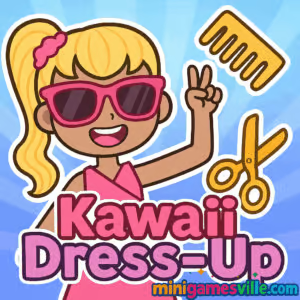
Click Play to start Kawaii Dress-Up right now on Minigamesville, then come back to this guide for tips, ideas, and style inspo. Kawaii Dress-Up is a cozy fashion and avatar maker browser game that runs online in your tab, no download needed. Mix pastel palettes, snap cute screenshots, and share your creations. Whether you want a chill creative break or a full glam session, Kawaii Dress-Up on Minigamesville is the perfect unblocked fashion fix for school, work breaks, or at home.
About Kawaii Dress-Up
Kawaii Dress-Up is all about creative freedom. Build a character from scratch, choose hair, eyes, outfits, and accessories, then fine tune colors and patterns. The game focuses on simple click or tap interactions, quick feedback, and zero pressure. There are no timers or fail states, just relaxing customization. That makes Kawaii Dress-Up an easy pick for casual players, fashion fans, and anyone who loves cute aesthetics in an online browser game.
History of Kawaii Dress-Up
Kawaii Dress-Up grew out of the long-running popularity of flash and HTML5 dress-up titles. It embraces the modern web standard for smooth touch controls, lightweight performance, and instant play in your browser. Over time, creators have expanded clothing sets, color swatches, and cosmetic options so you can create more expressive characters with fewer clicks.
Style & Vibe
Expect soft pastels, cozy core shades, and minimalist UI. Kawaii Dress-Up leans into cute silhouettes, glossy accessories, and charming face presets. Backgrounds are clean and bright, perfect for sharing screenshots.

Gameplay in Kawaii Dress-Up
Kawaii Dress-Up plays like an open-ended sandbox. You start with a base character, then layer on categories: skin tone, eyes, brows, mouth, hair fronts and backs, tops, bottoms, one-pieces, outerwear, socks, shoes, and accessories. Many categories include multiple colorways so a single item can match different palettes. A randomize option helps you discover new combos fast. When you land on a look you love, save a snapshot for later.
Game Modes
- Free Play: Unlimited time to build outfits, pose, and color match.
- Randomize: Shuffle key categories for instant outfit ideas, then refine.
- Snapshot Session: Create, stage, and save your favorite looks back to back.
How to Play
- Press Play above to launch Kawaii Dress-Up on Minigamesville.
- Start with Face, choose eyes, brows, and mouth for the expression you want.
- Add Hair, set base style first, then adjust bangs or back hair.
- Build the Outfit, combine tops or dresses with outerwear, socks, and shoes.
- Accessorize with bows, hats, glasses, and cute extras.
- Fine tune colors until everything feels cohesive.
- Use the save or screenshot option to keep the look.
Controls
- Mouse: Left click to select items, click again to remove or swap.
- Touch: Tap to equip, tap again to unequip or try a new color.
- Randomize: Tap the shuffle button for instant outfit ideas.
- Save: Use the on-screen camera or save icon to export an image.
Device Compatibility & Browser Support
Kawaii Dress-Up runs online in modern browsers and is designed for quick loads. For best results, use the latest versions of Chrome, Edge, Firefox, or Safari. The game performs well on both desktop and mobile, and it adapts to touch or mouse input automatically.
Mobile vs. Desktop Gameplay
- Mobile: Perfect for quick outfit sessions with tap controls and portrait play.
- Desktop: Larger canvas, faster category browsing with a mouse, and easy multi-look screenshots.
Can I Play Offline?
No. Kawaii Dress-Up is an online browser game and needs an active internet connection to load assets and run correctly.
Can I Play Unblocked?
In most cases, yes. Kawaii Dress-Up on Minigamesville runs inside the browser and typically works on school and work networks. If a local filter blocks game sites, check with your network administrator about access.
- Browser: Play free right here on Minigamesville in your desktop or mobile browser.
- Official mobile apps: There is no official Google Play or App Store version for this exact Kawaii Dress-Up title.
- Similar mobile pick with official links:
Tips & Tricks
Beginner Tips
- Pick a palette first, choose 2 or 3 main colors and stick to them.
- Start with hair and shoes, then match clothing to those anchors.
- Use randomize once or twice, then fine tune the parts you like.
- Take screenshots of your best looks so you can iterate later.
Advanced Strategies
- Create contrast with complementary colors, one pop shade plus soft neutrals.
- Layer accessories sparingly, two statement pieces look cleaner than five.
- Batch create, build three themed outfits in a row while your palette is fresh.
- Build a signature style, for example cottagecore pastels or streetwear monochrome.
Features
- 🎨 Wide color swatches for hair, clothes, and accessories
- 🧁 Cute, cozy, pastel-forward art style
- 🧥 Mix and match layers for endless combos
- 🎲 Randomizer for instant outfit ideas
- 📸 Quick screenshot saving for sharing
- 🖱️ Smooth click or tap controls on any device
- ⚡ Fast loading, no download required
- 🔒 Safe, simple, kid-friendly design
Unlockables & Secrets
Most content is available from the start. The hidden magic is in color matching and creative layering. Try subtle tweaks such as swapping socks or hair highlights to shift the entire vibe of an outfit.
Cheats & Mods
Kawaii Dress-Up is a pure browser experience, there are no official cheats or mods. Avoid third-party extensions that promise free unlocks, they can harm performance or privacy. Stick to the built-in features for a smooth, safe session.
Walkthrough Summary
Open Kawaii Dress-Up, set expression, pick a hairstyle, then choose your base outfit. Add a jacket or cardigan for depth, match socks and shoes, and finish with a bow or glasses. Adjust colors to keep a consistent palette, then save a screenshot. Repeat the flow to build a mini lookbook of themed characters.
Scoring, Records & Progression
There is no scoring system, which keeps the experience relaxing. Your progress lives in the screenshots you save and the styles you refine over time. Try weekly prompts, for example pastel cafe worker or rainy-day streetwear, to track your creative growth.
Why Play Kawaii Dress-Up
Kawaii Dress-Up offers quick creative joy. It loads fast, works online in your browser, and lets you make adorable characters without grind or paywalls. It is perfect for short breaks, content creators who need avatar ideas, or anyone who loves cute aesthetics.
Pros & Cons of Kawaii Dress-Up
- Pros: Instant play, soothing art, lots of mix and match options, friendly for all ages.
- Cons: No story mode, no long-term progression, offline play not supported.
- Refresh the page if assets stall, then re-enter the game.
- Keep one game tab open at a time to reduce memory spikes.
- Enable hardware acceleration in your browser for smoother animations.
- On mobile, close background apps before starting longer sessions.
Similar games to Kawaii Dress-Up
FAQ
Is Kawaii Dress-Up free to play?
Yes, it is free to play online on Minigamesville in your browser.
Does Kawaii Dress-Up work on phones?
Yes, it runs in mobile browsers with touch controls and quick loading.
How do I save my character?
Use the in-game save or screenshot option, then download the image to your device.
Can I change colors for clothing items?
Many items include color variants, try different swatches in the same category to match your palette.
Is there a story mode or levels?
No, Kawaii Dress-Up is a creative sandbox focused on outfit building and screenshots.
Is Kawaii Dress-Up unblocked at school?
It usually works on standard school networks, but access depends on local filters.
Conclusion
Kawaii Dress-Up is a quick path to creative bliss. Build cute characters, experiment with color, and snap shareable looks in minutes. It is an easy pick for fashion fans who want a relaxing online browser game without downloads or paywalls.
Ready to style your next pastel icon? Press Play above to launch Kawaii Dress-Up on Minigamesville, try a few randomize spins, and stitch together your signature look. Have fun and happy styling.

 Loading...
 English
 Shqip
Shqip
 বাংলা
বাংলা
 Български
 简体中文
简体中文
 Hrvatski
 Čeština
 Dansk
Dansk
 Nederlands
 Suomi
Suomi
 Ελληνικά
 हिन्दी
 Magyar
 Bahasa Indonesia
 日本語
日本語
 한국어
한국어
 Lietuvių
 Bahasa Melayu
 Norsk
Norsk
 Polski
 Português do Brasil
 Română
 Slovenčina
 Slovenščina
 Svenska
 ไทย
ไทย
 Türkçe
 Українська
 اردو
اردو
 Tiếng Việt
 isiZulu
 Español
 Français
 Deutsch
 العربية
 Italiano
 فارسی
فارسی
 Русский