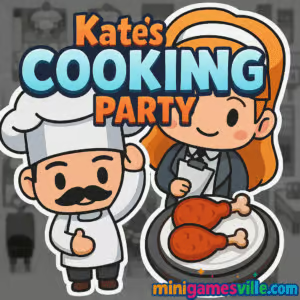
Ready to play Kate’s Cooking Party right now? Tap the Play button above and jump straight into this free browser game on minigamesville.com. Kate’s Cooking Party blends restaurant management, time-management, and cozy cooking game vibes into a fast, satisfying online experience. Seat guests, take orders, run plates, and keep the tips flowing while the clock is ticking. If you’re looking for a snackable cooking game you can play unblocked in your browser with zero downloads, this is it. Get in, serve up, and try to beat today’s best shift total.
About Kate’s Cooking Party
Kate’s Cooking Party is a pick-up-and-play restaurant sim where your multitasking skills shine. The loop is simple and addictive: seat customers, take accurate orders, deliver piping-hot food, and cash out before anyone gets impatient. As your diner grows busier, you’ll unlock new prep stations, menu items, and helpers, which keeps each shift fresh. Sessions are short, stakes are fun, and the learning curve is smooth for kids, teens, and adults who love casual cooking games.
History of Kate’s Cooking Party
Born as a modern HTML5 title, Kate’s Cooking Party quickly found an audience on web game portals thanks to its friendly art, clean UI, and tight time-management pacing. Its focus on approachable challenge and skillful routing turned it into a go-to cooking browser game for players who want quick sessions that still reward mastery.
Style & Vibe
Bright colors, clean icons, and a cheerful diner soundtrack set a laid-back, welcoming tone. The characters emote clearly so you can read the room at a glance, which helps when the floor gets busy. It all feels cozy and upbeat, which makes chasing higher earnings feel good instead of stressful.

Gameplay in Kate’s Cooking Party
Each day has a money target. You’ll drag groups to tables, wait for the hand-raise cue, take the order, and route it to the counter. As dishes are ready, deliver the right items fast to keep smiley faces green and tips high. Later shifts add drink machines, dessert counters, bussing, and cleanup, so optimal pathing matters. Expect a satisfying rhythm: seat, serve, clear, repeat, with just enough chaos to keep you on your toes.
Game Modes
- Level-based shifts: Hit the daily earnings goal to unlock the next day.
- Challenge stages: Tighter timers and fussier customers for veteran servers.
- Endless flow: Some runs reward survival and streaks, perfect for score chasers.
How to Play
- Seat guests: Drag a group from the line to an open table.
- Take orders: Click or tap when they signal, then confirm the order.
- Route to counter: Send orders to the kitchen and watch for ready items.
- Serve fast: Deliver correct dishes and drinks before patience runs out.
- Buss and reset: Clear tables quickly to keep the seating loop moving.
- Hit your quota: Reach the cash target to finish the day and unlock upgrades.
Controls
- Desktop: Mouse click and drag to seat, serve, and interact with stations.
- Mobile or tablet: Tap and swipe for the same actions, optimized for touch.
Device Compatibility & Browser Support
Kate’s Cooking Party runs in-browser with HTML5, no plugins. For the smoothest performance, use the latest Chrome, Edge, Firefox, or Safari. It loads quickly on mid-range laptops, Chromebooks, and modern phones. If your connection is slow, give the first load a moment to cache.
Mobile vs. Desktop Gameplay
- Mobile: Larger UI targets and snappy taps make short sessions perfect on the go.
- Desktop: Precision dragging and quick hover reads help with high-level routing.
Can I Play Offline?
No. Kate’s Cooking Party is an online browser game and needs an internet connection to load and save your progress between shifts.
Can I Play Unblocked?
Many schools and workplaces allow access to minigamesville.com. Since Kate’s Cooking Party plays in the browser with no downloads, it often works where apps are restricted. If your network blocks games, try a home or mobile connection.
- Browser: Play free right here on minigamesville.com, no install required.
- Official mobile apps: There is no official Kate’s Cooking Party app on the stores.
- Want a mobile alternative? Try Cooking Mama: Let’s Cook on iOS and Android:
Tips & Tricks
Beginner Tips
- Seat by size: Fill larger tables first with bigger groups to maximize throughput.
- Queue smart: Stack two or three actions, like grabbing drinks while a plate finishes.
- Serve complete orders: Deliver all items to a table together to earn better tips.
- Watch faces: Green means happy, yellow means hurry, red means move now.
- Clear fast: Bussing immediately frees tables and prevents lobby backups.
Advanced Strategies
- Route planning: Build a clockwise loop, touching each station once per cycle.
- Pre-pull items: If a station is always needed, grab it on the way even before the cue.
- Priority triage: Serve the highest tip at risk first, then the longest-waiting table.
- Two-stop combos: Pair drink runs with dessert pickups to halve walking time.
- Micro-pauses: When lines get jammed, seat one group per free table, then serve in waves.
Features
- 🍳 Fast, friendly time-management gameplay that scales with your skill
- 🧁 Upgradable stations, from drink machines to dessert counters
- 🧭 Intuitive drag-and-drop controls on desktop and mobile
- 📈 Level goals with satisfying cash targets and tip streaks
- 🎯 Clear visual cues for orders, patience, and perfect serves
- 🎨 Cozy art style and readable UI for stress-free multitasking
- 🔁 Short sessions, perfect for quick breaks or long marathons
- 🌐 Runs online in your browser, no download required
Unlockables & Secrets
As you progress, expect new recipes, more complex sides, and additional prep or cleanup stations. Hitting higher daily targets can also unlock cosmetic touches and helpers that speed up your flow.
Cheats & Mods
There are no official cheats for Kate’s Cooking Party. We recommend avoiding third-party mods or extensions, since they can hurt performance or compromise your device. Mastering routes and timing is the most reliable way to top the earnings board.
Walkthrough Summary
Start each day by seating the largest group, grab any prepped drinks, take the first two orders, and begin a clockwise loop: counter, drink, dessert, delivery, bussing. Keep routes tight and serve full trays whenever possible. If a face flips to yellow, prioritize that table in your next pass.
Scoring, Records & Progression
Your daily cash total, tip streaks, and perfect serves determine whether you unlock the next shift. Replay earlier days to sharpen routes and push personal bests. Many players aim for no-delay runs where every face stays green from seat to check.
Why Play Kate’s Cooking Party
If you enjoy restaurant and cooking games that are easy to learn but hard to master, this is a perfect fit. It respects your time, runs anywhere, and rewards smart multitasking. Whether you are chasing a new cash record or just unwinding after class, Kate’s Cooking Party delivers quick, tasty fun.
Pros & Cons of Kate’s Cooking Party
- Pros: Smooth browser performance, intuitive drag controls, satisfying difficulty ramp, bite-sized shifts.
- Cons: Later days get busy quickly, and perfectionists may replay levels to squeeze out maximum tips.
- Use a modern browser and close heavy tabs when the diner gets crowded.
- Enable hardware acceleration in browser settings for steadier frame rates.
- On mobile, switch to Wi-Fi for quicker loads and fewer input hiccups.
- If inputs feel sticky, clear cache or do a quick hard refresh before a long session.
Similar games to Kate’s Cooking Party
- Cooking Mama — Mini cooking challenges and recipe mastery with friendly touch controls.
- Nose Hospital — Light medical sim where time and tools management matter.
- Foot Hospital — Treat patients quickly and keep your clinic running smoothly.
- Mr Mine — Idle management with upgrades, automation, and strategic resource flow.
- Duck Life — Train, manage, and race your duck in a charming progression loop.
- Candy Thief — Quick-thinking puzzle routing with sweet treats and snappy levels.
FAQ
Is Kate’s Cooking Party free to play?
Yes, the game is free to play online in your browser on minigamesville.com.
Does Kate’s Cooking Party work on Chromebook?
Yes, it is an HTML5 browser game and runs well on modern Chromebooks.
Is there a mobile app for Kate’s Cooking Party?
No official app exists. If you want something similar on mobile, try Cooking Mama on iOS and Android via the store links above.
Can I play Kate’s Cooking Party unblocked at school?
If your network allows access to minigamesville.com, you can play in the browser with no downloads.
What are the best upgrades to focus on first?
Prioritize stations that reduce walking, like drinks or dessert, then invest in cleanup speed to keep tables turning.
How do I earn more tips?
Serve complete, correct orders quickly and keep customer faces green from seating to checkout.
What browsers are supported?
Current versions of Chrome, Edge, Firefox, and Safari are recommended.
Conclusion
From the first shift to your hundredth, Kate’s Cooking Party nails that feel-good cadence of seat, serve, and succeed. It is a cozy cooking browser game you can launch in seconds, but it rewards clever routing and smart multitasking for hours.
Ready to run the floor like a pro? Press Play and dive into Kate’s Cooking Party on minigamesville.com. Set a new daily record, keep every smile green, and make your diner the happiest spot in town.

 Loading...
 English
 Shqip
Shqip
 বাংলা
বাংলা
 Български
 简体中文
简体中文
 Hrvatski
 Čeština
 Dansk
Dansk
 Nederlands
 Suomi
Suomi
 Ελληνικά
 हिन्दी
 Magyar
 Bahasa Indonesia
 日本語
日本語
 한국어
한국어
 Lietuvių
 Bahasa Melayu
 Norsk
Norsk
 Polski
 Português do Brasil
 Română
 Slovenčina
 Slovenščina
 Svenska
 ไทย
ไทย
 Türkçe
 Українська
 اردو
اردو
 Tiếng Việt
 isiZulu
 Español
 Français
 Deutsch
 العربية
 Italiano
 فارسی
فارسی
 Русский