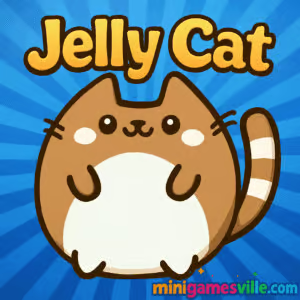
Ready to play right now? Click Play on the Jelly Cat iframe above and dive in on Minigamesville. Jelly Cat is a charming physics puzzle browser game where you draw lines to feed a squishy kitty, chase perfect scores, and unlock cute skins. Play online free, enjoy unblocked access in many schools and libraries, and see how creative paths can solve each level. If you love clever puzzles, quick sessions, and adorable cats, Jelly Cat will hook you fast. Start Jelly Cat on minigamesville.com and see how many three-cookie clears you can rack up.
About Jelly Cat
Jelly Cat blends line-drawing mechanics with bouncy physics. Your goal is simple, guide the jelly cat to its treats by sketching paths and shapes that leverage gravity, ramps, and obstacles. With multiple ways to beat every stage, it rewards smart experiments and clean execution. Whether you prefer relaxed doodling or perfecting minimal-stroke solutions, this online puzzle delivers snack-sized fun in your browser.
History of Jelly Cat
Created by the team at Gametornado, Jelly Cat gained popularity as a web puzzle before padding onto mobile. The concept is delightfully straightforward, yet deep enough to encourage replay for better scores. Today you can enjoy Jelly Cat as an online browser game on Minigamesville or as a mobile app if you want offline play on the go.
Style & Vibe
Bright colors, soft animations, and satisfying squish effects make every bounce feel playful. The UI keeps the focus on your drawings and the cat’s snack quest, while the mellow soundtrack supports a laid-back, thinky pace.

Gameplay in Jelly Cat
Each level presents a hungry cat, tasty treats, and environmental elements like platforms, slopes, springs, and spikes. You draw lines that turn into solid guides the cat can slide or bounce along. The challenge is to get all cookies while minimizing ink and keeping the kitty safe. Most levels can be solved in more than one way, so sketch, test, and refine. Shooting for a perfect three-cookie rating pushes you to reduce strokes and draw smarter curves.
Game Modes
- Level Select: Progress through handcrafted stages that steadily add new obstacles.
- Perfect Score Chasing: Replay completed levels to earn three cookies with shorter, cleaner lines.
- Self-made Speedruns: Try to solve stages as quickly as possible, great for competitive friends.
How to Play
- Press Play and load Jelly Cat in your browser on minigamesville.com.
- Study the level layout, cookie positions, and hazards.
- Draw a line or shape that guides the cat toward the treats and exit.
- Press Go, watch the physics unfold, and adjust with a new sketch if needed.
- Replay to shorten lines and grab all cookies for a perfect rating.
Controls
- Desktop: Left mouse button to draw, right click or on-screen buttons to undo or reset.
- Mobile: Tap and drag to draw, use on-screen buttons to reset or proceed.
Device Compatibility & Browser Support
Jelly Cat runs smoothly as an HTML5 browser game. For best performance, use the latest Chrome, Edge, Firefox, or Safari with hardware acceleration on. Close extra tabs if your device is low on memory. The game is light, so even mid-range laptops and phones handle it well.
Mobile vs. Desktop Gameplay
- Mobile: Natural finger drawing and quick sessions on the couch or bus.
- Desktop: Finer mouse precision and bigger screen for detailed lines and record hunting.
Can I Play Offline?
The browser version needs an internet connection to load and save progress. Want offline play? Use the official mobile versions on the stores below, then enjoy levels without Wi-Fi.
Can I Play Unblocked?
Jelly Cat on Minigamesville is HTTPS-based and lightweight, which works on many school and work networks. Access still depends on local policies, so check with your admin if games are filtered. If blocked, try at home on a personal connection.
Tips & Tricks
Beginner Tips
- Start with simple ramps. Too many sharp angles slow momentum or cause spills.
- Think like water. Smooth curves preserve speed and help the cat hug platforms.
- Draw less. Fewer, shorter lines usually mean higher scores.
- Use terrain. Bounce off walls and slopes instead of drawing giant bridges.
- Reset fast. Quick retries teach more than dragging a bad line to the end.
Advanced Strategies
- Route planning, preview cookie order and chain gravity assists to keep momentum alive.
- Micro-curves, tiny arcs can redirect just enough without wasting ink.
- Edge riding, place lines that guide the cat’s center over ledge lips for clean landings.
- Two-phase lines, use a short starter ramp, then a finishing catch line to secure a perfect run.
- Optimization, trim every segment by a few pixels to shave strokes and lock three cookies.
Features
- 🐱 Cute jelly-physics cat with expressive animations
- 🧠 Brainy line-drawing puzzles with multiple solutions
- 🍪 Three-cookie scoring that rewards clean routes
- ✏️ Simple controls on mouse or touch, no learning curve
- 🎯 Replay value for perfect scores and creative paths
- 📱 Play online in your browser, or on mobile for offline sessions
- 🎨 Unlockable kitty styles and pens to personalize runs
- ⚡ Lightweight performance on most devices
Unlockables & Secrets
As you progress, you can unlock new cat skins and pen styles. Many levels hide more efficient solutions than the obvious route. Revisit early stages to discover tight shortcuts that save a stroke, often the key to perfect scores.
Cheats & Mods
There are no official cheats. Avoid modded APKs or browser hacks, they risk malware and can break saves. Be safe and play Jelly Cat as designed for the best experience.
Walkthrough Summary
Early levels teach line weight and curve placement. Midgame adds trickier slopes, multi-cookie routing, and hazards that demand precise catch lines. Late levels test momentum control, where a single smooth arc can feed the cat and exit in one motion. If you are stuck, simplify the plan and rebuild with shorter shapes.
Scoring, Records & Progression
Each stage tracks cookies earned and often your line use. Strive for three cookies with fewer strokes. Personal records come from cleaner geometry and smart gravity use. Clearing more levels unlocks additional skins and sometimes fresh pen styles, a fun way to show mastery.
Why Play Jelly Cat
It is quick to learn, endlessly replayable, and uniquely satisfying when your sketch works perfectly. Whether you have two minutes or twenty, this online puzzle hits that sweet spot between calm and clever.
Pros & Cons of Jelly Cat
- Pros: Cute art, approachable controls, creative freedom, great for short sessions, works on most devices.
- Cons: Minimalist presentation, some levels may feel easy for expert puzzlers chasing tougher challenges.
- Keep your browser up to date and enable hardware acceleration in settings.
- Close heavy tabs and background apps to free RAM on low-spec machines.
- On laptops, plug in power for higher CPU/GPU clocks and smoother physics.
- If input feels off, clear cache, then reload the game to refresh assets.
Similar games to Jelly Cat
- Dual Cat, bounce between two adorable felines and time your swaps for precise platforming.
- Slime Laboratory, a squishy physics platformer where momentum and stickiness rule.
- Mini Train, place parts to guide a train safely, a satisfying contraption-style puzzle.
- Robot Awake, think ahead to light up all tiles in elegant, minimal puzzling.
- Green, color the screen with smart interactions in a calm, clever puzzler.
- Drive Mad, physics driving that rewards gentle throttle control and clean landings.
- Big Tower Tiny Square, precise platforming and tight checkpoints for skillful climbs.
FAQ
What is Jelly Cat?
Jelly Cat is a physics puzzle browser game where you draw lines to guide a jelly-like cat to its treats and exit while aiming for three-cookie perfect clears.
Is Jelly Cat free to play?
Yes, you can play Jelly Cat online free on Minigamesville, and the official mobile apps are free with optional ads or purchases.
Does Jelly Cat work on school Chromebooks?
In many cases yes, because it runs in the browser with no download. Access still depends on your network’s content rules.
How do I get a perfect score?
Use fewer, shorter lines, preserve momentum with smooth curves, and collect all cookies in one flowing route.
Can I play Jelly Cat offline on my phone?
Yes, after installing the official app on iOS or Android you can enjoy levels without Wi-Fi.
Are there official cheats?
No, there are no official cheats. The fun comes from creative sketching and clean physics solutions.
Conclusion
Jelly Cat delivers an addictive mix of cute presentation and smart physics. Draw, test, tweak, and celebrate those perfect three-cookie runs. Whether you are a casual doodler or a precision optimizer, the jelly-soft feel and minimal controls make it hard to put down.
Ready to feed the kitty and set new records? Press Play on the iframe above to start Jelly Cat right here on minigamesville.com. Share your best routes with friends and see who can sketch the cleanest solve.

 (1 votes, average: 4.00 out of 5)
 Loading...
 English
 Shqip
Shqip
 বাংলা
বাংলা
 Български
 简体中文
简体中文
 Hrvatski
 Čeština
 Dansk
Dansk
 Nederlands
 Suomi
Suomi
 Ελληνικά
 हिन्दी
 Magyar
 Bahasa Indonesia
 日本語
日本語
 한국어
한국어
 Lietuvių
 Bahasa Melayu
 Norsk
Norsk
 Polski
 Português do Brasil
 Română
 Slovenčina
 Slovenščina
 Svenska
 ไทย
ไทย
 Türkçe
 Українська
 اردو
اردو
 Tiếng Việt
 isiZulu
 Español
 Français
 Deutsch
 العربية
 Italiano
 فارسی
فارسی
 Русский