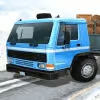
Introduction to Indian Truck Simulator 3D
Climb into the cab and feel the diesel rumble in Indian Truck Simulator 3D, a free online browser game that blends realistic truck physics with scenic Indian highways and bustling city streets. If you love 3D truck driving, careful cargo delivery, and tight parking challenges, this simulator is for you. Play instantly in your browser, no download required, and enjoy an unblocked driving experience wherever you are. Ready to haul your first load and chase perfect delivery ratings? Hit Start, choose a route, and roll out.
About Indian Truck Simulator 3D
This truck driving experience recreates the rhythm of long-haul logistics with surprising depth. You will navigate crowded intersections, climb hill roads, and manage momentum while protecting fragile cargo. Short missions teach fundamentals, longer routes demand patience and planning, and optional parking tasks reward precision. Expect a balance of accessibility and simulation, tuned for quick play sessions in a web browser.
History of Indian Truck Simulator 3D
Truck sims have surged in popularity on the web thanks to fast WebGL rendering and responsive physics libraries. Indian Truck Simulator 3D follows that trend with a lightweight build, quick load times, and a focus on regional flavor, from road signage and horn cues to paint styles inspired by Indian trucking culture.
Style & Vibe of Indian Truck Simulator 3D
The art direction mixes clean 3D models with colorful livery and roadside scenery. Lighting shifts add depth to open highways and alley-sized lanes. Audio leans into road noise, gear shifts, and a punchy horn, which keeps drives lively. The vibe is grounded and chill, perfect for short sessions that still feel rewarding.
Gameplay in Indian Truck Simulator 3D
Each run starts at a depot where you select cargo and a destination. The core loop is simple: pick up, plan a route, drive safely, then park accurately to deliver on time. Weight affects acceleration and braking, cornering requires respect for center of mass, and damage or late arrivals cut into rewards. Weather and traffic patterns vary by route, so no two deliveries feel the same.
Game Modes
- Career Routes: Complete a chain of deliveries with rising difficulty and tighter deadlines.
- Free Drive: Explore the map with no timer, perfect for practicing shifting and parking.
- Time Attack: Beat the clock on short urban loops with sharp turns and surprise detours.
- Parking Challenges: Precision-focused runs that test mirrors, angles, and trailer control.
How to Play
- Choose a route and cargo type, then review the map for key turns and gradients.
- Accelerate gently, build speed on straights, and leave extra space for braking.
- Use mirrors and camera toggles to line up corners and avoid clipping traffic.
- Approach the destination slowly, straighten the trailer, and park inside the marked bay.
- Collect rewards, repair if needed, and pick the next contract.
Controls for Indian Truck Simulator 3D
- Drive: WASD or Arrow Keys
- Brake: Spacebar
- Horn: H
- Camera: C to cycle views
- Reset Truck: R
- Pause/Menu: Esc
- Mobile: On-screen steering, throttle, brake, and camera buttons
Device Compatibility & Browser Support for Indian Truck Simulator 3D
The game runs smoothly in modern browsers that support WebGL on desktop and mobile. Chrome, Edge, Firefox, and Safari are recommended. Keep your browser updated for the best performance.
Mobile vs. Desktop Gameplay
Desktop offers finer control with a keyboard, great for precision parking and tight turns. Mobile touch controls are intuitive for casual runs, with adjustable camera angles that help with visibility in traffic.
Can I Play Offline?
This is a browser-based experience that relies on online assets. You need an active internet connection to load and play.
Can I Play Unblocked?
Indian Truck Simulator 3D unblocked is accessible on many networks since it runs in-browser. Availability depends on local policies, so if your school or workplace uses strict filters, try a different network or a personal hotspot.
Tips & Tricks for Indian Truck Simulator 3D
Beginner Tips
- Brake earlier than you think, heavy cargo increases stopping distance.
- Feather the throttle on hills to avoid wheelspin and gear hunting.
- Use the horn before blind intersections to alert nearby vehicles.
- Take wide lines, trailers cut inside on sharp turns.
- Switch cameras before parking to line up straight with the bay.
- Repair minor damage after each run to keep handling predictable.
- Start with lighter cargo while you learn timing and cornering.
- Memorize landmark clusters to anticipate turns without staring at the map.
Advanced Strategies
- Time your downshifts on descents to use engine braking and save tires.
- Split long routes into mental segments, choose safe overtakes only on clear straights.
- Approach complex junctions at low speed, then accelerate out to keep delivery times tight.
- Use mirror checks mid-corner to monitor trailer swing and avoid curb hits.
- Carry momentum on uphill hairpins by opening the entry and clipping a late apex.
- Stack shorter contracts back-to-back for quick cash and consistent upgrade flow.
- Practice reverse parking with small steering inputs, let the trailer pivot gradually.
- Cut idling, small fuel savings add up over many deliveries.
Features of Indian Truck Simulator 3D
- 🚚 Realistic truck handling with weighty physics and responsive steering.
- 🗺️ Regional roads inspired by Indian highways, towns, and hillside routes.
- 🕹️ Multiple camera views for driving, overtaking, and precision parking.
- 📦 Varied cargo types that change acceleration, braking, and route difficulty.
- ⛰️ Hill climbs, hairpins, and urban choke points that reward planning.
- 🛠️ Quick repairs and progression that improve durability and control.
- 🎧 Punchy sound effects, horn cues, and ambient traffic audio.
- 💾 Auto-save between deliveries for steady session-to-session progress.
Rules of Indian Truck Simulator 3D
- Deliver cargo within the time limit to earn full rewards.
- Avoid vehicle damage and traffic collisions to protect your bonus.
- Stay within road boundaries and respect route checkpoints.
- Park fully inside the marked zone to complete the mission.
- Repeated violations reduce rating and can fail the delivery.
Unlockables & Secrets in Indian Truck Simulator 3D
- Cosmetic paint jobs and decals tied to clean delivery streaks.
- Handling upgrades that lower brake distance and improve grip.
- Hidden scenic pull-offs that grant small time or cash bonuses.
- Extra parking challenges unlocked after flawless runs.
Cheats & Mods for Indian Truck Simulator 3D
There are no official cheats. Browser extensions or user scripts can hurt performance and may break saves. If you want a gentler experience, use the easiest cargo options, practice in Free Drive, and upgrade brakes and tires first for a smoother ride.
Walkthrough Summary for Indian Truck Simulator 3D
- Start in Free Drive to learn steering, braking points, and camera angles.
- Run short city deliveries with light cargo to master timing.
- Move to mixed routes with hills, focusing on engine braking and turn setup.
- Tackle Parking Challenges to clean up trailer control and reverse entries.
- Finish with longer contracts that demand consistent pace and low damage.
Scoring, Records & Progression in Indian Truck Simulator 3D
Scores depend on delivery time, cargo condition, and route difficulty. Clean runs yield multipliers, while damage and late arrivals reduce payouts. Progress unlocks cosmetic options and handling tweaks, and your best times create personal records you can chase on repeat routes.
Why Play Indian Truck Simulator 3D
If you want a no-download truck simulator that feels weighty and rewarding, this browser game nails the essentials. Short missions fit quick breaks, deeper routes scratch that long-haul itch, and the regional flavor keeps every drive colorful.
Pros & Cons of Indian Truck Simulator 3D
- Pros: Responsive physics, varied routes, fast loading, solid touch controls.
- Pros: Clear progression with meaningful upgrades and cosmetic rewards.
- Cons: Touch steering is less precise on tight parking bays.
- Cons: Performance can dip on very old devices during dense traffic.
- Keep your browser current and enable hardware acceleration in settings.
- Close unused tabs and screen recorders to free CPU and memory.
- Set graphics to Medium if you notice stutter on hills or in heavy traffic.
- Use 100 percent zoom and full-screen for cleaner input and fewer layout shifts.
- On laptops, plug in power, performance profiles improve frame pacing.
Similar Games to Indian Truck Simulator 3D
- Offroad Indian Truck Driver: Tackle muddy trails and river crossings in a rugged offroad truck simulator online with physics-driven traction challenges.
- City Cargo Trailer 3D: Navigate dense traffic and squeeze long trailers into tight docks in a browser game built for parking fans.
- Himalayan Truck Climb: Conquer steep switchbacks and narrow cliff roads where engine braking and throttle control decide every delivery.
- Heavy Cargo Truck Driver: Haul oversized loads that change your center of mass, perfect for sim players who like strategic cornering.
- Oil Tanker Transport 3D: Drive a high-risk tanker with slosh effects, then park gently to protect your payout.
- Real Garbage Truck Simulator: Follow morning routes, lift bins on schedule, and manage tight cul-de-sacs with smart reversing.
- Desert Truck Rally: Race heavy rigs on sand tracks where momentum rules and braking points shift with surface grip.
- Snow Plow Truck Hero: Clear snow while avoiding parked cars and slick ice, a winter twist on precision driving.
- Construction Hauler Pro: Deliver beams and concrete to timed work sites, then maneuver around cranes and cones.
- Indian Bus Parking Coach 3D: Swap the cab for a coach, mastering wide turns and station bays in a realistic city loop.
- Euro Cargo Express Online: Focus on long highway stretches, lane discipline, and fuel economy across regional routes.
- Pickup Truck Delivery Run: Faster accelerations and nimble handling make it great for short urban drop-offs.
- Logging Truck Mountain Drive: Manage heavy timber loads on dirt paths with sharp elevation changes and tight bridges.
FAQ
Is Indian Truck Simulator 3D free to play?
Yes, it is a free browser game that you can play online without a download.
Does Indian Truck Simulator 3D work on mobile?
Yes, it supports touch controls on modern iOS and Android browsers, and it runs best on up-to-date devices.
Can I play Indian Truck Simulator 3D unblocked at school or work?
Many networks allow it, but access depends on local filters. Try a different network if the site is blocked.
How do I improve performance if the game stutters?
Update your browser, enable hardware acceleration, close extra tabs, and set graphics to Medium or Low.
Does progress save automatically?
Progress is stored in your browser storage, so clearing cache or switching devices can reset your data.
Are there steering wheel or gamepad controls?
Keyboard and touch are supported. Some browsers can map a gamepad, but support may vary by device.
Is there an offline mode?
No, you need an internet connection to load assets and play.
What is the best camera for parking?
Use the close third-person or bumper camera, then make small steering inputs while reversing.
How do I avoid trailer jackknifing?
Brake in a straight line, make gradual steering changes, and avoid sudden throttle while turning.
Why did I lose my delivery bonus?
Damage, missed checkpoints, or late arrivals reduce the payout and rating for that run.
Conclusion: Indian Truck Simulator 3D
Indian Truck Simulator 3D captures the simple joy of hauling freight with weighty handling, clear objectives, and authentic road flavor. Whether you have five minutes or fifty, there is always a route to run and a parking bay to conquer.
Fire up the engine, pick your cargo, and chase that clean delivery streak. Your next perfect run is a click away, so buckle up and roll out.

 (2 votes, average: 4.50 out of 5)
 Loading...
 English
 Shqip
Shqip
 বাংলা
বাংলা
 Български
 简体中文
简体中文
 Hrvatski
 Čeština
 Dansk
Dansk
 Nederlands
 Suomi
Suomi
 Ελληνικά
 हिन्दी
 Magyar
 Bahasa Indonesia
 日本語
日本語
 한국어
한국어
 Lietuvių
 Bahasa Melayu
 Norsk
Norsk
 Polski
 Português do Brasil
 Română
 Slovenčina
 Slovenščina
 Svenska
 ไทย
ไทย
 Türkçe
 Українська
 اردو
اردو
 Tiếng Việt
 isiZulu
 Español
 Français
 Deutsch
 العربية
 Italiano
 فارسی
فارسی
 Русский