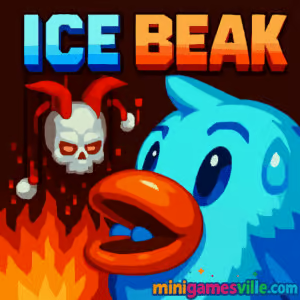
Play Ice Beak online now on Minigamesville and jump straight into a frosty, fast-paced platformer built for quick sessions and high-skill runs. Ice Beak is a free browser game that blends crisp pixel art, snappy controls, and clever level design. Dodge hazards, freeze obstacles, and glide across icy stages while chasing cleaner lines and faster times. If you are looking for an unblocked arcade challenge that loads in your browser and plays great on desktop, tap the Start button above and play Ice Beak on minigamesville.com.
About Ice Beak
Ice Beak is a compact action platformer where you play a cold-powered bird on a mission to clear treacherous, trap-filled corridors. The hook is all about momentum and precision. You weave through fire jets, crushers, cannons, and moving blocks, then fire chilled shots to freeze hazards or create safe paths. Quick restarts and generous checkpoints keep the pace brisk, so every failure feels like a lesson rather than a setback. If you love retro-speed vibes with modern polish, Ice Beak is your kind of online game.
History of Ice Beak
Born from the golden age of web arcades, Ice Beak carries that tight, level-based format players still crave. It channels classic Flash-era platformers in spirit, now made playable in modern browsers without plugins. The result is a nostalgic yet fresh experience that respects your time and rewards mastery.
Style & Vibe
The presentation is clean and readable: frosty palettes, chunky sprites, and punchy effects that make each freeze pop. Levels teach through layout, not walls of text, so you learn by doing and keep moving.

Gameplay in Ice Beak
Each stage flows like a time-trial puzzle. You enter, scan the route, then thread tight gaps while managing your icy projectiles. Freeze fire columns to slip by, shatter brittle blocks, bait cannons, and use moving platforms to chain momentum. Checkpoints refill ammo and let you iterate quickly. The physics are crisp and predictable, which makes shaving seconds off a run incredibly satisfying. Ice Beak rewards rhythm, smart positioning, and calm inputs under pressure.
Game Modes
- Level-based campaign: clear handcrafted stages one by one.
- Speedrun friendly: replay unlocked levels to beat your best time.
- Self-imposed challenges: no-miss clears, minimal shots, or fastest line routing.
How to Play
- Press Play and let the level load in your browser.
- Move carefully through hazards, watching patterns for safe timing.
- Use your icy projectiles to freeze traps or open routes when needed.
- Hit checkpoints to refill ammo and set a restart point.
- Finish the level, then replay to improve time and reduce mistakes.
Controls
- Move: Arrow keys or WASD
- Shoot/Action: Space, Z, or X on many keyboards
- Mobile touch layouts, when available: on-screen arrows and a shoot button
- Pause/Restart: Esc or R in some builds
Device Compatibility & Browser Support
Ice Beak plays smoothly in modern Chromium-based browsers, Firefox, and Safari. For the best performance, enable hardware acceleration, close extra tabs, and keep your browser updated. Desktop is recommended for the tightest control, though many players enjoy quick sessions on tablets and larger phones.
Mobile vs. Desktop Gameplay
Desktop gives you pixel-perfect movement with a keyboard. Mobile can be convenient on the go, but touch inputs may make tight squeezes more challenging. If you are chasing personal records, stick to keyboard. If you want casual clears, mobile works fine when supported.
Can I Play Offline?
Ice Beak is a browser game, so you need an internet connection to load and save your progress. After loading, staying online ensures checkpoints, inputs, and assets behave as intended.
Can I Play Unblocked?
Many school and office networks allow Minigamesville, so Ice Beak often works unblocked. If the game does not load, try a different modern browser, clear your cache, or switch networks where gaming is permitted.
- Browser: Play free on minigamesville.com.
- Mobile apps: There is no official Google Play or App Store version of Ice Beak at this time.
Want a similar mobile platformer on your phone? Try this fast, punchy action-platformer:
Tips & Tricks
Beginner Tips
- Learn hazard timings before rushing. Two patient seconds save many restarts.
- Use freeze shots to create windows through fire and moving traps.
- Prioritize safe footing over speed on a first clear, then optimize.
- Route checkpoints: grab them before high-risk sections to reduce backtracking.
- Feather movement keys for micro-adjustments near edges.
Advanced Strategies
- Pre-fire to meet moving targets so platforms arrive just as you land.
- Chain jumps with minimal airtime to maintain horizontal speed.
- Shot economy: carry a freeze into the next trap when possible.
- Buffer inputs during transitions so you exit checkpoints already moving.
- Segment practice: grind the hardest screen until you can clear it three times in a row.
Features
- ❄️ Freeze-to-progress mechanic that doubles as puzzle and tool
- 🎯 Tight keyboard controls for precise routing
- ⚡ Fast restarts and instant checkpoints for flow
- 🧩 Compact levels that teach through design, not text
- 🎵 Retro-inspired effects and clean visual readability
- 📈 High replay value for time chasers and completionists
- 🧊 Satisfying hazard interactions, from fire vents to crushers
- 💻 Plays in-browser, no downloads
Unlockables & Secrets
Keep an eye out for tucked-away routes and optional pickups that demand bold lines. Advanced paths often require freezing hazards at just the right frame, then threading a tighter gap to skip slower sections.
Cheats & Mods
There are no official cheats for Ice Beak. Unofficial mods and scripts can break performance or cause save issues. For the best experience, play fair and chase cleaner routes the old fashioned way.
Walkthrough Summary
Approach each level in three passes. First, scout the layout and identify anything that can be frozen. Second, clear safely and learn timings. Third, replay for time, trim extra jumps, and conserve shots so you reach tough sections fully stocked.
Scoring, Records & Progression
Ice Beak shines as a personal best chaser. Track your clears, count restarts during practice, then aim to reduce mistakes per minute. The game’s clean physics turn every improvement into a satisfying time save.
Why Play Ice Beak
Ice Beak delivers pure, distilled platforming in bite-size levels. It is easy to pick up, hard to master, and perfect for quick breaks or marathon speed sessions. If you enjoy smart hazard design and responsive controls, this online browser game belongs in your rotation.
Pros & Cons of Ice Beak
- Pros: crisp controls, clever freeze mechanic, quick restarts, strong readability.
- Cons: single core mode, mobile touch can feel tougher on late levels.
- Update your browser to the newest version for smoother frame pacing.
- Enable hardware acceleration in settings.
- Disable heavy extensions on the game tab.
- On laptops, plug in the charger to avoid power-saving frame dips.
Similar games to Ice Beak
FAQ
Is Ice Beak free to play?
Yes, Ice Beak is free to play online in your browser on Minigamesville.
Do I need to download anything to play Ice Beak?
No, the game runs in-browser, so you can start playing without downloads.
What browsers work best for Ice Beak?
Current versions of Chrome, Edge, Firefox, and Safari deliver the most stable performance.
Does Ice Beak support controllers?
The game is designed around keyboard or touch, and some controllers may work with browser mapping tools.
Can I pause or restart quickly?
Yes, most builds support instant restart and quick pause, which is great for practice.
Is Ice Beak unblocked at school?
Access depends on local network rules. If gaming sites are allowed, Ice Beak often works unblocked on Minigamesville.
Is there an official mobile version of Ice Beak?
No, there is no official app right now. For a similar mobile feel, try Dan the Man on iOS and Android using the links above.
Conclusion
Ready to chill, freeze, and fly? Ice Beak nails that sweet spot between puzzle and speed, with levels that make you feel clever on every clear. It is the kind of online platformer you launch for five minutes, then suddenly realize you have been shaving seconds for an hour.
Press Play above to start Ice Beak on minigamesville.com, experiment with routes, and chase your cleanest run. Whether you are a casual jumper or a time-attack grinder, this frosty little browser game has a spot on your favorites bar.

 Loading...
 English
 Shqip
Shqip
 বাংলা
বাংলা
 Български
 简体中文
简体中文
 Hrvatski
 Čeština
 Dansk
Dansk
 Nederlands
 Suomi
Suomi
 Ελληνικά
 हिन्दी
 Magyar
 Bahasa Indonesia
 日本語
日本語
 한국어
한국어
 Lietuvių
 Bahasa Melayu
 Norsk
Norsk
 Polski
 Português do Brasil
 Română
 Slovenčina
 Slovenščina
 Svenska
 ไทย
ไทย
 Türkçe
 Українська
 اردو
اردو
 Tiếng Việt
 isiZulu
 Español
 Français
 Deutsch
 العربية
 Italiano
 فارسی
فارسی
 Русский