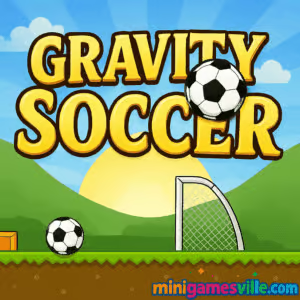
Ready to play now? Click the big Play button above to jump into Gravity Soccer on Minigamesville and start bending physics to score goals.
Introduction
Gravity Soccer is a clever physics puzzle browser game that mixes footy flair with brainy block breaking. Your mission is simple on paper – drop and roll the ball into the net, but gravity, momentum, and timing turn every level into a satisfying mini challenge. If you love quick-thinking sports puzzles, this online soccer game is the perfect pick for a coffee break or a long streak of star-chasing. Hit Play to try Gravity Soccer unblocked on most networks, collect three stars, and prove you can outsmart ramps, bombs, and bumpers. Ready to line up your first trick shot in Gravity Soccer?
About Gravity Soccer
This compact physics puzzler swaps dribbling for domino-style setups. Instead of kicking, you click or tap blocks to alter the course of a rolling ball, letting gravity and inertia do the heavy lifting. Level layouts escalate from gentle tutorials to multi-step contraptions that reward patience and precise timing. Gravity Soccer shines because it is snackable, readable at a glance, yet consistently surprising.
History of Gravity Soccer
Gravity Soccer grew out of the web’s love for pick-up-and-play physics puzzles, then refined the formula with soccer-themed goals and a clean touch-first design. Community feedback led to extra twists like bombs and punchers, adding depth without complicating controls. Today it remains a favorite bite-size sports puzzler for both desktop and mobile browsers.
Style & Vibe
Clean, colorful tiles and crisp sound cues keep the focus on problem solving. Visuals communicate physics at a glance, so you know exactly when to drop, when to nudge, and when to wait for the perfect roll.

Gameplay in Gravity Soccer
Every stage begins with a ball perched above a maze of tiles. Tap to remove blocks, tilt the path in your favor, and funnel the ball toward the goal. Stars tempt you into riskier routes, while special objects change the physics on the fly. You will quickly learn when to wait for momentum, when to reverse direction with a bomb, and when to set up a push with a punching machine. Gravity Soccer rewards players who think one step ahead and who are not afraid to reset for a cleaner run.
Game Modes
- Level Select: Progress through handcrafted stages with optional 3-star mastery.
- Star Hunts: Replay completed levels to route a perfect run and collect every star.
How to Play
- Press Play, then pick the first available level.
- Survey the layout, stars, and obstacles before you move.
- Tap or click tiles to drop the ball and shape its path toward the goal.
- Use bombs to reverse roll and punchers to add forward momentum when needed.
- Reach the net to clear the stage, collect all stars for a perfect score.
Controls
- Mouse or touch: tap to remove blocks or activate objects.
- Restart icon: instantly reset the level for another attempt.
- Menu: switch levels or replay to improve your star count.
Device Compatibility & Browser Support
Gravity Soccer is an HTML5 online game that plays smoothly in modern browsers like Chrome, Edge, Firefox, and Safari. No download is required. It runs great on laptops, desktops, Chromebooks, iPhones, iPads, and Android phones or tablets.
Mobile vs. Desktop Gameplay
- Mobile: tap precision and portrait-friendly layouts make quick sessions perfect on the go.
- Desktop: a larger screen helps you read complex routes and time chain reactions more easily.
Can I Play Offline?
You need an internet connection to load the game and save progress. Once a level is cached, some assets may remain, but plan to play with an active connection.
Can I Play Unblocked?
Gravity Soccer is a lightweight browser game hosted on Minigamesville. Many school and work networks allow access to safe HTTPS gaming portals, but policies vary. If a firewall blocks games, try again on a home or mobile network.
- Play in your browser at Minigamesville.
- No official App Store or Google Play version of Gravity Soccer is available at this time.
- Want a similar mobile feel on the go? Try these official store links:
Tips & Tricks
Beginner Tips
- Pause and plan. Before the first tap, trace the ideal path in your head.
- Drop in stages. Remove one block, watch the roll, then decide the next move.
- Use walls. Gentle bumps preserve speed and help line up stars safely.
- Reset fast. A quick restart beats salvaging a messy route.
Advanced Strategies
- Chain reactions: time block removals so momentum carries through multiple drops.
- Reverse rolls: trigger bombs to change direction and scoop missed stars.
- Star-first routes: sometimes it is smarter to snag hard stars, then punch to the goal.
- Micro timing: a half-second delay can avoid a snag and keep speed for the final ramp.
Features
- ⚽ Physics-first soccer puzzles with clean, readable layouts
- ⭐ Optional 3-star challenges for completionists
- 💣 Bombs and punchers that add tactical depth
- 🧠 One-click controls that still reward smart planning
- 📱 Smooth play on desktop, Chromebook, and mobile browsers
- 🔁 Instant restarts for fast iteration and speedrun practice
- 🎯 Short levels perfect for quick online sessions
- 🔊 Crisp audio feedback that matches each action
Unlockables & Secrets
Your main meta-goal is 3-starring each stage. Some stars sit behind fragile tiles or require a reverse roll, so experiment with alternate orders and timings. Replays are quick, which makes optimization fun.
Cheats & Mods
There are no legitimate cheats or mods for Gravity Soccer on Minigamesville. The fastest way to improve your results is to practice timing and learn routes. Avoid third-party extensions that claim advantages, they can break the game or harm your device.
Walkthrough Summary
Start by dropping the ball onto a safe slope, clear a supporting block to funnel it toward the first star, then pause above hazards. Use a bomb to reverse if you miss a collectible, punch forward when the line is clean, and finish with a gentle roll into the goal.
Scoring, Records & Progression
Each level awards up to three stars based on collection, not speed. Your best path balances safety with efficient block taps. Keep notes on tricky layouts and revisit them to complete your 3-star set.
Why Play Gravity Soccer
It combines the joy of a clean trick shot with the satisfaction of a solved puzzle. Sessions are fast, controls are intuitive, and every stage teaches a new micro-skill. Gravity Soccer is that rare online game that feels relaxing and challenging at the same time.
Pros & Cons of Gravity Soccer
- Pros: approachable controls, clever physics, perfect for short sessions, strong replay with star routes.
- Cons: single primary mode, some late levels require multiple retries to perfect timing.
- Keep your browser updated for smoother physics and audio.
- Close unused tabs and heavy extensions to reduce stutter.
- On laptops, plug in or enable high-performance mode for steadier frame rates.
- On mobile, switch to a modern browser and disable battery savers while playing.
Similar games to Gravity Soccer
- Flick Goal, curve free kicks around obstacles in a physics-first soccer puzzler.
- Pocket Hockey, aim and bank the puck through tight angles with minimalist precision.
- Space Ballz, guide a ball through gravity-bending hazards in bite-size arcade runs.
- Ping Pong Chaos, a hilarious physics sports duel with wild bounces and two-button controls.
- Bounce Ball, keep the ball alive while threading precise hops through traps.
- Mini Train, place parts and use physics to get your train safely to the station.
FAQ
What is Gravity Soccer?
It is a physics-based soccer puzzle browser game where you remove blocks and use gravity to roll the ball into the goal.
Is Gravity Soccer free to play?
Yes, it plays free in your browser on Minigamesville with no download required.
Can I play Gravity Soccer on my phone?
Yes, it runs in modern mobile browsers, and touch controls feel natural for tapping blocks.
Does Gravity Soccer have different game modes?
It focuses on level-based puzzles with optional 3-star challenges for replay value.
How do I get three stars in a level?
Plan a route that collects every star before finishing in the net, and time each tap so momentum works in your favor.
Is there an app I can download?
There is no official Gravity Soccer app, but Flick Goal on iOS and Android offers a similar mobile experience.
Why is the game blocked on my network?
Some schools or workplaces restrict gaming sites. Try again on a home or personal mobile connection.
Conclusion
Whether you are a puzzle fan or a soccer diehard, Gravity Soccer hits that sweet spot where smart problem solving meets satisfying goals. It is quick to learn, endlessly replayable, and perfect for on-the-go sessions.
Scroll up and press Play to kick off your first run in Gravity Soccer on Minigamesville. Collect those stars, master the physics, and celebrate every goal like a champion.

 Loading...
 English
 Shqip
Shqip
 বাংলা
বাংলা
 Български
 简体中文
简体中文
 Hrvatski
 Čeština
 Dansk
Dansk
 Nederlands
 Suomi
Suomi
 Ελληνικά
 हिन्दी
 Magyar
 Bahasa Indonesia
 日本語
日本語
 한국어
한국어
 Lietuvių
 Bahasa Melayu
 Norsk
Norsk
 Polski
 Português do Brasil
 Română
 Slovenčina
 Slovenščina
 Svenska
 ไทย
ไทย
 Türkçe
 Українська
 اردو
اردو
 Tiếng Việt
 isiZulu
 Español
 Français
 Deutsch
 العربية
 Italiano
 فارسی
فارسی
 Русский