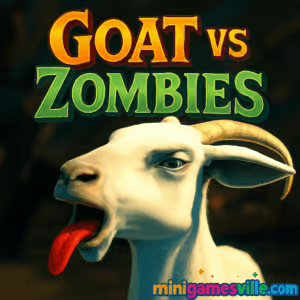
Click Play to jump into Goat vs Zombies right here on minigamesville.com. This fast, funny zombie-smashing browser game drops you into a chaos-filled fairground where a superpowered goat headbutts, licks, and launches the undead for big points. Play Goat vs Zombies online in your browser, no download needed, and enjoy quick sessions that ramp up fast. If you like physics-driven action, arcade survival, and silly sandbox moments, hit Play now and start racking up combos. Want Goat vs Zombies unblocked at school or work? It is a lightweight HTML5 title that runs in most modern browsers, so you can dive in from almost anywhere.
About Goat vs Zombies
Goat vs Zombies is a bite-size action simulation where your mission is pure mayhem. Charge into zombies, trigger explosions, chain combos, and uncover goofy secrets across a compact theme-park map. The timer keeps pressure on, but smart routing and time-boost pickups extend your run. Expect tongue-powered grapples, environmental hazards, and that satisfying arcade loop that says one more try. Whether you are chasing a high score or just here for a laugh, Goat vs Zombies delivers quick, replayable fun as an online browser game.
History of Goat vs Zombies
Physics-comedy animal games took off in the mid-2010s, inspiring web-friendly spin-offs and mobile riffs. Goat vs Zombies leans into that spirit with a streamlined browser experience that focuses on score chasing, slapstick physics, and secret hunting. It is built for instant play sessions, which makes it perfect for casual breaks.
Style & Vibe
Expect bright, cartoonish 3D visuals, arcade UI, and punchy sound effects. The mood is playful, not scary, with zombies acting more like pinballs for your headbutts. Effects and ragdoll reactions sell the comedy, while the park layout encourages discovery.

Gameplay in Goat vs Zombies
Every run starts with a countdown. You roam the map, smash zombies and objects, and nab clocks to add extra seconds. Your goat can headbutt to launch enemies, jump to reach rooftops or platforms, and use its sticky tongue to yank items or hitch onto props. The physics model encourages experimentation: line up multi-zombie hits, bounce off scenery, and chain interactions for combo bursts. Environmental toys, like ramps or moving rides, turn into score engines when used well. The challenge comes from routing, time management, and finding fast lines between high-value targets.
Game Modes
- Timed Run: Core mode. Start with a short timer, extend it by grabbing scattered clocks, and push your combo as far as you can.
- Challenges and Achievements: Optional objectives that guide you toward hidden interactions and advanced routes.
How to Play
- Press Play and let the map load in your browser.
- Scan your starting area for nearby clocks and easy zombie clusters.
- Headbutt zombies into props for multipliers, then collect time boosts to keep the run alive.
- Use your tongue to pull objects up ramps or position them for big knockdowns.
- Explore new paths each attempt, then refine a high-score route once you learn the map.
Controls
- Move: WASD or Arrow keys
- Jump: Space
- Ram/Headbutt: Ctrl
- Lick/Tongue: Left Shift
- Pause/Settings: Esc
Device Compatibility & Browser Support
Goat vs Zombies runs in modern browsers like Chrome, Edge, Firefox, and Safari on desktop and mobile. For the smoothest performance, keep one tab active, disable heavy extensions, and let the game finish loading before you sprint into action.
Mobile vs. Desktop Gameplay
- Desktop: Best precision and camera feel with keyboard controls, higher and steadier frame rates.
- Mobile: Quick pick-up sessions on the go. Ideal for casual play and hunting time pickups, especially on larger screens.
Can I Play Offline?
The browser version needs an internet connection to load. Some assets may cache after first load, but plan on playing online for consistent results.
Can I Play Unblocked?
Goat vs Zombies on minigamesville.com is an HTML5 browser game. Many networks allow it outright. If your network restricts gaming, availability depends on local policies. Try updating your browser, using HTTPS, or switching devices. Always follow your school or workplace rules.
Tips & Tricks
Beginner Tips
- Grab nearby clocks first. Extra time early creates breathing room and boosts score potential.
- Aim headbutts through multiple zombies or into explosive props for fast multipliers.
- Use ramps and rides. Moving platforms keep zombies clustered and amplify launch distance.
- Keep moving. Standing still burns time with no score gain.
- Memorize two backup routes so you can pivot when an area looks picked clean.
Advanced Strategies
- Route planning: Chain pickups in loops that pass by multiple clock spawns and explosive props.
- Tongue tech: Pull heavy items up slides, then release for crowd control and combo spikes.
- Bounce lines: Use jumps and slopes to ricochet from one pack to the next without stopping.
- Spawn timing: Leave a few zombies standing near high-value props, then return to detonate everything in one sweep.
- Micro-optimization: Turn while airborne to aim your next headbutt the instant you land.
Features
- 🐐 Hilarious goat physics with sticky tongue grapples
- 🧟 Crowd-pleasing zombie knockdowns and ragdoll chaos
- 🎢 Theme-park toys, ramps, and rides to weaponize
- ⏰ Time-extension pickups that fuel marathon runs
- 💥 Explosions, destructible props, and chain reactions
- 🏆 Achievements and secrets that reward exploration
- 🎯 Keyboard-friendly controls for precise routing
- 📱 Plays online in your browser, fast and lightweight
Unlockables & Secrets
Hidden interactions are scattered across rooftops, slides, tunnels, and fairground corners. Look for unusual props, off-angle ramps, and out-of-the-way ledges. Many achievements trigger when you combine tongue grabs with timed launches or when you chain multiple environmental hits in one run.
Cheats & Mods
There are no official cheats for the browser version. Mods are not supported here. To push higher scores, invest in routing, clock control, and smart use of environmental hazards.
Walkthrough Summary
- Spawn, turn toward your nearest clock icon or known spawn.
- Headbutt a small cluster to build a quick combo.
- Tongue an object up the nearest ramp, then release into a crowd for a score spike.
- Sprint through your loop, grabbing clocks on schedule and detonating explosives last.
- Finish with a high-density area so the timer expires right after a big combo.
Scoring, Records & Progression
Score comes from launches, multi-hits, and environmental damage. Chaining actions without downtime builds momentum. Track your personal bests and refine your line. Many players improve by splitting the map into zones and assigning each zone a fast clock pickup and a signature combo setup.
Why Play Goat vs Zombies
It is instantly funny, endlessly replayable, and perfect for short breaks. Goat vs Zombies is the kind of online browser game where every run tells a new slapstick story, and your next try could be the record breaker.
Pros & Cons of Goat vs Zombies
- Pros: Quick loading, satisfying physics, great pick-up-and-play loop, strong score-chasing appeal.
- Cons: Time pressure can feel strict for explorers, camera feel is best on desktop, small map requires creative routing for variety.
- Keep your browser updated for smoother WebGL performance.
- Enable hardware acceleration in browser settings.
- Close unused tabs, especially video or heavy extensions.
- If input lag appears, switch to a different browser profile or disable conflicting add-ons.
Similar games to Goat vs Zombies
- House of Hazards — chaotic physics traps and slapstick challenges that keep friends laughing.
- Base Defense 2 — build and upgrade to survive waves, a great fit for score chasers.
- Horror Dungeon 3D — first-person creepiness with survival vibes and tense resource choices.
- Stick Defenders — merge, fortify, and blast incoming hordes in fast sessions.
- Archer Castle — defend your stronghold with precise shots and smart upgrades.
- Drive Mad — physics driving where timing and balance create hilarious fails and wins.
- Ping Pong Chaos — zany two-button physics duels that escalate into comic mayhem.
FAQ
Is Goat vs Zombies free to play?
Yes, the browser version on minigamesville.com is free to play, with no download required.
Does Goat vs Zombies have controller support?
The game is tuned for keyboard on desktop. Some controllers may work with browser remapping tools, but keyboard is recommended.
How do I get higher scores in Goat vs Zombies?
Plan a loop that collects clocks efficiently, combo crowds with ramps and explosives, and avoid dead time between targets.
Is Goat vs Zombies suitable for kids?
It features cartoon zombie knockdowns and slapstick effects, not realistic gore. Parental discretion is advised.
Does progress save between sessions?
Your best score and settings may save locally in the browser. Clearing cache or switching devices can reset local data.
Can I play Goat vs Zombies on my phone?
Yes, it runs in mobile browsers. For app versions, you can also find it on the App Store and Google Play via the links above.
Conclusion
If you want a goofy, high-energy break, Goat vs Zombies is the perfect browser game. Charge through zombies, chain explosions, and master tongue-powered tricks while the timer ticks down. It is quick to learn, surprisingly deep to optimize, and always good for a laugh.
Ready to headbutt your way to a new personal best? Click Play and start Goat vs Zombies on minigamesville.com right now. Grab those clocks, ride the ramps, and turn the fairground into your scoring playground.

 Loading...
 English
 Shqip
Shqip
 বাংলা
বাংলা
 Български
 简体中文
简体中文
 Hrvatski
 Čeština
 Dansk
Dansk
 Nederlands
 Suomi
Suomi
 Ελληνικά
 हिन्दी
 Magyar
 Bahasa Indonesia
 日本語
日本語
 한국어
한국어
 Lietuvių
 Bahasa Melayu
 Norsk
Norsk
 Polski
 Português do Brasil
 Română
 Slovenčina
 Slovenščina
 Svenska
 ไทย
ไทย
 Türkçe
 Українська
 اردو
اردو
 Tiếng Việt
 isiZulu
 Español
 Français
 Deutsch
 العربية
 Italiano
 فارسی
فارسی
 Русский