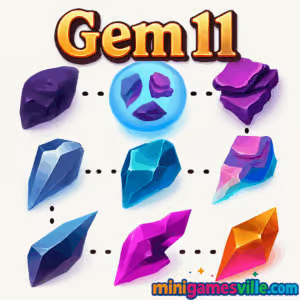
Play Gem 11 now on MinigamesVille and see how many clever chains you can build before the board fills up. Gem 11 is a satisfying online puzzle browser game where you connect and merge matching gems to create higher values until you hit the magic number 11. It loads fast, runs in your tab, and feels great on both mouse and touch. If you want an unblocked, no-install way to relax while sharpening your brain, tap the Play button above and dive into Gem 11 on minigamesville.com.
About Gem 11
Gem 11 blends number merge mechanics with match-and-connect flow. Your goal is simple: link adjacent gems of the same value to merge them into the next number, climb step by step, and keep the grid from overflowing. It sits in that sweet spot between calm and strategic, which makes it a perfect pick-up-and-play browser game during a break or a commute.
History of Gem 11
While Gem 11 stands on its own, it nods to classic number-merging inspirations and the modern trend of minimalist, brain-teasing puzzlers. This streamlined take focuses on pure chaining and board management, trimming away the clutter so every decision matters. That clarity is why players keep returning for just one more run.
Style & Vibe
The interface is clean, the colors are readable at a glance, and merges pop with a pleasant snap. Animations are quick, which keeps the game feeling responsive even when the board gets tight.

Gameplay in Gem 11
Each round begins on a small grid. You drag or click to connect same-number gems in straight or winding paths. Release to merge the chain into a single higher-value gem while new pieces spawn. Longer chains create bigger jumps, opening space and building toward the valued 11. The tension rises as the board tightens, so planning future merges and keeping escape lanes open becomes crucial.
Game Modes
- Endless: The core mode. Keep merging until the board fills. Chase higher bests and reach Gem 11 repeatedly.
- Target Goals: Self-set challenges like reaching a certain value quickly or clearing the grid after forming a high gem.
- Speed Runs: Try beating your own time to first Gem 9 or Gem 11 with clean route planning.
How to Play
- Scan the grid for clusters of the same number.
- Click and drag, or swipe through adjacent matching gems to form a chain.
- Release to merge the chain into a single higher-value gem.
- Repeat, creating space and setting up future combos on the path to 11.
- When space gets tight, prioritize moves that open the board rather than small merges.
Controls
- Desktop: Click and hold, then drag across matching gems, release to merge.
- Mobile/Tablet: Touch and slide through matching gems, lift your finger to merge.
- Undo/Reset: Use in-game buttons if available for a quick restart when strategy goes south.
Device Compatibility & Browser Support
Gem 11 runs in modern browsers on Windows, macOS, ChromeOS, iOS, and Android. For the smoothest experience use the latest version of Chrome, Edge, Firefox, or Safari with hardware acceleration enabled.
Mobile vs. Desktop Gameplay
- Mobile: Direct finger tracing makes chaining intuitive, perfect for casual sessions.
- Desktop: Mouse precision helps with long, snaking chains and tight endgame paths.
Can I Play Offline?
You need an internet connection to load Gem 11 on minigamesville.com. Once loaded, keep the tab open for continuous play, but a fresh visit requires connectivity.
Can I Play Unblocked?
Gem 11 is an unblocked browser game on our site for most players. Some school or work networks still block gaming domains. If you encounter restrictions, try another browser, clear your cache, or switch to a trusted network.
- Browser: Play Gem 11 directly here on minigamesville.com, no download needed.
- Mobile apps: There are no official App Store or Google Play apps for Gem 11 at this time.
- Looking for a similar mobile puzzle? Try Two Dots on:
Tips & Tricks
Beginner Tips
- Start from the edges to free lanes toward the center.
- Build small doubles near a planned chain rather than merging them instantly.
- Avoid scattering high-value gems. Keep them within two moves of each other.
- When torn between two merges, choose the one that opens the most cells.
Advanced Strategies
- Laddering: Stage 3-4 small chains that feed into one big merge for a jump to higher values.
- Anchor pieces: Park your top gem in a safe corner and grow everything toward it.
- Snake paths: Learn to trace winding routes that pass through tight pockets without blocking exits.
- Tempo control: If new spawns are crowding a region, merge elsewhere to shift the pressure.
Features
- 💎 Clean, readable number gems with satisfying merge effects
- 🧠 Smart, strategic number-merge gameplay that rewards planning
- ⚡ Fast loads and snappy animations in your browser
- 📈 Endless score chase with personal best tracking
- 🎯 Self-set challenges like time-to-9 or race-to-11
- 📱 Smooth touch and mouse controls
- 🔇 Minimal sounds for focus-friendly sessions
- 🌙 Comfortable color palette for long play
Unlockables & Secrets
Gem 11 focuses on pure skill over permanent unlocks. The real reward is pushing your highest gem and best score, discovering longer chain routes, and mastering board control. If you like extra spice, set a house rule like race-to-11 under a time cap.
Cheats & Mods
There are no built-in cheats, and third-party mods can break performance or risk your device. For the best experience, play the official version here and improve through practice and planning.
Walkthrough Summary
Open by clearing space on two adjacent edges, aiming to cluster 2s and 3s. Promote a small region up to 6 or 7, then reposition spawns to funnel matches toward your top gem. When a large chain becomes available, take it to reset the board and repeat. Preserve at least one escape lane at all times so fresh spawns never trap you.
Scoring, Records & Progression
Score rises with every merge, with bigger jumps coming from longer chains and higher gem values. Track your best score and highest tile, and challenge yourself to reach Gem 11 faster each run. Many players improve by reviewing endgame mistakes and rethinking anchor placement.
Why Play Gem 11
It offers quick sessions, real strategy, and that satisfying click when a perfect route opens. Gem 11 is easy to learn, hard to master, and highly replayable as an online, unblocked puzzle you can run in any modern browser.
Pros & Cons of Gem 11
- Pros: Fast loading, elegant design, deep chaining strategy, great on both touch and mouse.
- Cons: No persistent unlock system, a single core mode, runs require focus near the endgame.
- Keep your browser updated for smoother animations.
- Enable hardware acceleration in settings for better frame pacing.
- Close heavy tabs and extensions before long runs to reduce input lag.
- If audio stutters, toggle sound off to prioritize frame rate.
Similar games to Gem 11
- Tower Merge — stack and fuse blocks to build a towering high score.
- Sudoblocks — place shapes on a grid for tidy clears and brainy combos.
- Robot Awake — light-beam logic puzzles with crisp, minimal levels.
- Green — a one-color puzzle series where every level hides a new trick.
- Tap It Away — clear blocks by tapping in the correct order to reveal the core.
- Bubbles 2 — a classic bubble shooter with clean physics and quick matches.
- Merge Zoo — merge cute critters and manage space to keep the board alive.
FAQ
What is Gem 11?
Gem 11 is a number-merge puzzle where you connect matching gems to create higher values until you reach 11.
Is Gem 11 free to play?
Yes, you can play Gem 11 for free in your browser on minigamesville.com.
Does Gem 11 work on phones and tablets?
Yes, it runs in mobile browsers with responsive touch controls.
Is Gem 11 an unblocked game?
For most networks it is unblocked, but access can vary by school or workplace policy.
Can I save my progress?
Runs are session based. Use the same tab to keep a run alive and chase a new best score anytime.
Are there ads or in-app purchases?
The in-page experience focuses on quick loading and play. There are no in-app purchases in the browser version.
Any official mobile app for Gem 11?
There is no official iOS or Android app for Gem 11. If you want a similar mobile experience, try Two Dots on the App Store or Google Play.
Conclusion
If you love clean design and clever chaining, Gem 11 delivers that one-more-try loop in a lightweight online package. Connect, merge, and manage space as you climb toward your next personal best.
Ready to chase the magic number again? Hit Play above, enjoy Gem 11 on minigamesville.com, and share your best score with friends. This browser game is a perfect quick brain break anytime.

 Loading...
 English
 Shqip
Shqip
 বাংলা
বাংলা
 Български
 简体中文
简体中文
 Hrvatski
 Čeština
 Dansk
Dansk
 Nederlands
 Suomi
Suomi
 Ελληνικά
 हिन्दी
 Magyar
 Bahasa Indonesia
 日本語
日本語
 한국어
한국어
 Lietuvių
 Bahasa Melayu
 Norsk
Norsk
 Polski
 Português do Brasil
 Română
 Slovenčina
 Slovenščina
 Svenska
 ไทย
ไทย
 Türkçe
 Українська
 اردو
اردو
 Tiếng Việt
 isiZulu
 Español
 Français
 Deutsch
 العربية
 Italiano
 فارسی
فارسی
 Русский