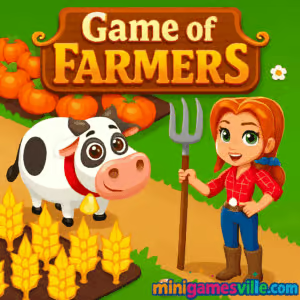
About Game of Farmers
Game of Farmers blends casual farming with light strategy and idle progression. Each in-game day you queue up tasks, time your harvests, and ship goods to meet market demand. The loop is simple, yet satisfying: till fields, sow seeds, water, harvest, upgrade, repeat. As a browser game, it runs smoothly in modern browsers and lets you jump in for quick sessions or long chill runs. Whether you enjoy crop management, crafting chains, or relaxed resource optimization, Game of Farmers online makes country life just a click away.
History of Game of Farmers
Built as a lightweight HTML5 farming sim, Game of Farmers focuses on speedy loading, clean UI, and approachable depth. Over time the balance, crop timers, and upgrade costs have been tuned to make early progress snappy while keeping late-game goals engaging. Expect seasonal events and occasional quality-of-life tweaks that keep the fields fresh without complicating the core loop.
Style & Vibe
Bright colors, chunky icons, and soft animations give the farm a friendly, toy-like feel. Sound cues make harvests extra satisfying and the day-night cycle adds cozy atmosphere. It is easy to read at a glance on both large and small screens.

Gameplay in Game of Farmers
You begin with a small field, a modest silo, and a starter set of seeds. Plant, water, and harvest to earn coins and XP. Coins buy more plots, buildings, and tools. XP unlocks crops with longer grow cycles but better payouts. A dynamic market pays bonuses for high-demand goods, so smart players chain crops into crafted items for bigger profits. Random events like rush orders and weather boosts add timely decisions. The physics are simple and snappy: clicks feel responsive, drag-and-drop is smooth, and harvest feedback is instant, which keeps the pace upbeat.
Game Modes
- Career: Grow your farm from tiny patch to powerhouse while completing milestone quests.
- Endless Harvest: Open-ended play with escalating upgrade goals.
- Time Attack: Fill a set of market orders before the clock runs out.
- Challenges: Short scenarios with unique rules like limited water or crop bans.
- Tutorial: Guided steps that teach planting, crafting, and shipping.
How to Play
- Plant starter crops and water them to speed growth.
- Harvest, then sell raw goods or craft them into higher value items.
- Reinvest coins into fields, buildings, and storage upgrades.
- Watch the market board and prioritize bonus-demand orders.
- Repeat the cycle while unlocking new seeds, decorations, and automation perks.
Controls
- Mouse or touch: tap or click to plant, harvest, and interact with buildings.
- Drag-and-drop: move items into crafting slots or onto the shipment board.
- Keyboard shortcuts: Esc closes panels, 1–4 switch tabs in menus on desktop.
Device Compatibility & Browser Support
Game of Farmers runs in modern browsers on desktop and mobile. For the best experience, use the latest version of Chrome, Safari, Edge, or Firefox. No download, no account, just click Play on Minigamesville and farm away.
Mobile vs. Desktop Gameplay
On mobile, tap targets are large and the UI is simplified for thumbs. On desktop, you get more visible tiles at once, faster panel switching, and smoother multi-tasking. Both feel great, but high-volume order management is fastest with a mouse.
Can I Play Offline?
No. Game of Farmers is an online browser game that requires an active internet connection to load assets, save progress, and sync events.
Can I Play Unblocked?
Many school and work networks allow access to Minigamesville, since the game runs over secure HTTPS in the browser. If your network blocks gaming, try a different browser, switch from Wi-Fi to mobile data, or play at home. Game of Farmers unblocked works anywhere your network permits standard web traffic.
- Web: Play free in your browser on minigamesville.com.
- Mobile apps: There is no official iOS or Android app for Game of Farmers at this time.
- Want a mobile farm sim? Try these official releases:
Tips & Tricks
Beginner Tips
- Always replant before selling. Keep fields busy to avoid idle time.
- Balance seeds: mix fast crops for cash flow with slow crops for profit.
- Expand storage early so harvests never go to waste.
- Follow the market board. Bonus orders can fund early upgrades quickly.
- Queue crafting while crops grow to double dip on time.
Advanced Strategies
- Create crop rotations that sync with crafting timers to reduce downtime.
- Batch shipments to complete multiple order streaks in one go.
- Use decorations after expansions, not before. ROI matters.
- Specialize around two crafted goods to dominate market bonuses.
- Keep a rainwater or fertilizer reserve for time-limited challenges.
Features
- 🌾 Relaxing plant, water, harvest loop with smart pacing
- 🏗️ Upgrades for fields, silo, barn, and production buildings
- 📈 Dynamic market bonuses that reward planning
- 🧩 Challenges and time-attack orders for quick sessions
- 📱 Touch-friendly UI and smooth desktop controls
- 🎯 Clear goals, milestones, and prestige-style progression
- 🎨 Cozy visuals with day-night ambience
- ☁️ Cloud-synced browser saves tied to your session
Unlockables & Secrets
Progress unlocks longer-cycle crops, faster machines, warehouse tiers, new decorations, and optional boosters. Look for combo orders that unlock bonus crates after streaks, and hidden achievements tied to perfect rotations and zero-waste harvests.
Cheats & Mods
There are no official cheats for Game of Farmers. Third-party mods or hacks can break saves and risk security. Stick to in-game boosts and strategy if you want reliable progress.
Walkthrough Summary
Start with wheat and carrots for quick cash. Expand fields to 8–12 tiles, then buy your first crafting building to convert crops into high-value goods. Push storage to avoid overflow, and time harvests so shipments leave at market bonus windows. Keep two rotations running: one fast set for funding, one slow set for profit. Repeat, expand, decorate.
Scoring, Records & Progression
Your success is measured by coins earned, XP level, order streaks, and farm value. Long streaks unlock special crates, and seasonal events add limited-time leaderboards. A prestige option lets veterans reset for permanent bonuses, so each cycle gets more efficient.
Why Play Game of Farmers
If you love chill management with just enough depth to feel clever, this is your field of dreams. Game of Farmers is quick to learn, satisfying to master, and perfect for bite-size breaks or long cozy sessions. It is an unblocked online farming game that respects your time.
Pros & Cons of Game of Farmers
- Pros: fast loading, friendly UI, smooth touch controls, rewarding crafting chains, low friction sessions.
- Cons: always-online requirement, limited map size early on, high-level goals demand planning.
- Use a modern browser and close extra tabs during long farming streaks.
- Enable hardware acceleration in browser settings for smoother animations.
- On mobile, switch to full-screen mode and disable battery savers while playing.
- If inputs feel delayed, clear cache and reload to refresh assets.
Similar games to Game of Farmers
- Village Builder — grow a settlement tile by tile and balance resources.
- Babel Tower — idle build your way upward with smart upgrade choices.
- Bunny Bistro — time-management cooking with adorable farm-fresh vibes.
- Rooster Booster — tap-to-grow poultry profits and upgrade your barnyard.
- Cozy Garden Design — design flower beds and beautify your backyard escape.
- Merge Zoo — merge, manage, and expand a lively animal park.
FAQ
What is Game of Farmers?
Game of Farmers is a free online farming and crafting browser game where you plant crops, craft goods, and ship orders to grow your homestead.
Where can I play Game of Farmers?
You can play directly in your browser on minigamesville.com with no download required.
Is Game of Farmers safe for kids?
Yes, it features family-friendly visuals and simple mechanics. Parents should still guide screen time.
Does Game of Farmers have microtransactions?
No store purchase is required to play in the browser. Progress comes from smart farming and upgrades.
Can I transfer my save between devices?
Progress is stored in your current browser. If you switch devices or clear data, progress may reset, so keep playing on the same device for continuity.
Is Game of Farmers an unblocked game?
In many locations it works without extra steps, since it runs over HTTPS in the browser. Some networks still block gaming sites, so access can vary.
Does Game of Farmers work on Chromebook?
Yes, if your Chromebook runs a modern browser. For best results, update Chrome and close background apps.
Conclusion
From tiny plot to bustling marketplace, Game of Farmers captures the joy of growing something great one harvest at a time. The click-to-chill loop, steady unlocks, and satisfying shipments make it the kind of farming sim you can enjoy for five minutes or an entire evening.
Ready to plant your first field? Scroll up and press Play to launch Game of Farmers on Minigamesville, then settle in for a cozy run of crops, crafts, and clever upgrades. Your next bumper harvest is a click away.


 Loading...
 English
 Shqip
Shqip
 বাংলা
বাংলা
 Български
 简体中文
简体中文
 Hrvatski
 Čeština
 Dansk
Dansk
 Nederlands
 Suomi
Suomi
 Ελληνικά
 हिन्दी
 Magyar
 Bahasa Indonesia
 日本語
日本語
 한국어
한국어
 Lietuvių
 Bahasa Melayu
 Norsk
Norsk
 Polski
 Português do Brasil
 Română
 Slovenčina
 Slovenščina
 Svenska
 ไทย
ไทย
 Türkçe
 Українська
 اردو
اردو
 Tiếng Việt
 isiZulu
 Español
 Français
 Deutsch
 العربية
 Italiano
 فارسی
فارسی
 Русский