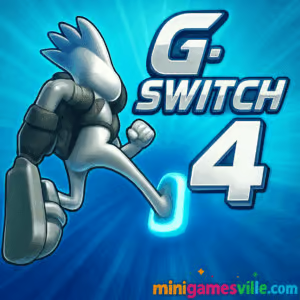
About G Switch 4
G Switch 4 continues the series’ signature gravity mechanic with tighter physics, cleaner visuals, and smart difficulty ramps. It plays beautifully in-browser on desktop or mobile, and also offers official mobile apps for players who prefer on-the-go sessions. Expect instant restarts, crisp hitboxes, and a learning curve that rewards rhythm and timing. If you enjoy twitchy arcade runners, parkour-style platforming, or quick online challenges, G Switch 4 is your new favorite tab.
History of G Switch 4
The G-Switch saga started as a web classic in 2010, evolved through G-Switch 2 and G-Switch 3, then leveled up with G Switch 4’s creator-driven approach. This entry adds a built‑in level editor, a growing library of community levels, and a story mode that layers mystery over the momentum. The result is the most replayable G-Switch to date.
Style & Vibe
Minimalist sci‑fi visuals, neon accents, and pulsing beats keep your focus on timing. The silhouette runner and hard-edged tracks make every flip readable at a glance, even as speed ramps up. It feels sleek, modern, and made for repeat runs.

Gameplay in G Switch 4
The hero auto-runs. Your job is timing. Tap or press a key to invert gravity, land on a surface, and avoid gaps, saws, and speed‑boost traps. Momentum is king, so clean lines and early reads matter. Levels mix straightaways, ceiling-floor zigzags, jump arcs, moving platforms, portals, and tight tunnels. A split-second late flip sends you off the track. A perfect flip chain feels incredible.
Game Modes
- Story: Sprint through handcrafted stages, meet characters, and unlock cosmetics while learning advanced tech.
- Endless: Chase your farthest distance and refine your rhythm with rising speed.
- Community Levels: Browse, play, and rate player-made stages across a wide range of difficulties.
- Local Multiplayer: Fast couch competition on one device or keyboard. Great party pick.
- Training: Warm up with slower segments, then push toward full-speed mastery.
How to Play
- Press Play and pick a mode: Story, Endless, Community, or Multiplayer.
- Start running and tap or press your key to flip gravity at the last safe moment.
- Use visual cues, track edges, and audio rhythm to time flips.
- In Story or Community levels, hit checkpoints and collect orbs or XP to unlock skins and backgrounds.
- Repeat quick restarts to learn sequences and lock in muscle memory.
Controls
- Desktop browser: Press any key or left-click to flip.
- Mobile browser: Tap anywhere to flip.
- Local multiplayer: Each player is assigned a different key. The key map displays before the round.
Device Compatibility & Browser Support
G Switch 4 runs smoothly in modern browsers like Chrome, Edge, Firefox, and Safari. It is optimized for keyboard and touch. For best results, use a recent browser version, enable hardware acceleration, and close extra tabs or heavy extensions during play.
Mobile vs. Desktop Gameplay
- Mobile: Perfect for bite-size runs, Story chapters, and casual Endless attempts with tap controls.
- Desktop: Best for high-speed mastery, local multiplayer sessions, and precise rhythm flipping on a keyboard.
Can I Play Offline?
On desktop, G Switch 4 is a browser game that requires an internet connection. On mobile apps, single-player content typically works while offline after installation, though community levels, sharing, and updates need a connection.
Can I Play Unblocked?
Yes, G Switch 4 is an online browser game that usually works on standard school or office networks. If your network blocks gaming, try a modern browser over HTTPS and avoid VPNs or proxies that may violate local policies.
No console version exists at this time. Prefer mobile? The official apps above are your best choice.
Tips & Tricks
Beginner Tips
- Watch the runner’s shadow and track edges to predict safe flip zones.
- Flip early on new segments, then tighten timing as you learn layouts.
- Use sound as a metronome. Consistent tapping helps stabilize rhythm.
- Stick to Story mode first to learn hazards before tackling Endless PBs.
- In multiplayer, pace yourself. Surviving beats flashy flips.
Advanced Strategies
- Buffer flips on corner entries to smooth speed changes.
- Chain ceiling-floor-ceiling patterns with identical flip intervals.
- Use visual anchors, like portal frames or hazard centers, to cue flips.
- Practice at full speed. Spaced restarts build durable muscle memory.
- Explore community levels to sharpen reads on uncommon sequences.
Features
- ⚡ One-button, high-speed gravity flipping that feels amazing at pace
- 🧩 Story mode with handcrafted challenges and unlockables
- 🛠️ Level editor to create, share, and play community stages
- 👥 Local multiplayer for instant party competition
- 📈 Endless mode with personal bests to chase
- 🎨 Skins and backgrounds to unlock through play
- 🎯 Tight physics and instant restarts for pure flow
- 📱 Plays great as an online browser game or on mobile apps
Unlockables & Secrets
Earn XP and discover hidden orbs to unlock new runners and backdrops. Keep an eye out for alternate routes and tucked‑away collectibles in Story levels. Some community levels hide clever shortcuts and skill checks that reward clean execution.
Cheats & Mods
There are no official cheats. The in-game level editor is the best way to craft easier practice tracks or brutal gauntlets. Avoid third‑party mods, since they can harm performance or compromise your device.
Walkthrough Summary
Start in Story to learn hazard patterns, then switch to Endless for rhythm training. Mix in Community levels to expand your reads. When your timing feels automatic, host a local multiplayer session and apply your consistency under pressure.
Scoring, Records & Progression
Endless runs track best distance. Story progression unlocks cosmetics and new stages. Community levels earn likes and replays, so your best creations can gain traction while you sharpen your PBs.
Why Play G Switch 4
Because few browser games deliver this much speed with this little friction. G Switch 4 is quick to learn, hard to master, and endlessly replayable across Story, Endless, and community content. It nails that one‑more‑run feeling.
Pros & Cons of G Switch 4
- Pros: responsive one‑button controls, clean readability, great flow, tons of levels via community, easy couch multiplayer.
- Cons: steep timing curve at high speed, tougher late-game segments can feel punishing, local multiplayer requires shared keys or close seating.
- Recent mobile updates added new story chapters, a handy dash-style powerup in some builds, and polish to the editor.
- For smoother browser play: enable hardware acceleration, use a single active tab, and prefer Chromium-based browsers for consistent 60 FPS.
Similar games to G Switch 4
- Canabalt — iconic minimalist endless runner with razor‑sharp timing.
- Color Tunnel — hyperspeed obstacle dodger with smooth tunnel flow.
- Color Tunnel 2 — faster patterns and fresh hazards for reflex addicts.
- Geometry Dash — rhythm‑precision platforming with brutal checkpoints.
- Geometry Dash Lite — sample the dash challenge with accessible levels.
- Dino Game — classic tap-to-jump runner with rising speed and simple charm.
- Parkour Block 6 — precise first‑person jumps that reward bold lines.
FAQ
Is G Switch 4 free to play online?
Yes, you can play G Switch 4 free in your browser on Minigamesville.com.
Does G Switch 4 have an offline mode?
Single‑player content on the mobile apps can be played offline after installation. Community features and updates need an internet connection.
How many players can join local multiplayer?
Mobile supports up to four on one device. The desktop browser version supports local multiplayer on one keyboard, great for party play.
Is there a paywall?
No paywall for the browser game. On mobile, the app is free with optional ads or purchases depending on your region.
Is G Switch 4 unblocked at school?
It usually loads on standard networks. If it is blocked, that is a local policy decision. Use a modern browser over HTTPS for the best chance of access.
What genre is G Switch 4?
It is a gravity runner, one‑button platformer, and arcade browser game with online elements for community levels.
Conclusion
G Switch 4 is a masterclass in less-is-more design. One button, endless tension, and a steady drip of new levels keep you chasing cleaner lines and faster reactions. Between Story, Endless, community creations, and couch competition, it packs serious replay value.
Ready to flip your way to a new personal best? Click Play above to start G Switch 4 on Minigamesville.com, invite a friend, and see how long you can ride the ceiling without crashing. Good luck, runner.


 (3 votes, average: 3.67 out of 5)
 Loading...
 English
 Shqip
Shqip
 বাংলা
বাংলা
 Български
 简体中文
简体中文
 Hrvatski
 Čeština
 Dansk
Dansk
 Nederlands
 Suomi
Suomi
 Ελληνικά
 हिन्दी
 Magyar
 Bahasa Indonesia
 日本語
日本語
 한국어
한국어
 Lietuvių
 Bahasa Melayu
 Norsk
Norsk
 Polski
 Português do Brasil
 Română
 Slovenčina
 Slovenščina
 Svenska
 ไทย
ไทย
 Türkçe
 Українська
 اردو
اردو
 Tiếng Việt
 isiZulu
 Español
 Français
 Deutsch
 العربية
 Italiano
 فارسی
فارسی
 Русский