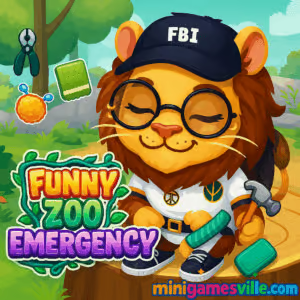
Ready to help adorable animals right now? Click play and jump into Funny Zoo Emergency on MinigamesVille. This sweet online browser game blends animal care, quick-fix mini challenges, and dress-up moments into a cozy rescue adventure. If you enjoy pet hospital sims, grooming, and cleaning mechanics, Funny Zoo Emergency will scratch that itch with zero downloads. It runs in your browser, is easy to learn, and perfect if you are hunting for an unblocked game that is safe for school break time. Hit the big Play button above to start Funny Zoo Emergency and bring those zoo cuties back to full health.
About Funny Zoo Emergency
Funny Zoo Emergency is a lighthearted animal care puzzle where each level is a tiny emergency. Patch up scrapes, brush away mud, remove thorns, and finish with a cute outfit photo. The flow is fast, the feedback is snappy, and the tools feel great on both mouse and touch. Whether you are new to pet-care games or a long-time fan of casual sims, Funny Zoo Emergency delivers easy steps, playful animations, and satisfying before-and-after reveals.
History of Funny Zoo Emergency
Animal-care mini games grew from classic dress-up and doctor titles into today’s tap-friendly HTML5 experiences. Funny Zoo Emergency follows that evolution with bite-size rescue scenes, screen-friendly tools, and short levels that fit perfectly into quick play sessions. It keeps the spirit of casual pet hospital gameplay, while trimming friction so anyone can jump in and play online instantly.
Style & Vibe
Bright colors, chunky UI, and cheerful sound effects set a friendly tone. Animals react to every action with goofy expressions and happy animations, which makes each cleanup feel rewarding. Expect glittery finishes, sticker-like accessories, and a photo-ready final look after each rescue.

Gameplay in Funny Zoo Emergency
Each case in Funny Zoo Emergency plays out as a short sequence of interactive steps. You identify the issue, choose the right tool, then complete simple gestures to clean, heal, or style. Swab wounds, pop friendly bubbles, tweeze out splinters, brush fur, and end with a costume or accessory. Light physics, progress bars, and subtle haptics-style feedback make every step satisfying. The challenge ramps by combining tools and adding gentle time pressure on some mini tasks, while keeping the overall experience relaxing.
Game Modes
- Story levels: Tackle a queue of animal emergencies, one cute patient at a time.
- Mini challenges: Short, focused tasks like timed brushing or precision cleaning.
- Photo finish: Style your recovered buddy with outfits and snap a final shot.
How to Play
- Press Play to load Funny Zoo Emergency in your browser.
- Select the current animal case and review the on-screen hint.
- Pick the suggested tool, then follow the motion guide to clean or heal.
- Complete the progress ring to finish each step and move to the next.
- Choose accessories to celebrate the rescue, then proceed to the next patient.
Controls
- Desktop: Left click and drag to apply tools, click to select items.
- Mobile or tablet: Tap to select, slide your finger to scrub, tweeze, or brush.
Device Compatibility & Browser Support
Funny Zoo Emergency runs on modern browsers like Chrome, Edge, Firefox, and Safari. It is built for desktop, Chromebook, and mobile browsers, so you can play at home or on the go without a download.
Mobile vs. Desktop Gameplay
On mobile, touch gestures feel natural for brushing, swiping, and precise cleanup. On desktop, mouse control gives sharp accuracy on tiny spots. Performance is smooth on both, with quick level loading and snappy UI.
Can I Play Offline?
No, Funny Zoo Emergency requires an internet connection to load assets and save browser progress. Once the session ends, you will need to reload online to continue.
Can I Play Unblocked?
Funny Zoo Emergency is a web-based game. Many schools and libraries allow it, although access depends on local filters. If you run into a block, try a different network, update your browser, or play from home on MinigamesVille.
- Play in your browser at MinigamesVille, no download required.
- No official iOS or Android app version exists for Funny Zoo Emergency.
- Want a similar mobile experience? Try Pepi Hospital: Learn & Care
on App Store and
Google Play.
Tips & Tricks
Beginner Tips
- Follow the tool hint first. Picking the suggested item speeds up each step.
- Use gentle, steady drags. Short, accurate strokes fill the progress ring faster.
- Clean before styling. Removing mud or burrs unlocks more accessory options.
- Watch for sparkles. They mark hidden grime or tiny thorns you might miss.
Advanced Strategies
- Stack actions. While a timer bar runs, hover your next tool to minimize downtime.
- Precision beats speed. Perfect passes reduce retries on delicate areas.
- Memorize sequences. Common patterns repeat, so you can execute steps faster.
- Style smart. Matching colors or themes gives a cleaner final look for screenshots.
Features
- 🐾 Wholesome animal rescue with zero gore and all smiles
- 🧰 Intuitive drag, swipe, and tap tools that feel great on touch or mouse
- 🎯 Short levels perfect for quick breaks and stress-free sessions
- ✨ Satisfying before-and-after reveals with photo-ready finishes
- 🎨 Cute dress-up and accessory choices after each recovery
- 📱 Full browser support on desktop, Chromebook, and mobile
- 🔊 Cheerful sound cues and playful animations
- 💾 Light browser save to keep your session going
Unlockables & Secrets
As you complete cases in Funny Zoo Emergency, you open new animal scenes and fresh accessories. Keep an eye out for hidden sparkles that unlock bonus cleanup actions or extra polish animations before the final photo.
Cheats & Mods
There are no built-in cheats, and modding browser games can cause loading errors or privacy risks. For the best experience, play the original Funny Zoo Emergency on MinigamesVille with a modern browser and hardware acceleration enabled.
Walkthrough Summary
Start a case, choose the hinted tool, and complete each guided motion until the progress ring fills. Work from the largest mess to the smallest details. Finish by styling with a hat, bow, or glasses, then move to the next patient. Repeat to clear the queue and polish your speed.
Scoring, Records & Progression
Progress centers on flawless steps and clean finishes. Aim for smooth, accurate motions to avoid repeat passes. You will unlock fresh patients and extra cosmetics as you clear more cases, which gives you new looks for your screenshot gallery.
Why Play Funny Zoo Emergency
It is quick, cute, and calming. Funny Zoo Emergency delivers pick-up-and-play animal care without steep learning curves. If you love rescue sims, kid-friendly puzzles, or ASMR-style cleaning, this browser game hits the sweet spot.
Pros & Cons of Funny Zoo Emergency
- Pros: accessible controls, short levels, adorable art, perfect for quick sessions.
- Cons: simple difficulty curve, light repetition on certain mini tasks.
- Use the latest Chrome, Edge, Firefox, or Safari for the smoothest play.
- Enable hardware acceleration in browser settings for better frame rates.
- Close heavy tabs and pause streaming during long sessions.
- If input feels laggy, switch to a private window to bypass extensions.
- On mobile, clear background apps and keep battery saver off while playing.
Similar games to Funny Zoo Emergency
- Nose Hospital — quick clinic-style mini games with clean-and-heal steps.
- Foot Hospital — tidy up, treat scrapes, and master precision tool work.
- Tiger Simulator 3D — explore as a big cat, complete tasks, and roam open areas.
- Poor Bunny — dodge hazards in a fast, cute arcade survival challenge.
- Duck Life — train and race your duck across charming stat-based mini games.
FAQ
Is Funny Zoo Emergency free to play?
Yes, it is a free online browser game that you can play on MinigamesVille without downloading.
Does Funny Zoo Emergency work on phones?
Yes, it runs in mobile browsers with touch controls and quick load times.
Is Funny Zoo Emergency safe for kids?
It uses soft visuals and friendly feedback, making it a good pick for family play.
Can I save progress in Funny Zoo Emergency?
Progress can persist in your browser session. Using the same device and browser helps keep your session intact.
What genres fit Funny Zoo Emergency?
Casual, pet care, cleaning, dress-up, and light simulation, all delivered as a web game.
Does Funny Zoo Emergency have ads or in-app purchases?
This experience runs in the browser. Any monetization, if present, is handled by the host page and does not require a separate app store purchase.
Conclusion
Funny Zoo Emergency captures the joy of helping animals with satisfying tools and charming reveals. Short levels, clean UI, and friendly animations make it a feel-good break that fits any schedule.
Ready to play right now? Press the button above to start Funny Zoo Emergency on MinigamesVille, heal every patient, and share your cutest photo finishes.

 Loading...
 English
 Shqip
Shqip
 বাংলা
বাংলা
 Български
 简体中文
简体中文
 Hrvatski
 Čeština
 Dansk
Dansk
 Nederlands
 Suomi
Suomi
 Ελληνικά
 हिन्दी
 Magyar
 Bahasa Indonesia
 日本語
日本語
 한국어
한국어
 Lietuvių
 Bahasa Melayu
 Norsk
Norsk
 Polski
 Português do Brasil
 Română
 Slovenčina
 Slovenščina
 Svenska
 ไทย
ไทย
 Türkçe
 Українська
 اردو
اردو
 Tiếng Việt
 isiZulu
 Español
 Français
 Deutsch
 العربية
 Italiano
 فارسی
فارسی
 Русский