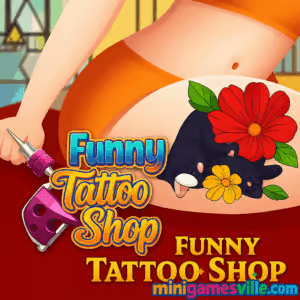
Play Funny Tattoo Shop right now on minigamesville.com! Fire up this creative tattoo simulation browser game, pick your inks, and turn customer requests into eye-catching body art. Funny Tattoo Shop blends makeover vibes with hands-on drawing, perfect for quick online sessions at home, school, or work. If you enjoy lighthearted art challenges, clean tool feedback, and colorful reveals, you are in the right place. Hit Play above to start inking, then come back here for pro tips, controls, and strategies to master Funny Tattoo Shop unblocked across devices.
About Funny Tattoo Shop
Funny Tattoo Shop is a creative simulation where you run a tiny parlor, consult with clients, stencil a design, then outline and color it using intuitive tools. The flow feels tactile and satisfying, and the stakes stay chill, so you can relax while still chasing precise lines and clean fills. It is an online game built for instant fun and zero setup, which makes it great for coffee breaks and study pauses. Whether you are on a phone or laptop, Funny Tattoo Shop delivers that quick hit of artistry many browser game fans love.
History of Funny Tattoo Shop
Tattoo sims have been fan favorites across web portals for years. Funny Tattoo Shop carried that trend into modern HTML5, bringing smoother interactions on mobile and desktop without downloads. As the casual art genre grew, the game became a reliable pick for anyone who wants a friendly, low-pressure taste of tattoo artistry in their browser.
Style & Vibe
Bright colors, chunky UI, and satisfyingly clean sound cues make each step feel crisp. Characters arrive with playful personalities, and your choices influence the final look. Expect a lighthearted mood, quick wins, and plenty of screenshot-worthy reveals.

Gameplay in Funny Tattoo Shop
Each client session follows a simple rhythm: choose a stencil that matches the brief, position it, then carefully trace outlines before filling with color. Tool physics are forgiving enough for newcomers, yet precise enough to reward steady hands. As you progress, designs get more detailed, with tighter curves, small gaps, and multiple color zones that test timing and control. The challenge is less about speed and more about accuracy, clean line work, and tasteful color picks.
Game Modes
- Customer Queue: Tackle a steady stream of clients with increasing design complexity.
- Practice Session: Warm up on easier shapes to hone outlines and fills before harder jobs.
- Timed Tryouts: Short, brisk sessions that encourage confident outlines and minimal corrections.
How to Play
- Review the client’s request and pick a design that fits the vibe.
- Place the stencil on the selected body area and confirm placement.
- Trace the outline with steady, continuous strokes.
- Fill color zones, staying inside edges for a crisp finish.
- Clean the area, apply finishing touches, then present the tattoo.
Controls
- Desktop: Mouse to select tools, click and drag to outline or fill.
- Mobile/Tablet: Tap to select, drag with a finger or stylus for lines and fills.
Device Compatibility & Browser Support
Funny Tattoo Shop runs in modern browsers and requires no download. For smooth play, use the latest version of Chrome, Edge, Safari, or Firefox. Enable sound for subtle feedback when outlines snap into place or fills complete.
Mobile vs. Desktop Gameplay
- Mobile: Great for short sessions. Finger or stylus control feels natural for curves.
- Desktop: Mouse precision helps with tiny corners and tight color areas.
Can I Play Offline?
This is an online browser game, so an active internet connection is required to load assets and save your progress within the session.
Can I Play Unblocked?
Many schools and workplaces allow HTML5 games that load over HTTPS. Funny Tattoo Shop on minigamesville.com is lightweight and often accessible. Availability still depends on local network rules, so check your policy if you are unsure.
No official Google Play or App Store version of Funny Tattoo Shop is available at this time. Want a mobile tattoo sim on the go? Try these official store links for a similar experience:
Tips & Tricks
Beginner Tips
- Start slow on outlines. A steady stroke beats a fast, wobbly line.
- Zoom your browser page if needed for fine detail on desktop.
- Place stencils carefully. Good placement reduces tricky angles later.
- Color from edge to center to avoid spilling over borders.
- Use quick breaks between clients to reset your rhythm.
Advanced Strategies
- Segment long outlines into gentle arcs for better control.
- Tackle small color pockets first, then fill large areas.
- Prioritize contrast. Dark outlines with balanced mid-tones make designs pop.
- Replay tougher designs to learn the cleanest stroke order.
- Chase “perfect” finishes by reducing corrections on each run.
Features
- 🎨 Easy, satisfying drawing tools with tactile feedback
- 🖌️ Clean outline and fill system for crisp artwork
- 🧩 Growing set of tattoo designs with varied difficulty
- 📱 Plays in your browser on mobile and desktop
- ⏱️ Fast sessions that fit short breaks
- 📷 Share-worthy results and colorful reveals
- 🧠 Accuracy-focused challenge that rewards steady hands
- 🔁 Instant restarts to refine your technique
Unlockables & Secrets
Progress by finishing clean tattoos and you will see more complex stencils appear. Keep your outlines tight and colors consistent to reveal extra variants and fresh motifs. Replaying favorite designs is a great way to uncover cleaner paths and hidden flourish opportunities.
Cheats & Mods
There are no official cheats or mods for Funny Tattoo Shop. For the best experience and fair play, stick to the built-in tools and replay tough designs to improve timing and accuracy.
Walkthrough Summary
Open a session, select a client, and place a stencil. Trace the outline in smooth segments, then color from edges inward. Clean up, apply the final touch, and present your work. Repeat with new clients, refining your technique with each run in Funny Tattoo Shop.
Scoring, Records & Progression
Progress is tied to clean execution. Treat every design like a mini record chase: aim for fewer corrections, sharper edges, and consistent fills. Track personal bests by time or by how few adjustments you need. Over multiple sessions, you will notice faster, cleaner finishes and tougher designs becoming routine.
Why Play Funny Tattoo Shop
It is quick to learn, relaxing to play, and rewarding to master. If you like makeover games, drawing challenges, or creative sims, Funny Tattoo Shop offers a feel-good loop that respects your time and runs beautifully in a tab.
Pros & Cons of Funny Tattoo Shop
- Pros: Instant play in browser, approachable tools, satisfying art reveals, short sessions, mobile friendly.
- Cons: Accuracy focus may feel slow to speedrunners, complex multi-color sections can require multiple tries.
- Keep your browser updated for smoother input and audio cues.
- Close unused tabs and background downloads to reduce input lag.
- On mobile, enable Do Not Disturb to avoid interruptions mid-outline.
- If touch feels slippery, lower pointer speed in device settings for firmer control.
Similar games to Funny Tattoo Shop
- Nose Hospital — light medical sim with precision tools and quick procedures.
- Foot Hospital — fix, clean, and treat feet in a series of tidy mini-operations.
- Virtual Voodoo — playful sandbox interactions with quirky physics and effects.
- Elastic Man — a stretchy face toy that feels oddly satisfying to poke and pull.
- Scary Teacher 3D — stealthy prank missions with cartoony characters and simple goals.
- Mr Mine — an idle dig-and-upgrade sim perfect for chill progression fans.
FAQ
What is Funny Tattoo Shop?
Funny Tattoo Shop is a casual tattoo simulation browser game where you stencil, outline, and color designs for a queue of customers.
Is Funny Tattoo Shop free to play?
Yes, you can play free in your browser on minigamesville.com with no download.
Does Funny Tattoo Shop work on phones?
Yes, it plays on modern mobile browsers. Touch controls make curves feel natural.
Can I play Funny Tattoo Shop unblocked at school?
Access depends on your network rules, but many schools allow HTTPS browser games. If it is blocked, check with your administrator.
Does Funny Tattoo Shop have different game modes?
Core play centers on customer sessions. Some builds add practice or timed variations to sharpen your skills.
Are there any official cheats?
No, there are no official cheats. Improve by refining outlines, color order, and placement.
How long is a typical session?
Most tattoos take a few minutes, which makes Funny Tattoo Shop perfect for quick breaks.
What if the game lags?
Update your browser, close extra tabs, and switch to a stable connection for smoother input.
Conclusion
Ready to relax and create something cool in minutes? Funny Tattoo Shop makes art approachable with friendly tools, colorful payoffs, and a breezy loop you can pick up anytime. Whether you are new to tattoo sims or love makeover-style browser games, this one delivers satisfying wins fast.
Start inking now: click Play above and enjoy Funny Tattoo Shop on minigamesville.com. Nail clean outlines, experiment with bold colors, and share your favorite results with friends. Have fun and keep those lines steady.

 Loading...
 English
 Shqip
Shqip
 বাংলা
বাংলা
 Български
 简体中文
简体中文
 Hrvatski
 Čeština
 Dansk
Dansk
 Nederlands
 Suomi
Suomi
 Ελληνικά
 हिन्दी
 Magyar
 Bahasa Indonesia
 日本語
日本語
 한국어
한국어
 Lietuvių
 Bahasa Melayu
 Norsk
Norsk
 Polski
 Português do Brasil
 Română
 Slovenčina
 Slovenščina
 Svenska
 ไทย
ไทย
 Türkçe
 Українська
 اردو
اردو
 Tiếng Việt
 isiZulu
 Español
 Français
 Deutsch
 العربية
 Italiano
 فارسی
فارسی
 Русский