Play Fruit Ninja Online on MiniGamesVille
Ready to slice? Tap Play above and jump straight into Fruit Ninja on minigamesville.com. This fast, juicy arcade browser game drops fruit in dazzling waves and dares you to carve perfect combos while dodging bombs. Play Fruit Ninja online free in your browser, no download required, and enjoy crisp physics, punchy sound effects, and instant pick‑up‑and‑play fun. Whether you want a quick session at lunch or a marathon score chase, Fruit Ninja unblocked on our site keeps the action flowing. Grab your blade, go for clean cuts, and climb the leaderboard right now.
About Fruit Ninja
Fruit Ninja is a classic action arcade slicer where timing and precision meet satisfying splats. Fruits fly, you swipe to cut, and every clean slice builds combos and score multipliers. Miss three fruits in Classic and the run ends, but in other modes you chase speed, chains, and powerups to push massive totals. The premise is simple, the mastery is not. That is why Fruit Ninja remains a favorite browser game for quick reflex challenges.
History of Fruit Ninja
Created by Halfbrick, Fruit Ninja started on touch devices and quickly grew into a global hit. Over the years it added fan‑favorite modes like Classic, Zen, and Arcade, plus event twists and collectible blades and dojos. That simple swipe‑to‑slice idea remains the heart of the experience, whether you play on mobile or right here in your browser.
Style & Vibe
Clean art, glossy fruit, and satisfying juice trails make every slice feel great. Crisp audio cues pop with each cut, while bombs add tension. The vibe is bright and focused, perfect for short sessions or long score grinds.

Gameplay in Fruit Ninja
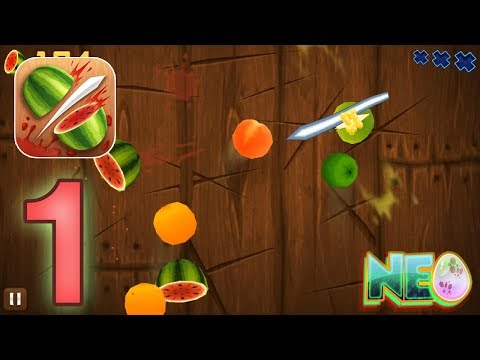
Each round launches waves of fruit with escalating speed and patterns. Draw clean lines through multiple fruits to trigger combo bonuses, juggle the pace to avoid misses, and never clip a bomb. Watch for juicy targets like pomegranate that reward rapid multi‑swipes, and chain powerups in the modes that allow them. Solid runs blend accuracy, route planning, and calm hands.
Game Modes
- Classic: Slice fruit, avoid bombs, and do not miss three. Pure, skill‑based score chasing.
- Arcade: A timed rush where special bananas can freeze time, double score, or unleash fruit frenzies.
- Zen: No bombs, no lives, just focus on flow, rhythm, and combo building.
- Event/Challenge variants: Short twists on the core formula with themed goals.
How to Play
- Start a mode from the menu and get your cursor or finger ready.
- Swipe through fruit quickly and cleanly to chain combos.
- Avoid bombs at all costs. In Classic, three misses end your run.
- In Arcade, prioritize powerups and stack effects for huge totals.
- End each session by reviewing your score and setting a new target.
Controls
- Mouse: Click and drag to slice, release to reset your swipe.
- Touchscreen: Swipe with a finger for precise cuts, use multi‑touch for wide arcs.
- Trackpad: Press and glide smoothly to maintain combo lines.
Device Compatibility & Browser Support
Fruit Ninja runs great in modern browsers like Chrome, Edge, Firefox, and Safari. Enable hardware acceleration, keep only a few tabs open, and use a stable connection for the smoothest frame rate.
Mobile vs. Desktop Gameplay
On desktop, a mouse gives sharp, angular lines that help with bomb dodges and precision cuts. On mobile, touch swipes feel natural for sweeping combos. Try both and see which style fits your rhythm.
Can I Play Offline?
This online version loads in your browser, so an active internet connection is required to start the game. Some caching may occur, but plan to be online to play reliably.
Can I Play Unblocked?
Fruit Ninja on minigamesville.com is a browser game with no downloads, which helps it work in many networks. Availability can still vary by school or workplace policy.
Tips & Tricks
Beginner Tips
- Do not rush every fruit. Wait a beat and slice multiple fruits in one line for combo points.
- Keep swipes short and controlled to avoid clipping bombs.
- In Zen, practice making parallel cuts to build consistent rhythm.
- Learn fruit arcs. Bananas and watermelon often set up natural two or three‑fruit lines.
Advanced Strategies
- Route planning: Visualize the next two spawns and position your cursor for a clean follow‑through.
- Edge juggling: Let fruit rise and fall to align larger combo passes, then finish low to avoid bombs.
- Arcade stacking: Hit Freeze first, then x2, then Frenzy for safe, high‑value spam slicing.
- Micro‑corrections: Lift and re‑engage mid‑air to preserve accuracy instead of forcing long, sloppy drags.
Features
- 🍉 Fast, tactile slicing with responsive physics
- 💣 Bombs that raise stakes and sharpen decision making
- ⏱️ Multiple modes for chill runs or intense time attacks
- 🎯 Combo scoring that rewards clean lines and planning
- 🗡️ Collectible blades and stylish dojos
- 📈 Endless replay value with score chasing
- 🔊 Punchy audio and satisfying juice effects
- 🌐 Plays instantly as an online browser game
Unlockables & Secrets
Keep playing to earn new blades and dojos that add flair and, in some modes, small bonuses. Watch for rare fruit that reward extra points if you can land multiple hits quickly.
Cheats & Mods
There are no legitimate browser cheats for Fruit Ninja. Third‑party mods or extensions can harm performance or security. For a fair challenge and best stability, play the standard version here.
Walkthrough Summary
Start in Zen to learn smooth lines, then move to Classic for real pressure. When you are comfortable, dive into Arcade and chase stacked powerups. End each run by checking where misses happened and adjust your first swipe on the next attempt.
Scoring, Records & Progression
High scores come from chaining multi‑fruit swipes while avoiding penalties. In timed modes, prioritize score multipliers, then feed on big fruit waves during safe windows. Track personal bests and set incremental targets to keep motivation high.
Why Play Fruit Ninja
It is pure kinetic fun that respects your time. Sessions last a minute or two, yet the skill ceiling stays high thanks to combo routing and bomb management. Fruit Ninja online is perfect for coffee breaks, study pauses, or a full‑on leaderboard chase.
Pros & Cons of Fruit Ninja
- Pros: iconic swipe gameplay, slick feedback, fast loads, great in short bursts.
- Cons: one mistake can end Classic runs quickly, and timed modes reward focus over relaxation.
- Close heavy tabs and background apps before playing to reduce input lag.
- Enable hardware acceleration in your browser settings.
- On laptops, plug in power to avoid throttling and keep a steady 60 fps feel.
- Use fullscreen for better tracking and smoother swipe lines.
Similar Games to Fruit Ninja
- Flip Knife — toss and land blades with timing and precision.
- Knife Jump — hop a spinning knife across platforms for combo chains.
- Color Tunnel — dodge at high speed through a twisting neon tunnel.
- Geometry Dash Lite — rhythm‑based jumps that test reflexes and patience.
- Swoop Game — glide and collect gems with smooth, single‑tap control.
- Canabalt — minimalist endless running with clean momentum.
- Poor Bunny — quick‑fire survival platforming with cute chaos.
FAQ
Is Fruit Ninja free to play here?
Yes, you can play Fruit Ninja online in your browser on minigamesville.com without downloads.
What is the goal in Classic mode?
Slice as many fruits as you can, avoid bombs, and do not miss three fruits.
How do I get higher scores?
Focus on multi‑fruit combos, keep lines clean, and stack bonuses in timed modes.
Does the game support touchscreens on laptops or tablets?
Yes, touch input works great, and mouse control is also precise.
Can I pause mid‑round?
Yes, open the in‑game menu to pause, then resume when ready.
Conclusion
Few arcade games feel as instantly satisfying as Fruit Ninja. Quick sessions, clear feedback, and that perfect triple slice make it a go‑to for both casual players and score chasers.
Ready to carve your way to a new personal best? Hit Play, fire up Fruit Ninja unblocked in your browser, and let the fruit fly on minigamesville.com.


 Loading...
 English
 Shqip
Shqip
 বাংলা
বাংলা
 Български
 简体中文
简体中文
 Hrvatski
 Čeština
 Dansk
Dansk
 Nederlands
 Suomi
Suomi
 Ελληνικά
 हिन्दी
 Magyar
 Bahasa Indonesia
 日本語
日本語
 한국어
한국어
 Lietuvių
 Bahasa Melayu
 Norsk
Norsk
 Polski
 Português do Brasil
 Română
 Slovenčina
 Slovenščina
 Svenska
 ไทย
ไทย
 Türkçe
 Українська
 اردو
اردو
 Tiếng Việt
 isiZulu
 Español
 Français
 Deutsch
 العربية
 Italiano
 فارسی
فارسی
 Русский