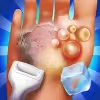
Foot Hospital is a friendly medical simulation browser game where you diagnose, clean, and bandage injured feet with satisfying, tactile tools. If you love online doctor games that are quick to learn yet rewarding to master, this one belongs on your playlist. Play the unblocked version wherever your network allows, then treat a steady flow of patients, beat timers, and earn top ratings. Click the Play button above to jump in, and keep reading for tips, controls, and smart strategies that help you progress faster in this free browser game.
Foot Hospital blends casual time management with simple medical mini‑procedures. Each patient arrives with a different foot issue, from minor cuts and bruises to thorns, blisters, or fungal spots. Your job is to select the correct tool, follow hygienic steps in order, and complete treatment before the timer runs out. The game is designed for quick sessions, so it fits perfectly into your coffee break or study downtime.
Doctor sims have been a staple of online gaming for years. Foot Hospital continues that trend by focusing on podiatry care with approachable, kid‑friendly visuals and intuitive touch or mouse controls. It channels classic browser game design: short levels, clear feedback, and a satisfying loop where precision and speed raise your score.
Foot Hospital uses bright, clean art with soft animations that keep the tone light. Visual cues highlight wounds that need attention, while subtle sound effects make each action, like disinfecting or applying bandages, feel responsive. The vibe is supportive and slightly playful, encouraging good hygiene, careful sequencing, and calm focus under a gentle time limit.
Each round opens with a patient overview. You inspect the foot, pick tools from a tray, then complete steps like washing, sterilizing, removing debris, treating infections, and bandaging. Correct order matters. The challenge ramps up with multiple wounds per patient, limited mistakes, and time pressure. Skilled players chain actions efficiently to earn bonus points and perfect ratings.
Game Modes
- Level Campaign: Progress through preset patients with rising difficulty and new tools introduced over time.
- Timed Sessions: Beat a countdown to treat all tasks for extra score multipliers.
- Free Practice: Revisit earlier cases to refine technique and improve star ratings.
How to Play
- Press Play above to load Foot Hospital.
- Review the patient’s foot and note highlighted problem areas.
- Select the correct tool, such as tweezers, antiseptic, cotton swabs, ointment, or bandages.
- Follow on‑screen prompts to clean, treat, and protect each wound in the right order.
- Work steadily to avoid errors and finish before the timer ends.
- Earn stars, coins, or badges, then advance to the next patient.
- Desktop: Use the mouse to click tools, drag to apply, and hold to scrub or rinse when prompted.
- Laptop trackpad: Tap to select, click‑and‑hold for continuous actions, and drag precisely along wound outlines.
- Mobile or tablet: Tap to choose tools, long‑press to clean, and swipe gently to remove debris.
Foot Hospital runs in the browser on modern devices with no download required. For best performance, use the current version of Chrome, Edge, Firefox, or Safari. Enable sound for helpful audio cues, and keep hardware acceleration on for smoother animations.
Mobile vs. Desktop Gameplay
- Mobile: Touch input feels natural for swabbing and bandaging. Short levels are perfect for on‑the‑go play.
- Desktop: A mouse can provide finer precision for thorn removal and tracing motions, which may help with perfect ratings.
Can I Play Offline?
Foot Hospital is an online browser game and typically requires an active internet connection to load assets and save progress. If your browser supports installing the page as an app, limited offline play may work after assets are cached, but that is not guaranteed.
Can I Play Unblocked?
Many school or work networks restrict gaming sites. If Foot Hospital is blocked on your network, try a different browser, use cellular data, or play from a home connection. Always follow your local rules and policies.
Beginner Tips
- Start with a quick scan of the entire foot to prioritize the biggest issues first.
- Follow the hygiene loop: wash, disinfect, treat, then bandage.
- Use short, controlled drags when applying ointment to avoid over‑application penalties.
- Watch for color changes that confirm you cleaned an area completely.
- Listen to audio cues, they often signal success or a missed spot.
Advanced Strategies
- Queue actions mentally: while rinsing, plan your next two steps to minimize cursor travel or finger movement.
- Master tool swapping with minimal cursor distance by learning tray layout.
- Leave bandaging for last so you do not cover untreated areas.
- Use the timer as a pacing tool, not a panic trigger. Aim for consistent rhythm to build perfect streaks.
- Replay early levels to farm higher ratings and practice precise swipes.
- If the game tracks combos, group fast, accurate actions to boost multipliers.
- Lower visual effects in browser flags only if your device stutters, then restore them when stable.
- 🩺 Hands‑on medical mini‑games with intuitive drag, tap, and hold actions.
- 🧼 Realistic hygiene flow that teaches clean‑before‑treat fundamentals.
- 🎯 Star ratings and bonus multipliers for fast, accurate care.
- 🧰 Expanding toolset, from tweezers and antiseptic to sprays and wraps.
- 🌈 Bright, friendly art style suitable for all ages.
- 🔊 Crisp sound effects that reinforce correct steps.
- ⚡ Quick levels designed for short sessions and repeat play.
- 💾 Browser‑based convenience with no download required.
- Complete all required steps for each wound before time runs out.
- Use the correct tool for each task to avoid accuracy penalties.
- Keep the treatment order logical: clean, disinfect, treat, protect.
- Do not skip prompts or you may lose streak bonuses.
- Finish with a secure bandage when indicated to lock in the score.
- Earn higher ratings to unlock extra cases or cosmetic tool skins where supported.
- Perfect streaks can trigger hidden bonus points in later levels.
- Replaying levels may reveal optional steps that raise star totals.
Play fair and avoid third‑party downloads. Browser game cheats are often unsafe and can put your device at risk. If you need an easier run, reduce distractions, close extra tabs, and practice tool sequences in earlier levels. Some versions include accessibility or difficulty options in the settings menu, which is the best way to adjust challenge safely.
Early levels teach basics like washing, disinfecting, and simple bandaging. Midgame cases add multiple injuries, debris removal, and timed rinses. Late levels combine steps in tighter windows that reward planning. Keep your tool order consistent, clear each highlight fully, then rotate to the next area with minimal cursor travel. A smooth rhythm beats frantic clicking every time.
Foot Hospital often uses a star or score system based on accuracy, time remaining, and error count. Avoid misclicks, finish treatments in optimal order, and chain actions without pauses to climb leaderboards or achieve perfect ratings. Replaying for a better grade is part of the progression loop, so track your best times and strive for clean, efficient runs.
If you enjoy quick, satisfying medical sims, Foot Hospital delivers a calming flow with just enough challenge to keep you engaged. Sessions are short, controls are intuitive, and the learning curve is gentle, which makes it a great pick for casual players and kids who love doctor games.
- Pros: Easy to learn, relaxing visuals, short levels, skill growth feels rewarding, free in the browser.
- Cons: Depth can feel light to expert players, repetitive music on long sessions, limited mechanics beyond core loop.
- Keep your browser updated for smoother canvas and audio performance.
- Close heavy tabs and background streams to reduce input lag.
- Enable hardware acceleration in settings and cap extensions that inject scripts.
- If sound pops, switch outputs or reload after toggling mute once.
- On mobile, disable battery saver during play for steadier frame pacing.
- Operate Now: Foot Surgery – A surgical sim with deeper procedures, ideal if you want more complex steps and realistic hospital tools.
- Foot Doctor Clinic – Treat splinters, bruises, and infections in quick levels that reward clean tool use and fast bandaging.
- Nail Doctor – Focuses on nail care and infections, perfect for players who enjoy precision cleaning and polish application.
- Hand Doctor – Similar mechanics with cuts, thorns, and scrapes on hands, offering a fresh set of mini‑procedures.
- Hospital Frenzy – A time management browser game where you route patients and balance stations for peak efficiency.
- Crazy Hospital – Cartoonish clinic chaos with upgrades and fast decision making across multiple departments.
- ER Hospital: Urgency Room – Triage and treat patients under pressure, a good step up in scheduling and prioritization.
- Heart’s Medicine – Character‑driven levels with multi‑step care, great for story lovers who want hospital gameplay variety.
- Amateur Surgeon – Over‑the‑top procedures with wild tools, fun if you like humor mixed with arcade surgery.
- My Hospital – Manage rooms, upgrades, and staff to deliver fast care across many conditions in a browser‑friendly loop.
- Surgery Master – Short, focused operations that test accuracy and timing with realistic instruments.
- Doctor Kids: Foot Clinic – Kid‑friendly art and simple steps, perfect for younger players practicing care and hygiene.
- Beauty Salon: Nail Spa – Relaxed polish and makeover gameplay that pairs well with light medical sims.
- Surgery Squad – Educational procedures with guided steps, good for players who enjoy learning while playing.
- Clinic Rush – Fast queue management and upgrades, great for fans of efficiency challenges.
FAQ
What is Foot Hospital about?
It is a casual medical simulation where you clean, treat, and bandage injured feet in short browser‑based levels.
Is Foot Hospital free to play?
Yes, it is a free online browser game with no download required.
Can I play Foot Hospital on mobile?
Yes, touch controls work well on most modern phones and tablets using Chrome, Safari, or another current browser.
Does Foot Hospital work without internet?
It usually needs an internet connection to load and save your progress.
How do I get better scores in Foot Hospital?
Follow the correct order, avoid misclicks, and finish quickly to earn higher star ratings and combo bonuses.
Are there violent elements in Foot Hospital?
No, the visuals are bright and friendly with mild medical effects suitable for most audiences.
What browsers are recommended?
Use updated Chrome, Edge, Firefox, or Safari for the best performance and audio timing.
Why is the game blocked at school?
Some networks restrict gaming sites, so try a different connection and follow local policies.
Do I need a powerful PC?
No, it runs on modest hardware, though closing extra tabs can help the game feel smoother.
Is there a tutorial?
Yes, early levels act as a tutorial with prompts that teach tool use and proper sequencing.
Foot Hospital delivers a clean, relaxing loop where smart sequencing and gentle precision turn everyday foot care into a satisfying game. Short levels, tactile tools, and friendly feedback make it a perfect pick when you want a light challenge that still rewards skill.
Ready to scrub in and start scoring perfect ratings? Press Play above, treat your first patient, and see how quickly you can climb from beginner to clinic star in Foot Hospital. Have fun, keep it clean, and chase those three‑star finishes.

 Loading...
 English
 Shqip
Shqip
 বাংলা
বাংলা
 Български
 简体中文
简体中文
 Hrvatski
 Čeština
 Dansk
Dansk
 Nederlands
 Suomi
Suomi
 Ελληνικά
 हिन्दी
 Magyar
 Bahasa Indonesia
 日本語
日本語
 한국어
한국어
 Lietuvių
 Bahasa Melayu
 Norsk
Norsk
 Polski
 Português do Brasil
 Română
 Slovenčina
 Slovenščina
 Svenska
 ไทย
ไทย
 Türkçe
 Українська
 اردو
اردو
 Tiếng Việt
 isiZulu
 Español
 Français
 Deutsch
 العربية
 Italiano
 فارسی
فارسی
 Русский