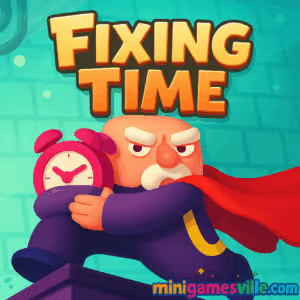
Ready to play now? Click the iframe above and jump into Fixing Time on minigamesville.com. Fixing Time is a clever online puzzle platformer built for quick, satisfying sessions right in your browser. If you enjoy time-bending brainteasers, smooth physics, and no-download fun, this unblocked browser game is your next obsession. Collect the clocks, dodge paradoxes, and restore the timeline, then come back here for pro tips and a mini walkthrough to master Fixing Time.
About Fixing Time
Fixing Time blends precision platforming with a unique time-clone mechanic. Each clock you grab records your path, then spawns a shadow that retraces your exact moves. Touch a shadow and the run resets, so careful routing is key. It is a tight, replayable browser game that rewards planning, timing, and light-speed reactions. Expect bite-size levels, crisp controls, and just enough challenge to make every victory feel earned.
History of Fixing Time
Time-loop platformers have been community favorites for years, but Fixing Time streamlines the formula for the modern web. Designed for instant play, it focuses on short stages, clear objectives, and the addictive risk of crossing paths with your past self. That elegant twist, combined with polished browser performance, is what keeps players chasing cleaner routes and faster clears.
Style & Vibe
The look is clean and readable, with bright clocks, sharp silhouettes, and minimal UI so you can focus on movement. Subtle effects sell each jump and checkpoint without cluttering the screen.

Gameplay in Fixing Time
Each level drops you into a compact lab space dotted with clocks. Grab one and a time clone appears, mirroring your exact route from a few seconds ago. Stack more clocks and you stack more clones. Your goal is to collect everything and reach the exit without touching any clone. The challenge ramps up as routes overlap, platforms move, and timing windows shrink. The satisfaction comes from plotting clean lines, baiting clones into safe loops, and hitting the portal with a flawless run.
Game Modes
- Single Player: Solo route planning and precision jumps across a growing set of levels.
- Local Co op: Two players share one keyboard. Coordinate paths to avoid collisions and finish faster.
- Speedrun Friendly: No formal timer required. Set personal bests by optimizing lines and minimizing backtracking.
How to Play
- Press play in the iframe and wait one moment for the level to load.
- Survey the arena. Identify all clocks and a safe exit line.
- Collect clocks in an order that keeps future clones out of your way.
- Use platforms, ladders, and safe pockets to let clones pass.
- After grabbing the last clock, head for the portal without touching any clone.
Controls
- Move: Arrow keys or A and D
- Jump: Space
- Two player: One uses WASD, the other uses Arrow keys
- Restart level: On screen button or R if shown
Device Compatibility & Browser Support
Fixing Time runs in modern browsers on desktop and mobile. For the smoothest experience, keep hardware acceleration on and close heavy tabs. Chrome, Edge, Firefox, and Safari are all supported.
Mobile vs. Desktop Gameplay
Desktop offers the tightest control with a keyboard. On mobile, the game supports touch overlays in many builds. A Bluetooth keyboard or gamepad can help on tablets if you want extra precision.
Can I Play Offline?
No. Fixing Time is an online browser game that streams content through the iframe, so an active internet connection is required.
Can I Play Unblocked?
Minigamesville is designed for fast, secure access. Fixing Time loads over HTTPS and works on most school or work networks. If your network blocks gaming sites, try a different approved browser profile or your mobile connection.
- Browser: Play Fixing Time free on minigamesville.com.
- Mobile apps: There are no official Google Play or App Store versions of Fixing Time at this time.
- Want something similar on mobile? Try these acclaimed puzzle adventures:
- Monument Valley on the App Store: Download
- Monument Valley NETFLIX on Google Play: Download
- Mekorama on the App Store: Download
- Mekorama on Google Play: Download
Tips & Tricks
Beginner Tips
- Plan first, move second. Visualize where each future clone will walk.
- Grab the hardest clock early. Future clones become hazards, so clear tricky spots before paths get crowded.
- Use corners as safe pockets. Duck into a nook and let a clone pass.
- Short hops are safer than full jumps. Keep momentum controllable.
Advanced Strategies
- Route layering: Build loops where clones circle harmlessly while you progress.
- Desync timing: Pause for half a beat after a pickup to stagger clone rhythms.
- Reverse thinking: Plan from the portal backward and connect the dots to the first clock.
- Co op optimization: Assign lanes. Player 1 clears upper platforms while Player 2 handles ground clocks.
Features
- Time-clone mechanic that turns your last route into a moving obstacle
- Bite-size levels perfect for short browser sessions
- Keyboard friendly controls with responsive jumps
- Logic-first design that rewards planning over brute force
- Optional local two player for tactical co op runs
- Instant restarts that invite speedrunning and route practice
- PC and mobile browser support
- Replayable stages with multiple clean-line solutions
Unlockables & Secrets
Fixing Time hides its depth in clean routes. Challenge yourself to perfect no-collision runs, discover alternate orders that reduce clone overlap, and find micro safe spots that shave a second off your path. Co op play can unlock creative skips when teammates bait clones away from key platforms.
Cheats & Mods
There are no built-in cheats. Third party mods or tampered builds risk performance or account safety. The best advantage is practice, smart routing, and a cool head during tight jumps.
Walkthrough Summary
Scan the arena, mark danger crossings, then collect the first clock that gives the widest future path. After each pick up, step aside to let the clone pass. Approach stacked clocks from outside-in so clones stay near walls, then finish with a clean line to the portal. In co op, one player acts as blocker while the other collects, swapping roles mid level if a lane gets crowded.
Scoring, Records & Progression
Progress by clearing levels in any order available. Track personal bests by timing yourself or counting restarts. Many players chase zero-touch clears and minimal-move routes for bragging rights.
Why Play Fixing Time
If you love smart browser games that run instantly, Fixing Time hits the sweet spot. It is simple to learn, hard to master, and perfectly suited to quick sessions that sharpen your platforming fundamentals.
Pros & Cons of Fixing Time
- Pros: Fresh time-clone twist, snappy controls, quick restarts, great for speedruns, plays on most devices.
- Cons: Keyboard precision shines more on desktop, later levels can spike if you rush routes.
- As of August 2025, the game runs smoothly in up to date Chrome, Edge, Firefox, and Safari.
- Enable hardware acceleration, close unused tabs, and pause streaming apps to reduce input lag.
- If you see stutter, switch to a private window or temporarily disable heavy extensions.
Similar games to Fixing Time
- Robot Awake — laser based logic puzzler where you route beams to wake robots.
- Green — minimalist level based brainteasers with color themed solutions.
- Mini Train — physics puzzles about guiding a train safely to the station.
- Tap It Away — tidy up the board by removing blocks in the right order.
- Correct Lie — quirky logic tests that twist common sense in funny ways.
- Diff — spot the differences against the clock with crisp visuals.
- The Sort Agency — organize, rank, and sort items under pressure.
- Circloo XL — precision circles platforming with momentum heavy physics.
FAQ
Is Fixing Time free to play?
Yes, Fixing Time is free to play in your browser on minigamesville.com.
Does Fixing Time work on school Wi Fi?
In many cases yes, this unblocked browser game loads over HTTPS and needs only standard web ports.
How long is a typical level?
Most stages are bite size and can be cleared in under a minute once you learn the route.
Is there a two player option?
Yes, local co op lets two players share one keyboard and coordinate routes.
Can I use a controller?
Keyboard is the default. Some browsers map gamepads, but a keyboard offers the best control.
Does Fixing Time save progress?
Progress is kept in your browser session. Avoid clearing site data if you want to keep unlocks.
Are there mobile apps for Fixing Time?
No, there are no official mobile apps. Try the mobile friendly recommendations listed above.
Conclusion
Fixing Time proves how fun an online puzzle platformer can be when smart mechanics meet instant browser play. Short stages, fast resets, and that brilliant clone twist make it a perfect skill builder for all levels.
Ready to restore the timeline? Scroll up and play Fixing Time on minigamesville.com. Collect the clocks, perfect your routes, and chase that flawless no collision run. Have fun fixing time.

 Loading...
 English
 Shqip
Shqip
 বাংলা
বাংলা
 Български
 简体中文
简体中文
 Hrvatski
 Čeština
 Dansk
Dansk
 Nederlands
 Suomi
Suomi
 Ελληνικά
 हिन्दी
 Magyar
 Bahasa Indonesia
 日本語
日本語
 한국어
한국어
 Lietuvių
 Bahasa Melayu
 Norsk
Norsk
 Polski
 Português do Brasil
 Română
 Slovenčina
 Slovenščina
 Svenska
 ไทย
ไทย
 Türkçe
 Українська
 اردو
اردو
 Tiếng Việt
 isiZulu
 Español
 Français
 Deutsch
 العربية
 Italiano
 فارسی
فارسی
 Русский