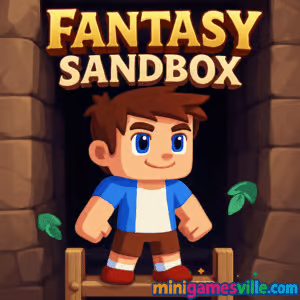
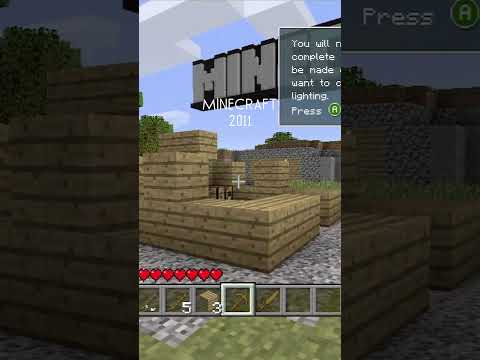
Click Play to jump into Fantasy Sandbox right here on minigamesville.com and start building your dream world today. Fantasy Sandbox is a creative online browser game that blends open-world exploration, crafting, and block-by-block construction. Whether you want to chill and build or dive into caves and hunt rare materials, this unblocked sandbox lets your imagination set the rules. Team up with friends, experiment with physics, and see how far your designs can go. Ready to play Fantasy Sandbox and craft something epic? Hit that button and begin.
About Fantasy Sandbox
In Fantasy Sandbox you enter a procedurally generated realm filled with mineable blocks, hidden chests, and a toolbox of placeable elements. The loop is simple and satisfying: gather resources, craft tools, then build structures that range from cozy cabins to wild redstone-style contraptions. The game runs right in your browser, so there is nothing to install and you can hop in for quick sessions or long creative sprints.
History of Fantasy Sandbox
Fantasy Sandbox was created as a lightweight HTML5 experience with a focus on fast loading times, intuitive building, and collaborative play. It takes inspiration from classic block builders while leaning into crisp performance and pick-up-and-play sessions that work great on school or work breaks.
Style & Vibe
Expect bright, friendly voxel visuals, punchy sound effects, and a clean interface that keeps your hotbar and crafting clear. Builds feel snappy, explosions feel crunchy, and the overall mood leans playful and creative rather than gritty survival.

Gameplay in Fantasy Sandbox
Start by punching through soft blocks or using basic tools to collect wood, stone, and ores. Open your backpack to manage resources, then place blocks to shape floors, walls, roofs, and decorative touches. Deeper layers hide rarer materials, while surface biomes are perfect for early builds. TNT and other interactables add a dash of chaos for testing physics or clearing areas fast. Whether you build solo or with friends, your world evolves as you experiment with new block types and smarter layouts.
Game Modes
- Solo Creative: Free build at your pace, perfect for sketching ideas and learning the toolset.
- Survival-style Sessions: Start with simple gear, gather, craft, and expand your shelter as you go.
- Multiplayer: Join friends to co-build cities, dig mega tunnels, or run themed role-play servers.
- Challenge Play: Self-imposed goals like tallest tower, fastest mine-to-tools run, or speed builds.
How to Play
- Press Play and spawn in a fresh world. Look around for trees, stone, or surface ores.
- Collect a starter stack of blocks, then open your backpack to sort inventory.
- Craft or equip basic tools, then mine faster to stock up on key materials.
- Lay a foundation, place walls and a roof, and add light to keep the area clear.
- Explore caves for better resources, expand your base, then decorate and refine.
Controls
- Move: WASD or Arrow Keys
- Jump: Space
- Place/Interact: Left Click
- Mine/Remove: Right Click
- Hotbar: Number Keys 1–9 or Mouse Wheel
- Backpack/Inventory: I
- Switch Foreground/Background Layer: X
- Sprint: Shift, if available
Device Compatibility & Browser Support
This browser game runs on modern Chromium-based browsers, Firefox, and Safari. For best results on desktop, keep hardware acceleration on, close heavy tabs, and allow the game a few seconds to compile shaders on first load. On mobile, rotate to landscape for better UI spacing and keep your device charged for smooth performance.
Mobile vs. Desktop Gameplay
- Desktop: Precise block placement, fastest mining, and easiest hotbar swapping with keyboard and mouse.
- Mobile: Great for quick builds and casual exploration. Touch controls are simplified and responsive.
Can I Play Offline?
Fantasy Sandbox requires an internet connection to load assets and to enable any online features. Keep your connection active for reliable saving and multiplayer.
Can I Play Unblocked?
Yes, Fantasy Sandbox is an unblocked browser game on minigamesville.com in most networks. If your school or office restricts games, access may vary by policy. Try switching to a modern browser and using the secure HTTPS version of the site.
- Browser: Play on minigamesville.com with no install.
- Official mobile apps: No official Google Play or App Store release for Fantasy Sandbox at this time.
- Want a similar mobile experience? Try Terraria on
App Store
and
Google Play.
Tips & Tricks
Beginner Tips
- Grab 20–30 blocks near spawn, then place a simple 5×5 shelter before wandering off.
- Keep your hotbar tidy: one slot for tool, two for primary blocks, one for light sources.
- Mine stair-style shafts to avoid fall damage and to climb back out quickly.
- Place temporary markers to track cave routes and surface exits.
- Use TNT outdoors or in cleared rooms to prevent collateral damage to builds.
Advanced Strategies
- Chunk your project: foundation, framing, facade, then details. This keeps momentum high.
- Alternate block textures for depth, for example wood pillars, stone trim, glass accents.
- Create resource loops, like quick-access quarry corridors that feed directly into your build site.
- Prototype with cheap blocks, then swap to premium materials once the silhouette feels right.
- In co-op, assign roles, miner, framer, decorator, to finish large builds faster.
Features
- 🧱 Snap-friendly block placement for fast building
- 🗺️ Procedurally generated worlds to explore
- 💎 Hidden chests and rare resources to find
- 🧰 Backpack and hotbar for slick inventory control
- 🧨 TNT and physics toys for creative demolition
- 👥 Solo or multiplayer sessions
- 📱 Desktop and mobile browser support
- ⚡ Quick loads and smooth WebGL performance
Unlockables & Secrets
Keep an eye out for uncommon biomes and tucked-away caves, they often hold rarer blocks and cosmetic surprises. Try digging behind natural walls or shifting layers to expose hidden passages.
Cheats & Mods
There are no official cheats or mod loaders for the in-browser version. For a fair and stable experience, stick to the built-in settings and avoid third-party scripts that can break save data or trigger network blocks.
Walkthrough Summary
First 10 minutes: gather wood and stone, craft basics, build a starter hut. Next 30 minutes: carve a clean mine entrance, collect coal-style fuel and metals, upgrade your tools. One hour in: blueprint a landmark build, set lighting, and expand storage. After that, it is all about refining details, experimenting with new materials, and collaborating with friends to make your world pop.
Scoring, Records & Progression
Fantasy Sandbox favors personal goals over formal scoring. Track progress by milestones, your tallest tower, longest cave network, fastest starter shelter, or rarest block collection. In multiplayer, set creative challenges or timed builds to keep sessions spicy.
Why Play Fantasy Sandbox
Fantasy Sandbox gives you a flexible playground to build, mine, and experiment without fuss. It loads fast, feels responsive, and shines when friends join and the ideas start to stack.
Pros & Cons of Fantasy Sandbox
- Pros: Instant play in browser, smooth building, great for quick creative bursts, fun with friends.
- Cons: Requires internet, fewer simulation layers than heavyweight PC sandboxes, touch aiming can be less precise.
- Keep your browser updated for the newest WebGL and input improvements.
- Enable hardware acceleration in settings for smoother frames.
- Close heavy extensions while you play, especially ad blockers or script injectors that can interfere with inputs.
- If stutter appears after long sessions, refresh the tab to clear memory.
Similar games to Fantasy Sandbox
- Village Builder, relaxed town-building with smart resource placement.
- Castle Blocks, freeform block stacking to design your dream fortress.
- Babel Tower, incremental tower construction that climbs to the clouds.
- Brainrot Craft, crafty building with a meme-flavored twist.
- Mini Train, puzzle-builder where you lay tracks to guide a tiny locomotive.
- Robot Awake, grid-based logic puzzles that scratch the engineer itch.
- Emoji Quest, lighthearted questing with collect-and-craft vibes.
- Duck Life Adventure Demo, train, explore, and kit out your duck in a playful RPG world.
FAQ
Is Fantasy Sandbox free to play?
Yes, you can play the browser game for free on minigamesville.com.
Does Fantasy Sandbox have multiplayer?
Yes, you can build solo or jump into sessions with friends for co-op creativity.
Will my progress save?
Your progress is tied to the current session and browser storage, keep the tab open and avoid clearing site data while you play.
Can I use a controller?
The game is designed around mouse and keyboard or touch, some controllers may work through browser mapping but results vary.
Is Fantasy Sandbox safe for school?
The game is an unblocked browser title in many districts, final access depends on your network rules.
What if the game runs slowly?
Close extra tabs, enable hardware acceleration, and refresh after long sessions to clear memory.
Conclusion
Creative, fast, and friendly, Fantasy Sandbox rewards your ideas with instant results. From cozy cottages to skyline-piercing towers, it gives you the tools to make something you are proud of in minutes.
Ready to mine, craft, and co-build with friends? Click Play to start Fantasy Sandbox on minigamesville.com, claim a patch of land, and turn it into a world worth showing off.

 Loading...
 English
 Shqip
Shqip
 বাংলা
বাংলা
 Български
 简体中文
简体中文
 Hrvatski
 Čeština
 Dansk
Dansk
 Nederlands
 Suomi
Suomi
 Ελληνικά
 हिन्दी
 Magyar
 Bahasa Indonesia
 日本語
日本語
 한국어
한국어
 Lietuvių
 Bahasa Melayu
 Norsk
Norsk
 Polski
 Português do Brasil
 Română
 Slovenčina
 Slovenščina
 Svenska
 ไทย
ไทย
 Türkçe
 Українська
 اردو
اردو
 Tiếng Việt
 isiZulu
 Español
 Français
 Deutsch
 العربية
 Italiano
 فارسی
فارسی
 Русский