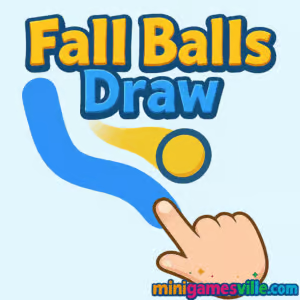
Click Play to start Fall Balls Draw on minigamesville.com and drop right into a clever physics puzzler you can enjoy online in your browser. Fall Balls Draw is a draw-to-guide, ball physics, logic puzzle that rewards creativity and clean lines. Sketch ramps, bridges, and bumpers so the falling balls reach their goals without hitting hazards. It loads fast, works as an unblocked browser game for many school and work networks, and plays great on desktop or mobile. Ready to sketch your winning route? Hit Play and try Fall Balls Draw now.
About Fall Balls Draw
Fall Balls Draw blends relaxing sketching with satisfying physics. Your lines instantly become solid platforms, so every stroke matters. The challenge ramps up as gaps widen, obstacles multiply, and precision drawings are required to shepherd balls to safety. If you enjoy brain teasers, logic puzzles, and tactile drawing mechanics, Fall Balls Draw delivers bite-size levels that are easy to pick up and hard to put down.
History of Fall Balls Draw
Draw-to-solve physics puzzlers have been a staple of web and mobile gaming for years. Fall Balls Draw takes that beloved formula and streamlines it for quick, satisfying runs in the browser. The minimalist presentation keeps the focus on smart line placement, clean physics, and repeatable challenges that reward experimentation.
Style & Vibe
Fall Balls Draw has a clean, minimalist aesthetic with bright colors and smooth animations. The game features a calming soundtrack that complements the focus on drawing and physics. Short, puzzle-focused levels with quick restarts create a satisfying flow for players.

Gameplay in Fall Balls Draw
The core loop is simple. Balls spawn above, gravity takes over, and you draw lines that become physical objects. Use ramps to redirect momentum, wedges to brake speed, and walls to protect from spikes. The physics are consistent, so smart angles and smooth curves make all the difference. Later stages introduce tighter spaces, multi-ball sequences, and collectibles that push you to optimize your path.
Game Modes
- Level Progression: Tackle handcrafted stages that teach, test, and then twist each skill.
- Challenge Goals: Aim for fewer strokes, cleaner routes, or collecting optional items to perfect levels.
- Speedrun-friendly: Quick resets and short stages make it easy to chase personal bests.
How to Play
- Press Play, then watch where the balls will fall.
- Draw lines under or ahead of the balls to create ramps, barriers, or catchers.
- Guide the balls to the safe zone or goal while avoiding hazards.
- Refine your path, reduce ink or strokes if the level tracks efficiency, and go for perfect clears.
Controls
- Desktop: Click and drag to draw, release to set. Use the reset or undo buttons when available.
- Mobile: Touch and drag to draw, lift to set. Tap UI buttons to retry or continue.
Device Compatibility & Browser Support
Fall Balls Draw runs in modern browsers on Windows, macOS, iOS, Android, and ChromeOS. For best performance use the latest version of Chrome, Edge, Safari, or Firefox, keep a stable connection, and close heavy background tabs.
Mobile vs. Desktop Gameplay
- Mobile: Finger drawing feels natural for quick sketches and curves.
- Desktop: Mouse or trackpad offers precision for tight angles and micro-corrections.
Can I Play Offline?
The game is delivered online. You need an internet connection to load and save progress.
Can I Play Unblocked?
Fall Balls Draw is a lightweight browser game on minigamesville.com. It often works on filtered networks that allow HTTPS gaming sites. If your network restricts games, try a different browser or device, or play from a non-restricted connection.
- Browser: Play on minigamesville.com, no download needed.
- Mobile stores: There is no official Google Play or App Store listing for Fall Balls Draw. If you want a similar draw-physics experience on mobile, try Brain Dots:
Tips & Tricks
Beginner Tips
- Draw fewer, smoother lines. Clean curves reduce chaotic bounces.
- Think ahead. Sketch a landing zone before a ramp so the ball does not ricochet off-screen.
- Use triangles to slow speed. A gentle wedge can bleed momentum safely.
- Restart quickly. Fast retries help you learn the physics and refine routes.
Advanced Strategies
- Chain interactions. A small bumper can set up a perfect second ramp later.
- Control spin. Angled exits add rotation that can roll the ball up shallow inclines.
- Optimize ink or strokes. Shorten lines by using gravity, not force, to do the work.
- Create funnels. V-shaped channels align multi-balls into tight goals.
Features
- 🧠 Smart physics puzzles that reward creative drawings
- ✏️ Instant line-to-object sketching for satisfying cause and effect
- ⚡ Quick restarts and short levels for perfect flow
- 📱 Playable on desktop and mobile browsers
- 🏆 Optional goals like fewer strokes or collectibles
- 🎯 Consistent physics that encourage mastery
- 🔊 Clean audio and minimal UI for focus
- ☁️ No downloads, just click and play
Unlockables & Secrets
Depending on the build, some levels include optional items or efficiency targets. Treat them like secondary goals to deepen replay value. Perfect lines that use minimal drawing often reveal surprisingly elegant solutions.
Cheats & Mods
There are no official cheats or mods. The best advantage is practice, clean inputs, and learning how small angle changes affect momentum.
Walkthrough Summary
Start by sketching stable catch platforms. Add a gentle ramp that drops the ball toward the goal. If your line is too steep, add a bumper to bleed speed. When two balls spawn, build a funnel so they do not collide unpredictably. Keep iterating until the route feels smooth and repeatable.
Scoring, Records & Progression
Many stages can be replayed for better efficiency, fewer strokes, or full collectibles. Track your personal bests and use them to test new lines. If you enjoy speedrunning, time your resets and keep your drawings minimal.
Why Play Fall Balls Draw
Fall Balls Draw is quick to learn and endlessly replayable. It scratches the same itch as pen-and-paper doodling but gives instant physics feedback that feels great when a plan comes together.
Pros & Cons of Fall Balls Draw
- Pros: Fast loads, intuitive drawing, consistent physics, great for short sessions.
- Cons: Later levels can be demanding, precision lines may require multiple retries.
- Use a current browser version and enable hardware acceleration.
- Close heavy tabs and background apps to reduce frame drops.
- If input feels laggy on mobile, lower system animations or increase screen sensitivity in settings.
Similar games to Fall Balls Draw
- Mini Train — guide cargo with clever physics so each car reaches the station.
- Robot Awake — redirect beams with mirrors to power up sleepy robots.
- Green — a creative one-color puzzle series packed with playful logic twists.
- Color Ball Chaos — fast ball juggling and sorting challenges with physics flair.
- Double Bounce — time your jumps and keep both balls alive through tricky layouts.
- Arrower — rotate arrows to guide tiles home across puzzle grids.
- Blumgi Castle — physics slingshot action where precise aim topples foes.
FAQ
Is Fall Balls Draw free to play?
Yes, it runs free in your browser on minigamesville.com with no install required.
Does Fall Balls Draw work on phones and tablets?
Yes, it plays in mobile browsers. Touch drawing feels natural for quick curves and ramps.
What genre is Fall Balls Draw?
It is a physics-based drawing and logic puzzle browser game with quick, level-based challenges.
How long is a typical level?
Most stages take under a minute once you find the right line. Expect several quick retries while testing ideas.
Can I pause or restart a level?
Yes, use the on-screen buttons to pause or restart instantly and refine your solution.
Does progress save?
Your progress is stored in the browser, so using the same device and browser helps keep your clears intact.
Conclusion
If you love sketching solutions and watching physics do the heavy lifting, Fall Balls Draw is your perfect coffee-break companion. Quick levels, instant restarts, and satisfying line craft make it easy to hop in and tough to put down.
Ready to test your creativity and control gravity with a few smart strokes? Click Play and enjoy Fall Balls Draw on minigamesville.com, right in your browser.

 Loading...
 English
 Shqip
Shqip
 বাংলা
বাংলা
 Български
 简体中文
简体中文
 Hrvatski
 Čeština
 Dansk
Dansk
 Nederlands
 Suomi
Suomi
 Ελληνικά
 हिन्दी
 Magyar
 Bahasa Indonesia
 日本語
日本語
 한국어
한국어
 Lietuvių
 Bahasa Melayu
 Norsk
Norsk
 Polski
 Português do Brasil
 Română
 Slovenčina
 Slovenščina
 Svenska
 ไทย
ไทย
 Türkçe
 Українська
 اردو
اردو
 Tiếng Việt
 isiZulu
 Español
 Français
 Deutsch
 العربية
 Italiano
 فارسی
فارسی
 Русский