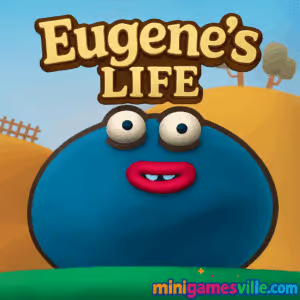
Ready to play Eugene’s Life right now on Minigamesville? Jump into this clay-crafted physics platformer and start bouncing to the finish flags. Eugene’s Life is a colorful online browser game that runs right here, unblocked and free to play. Inflate, squeeze, and roll your way through clever obstacles, then come back for faster runs and hidden collectibles. Hit Play above to launch Eugene’s Life, and keep this page open for pro tips, controls, and performance advice.
About Eugene’s Life
Eugene’s Life drops you into a handmade plastiline world with springy physics and smart level design. You guide a squishy hero who can inflate like a balloon to float, compress to slide through tight spaces, and bounce across hazards. Each stage mixes gentle puzzle solving with platforming precision, making it a perfect pick for quick sessions or deep score chasing. If you enjoy physics games with personality, Eugene’s Life delivers a charming challenge you can play in your browser.
History of Eugene’s Life
Built around a signature clay aesthetic and approachable physics, the game evolved from a level-by-level browser experience into a cross-device favorite. The visual identity comes from tactile, handcrafted props, then polished with satisfying squish and stretch animations that make every movement feel alive.
Style & Vibe
Think claymation meets arcade platformer. Soft textures, vibrant colors, and chunky UI elements make the world feel like a craft table come to life. The sound effects lean into rubbery pops and gentle clicks, which pairs nicely with the game’s upbeat pace.

Gameplay in Eugene’s Life
The loop is simple and satisfying: reach the flag, collect what you can, and try a cleaner route next time. Inflate to rise or soften landings, deflate to drop fast, and combine momentum with moving mechanisms like gears, springs, platforms, and levers. Levels introduce hazards gradually, then remix them into trickier sequences that reward patience, timing, and a little experimentation. Eugene’s Life shines when you link moves together, glide through sections, and nail a bounce you missed on your last run.
Game Modes
- Level-based adventure: complete handcrafted stages at your own pace.
- Speedrun your route: replay finished levels and chase cleaner, faster lines.
- Star and coin hunting: explore alternate paths to grab hard-to-reach pickups.
How to Play
- Press Play above to load Eugene’s Life in your browser.
- Start with the first level to learn inflate, deflate, and movement timing.
- Watch for gears, springs, and moving parts that can boost momentum.
- Grab stars on safer paths first, then return for the trickier ones.
- Replay levels to polish your line and reduce mistakes.
Controls
- Move: A/D or Left/Right Arrow keys
- Inflate and rise: W or Up Arrow
- Descend or squeeze: S or Down Arrow
- Menu and restart: on-screen buttons or Esc depending on your device
Device Compatibility & Browser Support
Eugene’s Life runs smoothly in modern browsers on desktop and mobile. For the best experience, use the latest version of Chrome, Edge, Firefox, or Safari with hardware acceleration enabled. Close heavy background tabs and keep your charger connected during long sessions on laptops or phones.
Mobile vs. Desktop Gameplay
Desktop offers precise keyboard control that makes tight jumps easier, while mobile shines for casual runs and quick retries. If you prefer fingertip play, enable on-screen controls and keep the device in landscape for better visibility.
Can I Play Offline?
The browser version needs an internet connection to load the game. After it loads, avoid refreshing or closing the tab. Mobile editions can be played without a connection after installation, which is handy for commutes or flights.
Can I Play Unblocked?
Yes, Eugene’s Life is a browser game that typically works on school or work networks with standard access. If your network filters games, try a different browser or contact your administrator about allowing minigamesville.com.
Tips & Tricks
Beginner Tips
- Feather the inflate key, short taps give more control than long holds.
- Use edges to your advantage, roll up ramps to bank speed before a jump.
- Pause near moving gears to learn their rhythm before committing.
- Collect easy stars first, then route a second pass for risky ones.
- Restart quickly after a mistake to preserve your flow.
Advanced Strategies
- Combine inflate at the peak of a bounce to extend airtime without losing control.
- Fast-fall with deflate to hit conveyor timing or duck under hazards.
- Use object momentum, ride moving platforms to slingshot into higher arcs.
- Memorize multi-step sequences in chunks, then stitch them together for speed runs.
- Optimize inputs, aim for fewer key presses and cleaner trajectories.
Features
- 🎨 Handmade clay look with satisfying squish and stretch
- 🧩 Physics puzzles that reward experimentation
- 🪀 Inflate, deflate, bounce, and slide mechanics
- ⚙️ Gears, springs, and levers that shape each route
- ⭐ Hidden collectibles and alternate paths
- 🔁 Quick restarts for speedy iteration
- 📱 Plays great on mobile or desktop
- 🎯 Level goals that encourage replay and mastery
Unlockables & Secrets
Look for tucked-away stars and side corridors off the main path. Many levels hide pickups behind moving mechanisms or beneath ramps. Revisit completed stages with a different approach to uncover the last few items.
Cheats & Mods
Eugene’s Life is best enjoyed as designed. Avoid third-party cheats or modified files, since they can break your save or harm device security. If you are stuck, replay the prior checkpoint and experiment with momentum rather than searching for exploits.
Walkthrough Summary
Early levels teach core movement, then blend in timing puzzles with gears and springs. Midgame emphasizes chaining bounces and using inflate at precise moments. Late levels challenge consistency with longer sequences and tighter windows. If a section feels tough, practice the entry setup, then link one more obstacle at a time.
Scoring, Records & Progression
Your best runs come from clean lines and smart use of inflating to maintain momentum. Track personal goals like all stars collected, fewest mistakes, or fastest clear time per level. Small refinements add up to big gains across a full run.
Why Play Eugene’s Life
It is easy to learn, hard to put down, and striking to look at. The clay art gives it heart, while the physics give it depth. Whether you want a quick burst of fun or a new speedrun obsession, Eugene’s Life fits the bill.
Pros & Cons of Eugene’s Life
- Pros: distinctive clay visuals, tight physics, fast restarts, replayable stages, works in browser.
- Cons: precision sections can spike difficulty, completionists will replay levels many times, mobile touch input is less precise than keys.
- Keep your browser updated and enable hardware acceleration.
- Close extra tabs, overlays, and heavy extensions while you play.
- On laptops, plug in for stable performance and higher frame rates.
- If input feels laggy, switch to a different browser or incognito window.
Similar games to Eugene’s Life
- Slime Laboratory — a slick physics platformer where a gooey blob squeezes past traps with precise movement.
- Big Tower Tiny Square — razor-sharp platforming that tests timing, wall jumps, and patience.
- Big Tower Tiny Square 2 — fresh layouts and new hazards for veteran tower climbers.
- Mini Train — thoughtful physics puzzles about building safe tracks with limited pieces.
- Kori Walk — quirky step-based platforming where every pace matters.
- CircloO XL — momentum-driven circles and gravity tricks wrapped in minimalist design.
- House of Hazards — physics mayhem and quick reactions in a booby-trapped home.
FAQ
Is Eugene’s Life free to play?
Yes, you can play Eugene’s Life free in your browser here, and the mobile editions are free to download.
What type of game is Eugene’s Life?
It is a physics-based platformer with puzzle elements and a handcrafted clay look.
Does Eugene’s Life work on school Chromebooks?
In most cases, yes. If your network blocks games, ask for access to minigamesville.com or try a different browser profile.
Can I use a gamepad?
Keyboard is recommended on desktop, but many controllers map well through your browser or an OS-level remapper.
How long is the game?
That depends on how many stars you chase and how clean your runs are. Expect to replay levels to master routes and shave time.
Does Eugene’s Life save my progress?
Your browser typically stores progress locally. Avoid clearing site data if you want to keep your saves.
Conclusion
Eugene’s Life brings a rare combo of warmth and finesse, mixing handcrafted clay art with responsive physics. Short levels make it easy to learn, while hidden routes and cleaner lines keep you striving for the perfect run.
Hit Play above to dive into Eugene’s Life on Minigamesville, then bookmark this page for tips, similar games, and quick links to the mobile versions when you want to continue on the go. Have fun bouncing, inflating, and saving the day.

 Loading...
 English
 Shqip
Shqip
 বাংলা
বাংলা
 Български
 简体中文
简体中文
 Hrvatski
 Čeština
 Dansk
Dansk
 Nederlands
 Suomi
Suomi
 Ελληνικά
 हिन्दी
 Magyar
 Bahasa Indonesia
 日本語
日本語
 한국어
한국어
 Lietuvių
 Bahasa Melayu
 Norsk
Norsk
 Polski
 Português do Brasil
 Română
 Slovenčina
 Slovenščina
 Svenska
 ไทย
ไทย
 Türkçe
 Українська
 اردو
اردو
 Tiếng Việt
 isiZulu
 Español
 Français
 Deutsch
 العربية
 Italiano
 فارسی
فارسی
 Русский