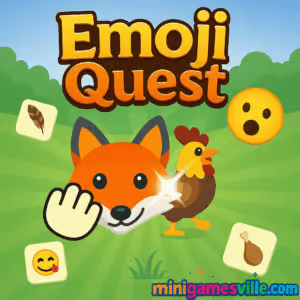
Ready to play Emoji Quest online right now? Tap the Play button above to jump into Emoji Quest on minigamesville.com and start your puzzle adventure. This bite-size browser game blends emoji logic with quick, satisfying challenges you can enjoy in any modern browser. If you love clever brain teasers, unblocked play at school or work, and fast-loading puzzle action, Emoji Quest is your new go-to. Play a level, chase a higher score, then come back for one more round.
About Emoji Quest
Emoji Quest is a light, logic-first puzzle browser game built for instant fun. Each stage asks you to read visual cues, connect the right emojis, and trigger smart combos that clear the board. It is streamlined for short sessions, quick restarts, and zero downloads. Whether you are squeezing in a coffee-break round or grinding to perfect a score, the snappy feedback loop encourages repeat runs and steady improvement.
History of Emoji Quest
Emoji-styled puzzlers exploded on mobile and web in the last few years, and Emoji Quest embraces that trend with a clean, browser-first design. The web version focuses on readable icons, smooth interactions, and levels that scale from simple matching to multi-step solutions with light power-up management. It is built to run well on everyday devices, which makes it ideal for on-the-go play.
Style & Vibe
Bright, high-contrast emoji tiles keep the board readable on phones and desktops. Animations feel poppy and quick, and sound effects punctuate each match. The overall tone is playful, with a feedback style that celebrates correct chains and nudges you toward smarter, longer links.

Gameplay in Emoji Quest
At its core, Emoji Quest is about pattern recognition and sequencing. You scan the grid, spot logical pairs or sets, then connect them to clear tiles, open space, and set up the next move. As levels progress, you will see blockers, locks, or limited-move stages that force you to think a few steps ahead. Chain reactions, lane clears, and boosted tiles reward planning. The physics remain snappy and predictable, so your success comes from routing and timing rather than luck.
Game Modes
- Adventure Levels: Handcrafted stages with unique layouts, goals, and occasional blockers.
- Time Attack: Beat the clock by clearing targets fast. Efficiency matters more than perfection.
- Endless Cascade: Survive as long as you can while the board refreshes and difficulty ramps.
How to Play
- Scan the board for obvious matches or emoji relationships.
- Click or tap to select, then drag to connect valid pairs or sets.
- Trigger combos by creating lines that set up follow-up links.
- Use boosted tiles to clear rows, columns, or clustered zones.
- Meet the level goal within the move or time limit to advance.
Controls
- Desktop: Left-click to select, hold and drag to connect, release to confirm.
- Keyboard: Optional shortcuts like R to restart level and P to pause, if available.
- Mobile: Tap to select and swipe to connect. Haptic feedback on supported devices.
Device Compatibility & Browser Support
Emoji Quest runs in-browser with no download. For the best performance, use current versions of Chrome, Edge, Firefox, or Safari. Hardware acceleration and a stable connection help the game load and animate smoothly.
Mobile vs. Desktop Gameplay
- Mobile: One-hand friendly, perfect for short sessions and quick retries.
- Desktop: Larger board view and precise mouse control for advanced routing.
Can I Play Offline?
Emoji Quest needs an internet connection to load and save progress. Keep your tab open and your connection stable for the best experience.
Can I Play Unblocked?
Emoji Quest is a lightweight browser game on minigamesville.com. It commonly works on school and work networks that allow gaming sites. If your network blocks games, try your home Wi-Fi or mobile data instead, and make sure you use HTTPS.
- Browser: Play Emoji Quest on minigamesville.com right in your web browser.
- Official mobile apps: There is no official Google Play or App Store release for this exact browser version.
- Want a similar mobile experience? Try Emoji Puzzle! on
Google Play
and
App Store.
Tips & Tricks
Beginner Tips
- Start with easy wins. Clear obvious pairs to create breathing room.
- Work from cluttered zones outward to prevent dead ends.
- Save boosted tiles for moments that unlock multiple matches.
- Watch the goal tracker so every move pushes the objective forward.
Advanced Strategies
- Plan two moves ahead. Set up cascades rather than clearing one-off pairs.
- Prioritize blockers and locks early to free critical lanes.
- Route combos through high-density areas to maximize tile turnover.
- In timed modes, favor consistent chains over perfect clears.
Features
- 🧩 Smart emoji logic that rewards pattern recognition
- ⚡ Satisfying chain reactions and board-clearing boosts
- 🎯 Level goals that range from score targets to tile objectives
- 📈 Smooth difficulty curve with replayable stages
- 📱 Touch-friendly controls plus crisp desktop precision
- 💾 Progress saving between sessions
- 🔊 Clean audio cues for matches and combos
- 🌈 Bright, readable visuals designed for small screens
Unlockables & Secrets
Expect cosmetic themes, new emoji sets, and occasional hidden bonus levels. Hitting score thresholds or perfect clears can reveal extra challenges that keep the loop fresh.
Cheats & Mods
There are no built-in cheats, and third-party mods can break saves or harm performance. Play fair to protect your progress and keep the puzzle flow stable.
Walkthrough Summary
Early stages teach basic matching and short chains. Midgame introduces tiles that restrict movement or visibility, so you will clear lanes first, then route combos. Late-game levels ask for measured risk, where one powerful boost at the right time can secure the win.
Scoring, Records & Progression
Scores scale with combo size, speed, and efficient tile clears. Stars or medals reflect how cleanly you met goals. Replaying levels to improve route quality is the fastest way to climb internal records and hit 3-star thresholds.
Why Play Emoji Quest
Emoji Quest gives you quick-hit puzzle satisfaction with zero friction. It is perfect for short bursts, yet deep enough to reward planning and routing. If you want an online puzzle you can launch instantly and enjoy unblocked on most networks, this fits the bill.
Pros & Cons of Emoji Quest
- Pros: Instant play in-browser, readable visuals, smooth difficulty curve, great for quick sessions.
- Cons: Requires internet, limited offline support, some modes can feel tight on small screens.
- Keep your browser up to date for better canvas and WebGL performance.
- Enable hardware acceleration in browser settings.
- Close heavy tabs or background video streams while you play.
- On mobile, disable battery saver if animations feel choppy.
- Clear cache if assets do not load on the first try.
Similar games to Emoji Quest
- Thief Puzzle — physics-flavored brainteasers where timing and logic solve each scene.
- Color Water Sort 3D — sort-and-pour logic with relaxing, color-matching puzzles.
- Wordslide — slide letters to form words and unlock satisfying chain solutions.
- Bubble Shooter — aim, pop, and set up big clears for classic arcade-style scores.
- Puzzle Blocks Classic — fit falling shapes perfectly to keep the board clean.
- Bubble Pop Adventures — fast bubble popping with light strategy layers.
- Suika Sort — merge and sort to manage space while chasing bigger combos.
- Ball Sort Soccer — sort balls by type to solve staged, incremental puzzles.
FAQ
What is Emoji Quest about?
Emoji Quest is a browser-based puzzle game where you connect emojis, trigger combos, and complete level goals for high scores.
Is Emoji Quest free?
Yes, you can play free in your browser with no download required.
Does Emoji Quest work on mobile phones?
Yes, it runs in mobile browsers with tap and swipe controls designed for small screens.
Can I play Emoji Quest offline?
No, the game needs an internet connection to load and save your progress.
Is Emoji Quest unblocked?
Emoji Quest usually works on open networks. If your school or office blocks gaming sites, try a personal connection.
Are there microtransactions?
In-browser play does not require purchases. Everything you need to enjoy levels is included.
What if the game does not load?
Refresh the page, close extra tabs, and make sure your browser is updated. Clearing cache often helps.
Is there a mobile app for this exact Emoji Quest?
No, this version is a web game. For a similar mobile experience, try Emoji Puzzle! on Google Play and the App Store using the links above.
Conclusion
Emoji Quest delivers quick, clever puzzle hits in a clean online package. The learnable rules and satisfying chain reactions make it easy to start and hard to stop. Whether you are warming up your brain or chasing a perfect run, the game rewards sharp eyes and smart planning.
Ready to match, connect, and clear? Hit Play above to start Emoji Quest on minigamesville.com, then share your best routes with friends and see who sets the top score.

 Loading...
 English
 Shqip
Shqip
 বাংলা
বাংলা
 Български
 简体中文
简体中文
 Hrvatski
 Čeština
 Dansk
Dansk
 Nederlands
 Suomi
Suomi
 Ελληνικά
 हिन्दी
 Magyar
 Bahasa Indonesia
 日本語
日本語
 한국어
한국어
 Lietuvių
 Bahasa Melayu
 Norsk
Norsk
 Polski
 Português do Brasil
 Română
 Slovenčina
 Slovenščina
 Svenska
 ไทย
ไทย
 Türkçe
 Українська
 اردو
اردو
 Tiếng Việt
 isiZulu
 Español
 Français
 Deutsch
 العربية
 Italiano
 فارسی
فارسی
 Русский