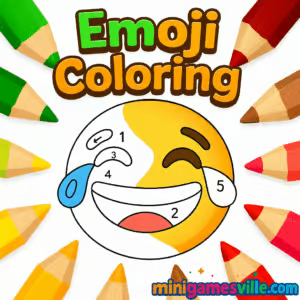
Play Emoji Coloring now on Minigamesville and splash vibrant hues across your favorite smileys, hearts, and icons. Emoji Coloring is an online coloring browser game that blends relaxing color-by-number flow with freehand creativity. Whether you have two minutes or twenty, jump in, pick a palette, and bring expressive emojis to life. Ready to unwind and get artsy? Tap the canvas above and start coloring on minigamesville.com. This playful unblocked coloring experience loads right in your browser, no downloads needed.
About Emoji Coloring
Emoji Coloring keeps the focus on stress-free creativity. You tap, swipe, or click to fill cute emoji outlines with solid shades, gradients, or textured fills. The game is simple enough for kids yet soothing for adults, with clean UI, satisfying animations, and progress that makes every page feel complete. If you love casual art apps, color-by-number puzzles, and zen gameplay, Emoji Coloring will fit perfectly into your break-time routine.
History of Emoji Coloring
Emoji Coloring follows the rise of color-by-number games and the global language of emojis. As browsers have grown more powerful, lightweight art apps like this one moved online, giving players instant access on any device. Today, Emoji Coloring delivers tap-to-fill relaxation without installs, making it a go-to choice for quick creative sessions at school, work, or home.
Style & Vibe
The vibe is cheerful, clean, and modern. Expect bold outlines, friendly palettes, and satisfying fill effects that make each emoji pop. Soft sound cues and subtle particle sparkles keep things relaxing without getting in the way.

Gameplay in Emoji Coloring
Each page presents an emoji or mini scene. Choose a palette, then tap to fill areas. Switch between Free Paint and guided palettes to match your mood. The flow is pick, color, and complete, with optional zoom for small corners. Light challenges come from finishing details neatly, experimenting with blends, and hitting completion goals. Emoji Coloring emphasizes calm, low-pressure play that rewards you with a crisp, finished picture every time.
Game Modes
- Free Paint: Pick any color and freestyle your emoji masterpiece.
- Guided Palette: Follow preset swatches for harmonious results.
- Timed Sprint: Optional quick-timer pages for a fast, focused session.
- Daily Page: A rotating emoji canvas to keep your streak alive.
How to Play
- Press Play and select an emoji page.
- Pick a palette or stay in Free Paint.
- Tap or click inside a region to fill it, then zoom to tidy the edges.
- Finish all regions until the completion badge appears.
- Save a snapshot and move on to the next emoji.
Controls
- Desktop: Mouse click to fill, scroll to zoom, click-drag to pan.
- Mobile/Tablet: Tap to fill, pinch to zoom, drag to pan, long-press to sample a color.
Device Compatibility & Browser Support
Emoji Coloring is built for quick, smooth play across modern browsers. It runs on Chrome, Edge, Firefox, and Safari. Touch controls feel natural on iOS and Android, while mouse precision shines on desktop.
Mobile vs. Desktop Gameplay
- Mobile: Great for short coloring bursts, intuitive pinch-to-zoom.
- Desktop: Best for precision fills and longer sessions with larger canvases.
Can I Play Offline?
Emoji Coloring is an online browser game, so you need an internet connection to load pages and assets. Some browsers may cache a page for brief replays, but full functionality requires a live connection.
Can I Play Unblocked?
Yes, many players can enjoy Emoji Coloring unblocked at school or work because it runs in-browser and needs no downloads. Access always depends on local network policies. If your network filters games, try a personal device on a trusted connection.
- Browser: Play Emoji Coloring on minigamesville.com.
- Official mobile apps: There is no official Emoji Coloring app at the moment. Want a similar on-the-go experience? Try Happy Color, a top color-by-number app:
Tips & Tricks
Beginner Tips
- Start with Guided Palette to learn harmonious color sets.
- Zoom in on small shapes to avoid color spills.
- Use lighter shades for highlights and darker tones for depth.
- Save finished pages to track your favorite combinations.
Advanced Strategies
- Block large regions first, then detail the tiny corners for a cleaner finish.
- Try complementary color accents to make eyes, hearts, and stars stand out.
- Layer gradients from outer edges inward to give emojis a rounded look.
- Build personal palettes for quick access to your signature style.
Features
- 🎨 Relaxing tap-to-fill coloring with crisp outlines
- 😊 Dozens of emoji-themed pages with playful expressions
- 🌈 Free Paint and guided palettes for any mood
- 🔍 Smooth zoom and pan for detail work
- ⏱ Optional timed sprints for quick challenges
- 🏆 Completion badges and shareable snapshots
- 📱 Touch friendly on phones and tablets
- ⚡ Fast loading, no download required
Unlockables & Secrets
Keep an eye out for new emoji sets and seasonal pages. Some builds add streak rewards or bonus palettes after consecutive completions. If you see a gift or star icon, finish pages in a row to unlock it.
Cheats & Mods
There are no official cheats for Emoji Coloring. Avoid modded clients or unauthorized extensions, as they can break saves or jeopardize your device. Stick to the official browser version for smooth, safe play.
Walkthrough Summary
Pick a page, choose a color set, and work from big shapes to small details. Use zoom for corners, then apply accent shades to eyes, blush, or shadows. When every region is filled, the badge confirms your finished emoji.
Scoring, Records & Progression
Emoji Coloring focuses on completion rather than competition. Your progress is reflected in finished pages, optional timers, and personal galleries. Try beating your best time on repeat pages or building a streak for daily wins.
Why Play Emoji Coloring
It is instant, soothing, and creative. You get the joy of painting without the mess, right inside your browser. Whether you want calm vibes or a fast coloring sprint, Emoji Coloring adapts to your schedule.
Pros & Cons of Emoji Coloring
- Pros: Zero installs, quick loading, friendly controls, perfect for short sessions, great for kids and adults.
- Cons: Requires internet, competitive players may want deeper scoring, content focus is emoji themed.
- Use the latest Chrome, Edge, Firefox, or Safari for the smoothest play.
- Close extra tabs, enable hardware acceleration, and keep your GPU drivers up to date.
- On mobile, free space and disable Low Power Mode for steadier frame rates.
Similar games to Emoji Coloring
- Emoji Quest — a cute emoji adventure with simple puzzle beats and cheerful visuals.
- Color Ball Chaos — a fast color-matching challenge that tests reflexes and timing.
- Cozy Garden Design — relaxing design play, place decor and craft your dream garden.
- Funny Hair Salon — creative styling with bright dyes and silly hair tools.
- Tap It Away — a satisfying tap-to-clear puzzle with crisp animations.
- Funny Haircut — charming makeover play with bold colors and playful props.
FAQ
What is Emoji Coloring?
Emoji Coloring is a casual online coloring browser game where you tap to fill emoji pages with paint, gradients, and fun palettes.
Is Emoji Coloring free to play?
Yes, it runs free in your browser on minigamesville.com with no download required.
Does Emoji Coloring work on phones?
Yes, it supports touch controls on iOS and Android through mobile browsers.
Can I play Emoji Coloring unblocked at school?
Many schools allow it because it is a lightweight browser game, but access depends on your network rules.
Is there an app for Emoji Coloring?
There is no official mobile app right now. For a similar experience, try Happy Color on the App Store or Google Play.
How do I save my artwork?
Use your device’s screenshot tool to save and share your finished emoji pages.
Conclusion
Emoji Coloring is the perfect low-friction creative break. Pick a page, tap to paint, and watch your emoji spring to life with glossy highlights and friendly color pops. It is simple, soothing, and endlessly replayable.
Ready to color your mood brighter? Press Play above to jump into Emoji Coloring on minigamesville.com, explore fresh palettes, and finish a page in just a few minutes. Your next mini masterpiece is one tap away.

 Loading...
 English
 Shqip
Shqip
 বাংলা
বাংলা
 Български
 简体中文
简体中文
 Hrvatski
 Čeština
 Dansk
Dansk
 Nederlands
 Suomi
Suomi
 Ελληνικά
 हिन्दी
 Magyar
 Bahasa Indonesia
 日本語
日本語
 한국어
한국어
 Lietuvių
 Bahasa Melayu
 Norsk
Norsk
 Polski
 Português do Brasil
 Română
 Slovenčina
 Slovenščina
 Svenska
 ไทย
ไทย
 Türkçe
 Українська
 اردو
اردو
 Tiếng Việt
 isiZulu
 Español
 Français
 Deutsch
 العربية
 Italiano
 فارسی
فارسی
 Русский