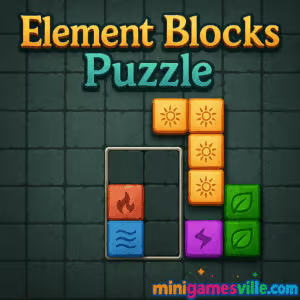
Ready to relax and sharpen your brain? Hit Play and enjoy Element Blocks Puzzle right here on minigamesville.com. Element Blocks Puzzle is a clean, satisfying block‑placement puzzle you can play online in your browser with zero downloads. Clear lines, chase high scores, and unwind anytime with this unblocked, mobile‑friendly browser game.
About Element Blocks Puzzle
Element Blocks Puzzle blends the calm of a classic block puzzle with the clarity of modern HTML5 design. You drag varied shapes onto a grid to form full rows or columns, earning points and creating space for your next pieces. The rules are simple, yet the decisions get delightfully tricky as the board fills up. Whether you are after a quick coffee‑break run or a long score chase, Element Blocks Puzzle delivers a smooth, low‑friction experience that plays great on desktop and mobile.
History of Element Blocks Puzzle
This style of line‑clear puzzler found a second golden age with HTML5, where fast loading, touch‑friendly controls, and cross‑device play made it perfect for browsers. Over time, Element Blocks Puzzle expanded beyond the web with quality‑of‑life touches like achievements and optional power‑ups on mobile, while keeping its relaxed, strategic core intact.
Style & Vibe
Expect bright elemental themes, soothing audio, and clean animations that make every line clear feel crisp. The interface stays out of the way, so you can focus on the next smart placement and that satisfying chain of clears.

Gameplay in Element Blocks Puzzle
The core loop is elegant. You receive a set of block shapes. Place them on the grid to complete horizontal or vertical lines. Completed lines vanish, granting points and freeing space. The round ends when no piece fits. Element Blocks Puzzle rewards foresight, board management, and efficient use of boosters in versions that include them. Big combos from clearing multiple lines at once push your score into record territory.
Game Modes
- Classic Endless: The signature mode. Survive as long as you can while chasing a personal best.
- Daily or Challenge Goals: In some builds, short tasks or star goals add variety to your runs.
- Power‑Up Play: Earn or spend stars to trigger helpful effects during tight spots, depending on the version you are playing.
How to Play
- Look at your available pieces and visualize where they fit best on the grid.
- Drag a piece into position to complete rows or columns and open future placements.
- Chain multiple line clears to boost your score.
- When available, use power‑ups to clear space or swap pieces during crunch time.
- Keep the board breathable. The game ends when no pieces fit.
Controls
- Desktop: Click and drag with your mouse, release to place.
- Mobile or tablet: Tap and hold to drag, lift your finger to drop.
- Menu and power‑up buttons are tap or click based.
Device Compatibility & Browser Support
The online version runs in modern browsers like Chrome, Firefox, Edge, and Safari on desktop and mobile. No plugins required. Keep your browser updated for the best frame rate and input response.
Mobile vs. Desktop Gameplay
On desktop, precision drag‑and‑drop and a larger field of view make longer sessions comfortable. On mobile, touch controls feel natural and perfect for quick plays on the go. Your strategy carries over either way.
Can I Play Offline?
In‑browser play generally requires an internet connection. The mobile apps can be enjoyed offline after install, though some features like events or cloud sync may require connectivity.
Can I Play Unblocked?
Element Blocks Puzzle on minigamesville.com is a lightweight browser game that typically works on most networks. If you are on a restricted connection, try switching browsers or a different network.
Tips & Tricks
Beginner Tips
- Keep a corner open. Corners give you flexible placement options later.
- Place largest or awkward pieces first while the board is spacious.
- Build for lines, not patches. Aim to complete rows or columns every few moves.
- Leave room for straight pieces. They rescue clogged boards.
- If power‑ups exist in your build, save them for near‑dead boards, not early convenience.
Advanced Strategies
- Plan around your next piece queue. Preserve shapes that match what is coming.
- Create double threats, spots where a single placement completes two lines.
- Symmetry helps. Mirror your placements to maintain balance across the grid.
- Think in cavities. Avoid tiny one‑cell holes that only a single dot can fill.
- Chase multi‑line clears carefully, but never at the cost of board safety.
Features
- 🧩 Relaxing line‑clear puzzle with clean visuals
- 🖱️ Smooth drag‑and‑drop controls on desktop and touch
- 📈 Endless score‑chasing gameplay loop
- ⭐ Optional power‑ups and achievements on mobile
- 🎧 Chill audio and satisfying clear effects
- ⚡ Quick loads, no downloads in the browser
- 📱 Plays great on phones, tablets, and laptops
- 🌐 Unblocked‑friendly online experience
Unlockables & Secrets
Depending on platform, you may earn stars or achievements for streaks, combos, or milestone scores. Some builds include unlockable boosters or themes. Keep clearing lines and chasing higher scores to reveal more.
Cheats & Mods
There are no official cheats. Third‑party mods or trainers can break saves or cause instability. Play fair, learn the board flow, and your scores will climb naturally.
Walkthrough Summary
Start by placing large shapes to carve structure into the board. Use smaller pieces to stitch lines together. Watch the preview pieces and leave lanes open for long blocks. When the grid gets tight, think two moves ahead, then cash in power‑ups if your version provides them. Repeat, stabilize, and convert pressure into multi‑line clears for big points.
Scoring, Records & Progression
You score by clearing lines, with extra points for clearing multiple lines at once. Some mobile versions track achievements or leaderboards. Keep a simple goal: survive longer, clear smarter, and keep improving your personal best in Element Blocks Puzzle.
Why Play Element Blocks Puzzle
It is quick to learn and endlessly replayable. The game hits that sweet spot between relaxing flow and thoughtful placement that keeps you coming back for just one more run. Whether you prefer desktop precision or mobile convenience, you get a polished, low‑stress puzzle that respects your time.
Pros & Cons of Element Blocks Puzzle
- Pros: simple rules, deep strategy, fast loads, great for short breaks, unblocked‑friendly browser play.
- Cons: no hard puzzle levels in the classic endless format, tight boards can feel luck‑leaning if you mismanage space.
- Keep your browser up to date for the smoothest animations.
- Close heavy tabs and extensions before a long score chase.
- On mobile, disable battery saver while playing to avoid frame dips.
- If touch input feels sticky, refresh the page and continue your session.
Similar games to Element Blocks Puzzle
FAQ
Is Element Blocks Puzzle free to play?
Yes, you can play the browser game free on minigamesville.com, and the mobile apps are free with optional extras.
Does Element Blocks Puzzle have levels?
The core is an endless score chase. Some versions include goals, achievements, or challenges.
Can I rotate pieces?
Rotation rules depend on the specific build. Plan placements assuming fixed orientations for consistent results.
How do I get higher scores?
Prioritize space management, set up double clears, and avoid small holes that strand future pieces.
Are there power‑ups?
Certain versions include optional power‑ups you can earn or unlock to clear space during tough moments.
Does it work on school or work networks?
Element Blocks Puzzle is a lightweight online browser game that usually works, though network policies vary by location.
Will the game save my progress?
Endless runs are self‑contained. On mobile, achievements or leaderboards may track your milestones.
Which devices are supported?
Modern desktop and mobile browsers work well. There are official iOS and Android apps for on‑the‑go play.
Conclusion
Clean rules, satisfying clears, and a steady flow of smart decisions make Element Blocks Puzzle a go‑to online puzzle for any mood. It is perfect when you want to chill, yet it rewards serious score chasers too.
Ready to place that perfect piece? Click Play above to jump into Element Blocks Puzzle on minigamesville.com, or grab it on App Store and Google Play for your daily brain‑soothing break.

 Loading...
 English
 Shqip
Shqip
 বাংলা
বাংলা
 Български
 简体中文
简体中文
 Hrvatski
 Čeština
 Dansk
Dansk
 Nederlands
 Suomi
Suomi
 Ελληνικά
 हिन्दी
 Magyar
 Bahasa Indonesia
 日本語
日本語
 한국어
한국어
 Lietuvių
 Bahasa Melayu
 Norsk
Norsk
 Polski
 Português do Brasil
 Română
 Slovenčina
 Slovenščina
 Svenska
 ไทย
ไทย
 Türkçe
 Українська
 اردو
اردو
 Tiếng Việt
 isiZulu
 Español
 Français
 Deutsch
 العربية
 Italiano
 فارسی
فارسی
 Русский