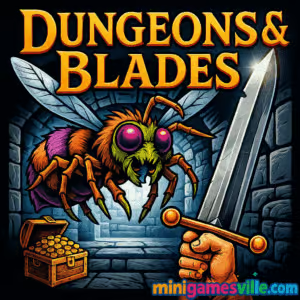
Click Play and jump into Dungeons & Blades right now on minigamesville.com. This fast, first-person dungeon crawler is built for quick, satisfying swordplay in your browser. If you love action RPGs, this online fantasy adventure lets you block, slash, and stab your way through creepy corridors without downloads. Play Dungeons & Blades unblocked wherever your browser works, rack up loot, and chase deeper rooms for high scores. Ready to gear up and swing steel? Hit Start and conquer the dungeon today.
About Dungeons & Blades
Dungeons & Blades is a first-person, hack-and-slash browser game that distills dungeon crawling into sharp, skill-based combat. Learn enemy tells, time your blocks, then chain slashes and thrusts to survive waves of chittering monsters. Weapons, shields, and enchantments drop as you progress, encouraging you to tweak your build and push one room farther each run. It is perfect for short play sessions, yet deep enough to reward mastery.
History of Dungeons & Blades
Created by FM Studio, the team known for stylish indie adventures, Dungeons & Blades brings their moody atmosphere to a compact first-person melee experience you can play in any modern browser. It has quickly become a favorite for players who want responsive sword combat without heavy installs.
Style & Vibe
Expect torchlit corridors, echoing steel, and chunky medieval gear. The vibe leans dark fantasy with a clean UI that keeps your focus on timing and spacing. Each room layers tension with new enemy packs and narrow windows for parries and counterattacks.

Gameplay in Dungeons & Blades
Every run in Dungeons & Blades flows through bite-size arenas. Enemies telegraph attacks, you read the swing, then answer with a block or sidestep and return a precise thrust or sweeping slash. Positioning matters, as does stamina awareness. Clear a room, collect a reward, and move deeper for better gear. Difficulty escalates with sturdier foes and tighter attack windows, testing your reactions and rhythm.
Game Modes
- Dungeon Run progressive rooms that grow harder, ideal for score chasing and loot.
- Room Challenges short skill tests that emphasize blocking, perfecting combos, or speed.
- Practice Arena warm up your timing against basic enemy patterns before a serious run.
How to Play
- Watch enemy tells. When a hit is coming, get your shield up first.
- Counter with a quick thrust, then follow with a heavy slash when the target is staggered.
- Collect dropped weapons, shields, and enchantments between rooms.
- Push your luck for better loot, or extract early if your health is low.
- Refine your build and try again to beat your deepest room and best score.
Controls
- Keyboard A or Left Arrow to Block, W or Up Arrow to Thrust, D or Right Arrow to Slash.
- Mouse use to navigate menus and confirm actions.
- Touch on mobile browsers, on-screen buttons mirror block, thrust, and slash.
Device Compatibility & Browser Support
Dungeons & Blades runs in Chromium-based browsers like Chrome and Edge, plus Firefox and Safari with WebGL enabled. It plays great on desktop, laptops, Chromebooks, iPhone, and Android devices. For best performance, keep only a few tabs open, enable hardware acceleration, and switch the game to fullscreen.
Mobile vs. Desktop Gameplay
- Mobile tap controls are responsive and ideal for quick sessions. Use fullscreen and portrait or landscape based on comfort.
- Desktop keyboard inputs give the tightest timing for perfect blocks and longer runs.
Can I Play Offline?
The browser version requires an internet connection. Keep your connection stable for smooth asset loading and to save your session.
Can I Play Unblocked?
Yes, many schools and workplaces allow HTTPS browser games like Dungeons & Blades. If your network blocks games, try a different browser, update to the latest version, or ask your admin to allow minigamesville.com.
- Browser play Dungeons & Blades on minigamesville.com, no download required.
- Mobile stores there is no official Google Play or App Store version of Dungeons & Blades at this time.
- Similar mobile suggestion want a native mobile dungeon crawler? Try The Elder Scrolls: Blades on
Google Play and
App Store.
Tips & Tricks
Beginner Tips
- Lead with defense. A well-timed block opens a safe window for damage.
- Thrust after a block, then finish with a slash for reliable two-hit chains.
- Prioritize a sturdier shield early. Survivability multiplies your loot per run.
- Grab enchantments that boost stamina or block efficiency for longer combos.
- Extract if your potion count is low before a boss-style wave.
Advanced Strategies
- Animation cancel by starting a block as your slash completes to reset faster.
- Bait attacks to the shield side, then sidestep for a back-angle thrust.
- Swap to a thrust-friendly weapon for armored foes and a heavier blade for swarms.
- Track enemy attack cycles and pre-position so you never have to block twice in a row.
- Push deeper only when your gear plus consumables cover at least two mistake windows.
Features
- ⚔️ Snappy first-person sword combat with readable enemy tells
- 🛡️ Reactive blocking and parry windows that reward timing
- 🎒 Loot drops with weapons, shields, and handy enchantments
- 🏰 Room-by-room progression that escalates in challenge
- 📈 Score chasing for depth, speed, and clean rooms
- 📱 Smooth online play in mobile and desktop browsers
- 🎯 Simple controls that are easy to learn, tough to master
- 🧭 Short sessions that fit lunch breaks or commute time
Unlockables & Secrets
Deeper rooms yield better loot tables. Watch for side alcoves that hide chests and enchantments, and experiment with weapon pairings to unlock new synergy in your combos.
Cheats & Mods
There are no official cheats or mods for this browser game. Third-party tools can hurt performance or break saves, so stick to the in-game options for the best, fairest run.
Walkthrough Summary
Start with shield upgrades, then learn one safe combo: Block → Thrust → Slash. Use that foundation while you study enemy patterns, upgrade gear after each milestone room, and retreat before your last potion is gone. Repeat with better loot and tighter timing until you beat your depth record.
Scoring, Records & Progression
Your run score improves as you clear rooms efficiently, avoid damage, and chain clean counters. Progression comes from learning attack patterns, improving gear, and managing risk. Track your deepest room and try to beat it with fewer hits taken.
Why Play Dungeons & Blades
If you want crisp swordplay without a massive download, Dungeons & Blades is a perfect pick. It is quick to start, addicting to master, and friendly to both mobile taps and keyboard inputs. Few browser games nail first-person melee this well.
Pros & Cons of Dungeons & Blades
- Pros responsive combat, short sessions, plays on almost any device, satisfying loot loop.
- Cons compact scope, higher waves can feel punishing until you learn patterns, requires internet.
- Use an up-to-date browser with hardware acceleration enabled.
- Close heavy tabs or extensions that compete for GPU time.
- Switch to fullscreen to reduce desktop UI overhead.
- On mobile, disable battery saver during play for steadier frames.
- If input feels laggy, clear cache or try an incognito window.
Similar games to Dungeons & Blades
- Horror Dungeon 3D first-person dungeon crawling with tense, close-quarters fights.
- Soulspark a fantasy action RPG vibe with spells, gear, and steady progression.
- Archer Castle defend your stronghold with precise shots and timing-based attacks.
- Blumgi Castle physics-powered sieges where aim and power matter.
- Stickman Go agile platforming and melee scraps for quick action bursts.
- Elemental Master blast foes with magical projectiles and crowd-control spells.
- Nekopirate: Quest for Gold a jaunty treasure hunt with swashbuckling flair.
FAQ
What kind of game is Dungeons & Blades?
It is a first-person, action dungeon crawler browser game with timing-based melee combat and light loot progression.
Do I need to download anything to play?
No, Dungeons & Blades runs online in your browser on minigamesville.com.
Is Dungeons & Blades unblocked at school?
Many networks allow it, but access depends on local filters. If blocked, try another browser or ask your administrator to allow the site.
Does progress carry between devices?
If you use the same browser profile and keep cookies enabled, your local progress can persist. Clearing data or switching devices may reset it.
What are the best beginner weapons?
Start with a balanced sword and a sturdy shield, then upgrade defense first to survive longer rooms.
Why does my game stutter?
Close extra tabs, enable hardware acceleration, and switch to fullscreen. On mobile, turn off battery saver and keep your device cool.
Is there a native mobile app?
There is no official mobile app for Dungeons & Blades. If you want a similar native experience, try The Elder Scrolls: Blades on Google Play or App Store.
Can I pause mid-run?
Yes, use the in-game pause or menu button to take a breather before the next engagement.
Conclusion
Dungeons & Blades trims dungeon crawling to its sharpest core. Clean inputs, clear enemy tells, and satisfying counters make every room a tiny duel. Play on your laptop or phone, no installation, just instant swordplay.
Ready to test your timing and climb deeper? Hit Play on minigamesville.com, grab your shield, and make Dungeons & Blades your new go-to browser challenge. See how far your best run can go today.

 Loading...
 English
 Shqip
Shqip
 বাংলা
বাংলা
 Български
 简体中文
简体中文
 Hrvatski
 Čeština
 Dansk
Dansk
 Nederlands
 Suomi
Suomi
 Ελληνικά
 हिन्दी
 Magyar
 Bahasa Indonesia
 日本語
日本語
 한국어
한국어
 Lietuvių
 Bahasa Melayu
 Norsk
Norsk
 Polski
 Português do Brasil
 Română
 Slovenčina
 Slovenščina
 Svenska
 ไทย
ไทย
 Türkçe
 Українська
 اردو
اردو
 Tiếng Việt
 isiZulu
 Español
 Français
 Deutsch
 العربية
 Italiano
 فارسی
فارسی
 Русский