Introduction
Play Draw Wire online now on MiniGamesVille.com and jump straight into the action. If you love smart, line-drawing puzzles with satisfying physics, Draw Wire delivers bite-size challenges that hook you fast. This browser game asks you to sketch a clean electrical path, connect devices to power, and think two moves ahead without crossing lines. It feels snappy, unblocked, and perfect for quick brain-teasing sessions. Ready to switch everything on? Click Play above and try Draw Wire on MiniGamesVille, then come back for tips, tricks, and a full review.
About Draw Wire
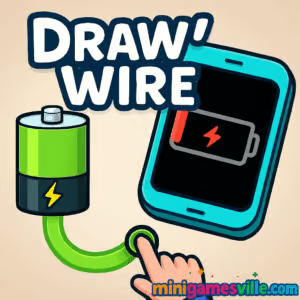
Draw Wire is a logic puzzle where you literally complete the circuit. Your goal is to draw a wire from a power source to different appliances, respecting rules like no overlaps and clean routing around obstacles. That simple hook, paired with clear visuals and tactile sketching, makes it ideal as an online browser game you can enjoy in short bursts or marathon streaks. Whether you are chasing perfect paths or just unwinding, Draw Wire keeps your brain humming.
History of Draw Wire
Line-drawing and connection puzzles have been a staple of web and mobile gaming for years. Draw Wire embraces that heritage with a clean circuit theme, approachable difficulty curves, and tap or drag controls that feel natural on both desktop and mobile browsers. What you get is a polished take on the connect-the-path concept that feels fresh and modern in your window or tab.
Style & Vibe
The presentation favors clarity. Clean nodes, bright cables, and readable icons make every board easy to scan. Visual feedback on successful connections and subtle animation on flowing power keep each solve satisfying without clutter.

Gameplay in Draw Wire
Each level places sockets, devices, and barriers on a compact grid. You draw one or more continuous wires to link power to targets while following three core rules.
- Keep the line continuous from source to device.
- Avoid crossing your own wire or running through blocked cells.
- Minimize stray detours to earn faster, cleaner clears.
Difficulty ramps with tighter layouts, moving hazards, and clever choke points. The best part, Draw Wire keeps levels short, so restarts are painless and learning curves feel fair. It is accessible for newcomers yet rewarding for puzzle pros who love optimizing routes.
Game Modes
- Level Progression: Tackle a curated sequence of handcrafted stages that gradually introduce new elements.
- Replay for Mastery: Return to cleared boards to refine your route, shave seconds, and aim for flawless paths.
- Challenge Streaks: Play several levels in a row without mistakes to test consistency.
How to Play
- Scan the board, spot the power source and every device that needs electricity.
- Visualize a route that touches all targets without crossing lines.
- Click or tap and drag to draw a clean wire from start to finish.
- If the line overlaps or hits a barrier, undo or redraw and try a tighter path.
- Complete the circuit, then replay to refine your solution.
Controls
- Desktop: Click and hold the mouse to draw, release to finish a segment. Right click or use backspace to undo the last stroke.
- Mobile: Tap and drag with your finger to sketch the wire. Two-finger tap to quickly undo a segment if supported by your device.
Device Compatibility & Browser Support
Draw Wire runs smoothly in modern browsers like Chrome, Edge, Safari, and Firefox. On low-power devices, close extra tabs and keep a single game tab active for the best frame rate. Hardware acceleration enabled and up-to-date browsers help maintain responsive drawing.
Mobile vs. Desktop Gameplay
- Mobile: Natural finger drawing, pick-up-and-play convenience, great for commuting or quick breaks.
- Desktop: Mouse offers pixel-precise routes and faster corrections, ideal for optimizing solutions and speed clearing.
Can I Play Offline?
The browser version on MiniGamesVille requires an internet connection. Open the page while online and keep the tab active to play.
Can I Play Unblocked?
Yes, Draw Wire on MiniGamesVille is designed as an unblocked browser game that loads directly in your tab. Availability can vary by school or workplace network policy, so check local rules if a firewall is in place.
Official mobile stores: No official Google Play or App Store listing for Draw Wire at this time.
Similar mobile alternative: Flow Free
Tips & Tricks
Beginner Tips
- Start from corners and edges, they reduce branching choices and make routing simpler.
- Sketch a mental path before you draw, then commit in one smooth stroke.
- Use obstacles to your advantage, walls can guide a clean line around problem areas.
- If you get stuck, backtrack to the last decision point rather than redrawing the entire path.
Advanced Strategies
- Reserve tight corridors for mandatory connections and keep open space for detours.
- Count grid cells between points to confirm whether a straight or serpentine path fits.
- Plan for future targets, avoid painting yourself into a corner with the first device you power.
- Optimize for minimal turns, fewer bends usually means fewer error points and faster clears.
Features
- 🔌 Intuitive line-drawing to complete circuits
- 🧩 Short, handcrafted puzzle levels
- ⚡ Snappy feedback when power flows
- 📈 Fair difficulty curve with replay value
- 🖱️ Smooth mouse and touch controls
- 🌐 Runs in your browser, no download required
- 🎯 Great for quick sessions or perfection runs
- 💡 Teaches planning, routing, and spatial reasoning
Unlockables & Secrets
While Draw Wire focuses on clean puzzle design over heavy meta progression, you can create personal goals, for example, beating levels without corrections, finishing under a time benchmark, or solving with the fewest turns. Treat them like hidden challenges to extend replay value.
Cheats & Mods
There are no built-in cheats, and mods are unnecessary. Because this is a browser puzzle game, third-party mods or extensions can cause performance issues. Stick to legit strategies and use the undo options to iterate smarter routes.
Walkthrough Summary
Scan, route, refine. That is the loop. Read the board, lock in a path that touches targets while skirting obstacles, then replay to polish. Most failures come from crossing lines or burning wide open spaces too early. Keep routes tight against walls and leave yourself room to maneuver later.
Scoring, Records & Progression
Progress by clearing levels and improving solution quality. Many players track personal records based on fewest turns or fastest completes. Build your own pacing goals and chip away at tricky boards in short sessions to avoid tunnel vision.
Why Play Draw Wire
If you want a clean, fast browser puzzle that feels great on both mouse and touch, Draw Wire is a perfect fit. It is approachable for new players and still rewarding when you chase cleaner routes. The combination of logic, spatial planning, and tactile sketching makes it a standout unblocked online choice.
Pros & Cons of Draw Wire
- Pros: Crisp rules, instant restarts, satisfying feedback, accessible on any modern device.
- Cons: Minimal story or meta systems, some boards can feel narrow until you spot the intended route.
- Use an up-to-date browser with hardware acceleration on.
- Close heavy tabs, streaming, or downloads while playing to keep input silky.
- If drawing feels laggy on mobile, lower system animations and enable do-not-disturb to reduce interruptions.
- On desktop, a steady 60 Hz or higher display makes pathing feel more precise.
Similar games to Draw Wire
- Robot Awake, grid-based logic puzzles where you program lasers to hit targets.
- Mini Train, draw and place pieces to guide a train safely across gaps.
- Green, minimalist color logic challenges with clever, rule-bending twists.
- Arrower, push tiles and route arrows to their goals in tight, head-scratching levels.
- Tap It Away, clear blocks in the right order to expose the final shape.
- Sudoblocks, blend Sudoku-style thinking with block placement for a fresh puzzle feel.
FAQ
What is Draw Wire?
Draw Wire is a browser-based line-drawing puzzle where you connect power to devices without crossing your own path.
Where can I play Draw Wire online?
You can play it directly on MiniGamesVille in your web browser, no download required.
Is Draw Wire unblocked at school or work?
It is designed as an unblocked browser game, but availability depends on your network’s rules.
Does Draw Wire work on mobile?
Yes, it plays well in mobile browsers with touch controls, and there is also an iOS version on the App Store.
Can I play offline?
The web version requires an internet connection. Some mobile versions may allow play without a constant connection after download.
Any tips for tough levels?
Route along edges first, leave open space for later paths, and reduce unnecessary turns to avoid self-crossing traps.
Conclusion
Draw Wire nails the feel of sketching a perfect solution and watching the circuit come to life. Quick levels, crisp rules, and smooth controls make it an easy recommendation for anyone who enjoys logic puzzles.
Flip the switch on your next brain teaser. Hit Play above to enjoy Draw Wire online at MiniGamesVille, then bookmark this page for strategies and new ideas when you want to chase even cleaner clears.

 Loading...
 English
 Shqip
Shqip
 বাংলা
বাংলা
 Български
 简体中文
简体中文
 Hrvatski
 Čeština
 Dansk
Dansk
 Nederlands
 Suomi
Suomi
 Ελληνικά
 हिन्दी
 Magyar
 Bahasa Indonesia
 日本語
日本語
 한국어
한국어
 Lietuvių
 Bahasa Melayu
 Norsk
Norsk
 Polski
 Português do Brasil
 Română
 Slovenčina
 Slovenščina
 Svenska
 ไทย
ไทย
 Türkçe
 Українська
 اردو
اردو
 Tiếng Việt
 isiZulu
 Español
 Français
 Deutsch
 العربية
 Italiano
 فارسی
فارسی
 Русский