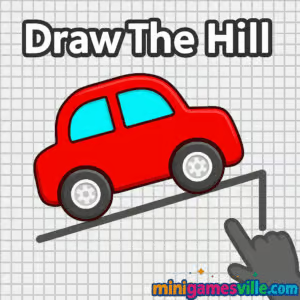
Play Draw The Hill right now on MiniGamesVille.com and see how far your line can take you. Draw The Hill is a bite-size drawing physics racer that blends sketch-and-go creativity with quick-reflex driving. As an online browser game, it loads fast, plays smoothly, and is perfect for a short break or a long high-score chase. Guide your tiny car by drawing the road under its wheels, scoop up coins, and avoid those pesky pipes. Ready to sketch your way to the top? Tap Play above and start Draw The Hill unblocked in your browser.
About Draw The Hill
At its core, Draw The Hill is a physics-based line drawing game with a hill-climb vibe. You sketch the terrain in real time, the car follows your path, and gravity decides the rest. The loop is simple: draw, adapt, collect coins, upgrade, repeat. It is light on menus and heavy on arcade fun, which makes this a standout pick for quick sessions or classroom-safe, unblocked play.
History of Draw The Hill
Draw-to-drive games exploded in popularity in the early 2020s as HTML5 racing and physics puzzlers migrated to the browser. Draw The Hill inherits the best bits from that trend: minimal UI, instant restarts, one-touch controls, and satisfying momentum-based physics. Over time, versions of the game introduced unlockable vehicles and subtle tuning that reward smooth, flowing lines.
Style & Vibe
Expect clean, colorful visuals and a playful, almost toy-like feel. The contrast between your hand-drawn road and the crisp obstacles creates a satisfying loop where every stroke matters.

Gameplay in Draw The Hill
Momentum is everything. The car accelerates and bounces based on the line you draw, so gentle slopes and smooth arcs keep speed without flipping. Coins appear along ideal racing lines, tempting you to take risks. Pipes and gaps punish jagged strokes or steep ramps. The difficulty ramps naturally, turning each run into a balance of speed, control, and sketching accuracy.
Game Modes
- Endless Run: The main mode. Travel as far as you can while collecting coins and avoiding hazards.
- Upgrades/Shop: Use coins from your runs to unlock vehicles or minor enhancements, depending on version.
Note: On MiniGamesVille, Draw The Hill plays like a streamlined endless runner. If you see extra buttons like Missions or Time Trial, they are bonus variations available in certain builds.
How to Play
- Press and drag to draw a line in front of the car.
- Create gentle slopes to maintain speed without flipping.
- Curve over and under pipes, then reconnect your road quickly.
- Grab coins along the way to fund future upgrades.
- When you crash or stop, hit restart and beat your distance.
Controls
- Mouse: Click and drag to draw. Release to pause drawing.
- Touch: Tap and drag to draw on mobile or tablet.
- Keyboard: Not required. This is a sketch-to-drive experience.
Device Compatibility & Browser Support
Draw The Hill is an HTML5 browser game that runs on modern Chrome, Edge, Firefox, and Safari. It is lightweight and responsive, so it plays nicely on desktops, Chromebooks, and mobile devices.
Mobile vs. Desktop Gameplay
- Mobile: Direct finger drawing feels natural, great for quick runs.
- Desktop: Mouse control offers precision for long-distance records.
Can I Play Offline?
No. Draw The Hill is a browser-based game and requires an internet connection to load and run.
Can I Play Unblocked?
Yes, Draw The Hill is an unblocked browser game on MiniGamesVille. If a school or office filter prevents loading, try updating your browser, switching networks, or using a personal device. The game itself needs no downloads or logins.
- Browser: Play free on MiniGamesVille.com in your web browser.
- Android: Official mobile version available on Google Play: Draw The Hill on Google Play.
- iOS: An official Draw The Hill app is not currently available on the App Store. Prefer iPhone or iPad? Try the similar draw-to-drive hit Road Draw: Climb Your Own Hill on the App Store.
Tips & Tricks
Beginner Tips
- Keep lines smooth and shallow to preserve momentum.
- Draw short, frequent segments so you can react to pipes.
- Aim for coins only if the path stays safe and connected.
- Practice small hops instead of steep jumps.
Advanced Strategies
- Feather your slopes to preload suspension before obstacles.
- Use gentle downhills to build speed, then level out to stabilize.
- Sketch micro-bridges that reconnect quickly after each pipe.
- Route coins into smooth racing lines, not detours.
Features
- ✏️ Real-time line drawing that becomes the road
- 🧲 Coin collection and simple upgrades
- 🚗 Snappy, responsive car physics
- 🌈 Clean, colorful visuals with minimal UI
- ⚡ Instant restarts for one-more-try loops
- 📱 Mobile-friendly controls and performance
- 🧠 Easy to learn, hard to master skill ceiling
- 🔁 Endless replayability with score chasing
Unlockables & Secrets
Collect coins to unlock extra vehicles or cosmetic tweaks, depending on your build. Some versions reward consistent long runs with higher coin density and occasional bonus spawns. Keep runs clean to stack rewards faster.
Cheats & Mods
There are no legit cheat codes for the browser version of Draw The Hill. Third-party mods or extensions can introduce instability or security risks, so play fair and keep your account and device safe.
Walkthrough Summary
Start with slow, shallow arcs to learn momentum. Once you’re comfortable, weave between pipes with short bridges, surf the downhills for speed, and level your line before the next obstacle. Keep your path continuous so the wheels never lose contact.
Scoring, Records & Progression
Your distance and coin count drive progression. Better control means longer runs, which means more coins for unlocks. Track your personal bests and try to extend your average run by 10 to 20 percent with each session.
Why Play Draw The Hill
It is the perfect blend of creativity and control. Draw The Hill delivers quick browser game sessions that feel fresh every time. The rules are simple, the physics are fair, and the skill ceiling is surprisingly high.
Pros & Cons of Draw The Hill
- Pros: Fast loads, intuitive drawing controls, smooth physics, short but addictive runs.
- Cons: One main mode by design, precision drawing can be tricky on small screens.
- Use a modern browser and close heavy tabs to reduce input lag.
- Enable hardware acceleration in browser settings.
- On mobile, disable battery saver during play for steadier frame pacing.
- If the screen feels cramped, rotate to landscape and zoom once for a better draw area.
Similar games to Draw The Hill
- Moto X3M Bike Race Game — legendary bike physics courses with wild stunts and time trials.
- Moto Maniac 2 — tight obstacle riding where balance and throttle control are everything.
- Drift Boss — one-button drifting that rewards rhythm and timing.
- Swerve — snappy lane-changing car control on a twisty track.
- Superbike Hero — arcade motorcycle racing with clean lines and late braking.
- Stickman Biker — side-scrolling bike physics with delicate balancing.
FAQ
What is Draw The Hill?
Draw The Hill is an online drawing physics racer where you sketch the road and the car drives your line.
Is Draw The Hill free to play?
Yes, you can play the browser game free on MiniGamesVille with no download.
Does Draw The Hill work on school Chromebooks?
Yes, it is an HTML5 browser game and typically runs on Chromebooks. If blocked, try another network or device.
Are there different cars to unlock?
Some versions include unlockable vehicles and light upgrades funded by coins you collect during runs.
Can I play Draw The Hill offline?
No, it requires an internet connection to load and play in the browser.
Is there a mobile app?
Yes on Android. You can install the official version from Google Play. iOS users can try a similar draw-to-drive game on the App Store.
Any beginner tips?
Keep lines shallow, connect roads quickly after each pipe, and avoid steep ramps that flip your car.
Conclusion
Whether you are chasing coins or chasing a new personal best, Draw The Hill delivers quick, satisfying sketch-to-drive action. It is a polished browser game that rewards smooth lines, steady hands, and a bit of bravery when the next pipe appears.
Ready to hit the road you just drew? Click Play above to start Draw The Hill on MiniGamesVille.com, keep your strokes smooth, and see how far you can go.

 (1 votes, average: 4.00 out of 5)
 Loading...
 English
 Shqip
Shqip
 বাংলা
বাংলা
 Български
 简体中文
简体中文
 Hrvatski
 Čeština
 Dansk
Dansk
 Nederlands
 Suomi
Suomi
 Ελληνικά
 हिन्दी
 Magyar
 Bahasa Indonesia
 日本語
日本語
 한국어
한국어
 Lietuvių
 Bahasa Melayu
 Norsk
Norsk
 Polski
 Português do Brasil
 Română
 Slovenčina
 Slovenščina
 Svenska
 ไทย
ไทย
 Türkçe
 Українська
 اردو
اردو
 Tiếng Việt
 isiZulu
 Español
 Français
 Deutsch
 العربية
 Italiano
 فارسی
فارسی
 Русский