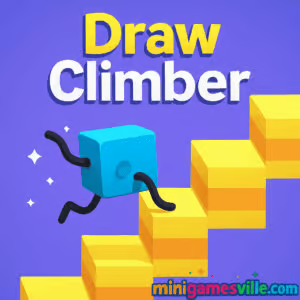
Ready to play Draw Climber right now? Click Play above and launch Draw Climber on minigamesville.com for a fast, creative, physics-fueled challenge. This online browser game mixes drawing, racing, and hilarious ragdoll physics into quick sessions that are perfect for school breaks or a few minutes at home. If you love arcade racers, puzzle physics, and unblocked fun, you are in the right place. Start climbing, sketch your best leg shapes, and see how far your cube can go.
About Draw Climber
Draw Climber is a bite-size physics racer where you draw the legs of a plucky cube to sprint, hop, and scale obstacles. Your doodles become motion, so every line you draw changes the speed, grip, and rhythm of your climber. Races are short, the challenge escalates, and the game rewards clever shapes and quick adjustments. Whether you are chasing a faster time or just laughing at your latest scribble, Draw Climber delivers pick-up-and-play joy in your browser.
History of Draw Climber
Draw Climber began as a wildly popular mobile title from VOODOO in 2020, winning players over with its simple premise, creative freedom, and meme-ready physics. That success inspired lightweight web builds, making it easy to play online without downloads. Today, you can jump into Draw Climber as a free browser game on minigamesville.com, or take it on the go with the official mobile versions.
Style & Vibe
Bright colors, chunky shapes, and springy animations keep the mood light as you experiment with different leg designs. The whole experience feels like a playful toy box where a single stroke can turn a stumble into a sprint.

Gameplay in Draw Climber
Each race starts with a blank canvas. Sketch a shape inside the draw box, then watch your cube convert those lines into motion. Long arcs stride over gaps, jagged angles bite into stairs, and small loops can buzz across flat ground. Momentum matters. Change shapes at the right time to maintain speed, or swap to a grippy design before a wall. Levels mix stairs, moving platforms, speed pads, and barriers, so you are always reading the terrain and adapting on the fly.
Game Modes
- Level Races: Beat AI rivals to the finish and unlock the next track.
- Challenge Stages: Short obstacle sprints that test a specific shape or technique.
- Time Trials: Replay favorite tracks to set cleaner, faster lines.
- Endless Practice: Experiment with shapes and rhythm without pressure.
How to Play
- Press Play and wait for the track to load.
- In the draw box, sketch a shape for your legs. Aim for clean, continuous lines.
- Watch how your cube moves. If you slow down or get stuck, redraw a new shape.
- Adapt to obstacles. Angled steps like 90-degree shapes, flat runs like smooth loops.
- Collect coins, win races, and repeat with smarter designs.
Controls
- Desktop: Click and drag in the draw box to create or change legs. Release to run.
- Mobile: Use your finger to draw. Lift your finger to resume movement.
- Menu/UI: Click or tap buttons to retry, continue, or switch levels.
Device Compatibility & Browser Support
Draw Climber runs smoothly in modern browsers like Chrome, Edge, Safari, and Firefox. It is an HTML5 WebGL browser game, so there is nothing to install. For the best performance, keep only a few tabs open, enable hardware acceleration in your browser settings, and use an updated browser version.
Mobile vs. Desktop Gameplay
On desktop, mouse control gives you surgical precision for crisp shapes. On mobile, touch input makes quick redraws feel natural, and the pick-up-and-play loop shines during short breaks. Both offer the same core experience, so choose what feels best for you.
Can I Play Offline?
The browser version on minigamesville.com requires an internet connection to load. The official mobile apps include offline-friendly play for basic levels, though some features like ads, rewards, or event content may need connectivity.
Can I Play Unblocked?
Yes, Draw Climber is a lightweight browser game that often works on school and work networks. If your network blocks gaming sites, try a different browser, use HTTPS, or play on your mobile device using data. Always follow local rules.
Tips & Tricks
Beginner Tips
- Start simple. Two short vertical lines create a steady walk that rarely trips.
- Use right angles on stairs. L shapes hook edges and climb fast.
- Switch early. Redraw before a big obstacle so you do not lose momentum on impact.
- Keep lines clean. Messy shapes waste motion and reduce speed.
- Watch your rival. If they surge ahead, your shape is likely too long or too small.
Advanced Strategies
- Master hybrid legs. Combine a small loop with a sharp tooth to grip and glide.
- Cadence over size. Medium strokes often outpace giant legs by keeping rhythm.
- Terrain scouting. Memorize where stairs, gaps, and speed pads appear, then preload the right shape.
- Minimal redraws. Every redraw costs time, so plan changes at flat sections.
- Optimize finish lines. Switch to a fast rolling loop for the final straight.
Features
- 🎨 Shape-to-motion drawing that turns sketches into movement
- ⚙️ Satisfying physics with momentum, grip, and rhythm
- 🏁 Quick level races for instant, casual fun
- 🧩 Varied obstacles like stairs, gaps, and moving platforms
- 📈 Skill-based progression with room for creativity
- 📱 Playable as an online browser game and on mobile
- 🔊 Cheerful audio and playful visual style
- 🕹️ Easy to learn, hard to optimize
Unlockables & Secrets
As you win races and collect coins, you can unlock new skins and visual effects. Keep an eye out for bonus tracks that shower extra coins, perfect for speeding up cosmetic unlocks.
Cheats & Mods
There are no official cheats. Unofficial mods or hacked builds can harm performance or your device. For a smooth, safe experience, play Draw Climber here or use the official mobile apps linked above.
Walkthrough Summary
Learn a reliable starter shape, then add terrain-specific swaps. Use right angles for steps, loops for flat speed, and spiky teeth for traction. Limit redraws to straightaways, and save a fast rolling shape for the final sprint. Repeat this cycle to breeze through early levels and refine for tougher tracks.
Scoring, Records & Progression
Your goals are simple: win races, collect coins, unlock cosmetics, and shave seconds off your best runs. Track how few redraws you need per level and challenge yourself to reach the finish with a single, well-planned shape.
Why Play Draw Climber
It is creative, quick, and endlessly replayable. Draw Climber makes you think like a designer and move like a racer, which is a rare combo in free online games. The loop is clean and satisfying, and every run teaches a small lesson you can apply on the next track.
Pros & Cons of Draw Climber
- Pros: Clever drawing mechanic, short sessions, friendly physics, plays great on both desktop and mobile.
- Cons: AI rivals can feel rubber-bandy, ads exist on mobile, some levels repeat patterns.
- Keep your browser updated and enable hardware acceleration for smoother WebGL.
- Close background tabs and screen recorders to reduce stutter.
- On mobile, disable low power mode during play to avoid input lag.
Similar games to Draw Climber
- Shortcut Race — Collect floor tiles and cut corners to outsmart rivals.
- Color Tunnel — High-speed reflex runner through shifting geometric tunnels.
- Color Tunnel 2 — A faster, trickier sequel with fresh obstacles and patterns.
- Drift Boss — One-button drifting where timing and rhythm rule the road.
- Moto X3M Bike Race Game — Physics stunt racing with precise throttle control.
- Geometry Dash Lite — Iconic rhythm runner that rewards pattern mastery.
- Vex X3M — Stickman platforming gauntlet with speedrun energy.
- Parkour Block 6 — Blocky jumping trials where precision beats power.
FAQ
What is Draw Climber?
Draw Climber is a creative physics racer where you draw leg shapes for a cube, then race across obstacle courses that react to your design.
Is Draw Climber free to play?
Yes, you can play free in your browser on minigamesville.com, and the official mobile apps are free to download.
Does Draw Climber work on school Chromebooks?
It runs in the browser with no install, so most Chromebooks handle it well. Network rules vary by school.
How do I go faster in Draw Climber?
Use clean shapes with consistent rhythm, switch to right angles for stairs, and redraw early to keep momentum.
Can I play Draw Climber offline?
The browser version needs internet to load. The mobile apps offer offline-friendly play for core levels.
Are there real players in races?
Races pair you with fast AI rivals, so focus on optimizing shapes and timing to win consistently.
Is Draw Climber safe for kids?
Yes, it is lighthearted and simple. If using mobile, consider removing ads through the in-app option for a quieter experience.
Where can I download the official app?
Use the App Store and Google Play links in the Platforms section above.
Conclusion
Draw Climber is the perfect blend of doodling and dashing. You sketch a clever shape, the physics kick in, and suddenly your cube is vaulting stairs like a parkour pro. It is silly, smart, and endlessly replayable, whether you have two minutes or twenty.
Ready to climb higher? Hit Play and enjoy Draw Climber on minigamesville.com, then try to beat your best time with a sharper, faster shape. Your next doodle might be the winning run.

 Loading...
 English
 Shqip
Shqip
 বাংলা
বাংলা
 Български
 简体中文
简体中文
 Hrvatski
 Čeština
 Dansk
Dansk
 Nederlands
 Suomi
Suomi
 Ελληνικά
 हिन्दी
 Magyar
 Bahasa Indonesia
 日本語
日本語
 한국어
한국어
 Lietuvių
 Bahasa Melayu
 Norsk
Norsk
 Polski
 Português do Brasil
 Română
 Slovenčina
 Slovenščina
 Svenska
 ไทย
ไทย
 Türkçe
 Українська
 اردو
اردو
 Tiếng Việt
 isiZulu
 Español
 Français
 Deutsch
 العربية
 Italiano
 فارسی
فارسی
 Русский