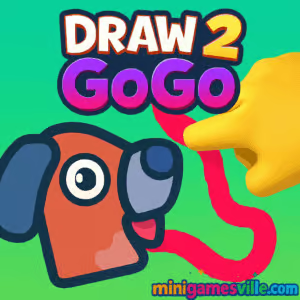
Play Draw 2 GoGo on MinigamesVille right now and put your sketching smarts to the test. Click the big Play button above to jump into Draw 2 GoGo on minigamesville.com, then start tracing clever lines to solve bite-size logic challenges. This online drawing puzzle is a breezy browser game you can launch in seconds, perfect for quick breaks or long sessions. If you enjoy physics doodles, brain teasers, and satisfying aha moments, Draw 2 GoGo belongs on your must-play list.
About Draw 2 GoGo
Draw 2 GoGo is a casual drawing puzzle where your lines become real in the playfield. Sketch a path, a ramp, or a simple wedge, and watch the physics do the rest. Each stage asks for a clean solution using as little ink as possible. Levels load fast, resets are instant, and the feedback loop feels great, which makes Draw 2 GoGo an ideal unblocked-style puzzle you can enjoy at home, in class breaks, or at work downtime.
History of Draw 2 GoGo
Drawing-to-solve puzzles have charmed players for years, and Draw 2 GoGo carries that tradition into a modern HTML5 package. Instead of menus that get in the way, you jump straight into concise levels that reward experimentation. The focus stays on line drawing, simple physics, and clean goals, keeping the vibe approachable for all ages.
Style & Vibe
The presentation favors clarity: crisp lines, readable icons, and a sketchbook feel that keeps your attention on the puzzle. Small animations and sound cues reinforce successes without clutter.

Gameplay in Draw 2 GoGo
Your goal is to draw a solution that completes the objective, then tap Play to let physics validate your plan. Many stages can be solved in multiple ways, so creativity pays off. A small nudge, a brace to stop a fall, or a bridge to span a gap can all be enough. Quick restarts invite iteration until your line sticks.
Game Modes
- Level Select: progress through handcrafted puzzles at your own pace.
- Self-challenge: replay levels to optimize ink usage or speed.
How to Play
- Press Play above to launch Draw 2 GoGo on minigamesville.com.
- Read the objective for the current level.
- Press and drag to draw your line where it will help most.
- Release, then hit Start or Play to test your solution.
- If it fails, tap Reset and iterate with a cleaner sketch.
Controls
- Desktop: Left mouse button to draw, on-screen buttons for Play and Reset.
- Mobile: Tap and drag to draw, tap buttons to test or retry.
Device Compatibility & Browser Support
Draw 2 GoGo runs in modern browsers on desktop, Chromebook, tablets, and phones. For the smoothest play, keep your browser updated, close heavy background tabs, and enable hardware acceleration in settings.
Mobile vs. Desktop Gameplay
- Mobile: super handy for short sessions and quick sketches with your finger.
- Desktop: precise drawing with a mouse or trackpad, great for intricate lines.
Can I Play Offline?
No, Draw 2 GoGo is a web-based game that requires an internet connection to load and play.
Can I Play Unblocked?
Draw 2 GoGo is an HTML5 browser game. Many schools and workplaces allow HTML5 titles, but access policies vary. If a network blocks gaming sites, you will need to play on a permitted connection.
- Browser: Play directly on minigamesville.com.
- Official mobile apps: there is no confirmed mobile app titled Draw 2 GoGo. If you want a similar draw-to-solve experience on your phone, try this mobile alternative:
Tips & Tricks
Beginner Tips
- Start with short strokes. Small fixes often beat big doodles.
- Support from below. Braces and wedges are reliable.
- Avoid overdraw. Less ink usually means cleaner physics.
- Test early, test often. Rapid resets save time.
Advanced Strategies
- Use triangles for strength. Angled supports resist collapse.
- Create funnels. Guide moving objects toward safe zones.
- Leverage momentum. Build ramps that nudge pieces into place.
- Think in layers. One stabilizing line can make the next line trivial.
Features
- ✏️ Intuitive line-drawing that snaps into physics instantly
- 🧠 Bite-size logic puzzles with multiple valid solutions
- ⚡ Fast resets for rapid iteration and learning
- 📱 Smooth on mobile, precise on desktop
- 🎯 Optional self-goals like fewer strokes or faster clears
- 🔊 Clean UI and feedback that highlight the puzzle
- 🌐 Play instantly in your browser, no download
Unlockables & Secrets
Draw 2 GoGo focuses on puzzle solving over long-term unlocks. Set personal goals, such as beating levels with minimal ink or achieving consistent one-try clears. Replays are quick, which makes self-imposed challenges satisfying.
Cheats & Mods
There are no official cheats or mods. For a fair, stable experience, avoid third-party extensions that alter gameplay. Mastering line economy and structure is the real path to better results in Draw 2 GoGo.
Walkthrough Summary
Scan the level objective, identify the point of failure, then draw the smallest structure that prevents it. Stabilize from the bottom, reinforce angles, and test. If the first attempt wobbles, add a tiny brace rather than redrawing everything.
Scoring, Records & Progression
Progress is level based. Keep a personal notebook of best clears, like fewest strokes or fastest attempts. These mini targets add replay value and sharpen your puzzle instincts.
Why Play Draw 2 GoGo
It is quick to learn, rewarding to master, and perfect for short breaks. The draw-to-solve loop makes every level feel like a tiny engineering win, which is why Draw 2 GoGo keeps you coming back.
Pros & Cons of Draw 2 GoGo
- Pros: Instant play in browser, clean puzzles, fast retries, creative freedom.
- Cons: Solutions can feel short if you crave deep meta or grinding unlocks.
- Update your browser to the newest version for smoother physics.
- Close extra tabs and video streams to free CPU and memory.
- Enable hardware acceleration in browser settings.
- If input feels laggy, reduce system animations or try another browser.
Similar games to Draw 2 GoGo
FAQ
What kind of game is Draw 2 GoGo?
Draw 2 GoGo is a physics-based drawing puzzle browser game where you sketch lines to solve compact logic challenges.
Is Draw 2 GoGo free to play?
Yes, you can play Draw 2 GoGo online for free on minigamesville.com.
Does Draw 2 GoGo work on mobile?
Yes, it runs in mobile browsers. For the best precision, keep your device updated and use a modern browser.
Do I need to download anything?
No download is required. Play instantly in your browser.
Can I pause or restart easily?
Yes, use the on-screen controls to reset and retry in seconds.
Is there an app version of Draw 2 GoGo?
No official app exists for this exact title. If you want a similar draw-to-solve mobile experience, try Draw 2 Save on the App Store or Google Play.
Is Draw 2 GoGo unblocked?
It is an HTML5 game that often works on standard networks, but availability depends on local policies.
Conclusion
Draw 2 GoGo delivers the pure fun of turning quick sketches into working solutions. The format is fast, the puzzles are readable, and the instant feedback makes every level feel rewarding.
Ready to flex your creative problem-solving? Hit Play and enjoy Draw 2 GoGo on minigamesville.com right now. Sharpen your lines, test your ideas, and let the physics prove you right.

 Loading...
 English
 Shqip
Shqip
 বাংলা
বাংলা
 Български
 简体中文
简体中文
 Hrvatski
 Čeština
 Dansk
Dansk
 Nederlands
 Suomi
Suomi
 Ελληνικά
 हिन्दी
 Magyar
 Bahasa Indonesia
 日本語
日本語
 한국어
한국어
 Lietuvių
 Bahasa Melayu
 Norsk
Norsk
 Polski
 Português do Brasil
 Română
 Slovenčina
 Slovenščina
 Svenska
 ไทย
ไทย
 Türkçe
 Українська
 اردو
اردو
 Tiếng Việt
 isiZulu
 Español
 Français
 Deutsch
 العربية
 Italiano
 فارسی
فارسی
 Русский