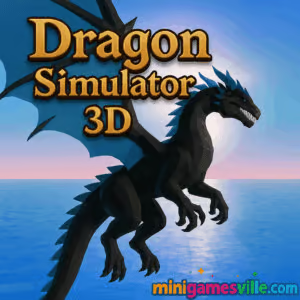
Ready to fly? Click Play above to jump into Dragon Simulator 3D on minigamesville.com and breathe fire across a living sandbox world. This online dragon adventure is a fast-loading browser game that runs right in your tab, unblocked for quick sessions at home or on the go.
Introduction
Dragon Simulator 3D puts you in control of the apex of fantasy. Glide over mountains, scorch enemy camps, and build your lair as you rise from hatchling to legend. As a 3D animal simulator with open-world exploration, it blends flight physics, light RPG progression, and pick-up-and-play quests into a satisfying loop. If you want a dragon game you can play online, free, and unblocked in your browser, Dragon Simulator 3D delivers. Press start above and soar.
About the Game
At its core, Dragon Simulator 3D is a free-roam creature sim with bite. You choose your element, customize your look, and roam a stylized world filled with villages, creatures, and boss encounters. Quests reward coins and XP, which unlock tougher challenges, faster flight, and stronger abilities. It is simple to learn, surprisingly deep to optimize, and perfect for short burst play or long sky tours.
History of Dragon Simulator 3D
The game emerged in the late 2010s as part of a popular series of animal simulators. Its standout hook was smooth airborne movement paired with approachable questing. Over time, quality-of-life tweaks, new effects, and better stability have made the browser build a reliable go-to for fans of creature sims and casual action adventures.
Style & Vibe
The vibe is adventurous and empowering. Bright landscapes, medieval outposts, and chunky physics objects invite playful destruction, while ambient music and day-night cycles set a relaxed, fantasy tone.

Gameplay in Dragon Simulator 3D
Every session begins at your den. From there you lift off, scout the map, and pick quests that fit your mood: escort a villager, hunt a creature, demolish defenses, or retrieve a shiny treasure. Flight feels responsive, with quick climbs, swoops, and ground skims that make strafing runs a joy. Combat mixes ranged breaths with tail swipes and bite attacks. As you progress, you earn coins to boost speed, health, and damage, and you can grow your clan to accompany you. The loop stays satisfying because movement is the star and the world reacts to your fire, claws, and momentum.
Game Modes
- Free Roam: Explore at your pace, hunt, and gather treasures.
- Quest Chains: Accept missions from NPCs for coins and XP.
- Boss Hunts: Track tougher enemies guarding premium rewards.
- Den Management: Return to upgrade stats, tweak cosmetics, and manage your clan.
How to Play
- Press Play above to load Dragon Simulator 3D in your browser.
- Pick your dragon’s element and appearance.
- Lift off, scan the map, and choose a quest marker.
- Use breath attacks for ranged damage, then close in with melee.
- Collect coins and stars, return to your den, and upgrade.
Controls
- WASD or Arrow Keys: Move and steer
- Q: Take off and land
- Space: Fly up or jump
- C: Fly down
- Shift: Speed up
- Left Mouse: Ranged breath attack
- Right Mouse: Melee attack
- H: Hide HUD, L: Lock or unlock cursor
Device Compatibility & Browser Support
This is a WebGL browser game that runs on modern Chromium-based browsers and current Firefox versions on desktop. For the smoothest flight, keep one game tab open, enable hardware acceleration, and set quality to Medium on older laptops.
Mobile vs. Desktop Gameplay
Desktop gives you the best control with keyboard and mouse, especially for precise dogfights and quick strafes. Touch devices can display the game, but performance and controls vary by handset. For a tuned mobile experience, see the official Android app in the Platforms section.
Can I Play Offline?
In browser, you need an internet connection to load and play. The Android app version supports play without a constant connection once installed.
Can I Play Unblocked?
On most home networks Dragon Simulator 3D loads unblocked. Some schools or workplaces restrict gaming domains. If a firewall blocks it, try switching to a modern browser, using a different network, or loading the game from home.
- Browser: Play free on minigamesville.com.
- Android: Official app Dragon Simulator 3D on Google Play
— Get it on Google Play.
- iOS: There is no official iPhone or iPad app from the same developer at this time. Want a similar mobile experience on both platforms? Try Dragon Sim Online by Turbo Rocket Games:
Tips & Tricks
Beginner Tips
- Pick Fire or Ice early. Both offer clear visuals and forgiving damage patterns.
- Climb high, then dive. Gravity gives you speed for strong opening strikes.
- Circle strafe targets. Hold Shift to boost and avoid projectile fire.
- Break props. Barrels, carts, and fences drop quick coins while you practice aim.
- Return to the den often. Small upgrades stack into huge flight and damage gains.
Advanced Strategies
- Element combo routes: Open with breath to stagger, land, tail swipe, then take off and repeat.
- Aggro juggling: Pull enemies into open fields where camera and turning arcs favor the dragon.
- Altitude economy: Tap Space in short bursts to hover and conserve stamina while aiming.
- Boss pathing: Bait charges, lift just before impact, then punish from behind during recovery.
- HUD off drills: Toggle H during practice runs to sharpen spatial awareness.
Features
- 🐉 Elemental dragons with Fire, Ice, Nature, and Air kits
- 🌍 Open-world exploration with destructible props
- ⚔️ Quick, tactile combat with ranged breaths and melee swipes
- 💰 Coins, stars, and upgrades that ramp speed and power
- 🏠 Cozy den hub for growth, cosmetics, and clan management
- 🌞 Day and night cycle for changing vibes and visibility
- 🎯 Keyboard and mouse precision for clean strafes and dives
- ⚙️ WebGL tech for instant play in your browser
Unlockables & Secrets
Earn coins to speed up flight, boost health, and strengthen breaths. Hunt hidden chests on cliffs, and revisit points of interest at different times of day to spot new patrols and easy targets. As you rank up, you can grow a clan to join your battles and fill your lair with trophies.
Cheats & Mods
There are no built-in cheats. For safety, avoid third-party hacks or extensions. They can break saves or expose your device. Stick to in-game upgrades and practice routes for reliable progress.
Walkthrough Summary
- Customize your dragon and set sensitivity in Options.
- Farm early coins on destructible props near the starting village.
- Upgrade Speed first, then Damage for faster clears.
- Rotate through short quests, saving bosses until you have extra health.
- Use high-ground scouting to chain two or three quests per flight.
Scoring, Records & Progression
Your milestones hinge on XP, stars, and coin totals. Fast times and clean takedowns boost rewards. Aim for no-damage runs on camps, which stack coins quickly, then invest in speed to shorten every future mission.
Why Play Dragon Simulator 3D
If you want a free, unblocked creature sim with satisfying flight and quick progress, this browser game hits the sweet spot. Dragon Simulator 3D rewards curiosity, lets you set your own pace, and turns even a five-minute break into a mini fantasy story.
Pros & Cons of Dragon Simulator 3D
- Pros: Smooth flight, instant browser access, approachable quests, fun destruction, low barrier to entry.
- Cons: Simple mission variety, camera takes practice near walls, touch controls are less precise than keyboard and mouse.
- Close extra tabs and background streams to free RAM for WebGL.
- Enable hardware acceleration in your browser settings.
- Drop graphics quality one notch if you see frame dips during large fires.
- Full-screen the game for easier camera control and cleaner flight lines.
Similar Games to Dragon Simulator 3D
- Duck Life Adventure Demo — train, quest, and explore as a plucky duck in a light RPG romp.
- Archer Castle — defend your medieval walls with precision shots and upgrade paths.
- Horror Dungeon 3D — first-person dungeon crawling with tense, torchlit encounters.
- Village Builder — craft cozy settlements and manage resources at a relaxed pace.
- Plane Wars — aerial strategy and quick maneuvers for air-to-air supremacy.
- Blumgi Castle — physics-powered sieges where timing and trajectory topple forts.
FAQ
Is Dragon Simulator 3D free to play?
Yes, you can play the browser version free on minigamesville.com and upgrade your dragon using coins earned in game.
Does Dragon Simulator 3D work on school devices?
It depends on local filters. If gaming sites are blocked, try from a home network or a personal device.
What is the best element for beginners?
Fire and Ice offer clear visuals and forgiving damage patterns, which make early quests easier.
How do I level up faster?
Chain short quests, break destructible props on the way, and invest coins into Speed before Damage.
Is there controller support?
The browser build is tuned for keyboard and mouse. For mobile controllers, use the Android app and your device’s compatible gamepad setup.
Can I change graphics settings?
Yes, use the in-game options to reduce quality on older hardware for smoother frame rates.
Conclusion
Few creature sims feel as instantly fun as lifting off in Dragon Simulator 3D, banking over rooftops, and lighting up targets in a clean sweep. It is quick to learn, easy to replay, and perfectly suited to browser sessions.
Take the skies now. Hit Play to start Dragon Simulator 3D on minigamesville.com, grow your hoard, and turn every flight path into your legend.

 Loading...
 English
 Shqip
Shqip
 বাংলা
বাংলা
 Български
 简体中文
简体中文
 Hrvatski
 Čeština
 Dansk
Dansk
 Nederlands
 Suomi
Suomi
 Ελληνικά
 हिन्दी
 Magyar
 Bahasa Indonesia
 日本語
日本語
 한국어
한국어
 Lietuvių
 Bahasa Melayu
 Norsk
Norsk
 Polski
 Português do Brasil
 Română
 Slovenčina
 Slovenščina
 Svenska
 ไทย
ไทย
 Türkçe
 Українська
 اردو
اردو
 Tiếng Việt
 isiZulu
 Español
 Français
 Deutsch
 العربية
 Italiano
 فارسی
فارسی
 Русский