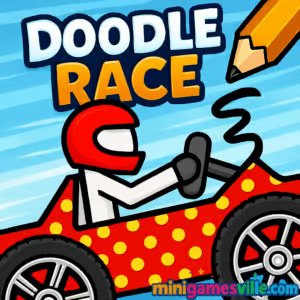
Click Play and dive into Doodle Race right here on Minigamesville. Doodle Race is a fast, sketch-style racing and drawing browser game that blends creative car design with tight platform racing. Build your ride, sketch the perfect wheels, then zip through hand-drawn tracks packed with jumps, loops, and clever physics. Whether you are chasing a new time on desktop or swiping to victory on mobile, this online racer is quick to learn and hard to put down. Ready to draw, dash, and win unblocked fun between tasks or classes? Hit play and enjoy Doodle Race on minigamesville.com today.
About Doodle Race
Doodle Race mixes arcade racing with creative drawing. You sketch your vehicle, tune its shape for speed and stability, then take it into a series of obstacle-filled courses. The pencil art style gives each run a playful vibe, while responsive physics reward clean landings, momentum control, and smart line choice. If you love quick session play, this browser game delivers instant action with zero downloads.
History of Doodle Race
The doodle racer formula grew out of early physics playgrounds where players drew ramps and cars to test gravity. Doodle Race brings that spirit to modern HTML5, keeping the paper-and-pencil charm while sharpening the handling and course design for smooth play in any up-to-date browser.
Style & Vibe
Notebook-page backdrops, bold pencil lines, and chunky UI make every run feel like it leapt from your sketchpad. Expect bright color pops for boosts and coins, satisfying screen shake on landings, and clear audio cues for jumps and pickups.

Gameplay in Doodle Race
Each race starts in the garage where you draw the body and wheels. Once on track, your goal is to carry speed, control tilt, and land smoothly to keep momentum. Courses stack short sprints with ramps, moving platforms, and coin lines that tease risk-reward routes. Physics are snappy, so feathering acceleration on takeoff and tapping lean in the air makes a big difference. As you progress, tracks add steeper grades, tighter jumps, and trick sections that test both your design and your driving.
Game Modes
- Classic Races: Finish the course as fast as possible while collecting coins.
- Time Trial: Beat target times to earn stars and unlock tougher tracks.
- Endless Hill: Survive a rolling set of obstacles to push your best distance.
- Challenge Stages: Short skill tests with tight ramps or limited boosts.
- Garage Build: Freestyle drawing and quick testing to perfect your ride.
How to Play
- Enter the garage and draw your car body and wheels. Keep shapes clean and balanced.
- Start the race and accelerate smoothly off the line.
- Lean forward or back in the air to line up perfect landings.
- Collect coins on safe lines, then spend them on cosmetic upgrades.
- Replay to shave seconds, adjust your design, and master each ramp sequence.
Controls
- Desktop: Arrow keys or A/D to lean, W or Up to jump if available, R to quick restart, Mouse to draw in the garage.
- Mobile: Tap or hold on on-screen arrows to lean, swipe or tap to draw and confirm designs.
Device Compatibility & Browser Support
Doodle Race runs in modern browsers on desktop and mobile. For the smoothest experience, use the latest version of Chrome, Edge, Firefox, or Safari. Hardware acceleration should be on by default. Close heavy tabs if your device is low on memory.
Mobile vs. Desktop Gameplay
On desktop, keyboard lean control gives precise tilt and faster recovery on landings. On mobile, touch input makes the drawing phase feel natural, and short sessions are perfect during breaks. Both play great online with quick loads.
Can I Play Offline?
No, Doodle Race requires an active internet connection because it runs as an online browser game and needs assets loaded from the server.
Can I Play Unblocked?
Doodle Race is an HTML5 browser game on Minigamesville. It loads over HTTPS and typically works on most networks. If your school or workplace blocks gaming, availability depends on local policies. When in doubt, check with your network admin.
- Browser: Play Doodle Race free on minigamesville.com in your browser.
- Mobile apps: There are no official App Store or Google Play pages for Doodle Race at this time.
- Similar mobile pick with official stores: Try Hill Climb Racing
— App Store: Download on iOS
— Google Play: Get it on Android.
Tips & Tricks
Beginner Tips
- Draw balanced wheels. Matching size and alignment reduces wobble on landings.
- Keep your car body compact to reduce drag and nose dips on short ramps.
- Feather acceleration before takeoff to avoid over-rotating mid-air.
- Memorize coin lines. Choose safe routes first, then chase risky bonus lines.
- Restart fast after mistakes to keep the flow and learn layouts.
Advanced Strategies
- Shape for speed. Slightly elongated rear helps push up slopes without wheelies.
- Use micro-leans. Quick taps in mid-air can correct pitch without killing speed.
- Short hop, long glide. Small jumps over peaks often beat full airtime.
- Track scouting. Do one slow run to study ramp spacing, then commit to a hot lap.
- Iterate your sketch. Two or three redraws can cut seconds off a time trial.
Features
- ✏️ Draw-your-own cars with simple, satisfying sketch tools
- 🏁 Fast 2D racing with responsive physics and quick restarts
- 📈 Time trials, challenges, and endless hill modes for replay value
- 💰 Coins to collect and cosmetic items to unlock
- 🎯 Risk-reward routes with hidden shortcuts
- 📱 Smooth online play on mobile and desktop
- 🔊 Crisp audio cues for jumps, landings, and pickups
- ⚙️ Lightweight HTML5 performance with zero downloads
Unlockables & Secrets
Collect coins to unlock fresh stickers, color themes, and frame styles. Keep an eye out for off-line ramps that hide coin clusters. Some tracks reward cleaner landings with bonus gates that appear only on fast splits.
Cheats & Mods
For fair play and stable performance, avoid cheats or modified clients. They can break physics balance and may trigger crashes. Mastering tilt control and refining your sketch will beat any shortcut in Doodle Race.
Walkthrough Summary
- Start with a compact frame and mid-sized wheels.
- Learn ramp timing on a slow pass.
- Commit to a clean hot lap, using light leans to correct pitch.
- Adjust your drawing to fix pain points, then rerun for a faster ghost.
Scoring, Records & Progression
Your records focus on best times, coin totals, and longest distance in endless mode. Stars from time trials unlock tougher tracks. Cosmetic unlocks keep your vehicle fresh as you climb leaderboards and chase personal bests.
Why Play Doodle Race
Doodle Race delivers instant fun with no learning wall, perfect for quick online sessions. The paper aesthetic is charming, the physics feel tight, and the sketch mechanic keeps every run personal. If you like draw-to-win ideas with arcade speed, this one belongs in your rotation.
Pros & Cons of Doodle Race
- Pros: Creative drawing plus racing, quick sessions, responsive physics, runs great in browser.
- Cons: Light customization beyond cosmetics, physics can feel punishing on early landings.
- Use an up-to-date browser and enable hardware acceleration.
- Close heavy tabs or background video, then reload the game.
- On laptops, plug in for better CPU performance and steadier frame rate.
- If input feels laggy, switch to a private window or clear cached files.
Similar games to Doodle Race
- Wheelie Bike — balance your bike to hold a perfect wheelie over tricky terrain.
- Free Rider Jumps — line-rider style jumps with satisfying physics and airtime.
- Moto X3M Bike Race Game — stunt-packed motorcycle racing with tight checkpoints.
- Superbike Hero — arcade superbike circuits with slipstream battles.
- Stickman Bike — simple visuals, smooth bike physics, clean level design.
- Eggy Car — careful throttle control racer where balance is everything.
FAQ
What is Doodle Race?
Doodle Race is a sketch-style online racing browser game where you draw your car, then race through physics-based tracks for the fastest time.
Is Doodle Race free to play?
Yes, you can play Doodle Race free on Minigamesville in your browser without downloads.
Does Doodle Race work on mobile?
Yes, it runs on modern mobile browsers, and touch controls make drawing your car feel natural.
Can I play Doodle Race unblocked at school?
Doodle Race often works on school networks, but access depends on local rules. If it is blocked, ask your administrator about allowed sites.
Why does my car flip so much?
Oversized wheels or heavy throttle on takeoff can cause over-rotation. Try smaller, even wheels and lighter acceleration at ramps.
How do I get faster times?
Practice clean landings, take low-air lines, and iterate your drawing for better stability and rollout speed.
Is there an official mobile app for Doodle Race?
No official app exists. If you want a similar mobile experience, try Hill Climb Racing on iOS and Android using the store links above.
Conclusion
If you want a quick hit of creativity and speed, Doodle Race nails it. Sketch a ride, feel the physics, and watch your design decisions pay off on the very first jump. It is the kind of pick-up-and-play racer that stays fresh because no two cars you draw are exactly the same.
Ready to put pencil to pavement? Click Play above and enjoy Doodle Race on minigamesville.com. Share your best times with friends, tweak your design, and come back for one more clean run.

 Loading...
 English
 Shqip
Shqip
 বাংলা
বাংলা
 Български
 简体中文
简体中文
 Hrvatski
 Čeština
 Dansk
Dansk
 Nederlands
 Suomi
Suomi
 Ελληνικά
 हिन्दी
 Magyar
 Bahasa Indonesia
 日本語
日本語
 한국어
한국어
 Lietuvių
 Bahasa Melayu
 Norsk
Norsk
 Polski
 Português do Brasil
 Română
 Slovenčina
 Slovenščina
 Svenska
 ไทย
ไทย
 Türkçe
 Українська
 اردو
اردو
 Tiếng Việt
 isiZulu
 Español
 Français
 Deutsch
 العربية
 Italiano
 فارسی
فارسی
 Русский