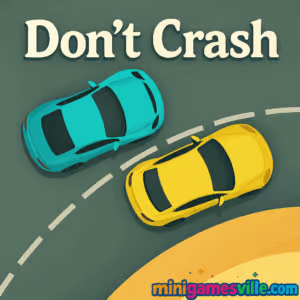
Play Don’t Crash online now on Minigamesville: tap the track, dodge collisions, and chase a new high score. Click Play above to launch Don’t Crash, the fast, free browser game that tests pure reflexes. If you love quick, one‑button arcade challenges and unblocked fun at school or work, this one is for you.
About Don’t Crash
Don’t Crash is a minimalist lane‑switch racing arcade where timing is everything. You guide a tiny car around a looping two‑lane circuit while other cars appear and accelerate. One mistimed tap and you collide. The loop gets faster, patterns tighten, and your score climbs with every clean pass. It is simple to learn, hard to master, and perfect for a quick session in your browser.
History of Don’t Crash
Don’t Crash fits the classic one‑tap, high‑score arcade style that surged on mobile and then found a perfect home as an HTML5 browser game. Today you can enjoy that same snappy, pick‑up‑and‑play loop in your desktop or mobile browser here on Minigamesville, no installs required.
Style & Vibe
The look is clean and readable, with bold colors and crisp track lines that keep your focus on traffic patterns and micro‑timing. Audio cues punctuate near misses and crashes, creating that tight, satisfying arcade rhythm.

Gameplay in Don’t Crash
Each run starts slow, then ramps up. Your car auto‑drives around a circular two‑lane track. Tap or click to switch lanes at the exact moment needed to avoid oncoming vehicles. The challenge comes from reading spawn timing, keeping a steady rhythm, and making late micro‑switches as speeds rise. Scoring is straightforward: every safe overtake adds to your total. Survive long enough and you will hit speed thresholds that demand perfect precision.
Game Modes
- Endless: the core loop, increasing speed with dynamic traffic patterns.
- Quick‑Run: jump in for a short burst and try to beat your personal best.
How to Play
- Press Play above to load Don’t Crash on this page.
- Watch the first few spawns to feel the rhythm.
- Tap or click to switch lanes right before a collision would happen.
- Chain clean passes, keep calm as speed builds, and push your high score.
Controls
- Desktop: Left click or Space to switch lanes.
- Mobile: Tap anywhere on the game to switch lanes.
- Tip: Make decisions on the rhythm, not the car’s position. Your eyes should track spawn timing.
Device Compatibility & Browser Support
Don’t Crash runs in modern browsers on desktop, laptop, Chromebook, iPhone, iPad, and Android devices. For the smoothest play, use the latest version of Chrome, Edge, Firefox, or Safari with sound enabled and no heavy background tabs.
Mobile vs. Desktop Gameplay
- Mobile: single‑thumb play shines, great for 30–60 second runs.
- Desktop: mouse clicks feel ultra‑snappy and help at higher speeds.
Can I Play Offline?
You need an internet connection to load the game. After it loads, you can usually keep playing without refreshing, but full offline play is not guaranteed in the browser.
Can I Play Unblocked?
Don’t Crash is an in‑browser game on Minigamesville, so it often works on school and work networks. If your network blocks gaming sites, try a different supported browser, use HTTPS, or play on a personal connection.
- Browser: Play Don’t Crash right here on Minigamesville in any modern browser.
- iOS: Official mobile version on the App Store: Do Not Crash.
- Android: There is no current official Google Play listing we can link for Don’t Crash. Prefer a similar tap‑to‑drive reflex game instead:
Tips & Tricks
Beginner Tips
- Count beats, not cars. Tap to the rhythm as spawns loop.
- Switch late, not early. Early switches bait you into head‑ons.
- Keep your focus near the top of the track so you read traffic sooner.
- Warm up with two or three short runs before chasing a record.
Advanced Strategies
- Pattern memory: traffic often alternates tight and wide gaps. Anticipate the squeeze.
- Micro‑taps: at high speed, commit to decisive, single taps. Double‑taps cause panic switches.
- Reset your rhythm after a scare. One deep breath avoids chain mistakes.
- Session goals: aim for clean 10‑pass streaks rather than one giant number. Streaks add up.
Features
- ⚡ Instant play in your browser, no download
- 🎯 One‑button controls with high skill ceiling
- 🏁 Endless mode with escalating speed
- 🔊 Punchy arcade sound effects
- 📈 Local high score chasing
- 📱 Smooth on mobile and desktop
- 🧠 Pattern‑reading gameplay that trains timing
- 🕹️ Great bite‑size sessions for quick breaks
Unlockables & Secrets
This browser version of Don’t Crash focuses on pure score chasing. The secret sauce lies in learning spawn rhythms. Watch for repeating sequences after every few passes and prepare your late switch ahead of time.
Cheats & Mods
There are no official cheats or mods for the browser version. For a fair leaderboard and the intended challenge, play as is.
Walkthrough Summary
- Start slow, observe two full spawn cycles.
- Adopt a late‑switch habit to survive tighter gaps.
- Commit to single‑tap decisions as speed increases.
- After a near miss, refocus and reset your rhythm.
Scoring, Records & Progression
Every safe pass adds 1 point. Difficulty scales with speed and spawn density. Track your personal best, then try to beat it by 5–10 points each session. Consistency across multiple short runs often beats one risky marathon attempt.
Why Play Don’t Crash
If you want a clean, high‑intensity reflex test with zero fluff, Don’t Crash delivers. It launches fast, punishes hesitation, and rewards disciplined timing. Ideal for quick breaks, warm‑ups before competitive games, or anyone who loves the feel of getting in the zone.
Pros & Cons of Don’t Crash
- Pros: lightning‑fast loading, intuitive controls, satisfying difficulty ramp, perfect for short sessions.
- Cons: minimalist presentation, no long‑term meta or unlock tree, one mistake ends a run.
- Use the latest version of Chrome, Edge, Safari, or Firefox.
- Enable hardware acceleration in your browser settings.
- Close heavy tabs, streaming apps, or extensions while you play.
- On mobile, switch to Do Not Disturb to avoid notifications mid‑run.
Similar games to Don’t Crash
- Swerve — one‑button lane switching with ultra‑tight timing.
- Drift Boss — tap‑timing drifts to stay on the platform and rack up points.
- Color Tunnel — high‑speed obstacle dodging in a neon tunnel.
- Color Tunnel 2 — faster, trickier tunnel patterns for reflex fans.
- Dino Game — the classic endless runner feel, perfect for quick scores.
- Geometry Dash Lite — rhythm‑based one‑button jumps that demand precision.
- Superbike Hero — slipstream through packs and nail the racing line.
FAQ
Is Don’t Crash free to play?
Yes, you can play Don’t Crash for free in your browser on Minigamesville.
Does Don’t Crash work on a Chromebook?
Yes, it runs well in Chrome. Keep other tabs light for the best frame rate.
What is the goal in Don’t Crash?
Survive as long as possible while switching lanes to avoid oncoming cars and set a new high score.
Are there different levels?
The mode is endless, but speed and traffic density increase to create new challenge tiers.
Can I pause the game?
Most versions pause when the browser tab loses focus. For safety, finish a run before switching tabs.
Is Don’t Crash unblocked at school?
It often is, since it runs in the browser. If your network blocks gaming, try a personal connection or play after hours.
What’s the best beginner tactic?
Adopt a late‑switch habit and keep your eyes on the next spawn, not your car.
Conclusion
Don’t Crash strips racing down to the core: read the lane, tap at the right beat, and don’t blink. The loop is addictive, the learning curve feels fair, and every new best score feels earned.
Ready to put your reflexes to the test? Hit Play above and dive into Don’t Crash on Minigamesville right now. One tap, one lane switch, one more pass — can you keep it going?

 Loading...
 English
 Shqip
Shqip
 বাংলা
বাংলা
 Български
 简体中文
简体中文
 Hrvatski
 Čeština
 Dansk
Dansk
 Nederlands
 Suomi
Suomi
 Ελληνικά
 हिन्दी
 Magyar
 Bahasa Indonesia
 日本語
日本語
 한국어
한국어
 Lietuvių
 Bahasa Melayu
 Norsk
Norsk
 Polski
 Português do Brasil
 Română
 Slovenčina
 Slovenščina
 Svenska
 ไทย
ไทย
 Türkçe
 Українська
 اردو
اردو
 Tiếng Việt
 isiZulu
 Español
 Français
 Deutsch
 العربية
 Italiano
 فارسی
فارسی
 Русский