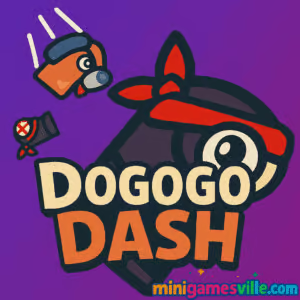
Play now: Jump in and play Dogogo Dash on minigamesville.com for free. Click the big Play button above to start Dogogo Dash right in your browser and see how far you can run.
Introduction
Dogogo Dash is a fast, cute, and slightly chaotic platform runner that you can play online in your browser. As a dashing pup on a mission, you will leap over gaps, slide under hazards, and chase high scores across colorful lanes. If you want a quick arcade fix with tight controls and buttery physics, Dogogo Dash serves it in bite-size sessions that are perfect for school breaks or work coffee time. Hit Play to try Dogogo Dash unblocked on this page and see how long you can keep the streak alive.
About Dogogo Dash
This browser game blends the pick-up-and-play feel of an endless runner with classic 2D platform timing. Runs get faster, obstacles stack up, and every clean jump feels great. Dogogo Dash is all about flow, reflexes, and collecting just one more bone before you bail out.
History of Dogogo Dash
Dogogo Dash gained traction across online arcades thanks to its simple premise and satisfying moment-to-moment action. The web build focuses on instant starts, no lengthy menus, and a tight loop that rewards both beginners and score chasers.
Style & Vibe
Bright backdrops, chunky obstacles, and a lovable canine lead give Dogogo Dash a friendly, Saturday-morning-cartoon energy. The UI stays clean so your eyes stay on timing and trajectory.

Gameplay in Dogogo Dash
Each run starts at a jogging pace and ramps up as you collect bones and nail combos. You will:
- Jump across gaps and platforms with precise air control.
- Slide to squeeze under barriers and dodge low hazards.
- Time double jumps to clear stacked obstacles and spike rows.
- Collect bones and treats to boost score multipliers.
- Chain clean sections to keep your momentum meter rising.
Physics favor responsive inputs with a snappy jump arc, so every mistake is learnable. Dogogo Dash rewards rhythm, not button mashing.
Game Modes
- Endless Run: Core mode where speed escalates and your best distance becomes the target to beat.
- Challenges: Create self-set goals like no-hit streaks, coin quotas, or time splits to spice up practice runs.
- Time Attack: Sprint for distance in a short window. Great for quick sessions between tasks.
How to Play
- Press Play to load the game.
- Start running and collect bones while watching upcoming hazards.
- Jump, double jump, or slide to avoid obstacles.
- Maintain clean sections to push your speed and score multiplier.
- Bank a new personal best, then dive back in for a cleaner line.
Controls
- Desktop: Arrow keys or WASD to move, Up or Space to jump, Down to slide, P or Esc to pause.
- Mobile: Tap to jump, swipe down to slide, hold for longer jumps when supported.
Device Compatibility & Browser Support
Dogogo Dash runs smoothly in modern browsers on Windows, macOS, ChromeOS, iOS, and Android. For best performance use the latest version of Chrome, Edge, Firefox, or Safari with hardware acceleration enabled. Close heavy tabs, keep at least 15 percent free storage, and switch off battery saver during play.
Mobile vs. Desktop Gameplay
On mobile, touch jumps feel natural for short sessions and one-hand play. Desktop gives you sharper timing with keyboard inputs and often higher frame stability on mid-range hardware. If you are hunting records, desktop is usually the move.
Can I Play Offline?
The game requires an internet connection to load the web build. Once the tab is closed or refreshed, assets need to be reloaded, so plan on playing online.
Can I Play Unblocked?
Dogogo Dash is a lightweight HTML5 browser game. It often works on filtered networks that allow educational or casual game pages, but availability depends on your school or workplace rules. If a network blocks gaming, try a different browser on the same device or play on a personal connection.
- Browser: Play Dogogo Dash right here on minigamesville.com in the embedded game frame.
- Official mobile stores: There are no confirmed App Store or Google Play listings for Dogogo Dash. If you want a similar mobile endless runner, try Subway Surfers here:
Tips & Tricks
Beginner Tips
- Look two obstacles ahead. Set up jumps early rather than reacting at the last pixel.
- Tap or press jump lightly for low arcs, hold longer only when a tall stack appears.
- Collect bones on safe lines. Skipping a risky pickup is better than ending a run.
- Use slides to reset rhythm when speed spikes feel overwhelming.
- Warm up with a 60 to 90 second run to sync your timing before going for a record.
Advanced Strategies
- Learn obstacle patterns. Most layouts cycle in readable sequences that you can memorize.
- Route for multiplier safety first, then add aggressive coin lines on later attempts.
- Feather jumps on descending platforms to land early and keep sprint speed high.
- Bank PBs in sessions. Once you set a record, take a short break to avoid tilt.
- Turn off background music in the in-game settings if available and keep sound effects on for timing cues.
Features
- 🐶 Adorable dog hero with expressive animations
- ⚡ Snappy jump physics that reward clean inputs
- 🎯 Score multipliers for perfect sections
- 🪙 Collectable bones and treats on dynamic lines
- 🌈 Colorful worlds and readable obstacles
- 🕹️ Keyboard and touch controls out of the box
- 📈 Endless replay value with escalating speed
- 💾 Auto-save of personal bests in the same browser
Unlockables & Secrets
Dogogo Dash keeps it lean. Expect cosmetic swaps, color variations, or subtle trail effects when supported by the build. Hidden bones often sit after safe landings, not before them, so plan your path beyond each jump.
Cheats & Mods
There are no official cheats. Third-party scripts or modded clients can harm performance or corrupt local saves. Play the legitimate browser version on minigamesville.com for stable runs and fair leaderboards.
Walkthrough Summary
Start slow and focus on early obstacle reads. Use short hops to thread low barriers, then combine a slide into a long jump when stacked hazards appear. Keep your eyes centered, not on your character, and anticipate landings instead of watching takeoffs. That mindset shift alone can lift your average distance in Dogogo Dash.
Scoring, Records & Progression
Your score blends distance, pickups, and multipliers earned through clean sections. Personal bests are stored locally in your browser. Want consistency? Aim for fewer risky coin grabs and prioritize long clean streaks to grow multipliers over time.
Why Play Dogogo Dash
It launches fast, controls feel crisp, and every restart puts you back into the action in seconds. If you like arcade runners, Dogogo Dash fits perfectly into short breaks yet has enough depth to keep you grinding for a PB.
Pros & Cons of Dogogo Dash
- Pros: Responsive controls, readable art, quick sessions, satisfying speed curve.
- Cons: Web build requires internet, cosmetic depth varies by version, difficulty ramps quickly for new players.
- As of August 2025, the web release runs well on current Chrome and Safari builds. Keep your browser updated for best input latency.
- Enable hardware acceleration in browser settings, then relaunch the browser.
- Close heavy video streams and cloud tabs before playing to free CPU and RAM.
- On laptops, plug in power to avoid performance throttling.
- If inputs feel sticky, switch to an incognito window to rule out extension conflicts.
Similar games to Dogogo Dash
- Subway Surfers Bali — classic endless running with slick swipes and city vibes.
- Geometry Dash Lite — rhythm-based jumping where precision is everything.
- Wheelie Bike — balance a bike forever and chase distance records.
- Swerve — one-tap cornering challenge with fast reflex turns.
- Color Tunnel 2 — high-speed dodging inside a kaleidoscopic tunnel.
- Eggy Car — gentle accelerator physics where smooth driving wins.
- Flip Runner — acrobatic leaps and flips with timing-heavy landings.
- Mario Run Jump — straightforward running and jumping across classic-style stages.
FAQ
Is Dogogo Dash free to play?
Yes, you can play Dogogo Dash online for free in your browser on this page.
Does Dogogo Dash save my progress?
The game tracks personal bests locally in your browser storage. Clearing cache or switching devices may reset records.
What are the best controls for high scores?
Keyboard on desktop offers the most precise timing. On mobile, tap and swipe work well for shorter runs.
Is Dogogo Dash kid friendly?
It features cartoony visuals and simple obstacle dodging. Always review content and supervise based on your preferences.
Can I pause mid-run?
Yes, use the pause button or press Esc or P on desktop to pause safely between sections.
Why does the game feel faster after a minute?
Speed ramps over time to raise difficulty. Focus on clean sections to keep control as pace increases.
Conclusion
Ready to chase a new personal best with man’s best friend? Dogogo Dash packs quick sessions, clean inputs, and just the right level of challenge to make every restart feel fresh.
Hit Play above to start Dogogo Dash on minigamesville.com, collect those bones, and post a score your friends will try to beat. See you on the run.

 Loading...
 English
 Shqip
Shqip
 বাংলা
বাংলা
 Български
 简体中文
简体中文
 Hrvatski
 Čeština
 Dansk
Dansk
 Nederlands
 Suomi
Suomi
 Ελληνικά
 हिन्दी
 Magyar
 Bahasa Indonesia
 日本語
日本語
 한국어
한국어
 Lietuvių
 Bahasa Melayu
 Norsk
Norsk
 Polski
 Português do Brasil
 Română
 Slovenčina
 Slovenščina
 Svenska
 ไทย
ไทย
 Türkçe
 Українська
 اردو
اردو
 Tiếng Việt
 isiZulu
 Español
 Français
 Deutsch
 العربية
 Italiano
 فارسی
فارسی
 Русский