Introduction
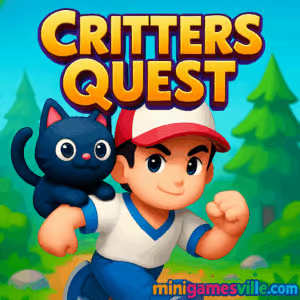
Ready to play Critters Quest right now on minigamesville.com? Press Play above and dive into a charming puzzle platformer built for instant fun in your browser. Critters Quest is an online, unblocked browser game that mixes smooth physics, collectible hunting, and light combat with a cozy, colorful world. Whether you have five minutes or a full hour, this bite-sized adventure is perfect for quick sessions, leaderboard runs, and casual completionists. Collect shiny goodies, rescue cute companions, and sprint to the exit before the timer runs dry. If you love accessible platformers with arcade pacing and crisp controls, Critters Quest will keep you coming back for one more run.
About Critters Quest
Critters Quest drops you into compact levels filled with springs, switches, slingshots, and critter-sized hazards. The goal: gather scattered tokens, avoid traps, and reach the portal while chaining movement for higher scores. The art leans playful and vibrant, and the sound effects pop with satisfying feedback when you time your jumps just right. It is tuned for fast load times and low friction on modern browsers, so you can jump in, master a level, and share your score without downloads or logins.
History of Critters Quest
Designed for modern HTML5 browsers, Critters Quest embraces quick session design and buttery input response. The current build focuses on bite-sized stages, score chasing, and collectible progression that works across devices, which makes it ideal for a lightweight browser game audience.
Style & Vibe
The vibe is cheerful and bouncy, with bright landscapes, bold outlines, and collectibles that sparkle against clean backgrounds. Animations emphasize momentum and air time, so every spring jump and wall hop feels punchy. Short levels keep the pace snappy and invite speedrun routes.

Gameplay in Critters Quest
Each run starts simple: move, jump, collect, escape. Layers of nuance emerge as you learn momentum windows, double-jump timing, and slide physics on ramps. You will dodge spike rollers, trigger moving platforms, and chain launches from springs to shave seconds off your best time. Optional critter pickups add risk-reward choices, unlocking cosmetic rewards and bonus stages when you nab them all. The challenge escalates with trap timing and route planning, but the restart is instant, which keeps the loop satisfying.
Game Modes
- Level Select: Tackle handcrafted stages and earn up to three stars based on time and collectibles.
- Endless Run: Procedural layouts with increasing speed caps, perfect for score chasing.
- Time Attack: Beat par times and compete on leaderboards with ghost runs.
- Challenge Rooms: Compact puzzle gauntlets that highlight switches, keys, and precision jumps.
How to Play
- Press Play above and wait a moment for assets to load.
- Choose a mode and your starting level.
- Collect tokens and optional critters while avoiding hazards.
- Reach the portal before time expires to bank your score.
- Replay to improve your route, perfect jumps, and unlock extras.
Controls
- Keyboard: Arrow keys or WASD to move, Space to jump or double-jump, R to quick-restart, P to pause.
- Mouse/Touch: Tap left or right to move, tap jump button to leap, hold for higher arcs, on-screen pause and restart.
- Controller: Left stick to move, A or X to jump, Start to pause.
Device Compatibility & Browser Support
Critters Quest runs in modern Chromium, Firefox, and Safari browsers on desktop, Chromebook, iPhone, iPad, and Android. It uses WebGL and hardware acceleration when available for steady frame pacing.
Mobile vs. Desktop Gameplay
On mobile, the on-screen buttons and forgiving coyote time make jumps feel smooth on touchscreens. On desktop, keyboard accuracy enables tighter speedrun lines and reliable precision over spike gaps.
Can I Play Offline?
No. Critters Quest loads live assets and saves progress in your browser storage, so an internet connection is required.
Can I Play Unblocked?
Yes, in most cases. Since it is an online HTML5 browser game, Critters Quest often works on school and work networks that allow gaming content. If your network restricts access, try a different connection or ask your administrator about allowed sites.
- Play in browser: Desktop and mobile at minigamesville.com.
- Official mobile apps: No official Google Play or App Store app for Critters Quest at this time.
- Looking for a similar mobile app? Try aquapark.io by VOODOO:
Download on the App Store and
Get it on Google Play.
Tips & Tricks
Beginner Tips
- Learn jump timing on springs before going for every collectible.
- Use quick-restart to iterate routes without losing flow.
- Grab easy critters first, then attempt risky ones once you know the exit line.
- Watch your momentum. Short hops often beat full jumps in tight corridors.
Advanced Strategies
- Route planning: sequence collectibles so you maintain forward velocity between platforms.
- Buffer inputs: hold jump slightly before edges to trigger coyote time for safer leaps.
- Corner cuts: clip platform edges to reduce travel distance on speedrun attempts.
- Risk windows: take the high route when timers are favorable, otherwise reset early.
Features
- 🐾 Fast, feel-good platforming with tight physics
- 🎯 Three-star goals that reward clean routes and full collections
- 🗺️ Handcrafted stages plus endless variations for replay
- 💎 Optional critter collectibles that unlock cosmetics
- 📱 Cross-device play in any modern browser
- 🏁 Time Attack leaderboards and ghost runs
- 🎨 Bright, friendly art and punchy sound effects
- ⚙️ Instant restarts for friction-free practice
Unlockables & Secrets
Collect hidden critters to unlock color themes, trail effects, and bonus stages. Some switches open secret doors off the main route, so check dead ends for hidden springs and breakable tiles.
Cheats & Mods
There are no built-in cheats. Third-party mods are not supported and can break performance or progress tracking. For the best experience, play the official browser version on minigamesville.com.
Walkthrough Summary
Early levels teach movement, jump height, and spring chains. Midgame introduces moving hazards and key-door puzzles. Late stages combine everything, asking you to route collectibles while managing timers. If you are stuck, practice the exit path first, then weave in optional pickups as you improve.
Scoring, Records & Progression
Scores factor time remaining, collectibles secured, and death count. Perfect runs with full critter sets yield the highest star ratings. Your browser stores progress locally, so returning on the same device keeps your unlocks intact.
Why Play Critters Quest
It is quick to learn, satisfying to master, and endlessly replayable. Critters Quest nails the balance between cozy visuals and snappy, precision gameplay, which makes it an ideal online platformer for short breaks or deep score grinding.
Pros & Cons of Critters Quest
- Pros: responsive controls, instant restarts, clean UI, rewarding collectibles, low system demands.
- Cons: no offline mode, local saves tied to device, late-game routes can be demanding for newcomers.
- Keep your browser updated for best WebGL performance.
- Enable hardware acceleration in settings if disabled.
- Close heavy background tabs or extensions before long sessions.
- If input feels delayed, switch to a private window or clear cached files.
- On mobile, set your device to high performance or low power mode off while playing.
Similar games to Critters Quest
- Poor Bunny — a fast-paced platformer where quick hops and carrots rule.
- Duck Life — train, race, and evolve your duck across cute challenges.
- 3 Pandas in Japan — light puzzle adventures with teamwork and charm.
- Puzzle Blocks Classic — arrange shapes, clear lines, and plan ahead.
- Bubble Pop Adventures — colorful bubble-matching with satisfying pops.
- Gobble — simple one-touch arcade timing with cute characters.
- Candy Jump — sweet vertical jumping with tight timing windows.
FAQ
What type of game is Critters Quest?
Critters Quest is a colorful puzzle platformer browser game with speedrun-friendly levels and optional collectibles.
Is Critters Quest free to play?
Yes, you can play free in your browser on minigamesville.com with no download required.
Does Critters Quest work on school Chromebooks?
In many cases yes, since it is an HTML5 online game. Access depends on your school’s network settings.
How do I save progress in Critters Quest?
Your stars and unlocks save locally in your browser storage on the same device.
Is there an app for Critters Quest?
There is no official app yet. If you want a similar mobile experience, try aquapark.io on iOS and Android using the links above.
Can I use a controller?
Yes, common gamepads are supported in desktop browsers that recognize standard input.
Conclusion
Critters Quest delivers feel-good platforming with quick restarts, cute collectibles, and routes that reward practice. It looks great, runs smoothly in your browser, and fits perfectly into short breaks or long score-chasing sessions.
Ready to hop in? Press Play above to start Critters Quest on minigamesville.com, chase those stars, and see how fast you can clear each stage. Have fun, and share your best times with friends.

 Loading...
 English
 Shqip
Shqip
 বাংলা
বাংলা
 Български
 简体中文
简体中文
 Hrvatski
 Čeština
 Dansk
Dansk
 Nederlands
 Suomi
Suomi
 Ελληνικά
 हिन्दी
 Magyar
 Bahasa Indonesia
 日本語
日本語
 한국어
한국어
 Lietuvių
 Bahasa Melayu
 Norsk
Norsk
 Polski
 Português do Brasil
 Română
 Slovenčina
 Slovenščina
 Svenska
 ไทย
ไทย
 Türkçe
 Українська
 اردو
اردو
 Tiếng Việt
 isiZulu
 Español
 Français
 Deutsch
 العربية
 Italiano
 فارسی
فارسی
 Русский